
1. Introduktion
This manual provides comprehensive instructions for the installation, setup, and operation of your Lesim Smart Switch WiFi Wall Light Switch. This device allows you to control your lighting remotely via a smartphone app or voice commands through compatible smart home assistants like Amazon Alexa and Google Home.
Læs venligst denne manual grundigt inden installation og brug for at sikre korrekt funktion og sikkerhed.
2. Sikkerhedsoplysninger
- ADVARSEL: RISIKO FOR ELEKTRISK STØD. Installationen skal udføres af en kvalificeret elektriker eller en person med elektrisk viden.
- Afbryd strømmen ved afbryderen før installation.
- This smart switch is designed for single-pole applications only. It is not compatible with 3-way (multi-switch) belysningssystemer.
- A neutral ledning er påkrævet for operation. If your electrical box does not have a neutral wire, this switch is not compatible.
- This is a standard on/off switch, not a dimmer.
- Støtte 2.4GHz Wi-Fi Only (5G Wi-Fi networks are not supported).
- Sørg for, at alle ledningsforbindelser er sikre og isolerede.
3. Pakkens indhold
Bekræft at alle varer er til stede i din pakke:
- Lesim Smart Switch WiFi Wall Light Switch (1 Pack)
- Vægplade
- Trådnødder (4)
- Monteringsskruer (2)
- Brugermanual

Image: Contents of the Lesim Smart Switch package, showing the switch, wire nuts, and mounting screws.
4. Produktet er slutview og funktioner
The Lesim Smart Switch offers convenient control over your home lighting with advanced features:
- Trådløs fjernbetjening: Turn electronics on or off from anywhere using the Smart Life app on your smartphone.
- Stemmestyring: Kompatibel med Amazon Alexa og Google Assistant for håndfri betjening.
- Planlægning og timere: Set custom schedules to automatically turn lights on and off, enhancing convenience and energy efficiency.
- Smart Sharing: Share control of your smart switch with family members through the Smart Life app.
- Nem installation: Designed to replace existing single-pole light switches.
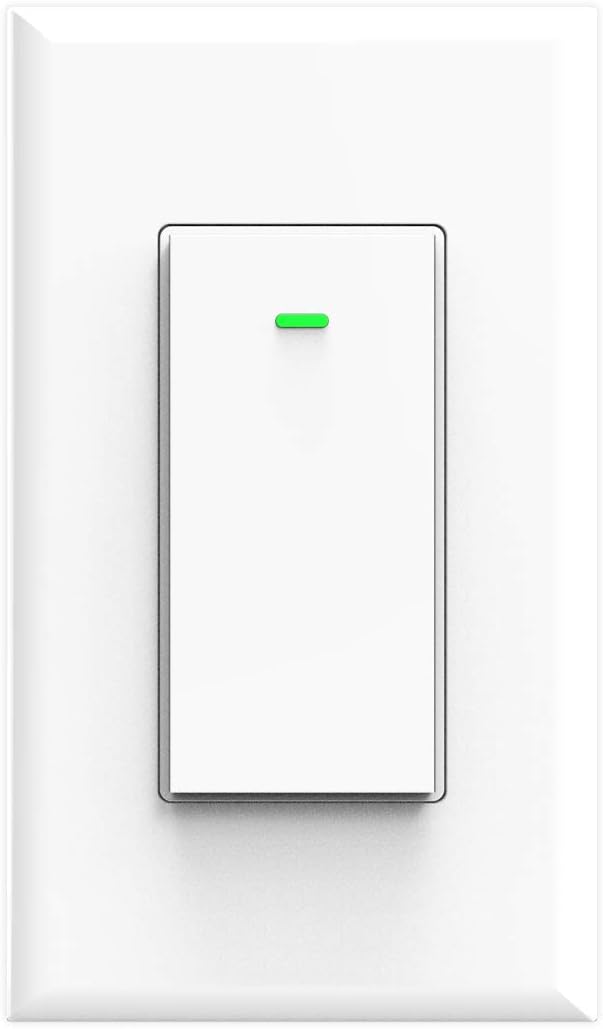
Billede: Forside view of the Lesim Smart Switch, showing its clean white design.
5. Specifikationer
| Feature | Specifikation |
|---|---|
| Model | KS-602S |
| Strømforsyningstilstand | Neutral + Live Wire |
| Nominel strøm | 15A (Max) |
| Operation Voltage | AC110-125V 50 / 60Hz |
| Nominel effekt | 1650W |
| Forbindelsesprotokol | Wi-Fi (kun 2.4 GHz) |
| Trådløs Standard | IEEE802.11 b/g/n |
| Kontrolmetode | App, stemme |
| Kompatible enheder | Amazon Alexa, Google Assistant, IFTTT |
| Dimensioner | 4.1 x 1.8 x 1.4 tommer (ca.) |
| Varens vægt | 5.6 ounce |

Image: Diagram showing the physical dimensions of the smart switch and a basic wiring illustration.
6. Installation
Before beginning, ensure you have basic electrical knowledge and the necessary tools (screwdriver, wire strippers, voltage tester).
6.1 Tjekliste før installation
- Confirm your existing switch is a single-pole skifte.
- Verify the presence of a neutral ledning (usually white) in your electrical box.
- Sørg for, at dit Wi-Fi-netværk er 2.4 GHz.
6.2 Ledningsinstruktioner
- Sluk for strømmen: Locate your circuit breaker and turn off the power to the light switch you are replacing. Use a voltage testeren for at bekræfte, at strømmen er slukket.
- Fjern den gamle switch: Unscrew and carefully pull out the old switch from the wall box. Disconnect the wires, noting which wire was connected to which terminal.
- Identificér ledninger:
- Live Wire (Line): Carries power from the circuit breaker (often black).
- Indlæs ledning: Carries power to the light fixture (often black).
- Neutral ledning: Completes the circuit (always white).
- Jordledning: Safety wire (bare copper or green).
- Connect Smart Switch: Connect the wires from your wall box to the corresponding terminals on the Lesim Smart Switch using the provided wire nuts:
- Tilslut Live Wire (Line) from the wall box to the 'L-IN' terminal on the switch.
- Tilslut Indlæs ledning from the wall box to the 'UD' terminal on the switch.
- Tilslut Neutral ledning from the wall box to the 'N-IN' terminal on the switch.
- Tilslut Jordtråd from the wall box to the 'GROUND' terminal on the switch.
- Monter afbryder: Carefully push the wired switch back into the wall box. Secure it with the mounting screws.
- Installer vægplade: Attach the new wall plate over the switch.
- Gendan strøm: Tænd for strømmen igen ved afbryderen.

Image: A detailed wiring diagram illustrating how to connect the Load, Live, Ground, and Neutral wires to the smart switch.
7. Setup (App Pairing & Wi-Fi Connection)
After successful physical installation, proceed with connecting your smart switch to your Wi-Fi network and the Smart Life app.
- Download appen: Download Smart liv app fra Apple App Store eller Google Play Store.
- Registrer/Log ind: Åbn appen, og opret en ny konto, eller log ind, hvis du allerede har en.
- Tilføj enhed: Tap the '+' icon in the top right corner of the app to add a new device. Select 'Electrician' then 'Switch (Wi-Fi)'.
- Opret forbindelse til Wi-Fi: Enter your 2.4GHz Wi-Fi network name and password. Ensure your phone is connected to the 2.4GHz network.
- Nulstil enhed: Follow the in-app instructions to put the switch into pairing mode. This usually involves pressing and holding the switch button until the indicator light blinks rapidly. Confirm the indicator light is blinking quickly in the app.
- Forbinde: The app will begin connecting to the device. Once connected, you can rename your switch for easier identification.

Image: A visual guide showing the steps to set up the smart switch with the Smart Life mobile application.
8. Betjeningsvejledning
8.1 Manuel kontrol
Press the physical button on the smart switch to manually turn the connected light on or off.
8.2 App kontrol
Når du er forbundet til Smart Life-appen, kan du:
- Fjernbetjening til/fra: Tap the switch icon in the app to turn lights on or off from anywhere.
- Planlægning: Set specific times for your lights to turn on or off automatically.
- Timere: Create countdown timers for lights to switch off after a set duration.
- Sceneoprettelse: Group multiple smart devices to control them with a single command or schedule.
- Deling af enhed: Share control of the switch with other Smart Life app users (e.g., family members).

Image: A user demonstrating remote control of the smart switch using the Smart Life app on a smartphone.

Image: Illustration of setting schedules and creating scenes for automated lighting control.

Image: Demonstrates controlling home lights remotely via the app, ensuring you never return to a dark home.
8.3 Stemmekontrol
Integrate your Lesim Smart Switch with Amazon Alexa or Google Assistant for voice control:
- Tilknyt konto: In the Alexa or Google Home app, navigate to the 'Skills' or 'Works with Google' section and search for 'Smart Life'. Link your Smart Life account.
- Opdag enheder: Once linked, ask Alexa or Google Assistant to 'Discover devices'.
- Stemmekommandoer: Brug kommandoer som:
- "Alexa, tænd for [Switch Name]"
- "Hej Google, sluk [Switch Name]"

Image: Demonstrates hands-free voice control using Amazon Alexa and Google Home devices.
9. Vedligeholdelse
The Lesim Smart Switch requires minimal maintenance.
- Rensning: Wipe the switch and wall plate with a soft, dry cloth. Avoid using harsh chemicals or abrasive cleaners.
- Wi-Fi-stabilitet: Ensure your Wi-Fi router is functioning correctly and provides a stable 2.4GHz signal to the switch for optimal performance.
- Firmwareopdateringer: Periodically check the Smart Life app for any available firmware updates for your switch to ensure you have the latest features and security enhancements.
10. Fejlfinding
If you encounter issues with your Lesim Smart Switch, refer to the following common problems and solutions:
| Problem | Mulig årsag/løsning |
|---|---|
| Switch is unresponsive (no power) |
|
| Kan ikke oprette forbindelse til Wi-Fi / App-parring mislykkes |
|
| Stemmestyring (Alexa/Google Home) virker ikke |
|
| Switch works manually but not via app/voice |
|
| Switch is a dimmer or 3-way switch |
|
11. Garanti og support
For warranty information or technical support, please refer to the product packaging or contact Lesim customer service directly. Contact details can typically be found on the manufacturer's webwebsted eller via din købsplatform.