
Indledning
This manual provides instructions for the setup, operation, maintenance, and troubleshooting of your new replacement remote control for Optoma projectors. This remote is designed to be compatible with a wide range of Optoma projector models, offering a convenient and reliable control solution.
Compatible Optoma Projector Models:
- HD26, X412, HD26B, HD26BR, UHD300X
- GT1080, GT1080E, GT1080DARBEE, GT1070X, VDGTGZBZ, GT1070Xe
- HD141X, HD143X, H181X, DH1008, DH1009
- HD37, UHD60, HDF536, HDF537ST, HD200D
- HD39DARBEE, VDHDNBDSE, UHD65, HD27, HD27E, HD27HDR, HD29DARBEE
- EH200ST, EH412ST, GT5600, VDHDNL, HD142X, HD144X, HD152X
- UHD550X, HD28HDR, HD28DSE, UHD40, UHD50, UHZ65, VDUHDLZ, ZH403, HD39HDR, UHD35
Please verify that your original remote control is identical to this replacement model for full functionality. If your original remote differs, some functions may not be fully compatible.
Opsætning
Installation af batteri
The remote control requires two (2) AA batteries for operation. Batteries are not included with the remote control.
- Find batterirummet på bagsiden af fjernbetjeningen.
- Skub batteridækslet nedad, eller tryk på låsen, og løft det for at åbne.
- Isæt to AA-batterier, og sørg for, at de positive (+) og negative (-) poler er justeret korrekt med markeringerne inde i batterirummet.
- Sæt batteridækslet på igen ved at skubbe det på plads, indtil det klikker sikkert.

The remote control's rear panel, with the battery cover removed, revealing the battery compartment and regulatory markings.

The remote control's front, highlighting the requirement for two AA batteries for operation.
Operation
Grundlæggende funktioner
Point the remote control directly at the infrared receiver on your Optoma projector. The maximum effective range is approximately 10 meters (33 feet).
En klar view of the remote control's front face, displaying all functional buttons including power, menu, volume, and source selection.
- TIL/FRA: Press the 'ON' button to power on the projector. Press the 'OFF' button to power off the projector.
- Menu: Access the projector's on-screen display (OSD) menu.
- Navigationsknapper (op, ned, venstre, højre, enter): Use these buttons to navigate through menu options and confirm selections.
- Volumen +/-: Juster lydudgangsniveauet.
- Kilde: Cycle through available input sources (e.g., HDMI1, HDMI2, VGA1, VGA2, Video, YPbPr).
- Stum: Mute or unmute the audio.
- Lysstyrke: Adjust the projector's brightness setting.
- Kontrast: Adjust the projector's contrast setting.
- Keystones: Access keystone correction settings to adjust image geometry.
- Aspektforhold: Change the image aspect ratio.
- Mode: Select different display modes.
- 3D: Activate or deactivate 3D mode (if supported by projector).
- Sleep timer: Set a timer for the projector to automatically power off.
- Synkroniser igen: Re-synchronize the input signal.
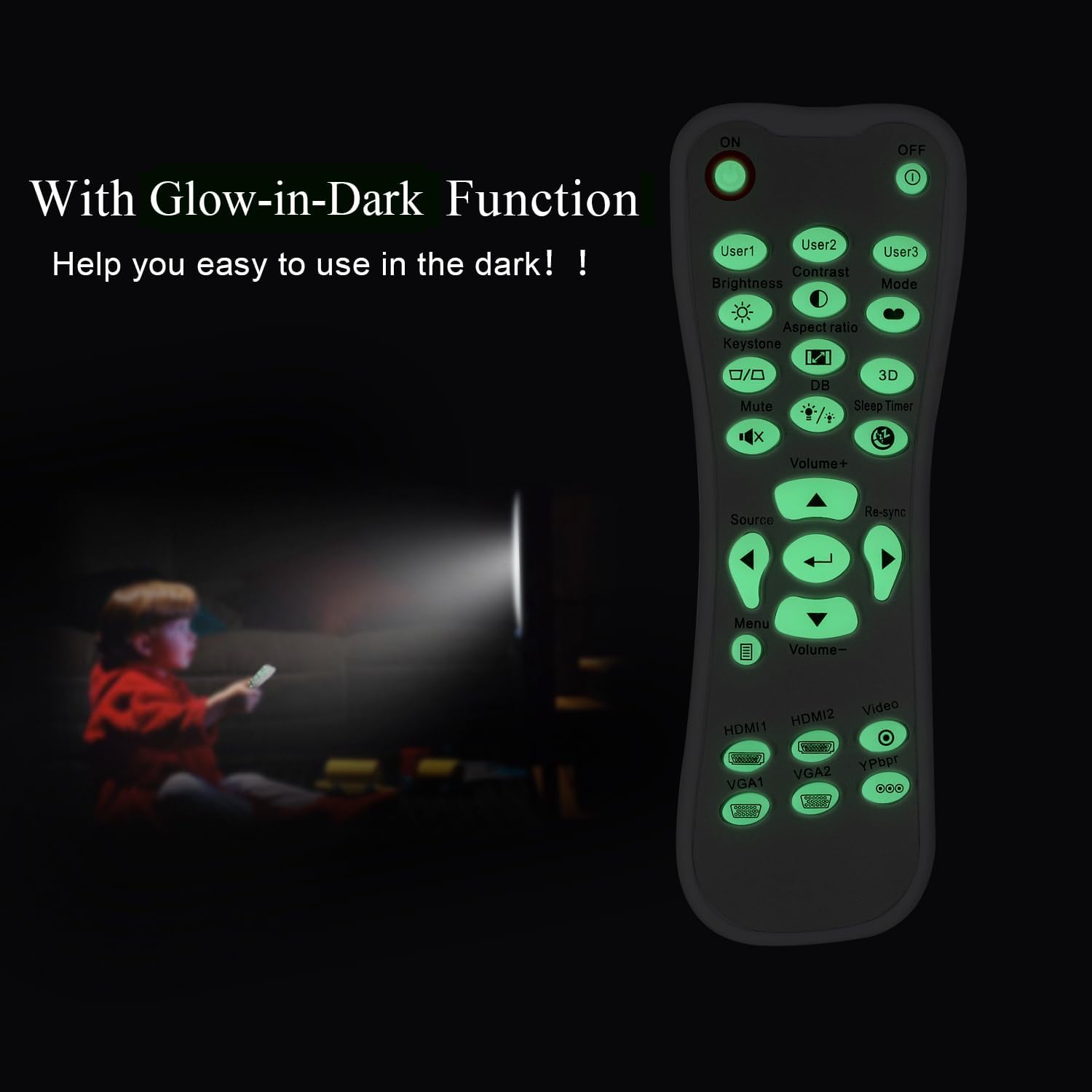
Glow-in-Dark Function
Certain buttons on this remote control are designed to glow in the dark, enhancing visibility and ease of use in low-light conditions. For optimal luminous effect, expose the remote control to bright light for a period before use in the dark.

The remote control features glow-in-the-dark buttons, making it visible and easy to use in low-light environments, such as a darkened room during projector use.
Driftsområde
The remote control operates using infrared (IR) technology. Ensure a clear line of sight between the remote control and the projector's IR receiver. The effective operating distance is up to 10 meters (approximately 33 feet).
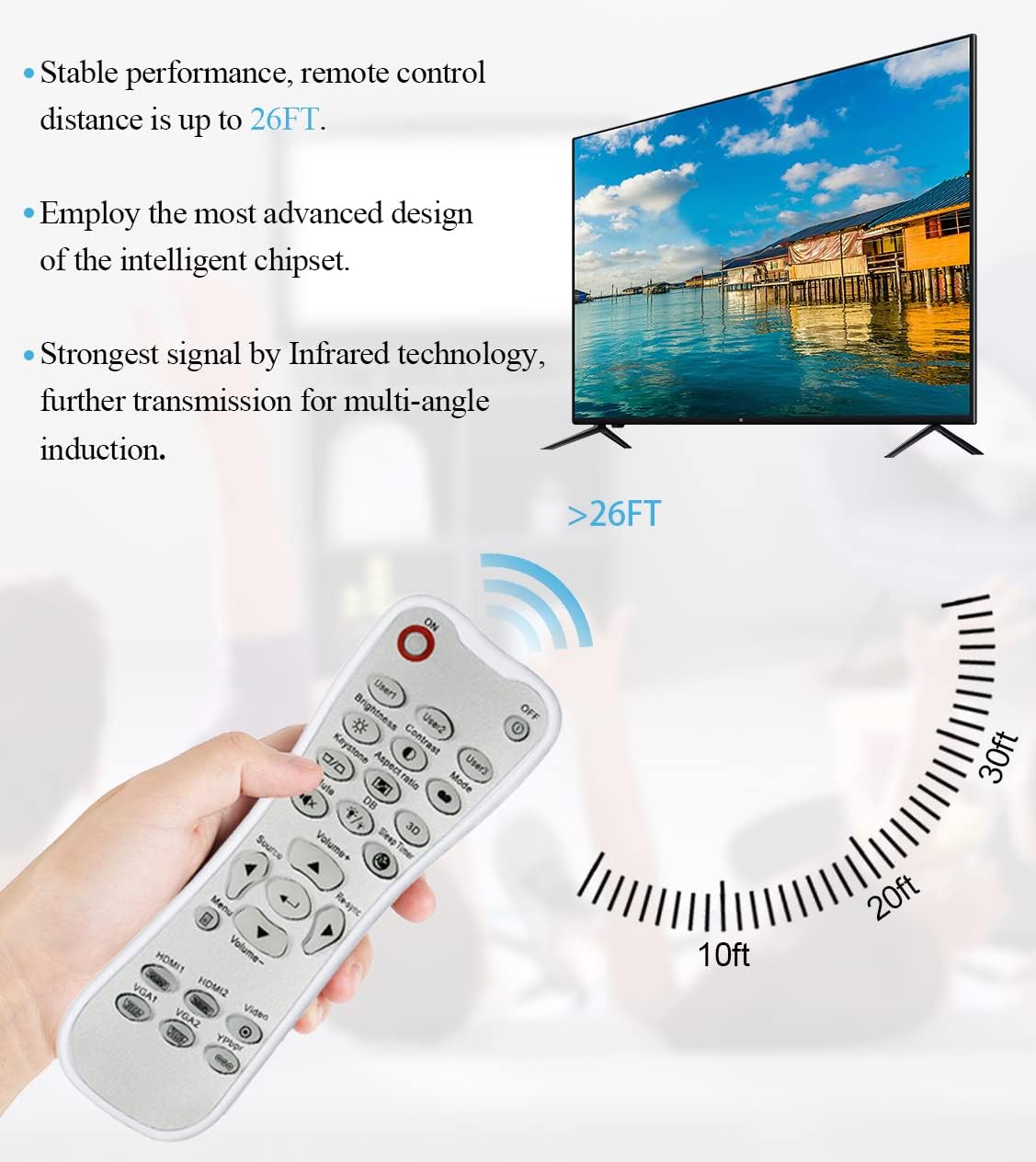
The remote control utilizes infrared technology for signal transmission, offering a reliable operating range of up to 26 feet (approximately 8 meters) for controlling your projector.
Opretholdelse
Rensning
To clean the remote control, use a soft, dry cloth. Do not use liquid cleaners, abrasive pads, or chemical solvents, as these may damage the surface or internal components.
Udskiftning af batteri
Replace batteries when the remote control's response becomes sluggish or stops working. Always replace both batteries at the same time with new AA batteries. Do not mix old and new batteries, or different types of batteries.
Opbevaring
Opbevar fjernbetjeningen et køligt og tørt sted væk fra direkte sollys og ekstreme temperaturer. Hvis fjernbetjeningen ikke skal bruges i længere tid, anbefales det at fjerne batterierne for at forhindre lækage.
Fejlfinding
- Fjernbetjeningen svarer ikke:
- Sørg for, at batterierne er korrekt installeret med den korrekte polaritet.
- Udskift gamle batterier med nye.
- Check for any obstructions between the remote control and the projector's IR receiver.
- Sørg for, at du er inden for den effektive rækkevidde (op til 10 meter).
- Knapperne er stive eller reagerer ikke:
- Ensure the remote control is clean and free from debris that might impede button movement.
- If buttons are consistently stiff, this may indicate a manufacturing issue.
- Glow-in-dark function is weak:
- Expose the remote control to bright light for a longer duration to charge the luminous material.
Specifikationer
| Feature | Specifikation |
|---|---|
| Modelnavn | L-27-5KEY |
| Mærkekompatibilitet | Optoma Projektorer |
| Speciel funktion | Universal Replacement, Glow-in-Dark Buttons |
| Farve | Hvid |
| Forbindelsesteknologi | Infrarød (IR) |
| Knap Antal | 5 (referring to the main function keys, though more buttons are present) |
| Controller type | Knap kontrol |
| Maksimal rækkevidde | 10 meter (ca. 33 fod) |
| Batteritype | 2 x AA batterier (medfølger ikke) |
| Materiale | Plast |
| Varedimensioner (L x B x H) | 14.9 cm (5.9 tommer) x 5.3 cm (2.1 tommer) x 2.5 cm (1 tommer) |

A dimensional diagram illustrating the compact size of the remote control, measuring approximately 14.9 cm (5.9 inches) in length, 5.3 cm (2.1 inches) in width, and 2.5 cm (1 inch) in thickness.
Garanti og support
For any issues not covered in this manual, or for warranty inquiries, please contact the seller or manufacturer directly through your purchase platform. Keep your purchase receipt as proof of purchase.