
1. Introduktion
Welcome to the user manual for your Genius Manticore Gaming Keyboard. This guide provides essential information for setting up, operating, maintaining, and troubleshooting your new gaming keyboard. Please read these instructions carefully to ensure optimal performance and longevity of your device.
2. Produktet er slutview
The Genius Manticore Gaming Keyboard is designed for an enhanced gaming experience, featuring a durable build and responsive keys. It connects via USB and is compatible with a wide range of devices. The keyboard includes 104 keys with a standard QWERTY layout, complemented by additional gaming-specific features.
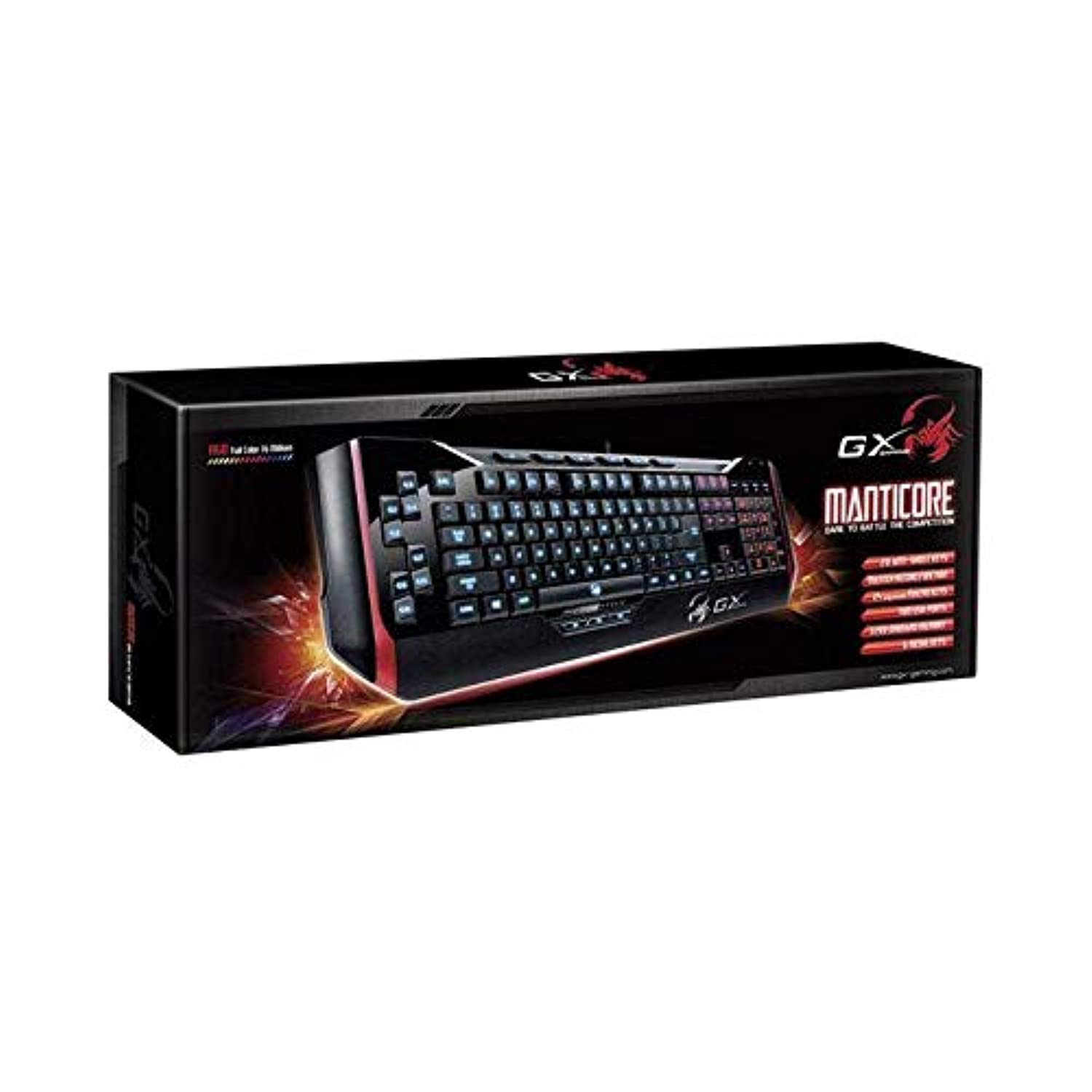
Figur 1: Genius Manticore Gaming Keyboard. This image displays the Genius Manticore Gaming Keyboard, featuring a black body with red accents on the sides. The keys are illuminated, indicating its gaming functionality. The keyboard has a standard QWERTY layout with additional keys on the left side, likely for macros, and a numeric keypad on the right.
3. Opsætning
- Pak tastaturet ud: Carefully remove the Genius Manticore Gaming Keyboard from its packaging. Ensure all components are present.
- Opret forbindelse til din enhed: Locate an available USB port on your computer or compatible device. Insert the USB connector of the keyboard firmly into the USB port.
- Driverinstallation (hvis nødvendigt): For most modern operating systems, the keyboard will be recognized automatically, and standard drivers will be installed. If prompted, follow the on-screen instructions to complete any driver installation.
- Test funktionalitet: Åbn en teksteditor eller en web browser and test the keys to ensure they are responding correctly.
4. Betjeningsvejledning
The Genius Manticore Gaming Keyboard offers a standard QWERTY layout for general typing and dedicated features for gaming.
- Standardnøglefunktioner: All standard alphanumeric, symbol, and function keys operate as expected on a typical QWERTY keyboard.
- Spilfunktioner: The keyboard is designed for gaming. Specific gaming features, such as customizable backlighting or programmable macro keys (if available on your model), can typically be configured through dedicated software provided by Genius or through specific key combinations. Refer to the Genius website for any available software downloads or advanced feature guides.
- Strømkilde: The keyboard is powered directly via the USB connection to your device. No external power supply or batteries are required.
5. Vedligeholdelse
Korrekt vedligeholdelse sikrer dit tastaturs levetid og ydeevne.
- Rensning: Brug en blød, tør klud til at tørre tastaturets overflade af. Brug trykluft til at fjerne støv og snavs mellem tasterne. Undgå at bruge skrappe kemikalier eller slibende materialer.
- Væskeeksponering: Dette tastatur er ikke vandafvisende. Avoid spilling liquids on the keyboard, as this can cause permanent damage. If liquid exposure occurs, immediately disconnect the keyboard from your device and allow it to dry completely before attempting to use it again.
- Opbevaring: When not in use, store the keyboard in a clean, dry environment away from extreme temperatures and direct sunlight.
6. Fejlfinding
Hvis du støder på problemer med dit tastatur, kan du prøve følgende løsninger:
- Tastaturet reagerer ikke:
- Sørg for, at USB-kablet er korrekt tilsluttet til både tastaturet og computeren.
- Prøv at tilslutte tastaturet til en anden USB-port på din computer.
- Test tastaturet på en anden computer for at afgøre, om problemet er med tastaturet eller den originale computer.
- Genstart din computer.
- Specifikke taster virker ikke:
- Check for any physical obstructions under the non-functional keys.
- Rengør tastaturet som beskrevet i afsnittet Vedligeholdelse.
- Ensure no software conflicts are present (e.g., macro software interfering with standard key functions).
- Problemer med baggrundsbelysning:
- If your model features adjustable backlighting, ensure it is not turned off or set to the lowest brightness level. Consult the Genius website for specific key combinations to control backlighting.
If these steps do not resolve the issue, please contact Genius customer support for further assistance.
7. Specifikationer
| Feature | Detalje |
|---|---|
| Mærkenavn | Genialt |
| Modelnummer | GE31310058108 |
| Kompatible enheder | Alle |
| Forbindelsesteknologi | USB |
| Tastaturbeskrivelse | Spil |
| Særlige funktioner | Spil |
| Farve | Multi-color (Black and Red) |
| Stil | Moderne |
| Materiale | Flere materialer |
| Tema | Spil |
| Strømkilde | USB-strøm |
| Antal nøgler | 104 |
| Tastaturlayout | QWERTY tastatur |
| Håndorientering | Ambidekstrøs |
| Knap Antal | 104 |
| Vandmodstandsniveau | Ikke vandafvisende |
| Fabrikant | Genialt |
| ASIN | B07MQMXJS9 |
8. Garanti og support
Your Genius Manticore Gaming Keyboard is covered by a standard manufacturer's warranty. For detailed information regarding warranty terms, registration, or to access technical support, please visit the official Genius webwebstedet eller kontakt deres kundeserviceafdeling. Behold din købskvittering som købsbevis.
For yderligere hjælp kan du besøge Genius Official Webwebsted.