
GOgroove STW
GOgroove BlueSYNC STW Bluetooth Tower-højttaler brugsanvisning
Model: STW
Indledning
Tak for købetasing the GOgroove BlueSYNC STW Bluetooth Tower Speaker. This floorstanding home speaker is designed to deliver immersive 2.1 audio with its built-in subwoofer and dual drivers, providing 120W peak power. It offers versatile connectivity options including wireless Bluetooth streaming, 3.5mm AUX wired input, FM digital radio, and MP3 playback from a USB flash drive. With its sleek design, integrated device dock, and convenient USB charging port, the BlueSYNC STW is a comprehensive audio solution for any living space.
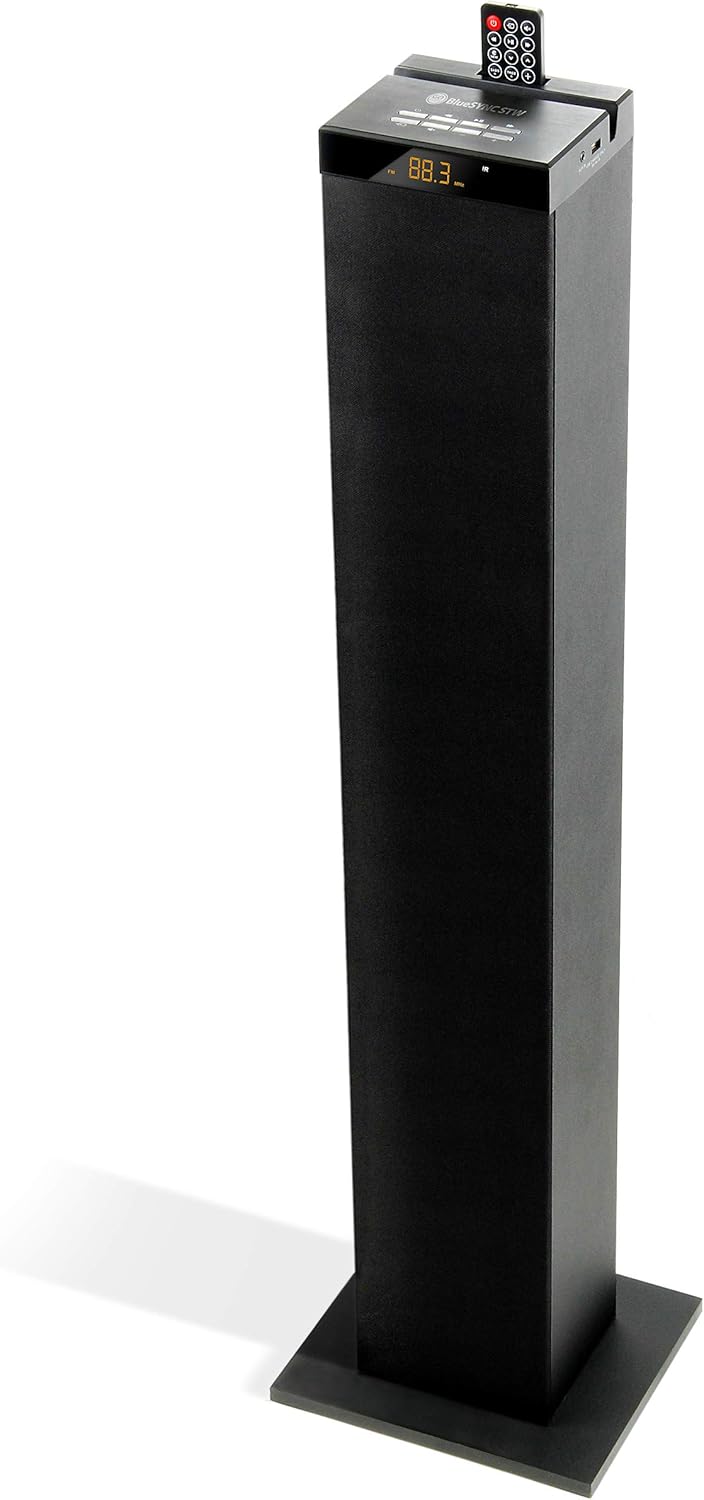
Image: The GOgroove BlueSYNC STW Bluetooth Tower Speaker, a tall, black, floorstanding speaker with a top control panel and remote.
Hvad er der i æsken
- 1 x 38'' GOgroove BlueSYNC STW Tower Speaker
- 1 x Base and Base Screw Kit
- 1 x vekselstrømsadapter
- 1 x trådløs fjernbetjening
- 1 x 18'' 3.5mm AUX Cable
Opsætning
1. Montering
- Fjern forsigtigt alle komponenter fra emballagen.
- Attach the speaker base to the main tower unit using the provided screws. Ensure it is securely fastened for stability.
2. Strømtilslutning
- Connect the AC adapter to the DC IN port on the back of the speaker.
- Sæt AC-adapteren i en almindelig stikkontakt.
- The speaker will enter standby mode, indicated by the display.
Betjeningsvejledning
1. Tænd/sluk
Press the Power button on the top control panel or the remote control to turn the speaker on or off.
2. Bluetooth-parring
- Turn on the speaker. The display will show "bt" and flash, indicating it's in Bluetooth pairing mode.
- Enable Bluetooth on your audio device (smartphone, tablet, etc.).
- Søg efter and select "BlueSYNC STW" from the list of available devices.
- Once paired, the "bt" indicator will stop flashing and remain solid. You can now stream audio wirelessly.

Image: A group of people relaxing, with the GOgroove BlueSYNC STW speaker in the background, illustrating wireless connectivity.
3. AUX -indgang
- Connect one end of the included 3.5mm AUX cable to the AUX IN port on the speaker.
- Tilslut den anden ende til hovedtelefonstikket eller lydudgangen på din enhed.
- Press the MODE button on the speaker or remote until "AUX" is displayed.
- Afspil lyd fra din tilsluttede enhed.

Image: Close-up of the speaker's top panel showing the AUX IN port and connections for various audio sources.
4. USB MP3-afspilning
- Indsæt et USB-flashdrev med MP3-lyd files into the USB 2.0 Port on the speaker.
- The speaker will automatically switch to USB mode and begin playing the first track. If not, press the MODE button until "USB" is displayed.
- Brug afspilningsknapperne (Afspil/Pause, Næste/Forrige nummer) på højttaleren eller fjernbetjeningen til at administrere din musik.

Image: The GOgroove BlueSYNC STW speaker in a living room setting, with a USB flash drive inserted, demonstrating MP3 playback.
5. FM Radio
- Press the MODE button on the speaker or remote until "FM" is displayed.
- Tryk og hold Afspil/Pause-knappen nede for at automatisk scanne og gemme tilgængelige FM-stationer.
- Brug knapperne Næste/Forrige spor til at navigere gennem gemte stationer.

Image: The GOgroove BlueSYNC STW speaker displaying an FM radio frequency, indicating its built-in radio tuner.
6. Brug af fjernbetjeningen
The included wireless remote control allows you to manage all functions of the BlueSYNC STW from a distance, including power, mode selection, volume, track control, bass/treble adjustments, and FM tuning.

Image: A hand holding the compact wireless remote control for the GOgroove BlueSYNC STW speaker.
7. USB -opladningsport
The side USB 1A power port allows you to charge your smartphone or tablet while streaming audio, preventing battery drain. Simply connect your device's charging cable to the USB port.

Image: A smartphone charging via the USB port on the top panel of the GOgroove BlueSYNC STW speaker.
Product Feature Highlight Video
Video: An official feature highlight video for the GOgroove BlueSYNC STW Bluetooth Tower Speaker, demonstrating its various functions and design.
Opretholdelse
- Keep the speaker clean by wiping it with a soft, dry cloth. Do not use abrasive cleaners or solvents.
- Avoid exposing the speaker to excessive moisture, heat, or direct sunlight.
- Sørg for tilstrækkelig ventilation omkring højttaleren for at forhindre overophedning.
Fejlfinding
| Problem | Løsning |
|---|---|
| Ingen strøm | Ensure the AC adapter is securely plugged into both the speaker and a working wall outlet. Press the Power button. |
| Ingen lyd | Check the volume level on both the speaker and your connected device. Ensure the correct input mode (Bluetooth, AUX, USB, FM) is selected. For AUX, ensure the cable is fully inserted. |
| Bluetooth Disconnection / Cannot Pair | Ensure the speaker is in Bluetooth pairing mode (flashing "bt"). Move your device closer to the speaker (within 33 feet/10 meters). Forget "BlueSYNC STW" from your device's Bluetooth settings and try pairing again. |
| Fjernbetjeningen virker ikke | Check and replace the remote control battery if necessary. Ensure there are no obstructions between the remote and the speaker's IR sensor. |
| Dårlig FM-modtagelse | Adjust the position of the speaker or the antenna (if applicable) to improve signal. Try auto-scanning for stations again. |
Specifikationer
| Feature | Detalje |
|---|---|
| Modelnavn | BlueSYNC STW |
| Højttaler type | Tårn |
| Højttalerkonfiguration | 2.1 Channel (2 x 15W Drivers + 30W Sub) |
| Spidseffekt | 120 watt |
| Audio Input Options | Bluetooth, 3.5mm AUX, USB drive, FM radio |
| Bluetooth rækkevidde | 10 meter (33 fod) |
| USB-opladningsport | 1A (for device charging) |
| Produktdimensioner | 9.87" D x 8.5" B x 38.25" H |
| Varens vægt | 10.1 pund |
| Inkluderede komponenter | Speaker, Base & Screw Kit, AC Adapter, Remote, 3.5mm AUX Cable |

Image: The GOgroove BlueSYNC STW speaker with its dimensions (38.25" H, 9.87" D, 8.5" W) clearly marked.
Garanti og support
The GOgroove BlueSYNC STW Bluetooth Tower Speaker comes with a 3 års fabriksgaranti. For warranty claims, technical support, or any questions regarding your product, please contact GOgroove customer support directly. Refer to the contact information provided on the product packaging or the official GOgroove webwebsted.
For the most up-to-date information and support resources, please visit the official GOgroove webwebsted: www.gogroove.com