
Indledning
Thank you for choosing the Lamax X9.1 Action Camera. This manual provides essential information for setting up, operating, and maintaining your camera. Please read it thoroughly before use to ensure optimal performance and longevity of your device. The Lamax X9.1 is designed to capture your adventures in stunning 4K Ultra HD video and 12-megapixel photos, featuring Wi-Fi connectivity and a robust design.
Pakkens indhold
Please check the package contents upon unboxing. Typical accessories include:
- Lamax X9.1 Action Camera
- Fjernbetjening
- Vandtæt etui
- Monteringstilbehør
- USB kabel
- Brugermanual
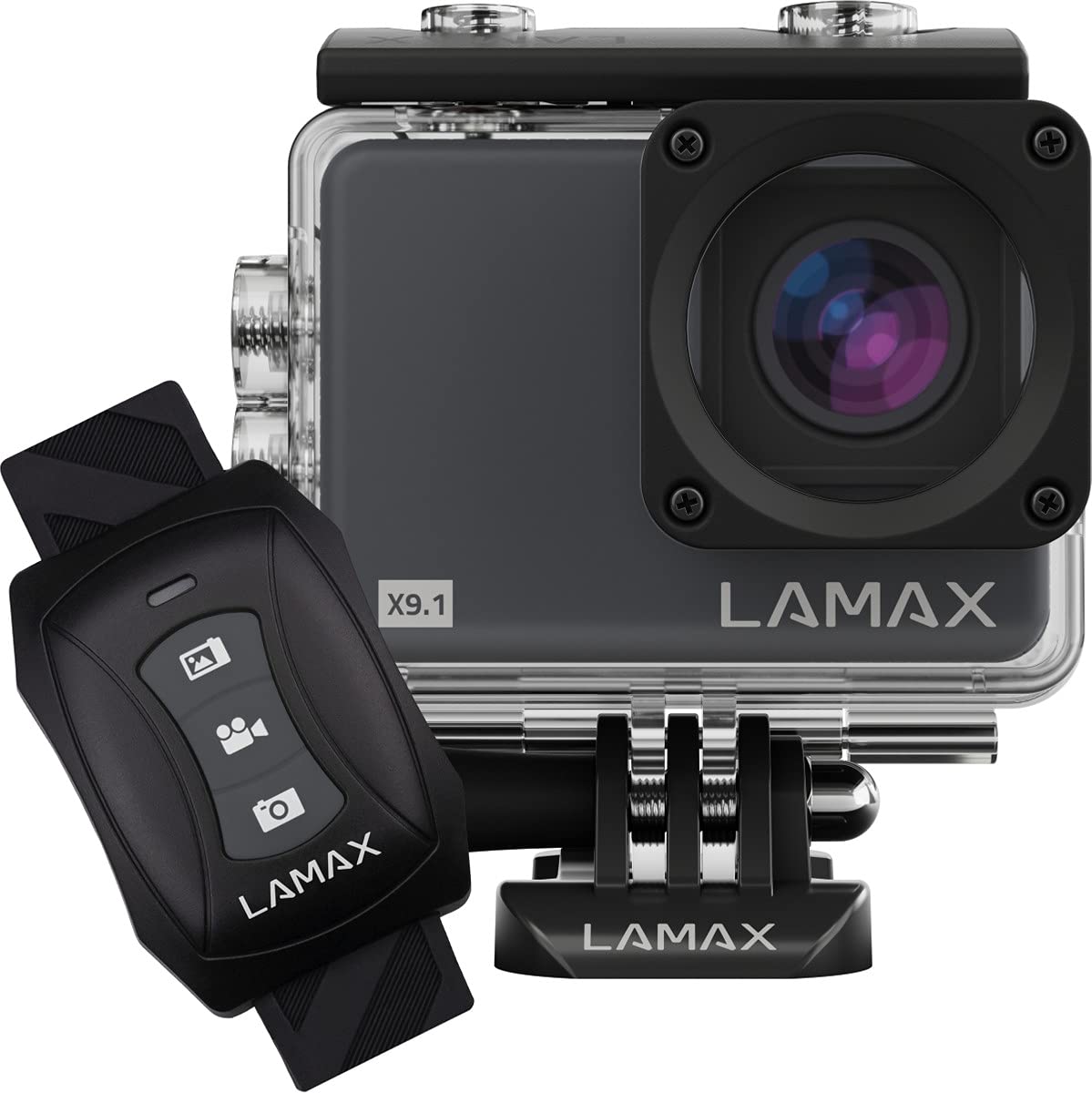
Image: The Lamax X9.1 Action Camera shown alongside its remote control, illustrating the main components.
Kameraet er slutview
Gør dig bekendt med kameraets fysiske komponenter:
- Linse: Front-facing optical component for capturing images and videos.
- LCD skærm: 2-inch display on the rear for live view, menu navigation og afspilning.
- Tænd/sluk-knap: Typically located on the front or top, used to power on/off and switch modes.
- Lukker/optageknap: Located on the top, used to start/stop recording or take photos.
- Navigationsknapper: Used for menu navigation (Up/Down).
- Mikro-USB-port: Til opladning og dataoverførsel.
- HDMI-port: Til tilslutning til en ekstern skærm.
- MicroSD -kortplads: Til isætning af hukommelseskort.

Billede: Forside view of the Lamax X9.1 Action Camera, clearly showing the lens and model number.

Billede: Side view of the Lamax X9.1 Action Camera, highlighting the Micro-USB and HDMI ports.

Billede: Bagside view of the Lamax X9.1 Action Camera, displaying the LCD screen and control buttons.
Opsætning
1. Batteriinstallation og opladning
- Open the battery compartment cover, usually located on the bottom or side of the camera.
- Insert the Lithium-Ion (Li-Ion) battery (1050 mAh) with the contacts facing the correct direction.
- Luk batterirummet forsvarligt.
- Connect the camera to a power source using the provided Micro-USB cable. The charging indicator will illuminate. A full charge takes approximately 1.84 hours.
2. Installation af microSD-kort
- Find MicroSD-kortstikket, typisk på siden af kameraet.
- Insert a compatible MicroSDHC or MicroSDXC card (up to 64 GB, Class 10 or higher recommended) with the contacts facing down. Push until it clicks into place.
- For at fjerne det, skub kortet ind igen, indtil det springer ud.
3. Tænd/sluk
- For at tænde: Tryk og hold tænd/sluk-/tilstandsknappen nede i et par sekunder, indtil skærmen lyser.
- For at slukke: Tryk og hold tænd/sluk-/tilstandsknappen nede igen, indtil skærmen slukker.
4. Brug af vandtæt etui
The Lamax X9.1 is waterproof up to 40 meters when enclosed in its waterproof case. Ensure the case is properly sealed before submerging the camera.
- Open the waterproof case latch.
- Placer forsigtigt kameraet i etuiet, og sørg for, at det sidder godt fast.
- Close the latch firmly, making sure the rubber seal is clean and free of debris.
- Always test the waterproof case without the camera first to ensure no leaks.

Image: The Lamax X9.1 Action Camera securely placed inside its waterproof housing, shown with the remote control.
Betjening af kameraet
1. Grundlæggende kontroller
- Tænd/sluk-knap: Short press to cycle through video, photo, playback, and settings modes.
- Lukker/optageknap: Press to start/stop video recording or take a photo in the respective modes.
- Op/Ned knapper: Used to navigate menu options or zoom (if applicable).
2. Videooptagelse
In video mode, press the Shutter/Record button to begin recording. Press again to stop.
- Opløsninger: Supports 4K Ultra HD (3840 x 2160 pixels), 1080p, 720p.
- Billedhastigheder: Up to 120 frames per second (fps) for smooth slow-motion capture.
- Formater: H.264, H.265, MP4.
3. Fotooptagelse
In photo mode, press the Shutter/Record button to take a picture.
- Opløsning: 12 Megapixels (3840 x 2160 pixels).
- Format: JPG.
4. Specialtilstande
- Tidsforskydning: Tag en serie billeder med bestemte intervaller for at lave en timelapse-video.
- Super slowmotion: Record high frame rate video for dramatic slow-motion effects.
5. Wi-Fi-forbindelse
The Lamax X9.1 features Wi-Fi for remote control and file transfer via a smartphone application.
- Aktiver Wi-Fi på dit kamera via indstillingsmenuen.
- Download the official Lamax app (check your camera's packaging or the Lamax website for the correct app name) on your smartphone.
- Tilslut din smartphone til kameraets Wi-Fi-netværk (SSID og adgangskode vises på kameraskærmen).
- Use the app to control the camera, view live footage, og download files.
6. Fjernbetjening
The included remote control allows for convenient operation without directly touching the camera.
- Ensure the remote is paired with the camera (refer to the camera's settings menu for pairing instructions).
- Use the dedicated buttons on the remote to start/stop recording or take photos.
Menuen Indstillinger
Access the settings menu by cycling through modes using the Power/Mode button until you reach the settings icon, or by pressing a dedicated menu button if available. Use the navigation buttons to scroll and the Shutter/Record button to select options.
Almindelige indstillinger omfatter:
- Videoopløsning og billedhastighed
- Foto opløsning
- Exposure Compensation (EV)
- Hvidbalance (WB)
- Dato og tid
- Loop-optagelse
- Screen Saver/Auto Power Off
- Wi-Fi-indstillinger
- Formater SD-kort
Opretholdelse
1. Rensning
- Linse: Brug en blød, fnugfri klud, der er specielt designet til optiske linser. Undgå skrappe kemikalier.
- Skærm: Wipe gently with a microfiber cloth.
- Kamerahus: Brug en blød, damp cloth to clean the exterior. Ensure all ports are closed before cleaning with moisture.
- Vandtæt etui: After use in saltwater, rinse the case with fresh water and let it air dry. Check the rubber seal for any debris or damage.
2. Batteripleje
- Undgå at aflade batteriet helt ofte.
- Opbevar kameraet med et delvist opladet batteri (ca. 50%), hvis det ikke bruges i længere perioder.
- Udsæt ikke batterier for ekstreme temperaturer.
3. Opbevaring
Store the camera in a cool, dry place away from direct sunlight and excessive humidity. Remove the battery if storing for a long time.
Fejlfinding
If you encounter issues with your Lamax X9.1, refer to the following common problems and solutions:
| Problem | Mulig årsag/løsning |
|---|---|
| Kameraet tænder ikke. | Battery is depleted. Charge the battery fully. Ensure the battery is inserted correctly. |
| Fejlmeddelelse på SD-kort. | SD card is not inserted correctly, is full, or is corrupted. Reinsert the card, try a different card, or format the card (this will erase all data). Ensure the card is MicroSDHC/XC, up to 64GB, Class 10 or higher. |
| Dårlig batterilevetid. | High-resolution video recording (4K) and Wi-Fi use consume more power. Ensure the battery is fully charged. Consider carrying spare batteries for extended use. |
| Water leakage into the case. | Waterproof case was not sealed properly, or the rubber seal is damaged/dirty. Always check the seal and latch before submerging. |
| Kameraet genkendes ikke af computeren. | Ensure the USB cable is connected securely. Try a different USB port or cable. The camera might need to be in a specific mode (e.g., Mass Storage) to be recognized. |
| Problemer med Wi-Fi-forbindelse. | Ensure Wi-Fi is enabled on the camera and your smartphone. Check the Wi-Fi password. Move closer to the camera to improve signal strength. |
If the problem persists, perform a factory reset (if available in settings) or contact Lamax customer support.
Specifikationer
| Feature | Specifikation |
|---|---|
| Modelnummer | X9.1 |
| Video opløsning | Op til 4K Ultra HD (3840 x 2160 pixels) |
| Max billedhastighed | 120 fps |
| Foto opløsning | 12 megapixel (3840 x 2160 pixels) |
| Vise | 2-tommer (5.08 cm) LCD-skærm |
| Lagermedier | MicroSDHC, MicroSDXC (up to 64 GB) |
| Batteritype | Lithium-Ion (Li-Ion), 1050 mAh |
| Opladningstid | Ca. 1.84 timer |
| Forbindelse | Wi-Fi, Micro-USB, HDMI |
| Vægt | 72 gram |
| Dimensioner (L x B x H) | 60 x 44 x 33 mm |
| Vandtæt vurdering | Up to 40 meters (with waterproof case) |
| Særlige funktioner | Time-lapse, Super Slow Motion, Image Stabilization |
Garanti og support
For warranty information and technical support, please refer to the documentation included with your product or visit the official Lamax webwebsted. Gem din købsbevis i tilfælde af garantikrav.