
Indledning
This manual provides instructions for the assembly, operation, and maintenance of your VonHaus Triple Monitor Stand. This stand is designed to support three monitors, ranging from 13 to 32 inches, with VESA compatibility of 75x75mm and 100x100mm. It features gas spring arms for easy adjustment and can be mounted using a desk clamp or grommet base, helping to free up valuable desk space.

Image: The VonHaus Triple Monitor Stand helps to free up desk space, providing a tidier and more organized appearance for your workstation.
Sikkerhedsoplysninger
WARNING: Read all instructions before assembly and use. Failure to follow these instructions may result in property damage, serious injury, or death.
- Ensure your desk surface is strong enough to support the combined weight of the stand and three monitors.
- Do not exceed the maximum weight capacity of 7kg (15.4 lbs) per arm.
- Hold børn og kæledyr væk under montering.
- Use only the provided hardware. Do not substitute parts.
- Kontroller jævnligt alle forbindelser for at sikre, at de forbliver sikre.
Pakkens indhold
Verify all components are present before beginning assembly. If any parts are missing or damaged, contact VonHaus customer service.
- Main Pole and Base
- Monitorarme (3)
- VESA-plader (3)
- Skrivebord Clamp Forsamling
- Grommet Base Samling
- Hardware-sæt (skruer, skiver, unbrakonøgler)
- Kabelhåndteringsklip
Opsætning og installation
This monitor stand offers two installation methods: Desk Clamp og Grommet Base. Vælg den metode, der passer bedst til dit skrivebord.

Image: The stand offers easy installation with two mounting options: Desk Clamp for desk thicknesses of 10-85mm, and Grommet Base for desk thicknesses of 10-40mm and hole diameters of 10-60mm.
Step 1: Choose Mounting Method
- Skrivebord Clamp: Fastgør clamp til kanten af dit skrivebord. Sørg for, at det er rentamp is securely tightened to a desk thickness between 10-85mm.
- Grommet-bund: If your desk has a pre-drilled hole, secure the grommet base through the hole. This method is suitable for desk thicknesses between 10-40mm and hole diameters between 10-60mm.
Step 2: Assemble the Pole and Arms
- Attach the main pole to your chosen base (desk clamp eller tylle).
- Slide the monitor arms onto the main pole at the desired initial height.
Trin 3: Fastgør VESA-plader til skærme
- Secure the VESA plates to the back of each monitor using the appropriate screws from the hardware kit. Ensure your monitor's VESA patterns (75x75mm or 100x100mm) match the plate.
Trin 4: Monter skærme på arme
- Carefully slide each monitor (with VESA plate attached) onto the corresponding arm.
- Secure with the provided locking mechanism.
Trin 5: Kabelstyring
- Route monitor cables through the integrated cable management clips on the arms and pole for a tidy setup.
Betjeningsvejledning og justeringer
The VonHaus Triple Monitor Stand allows for flexible positioning of your screens to achieve optimal viewkomfort og produktivitet.

Image: The monitor stand offers extensive adjustability, including 180° tilt, 360° swivel, and height adjustment up to 40.7 cm, allowing for ergonomic positioning.
- Højdejustering: Loosen the collar on the main pole to slide the arms up or down to your desired height. Retighten the collar to secure the arms in place.
- Gas Spring Tension: Adjust the gas spring tension using the provided Allen key. Turn clockwise to increase tension for heavier monitors, or counter-clockwise to decrease tension for lighter monitors. Adjust until the monitor stays at the desired height when moved freely.
- Vip: Each monitor can be tilted +35° to -35° to reduce glare and optimize viewing vinkler.
- Drejelig: The arms allow for a 360° swivel, enabling you to share your screen or adjust for different tasks.
- Rotation: Rotate monitors 180° for quick switching between landscape and portrait orientation.
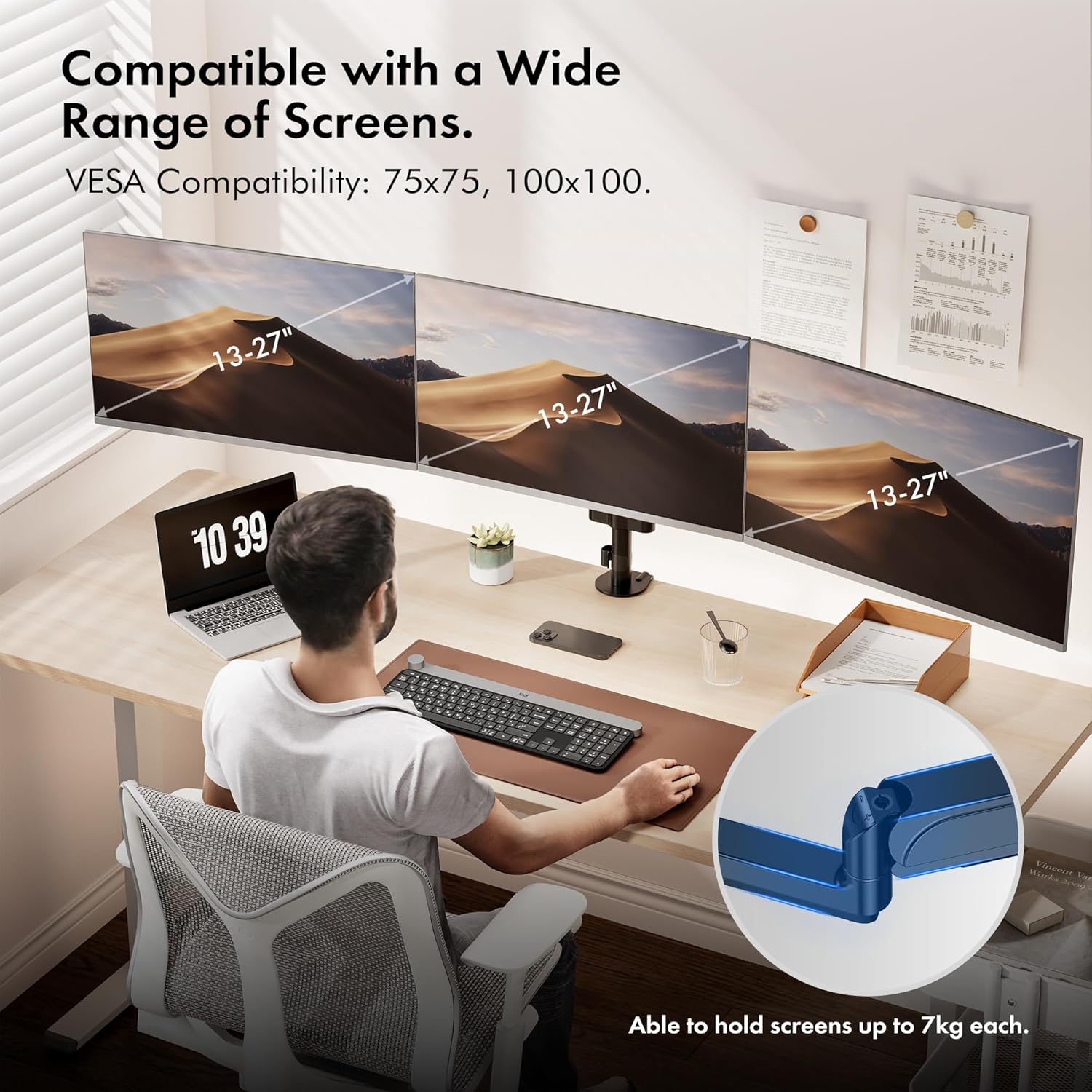
Image: The VonHaus Triple Monitor Stand is compatible with a wide range of screens, typically 13-27 inches, and supports VESA 75x75mm and 100x100mm mounting patterns.
Opretholdelse
- Regularly inspect all mounting hardware and connections to ensure they are tight and secure.
- Rengør stativet med en blød, damp klud. Undgå slibende rengøringsmidler eller opløsningsmidler.
- Smør ikke gasfjedermekanismen.
Fejlfinding
- Monitor sags or does not hold position: Adjust the gas spring tension. Turn the adjustment screw clockwise to increase tension for heavier monitors.
- Skærmen er svær at flytte: Adjust the gas spring tension. Turn the adjustment screw counter-clockwise to decrease tension for lighter monitors.
- Stativet føles ustabilt: Sørg for, at skrivebordet klamp or grommet base is securely tightened to the desk. Verify all arm connections are secure.
- Skærme er ikke i vater: Fine-tune the height and tilt of individual arms until all screens are aligned.
Specifikationer
| Mærke: | VonHaus |
| Model: | Trippel skærmstativ |
| Materiale: | Aluminium |
| Monteringstype: | Table Mount (Desk Clamp eller Grommet) |
| Compatible Screen Size: | 13-32 tommer |
| VESA-kompatibilitet: | 75x75mm, 100x100mm |
| Maximum Weight Capacity per Arm: | 7 kg (15.4 lbs) |
| Hældningsområde: | +35° til -35° |
| Drejerækkevidde: | 360° |
| Rotation: | 180° |
| Skrivebord Clamp Tykkelse: | 10-85 mm |
| Grommet Base Desk Thickness: | 10-40 mm |
| Grommet Hole Diameter: | 10-60 mm |
Garanti og support
This VonHaus Triple Monitor Stand comes with a 5 års producentgaranti. For warranty claims or technical support, please contact VonHaus customer service. Keep your proof of purchase for validation.

Image: The versatile design of the VonHaus Triple Monitor Stand makes it suitable for multiple workstations, whether for work, gaming, or general browsing.