
Indledning
Thank you for choosing the Vocal-Star P180 Portable Karaoke Machine and PA Speaker. This device combines a powerful PA speaker with karaoke functions, Bluetooth connectivity, and MP3 playback, making it suitable for various audio needs. This manual provides essential information for safe and efficient operation of your new system.
Sikkerhedsoplysninger
- Læs alle instruktioner, før du betjener enheden.
- Hold enheden væk fra vand eller fugt.
- Bloker ikke ventilationsåbninger.
- Brug kun tilbehør/tilbehør specificeret af producenten.
- Tag stikket ud af enheden under tordenvejr, eller når den ikke skal bruges i længere perioder.
- Overlad al service til kvalificeret servicepersonale.
Pakkens indhold
Kontroller venligst, at alle nedenstående varer er inkluderet i din pakke:
- Vocal-Star P180 Karaoke Machine / PA Speaker Unit
- 2 x trådløse mikrofoner
- Fjernbetjening
- Strømadapter
- Brugervejledning (dette dokument)

Produkt overview
Kontrolpanel
The main control panel is located on the top of the unit, providing access to various functions and adjustments.
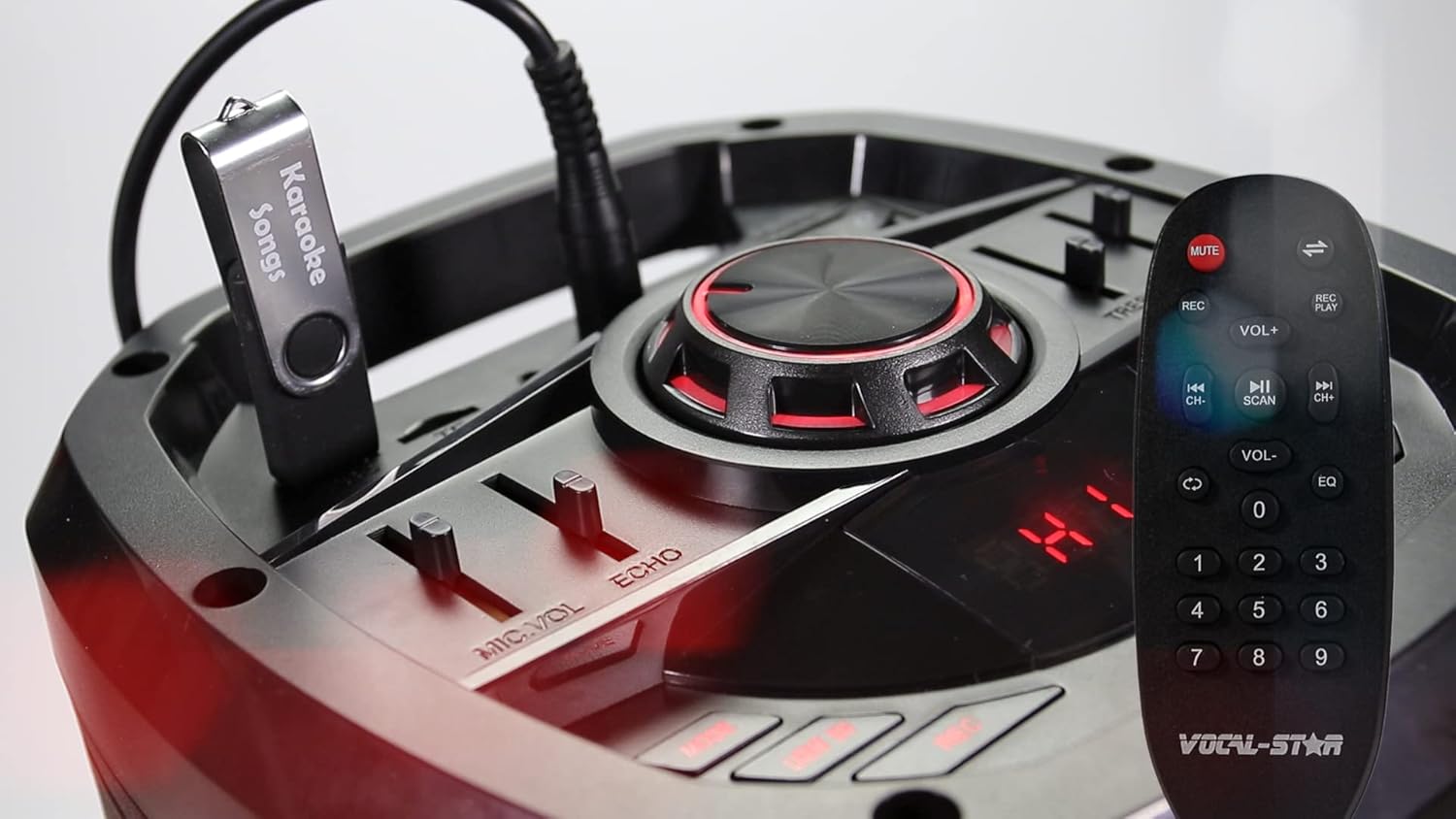
- Master volumen knap: Justerer det samlede lydniveau.
- MIC VOL Slider: Controls the volume of the connected microphones.
- ECHO Slider: Justerer ekkoeffekten for mikrofonerne.
- TREBLE Slider: Justerer lydniveauerne for højfrekvente lyde.
- BASS Slider: Justerer lavfrekvente lydniveauer.
- Mode knap: Switches between input modes (Bluetooth, USB, SD, AUX, FM Radio).
- Afspil/pause knap: Styrer medieafspilning.
- Knapper til forrige/næste spor: Navigates through tracks in USB/SD mode.
- USB-port: Til tilslutning af USB-flashdrev til MP3-afspilning.
- SD-kortplads: For inserting SD cards for MP3 playback.
Bagpaneltilslutninger
The rear panel provides additional input and power connections.
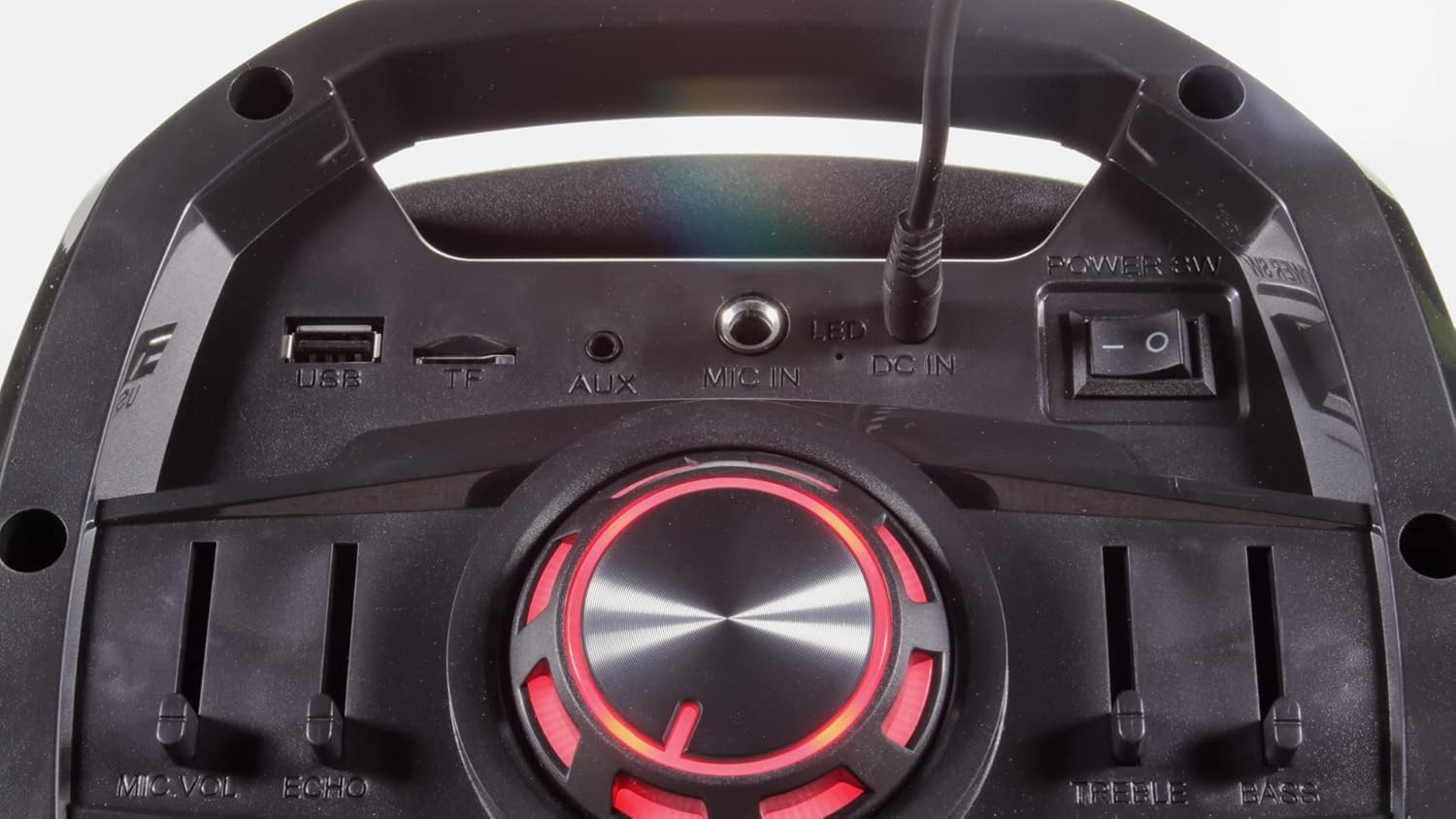
- USB-port: Til tilslutning af USB-flashdrev.
- TF (MicroSD) kortslot: For inserting MicroSD cards.
- AUX IN: 3.5 mm AUX-indgang til eksterne lydenheder.
- MIKROFON IND: 6.35mm jack for an additional wired microphone or guitar.
- DC IN: Strømindgang til den medfølgende strømadapter.
- Afbryderen: Tænder eller slukker for enheden.
- LED -switch: Controls the LED light effects on the woofers.
Opsætning
- Udpakning: Fjern forsigtigt alle komponenter fra emballagen. Gem emballagen til senere transport eller opbevaring.
- Strømtilslutning: Connect the provided power adapter to the DC IN port on the unit and then to a suitable power outlet. Ensure the unit is fully charged before first use for optimal battery life.
- Tænd: Flip the main Power Switch to the "ON" position. The display will illuminate.
- Mikrofonbatterier: Sæt 2 AA-batterier i hver trådløs mikrofon (batterier medfølger ikke).
Betjeningsvejledning
Bluetooth-forbindelse
Connect your smartphone, tablet, or other Bluetooth-enabled device to the P180 for wireless audio streaming.
- Turn on the P180 unit.
- Press the "Mode" button until "BLUE" appears on the display, indicating Bluetooth mode. The unit will enter pairing mode automatically.
- Aktiver Bluetooth på din eksterne enhed, og søg efter tilgængelige enheder.
- Select "Vocal-Star" from the list of devices. A confirmation tone will sound when successfully paired.
- You can now play audio from your device through the P180 speaker.


USB/SD-kortafspilning
Afspil MP3-lyd files directly from a USB flash drive or SD card.
- Sæt et USB-flashdrev i USB-porten eller et SD-kort i SD-kortstikket.
- Press the "Mode" button until the display shows "USB" or "SD". The unit will automatically begin playing compatible audio files.
- Brug knapperne Afspil/Pause og Forrige/Næste til at styre afspilningen.
Mikrofonbrug
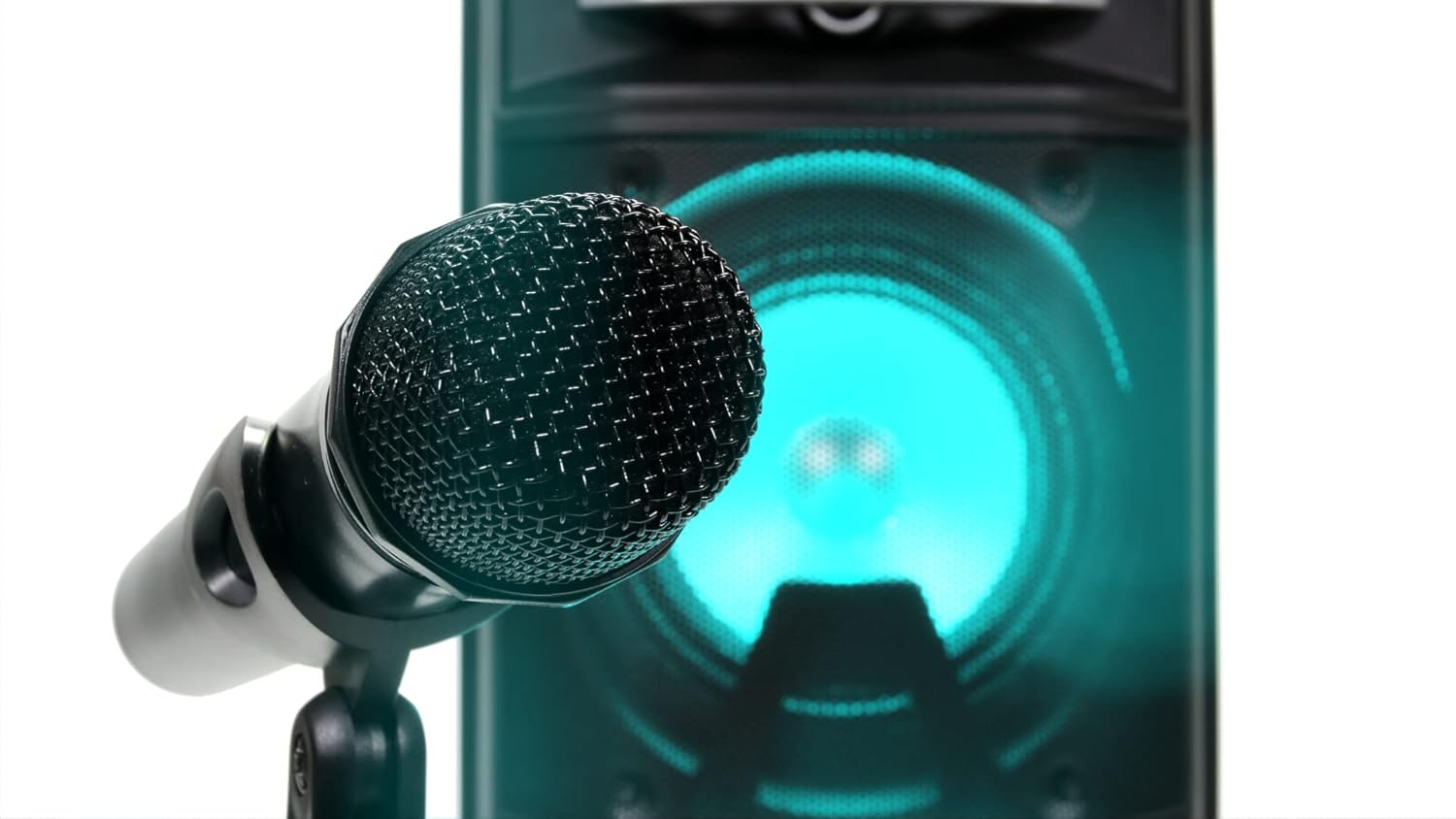
The P180 comes with two wireless microphones. An additional wired microphone or guitar can be connected.
- Ensure batteries are correctly inserted into the wireless microphones.
- Turn on the wireless microphones. They should automatically connect to the P180 unit.
- Adjust the "MIC VOL" slider on the control panel to set the microphone volume.
- Use the "ECHO" slider to add an echo effect to the vocals.
- For a wired microphone or guitar, connect it to the "MIC IN" jack on the rear panel.
Audio Equalization (EQ)
Adjust the sound output to your preference using the Treble and Bass sliders.
- DISKANT: Move the slider up to increase high frequencies for brighter sound, or down to reduce them.
- BAS: Move the slider up to increase low frequencies for deeper bass, or down to reduce them.
LED lyseffekter
The P180 features integrated LED lights on its woofers for visual enhancement.
- Use the "LED" switch on the rear panel to turn the lights on or off.
- The lights will cycle through various colors automatically.

Aux-indgang (AUX IN)
Tilslut eksterne lydkilder med et 3.5 mm lydkabel.
- Connect one end of a 3.5mm audio cable to the AUX IN port on the P180.
- Tilslut den anden ende til hovedtelefonstikket eller lydudgangen på din eksterne enhed.
- Tryk på knappen "Mode", indtil "AUX" vises på displayet.
- Styr afspilning og lydstyrke fra din eksterne enhed.
Opretholdelse
- Rensning: Brug en blød, tør klud til at rengøre enhedens yderside. Brug ikke flydende rengøringsmidler eller slibende materialer.
- Opbevaring: Når enheden ikke er i brug, skal den opbevares køligt og tørt, væk fra direkte sollys og ekstreme temperaturer.
- Batteripleje: If the unit will not be used for an extended period, remove batteries from the wireless microphones to prevent leakage.
Fejlfinding
| Problem | Mulig årsag | Løsning |
|---|---|---|
| Ingen strøm | Unit not charged or power adapter not connected. | Connect the power adapter and ensure it's plugged into a working outlet. Check battery level. |
| Ingen lydudgang | Volume too low, incorrect input mode, or device not connected properly. | Increase master volume. Select the correct input mode (Bluetooth, USB, AUX). Ensure external device volume is up. |
| Mikrofoner virker ikke | Microphones off, low batteries, or MIC VOL slider too low. | Turn on microphones. Replace batteries. Increase MIC VOL slider. |
| Bluetooth-parring mislykkedes | P180 not in Bluetooth mode, or device too far. | Ensure P180 is in Bluetooth mode. Move device closer. Try unpairing and re-pairing. |
Specifikationer
- Mærke: Vocal-Star
- Modelnummer: VS-P180-KM
- Farve: Sort
- Forbindelse: Bluetooth, USB, TF (MicroSD), AUX, MIC IN
- Strømudgang: 200W Maks
- Særlige funktioner: Echo effect, LED lights, Digital MP3 audio player, Remote control
- Antal højttalere: 2
- Strømkilde: Battery powered, Electric wired
- Batterisammensætning: Lithium-ion (for main unit), AA (for microphones)
- Kompatible enheder: Speaker, Smartphones, Tablets, Laptops, Smart TVs (with Bluetooth)
Garanti og support
For warranty information and technical support, please refer to the documentation provided at the time of purchase or contact Vocal-Star customer service directly. Keep your proof of purchase for any warranty claims.