
1. Introduktion
Thank you for choosing the Macally USB Type C Wired Mouse. This manual provides detailed instructions for setting up, operating, and maintaining your new mouse. Designed for simplicity and reliability, this plug-and-play mouse offers comfortable use with adjustable DPI settings for various computing needs.
2. Pakkens indhold
- Macally USB Type C Wired Mouse
- Instruktionsmanual
3. Opsætning
The Macally USB Type C Wired Mouse is designed for easy plug-and-play functionality, requiring no additional drivers for most operating systems.
- Tilslut musen: Locate an available USB-C port on your computer (MacBook Pro, iMac, PC, Laptop, Tablet, etc.). Insert the USB-C connector of the mouse cable firmly into the USB-C port.
- Automatisk genkendelse: Your operating system should automatically detect and configure the mouse. No software installation is typically required.
- Begynd brug: Når musen er genkendt, er den klar til øjeblikkelig brug.

Image: The Macally USB-C mouse connected to a laptop via its USB-C cable, demonstrating the plug-and-play setup.
Video: A demonstration of connecting the wired USB-C mouse to a laptop, highlighting its plug-and-play functionality for Type-C computers.
4. Betjeningsvejledning
4.1 Grundlæggende brug
The mouse features a standard 3-button layout for intuitive control:
- Venstreklikknap: Bruges til at vælge elementer, åbne files og udfører kommandoer.
- Højreklik-knap: Used for accessing contextual menus and additional options.
- Scrollhjul: Bruges til at scrolle gennem dokumenter og web pages. The scroll wheel can also be pressed as a middle click button for specific functions in some applications.

Billede: En top-down view of the Macally USB-C mouse, clearly showing the left-click, right-click, and scroll wheel buttons.
4.2 DPI-justering
The mouse features a dedicated DPI (Dots Per Inch) switch to adjust cursor sensitivity. This allows you to change the speed and responsiveness of the cursor to suit your preference or task.
- Tryk på DPI knap (located below the scroll wheel) to cycle through the available sensitivity settings: 800, 1200, 1600, and 2400 DPI.
- Select the DPI setting that provides the most comfortable and efficient cursor movement for your current activity.
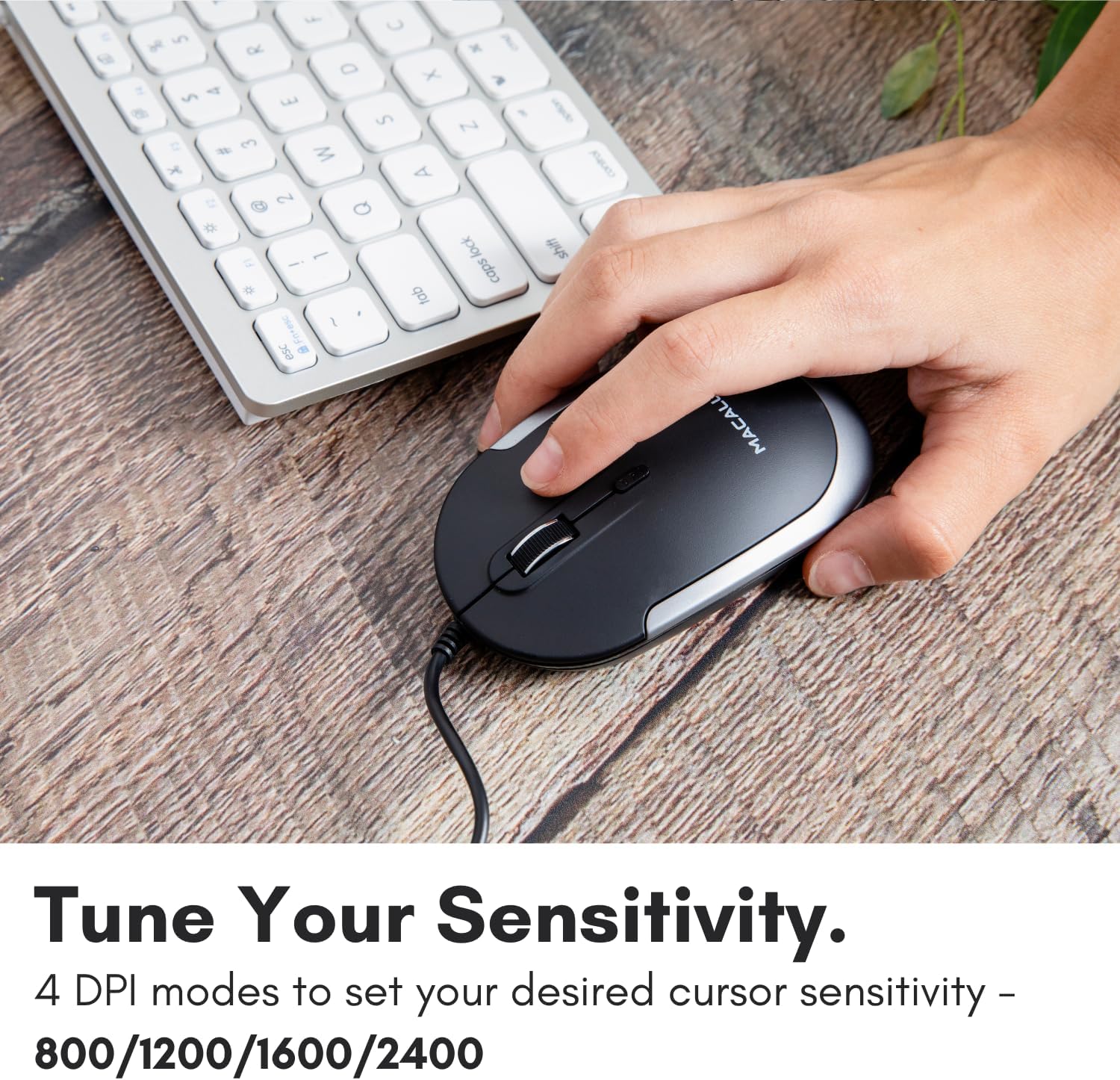
Image: A hand demonstrating how to press the DPI button on the Macally USB-C mouse to adjust sensitivity.
4.3 Kompatibilitet
The Macally USB Type C Wired Mouse is universally compatible with a wide range of devices and operating systems:
- Mac (macOS)
- PC (Windows)
- iPadOS
- Android devices with USB-C ports

Image: The Macally USB-C mouse displayed with compatibility logos for Mac, PC, iPadOS, and Android operating systems.
5. Nøglefunktioner
- USB-C tilslutning: Specifically designed for modern laptops and computers with USB-C ports, ensuring a reliable wired connection.
- Slankt og kompakt design: With a height of only 1 inch, the mouse is slim, comfortable, and portable, fitting snugly in your hand.
- Stille klikknapper: Reduces clicking noise by 90% compared to traditional mice, providing a quieter work environment.
- Justerbar DPI: Easily switch between 800, 1200, 1600, and 2400 DPI settings for precise cursor control.
- 5-Foot Cable: Giver ample length for flexible setup and comfortable use, even with desktop computers.
- Ambidextrous design: Velegnet til både højrehåndede og venstrehåndede brugere.

Image: The Macally USB-C mouse highlighting its elegant and slim design with dimensions.
Video: A detailed look at the Macally USB-C Optical Mouse, emphasizing its quiet click buttons and compatibility with Mac and PC.
6. Vedligeholdelse
To ensure the longevity and optimal performance of your Macally USB Type C Wired Mouse, follow these simple maintenance guidelines:
- Rensning: Brug en blød, tør og fnugfri klud til at tørre musens overflade af. Tør musen let af ved genstridigt snavs.ampRengør kluden med vand eller en mild rengøringsopløsning. Undgå at bruge skrappe kemikalier eller slibende materialer.
- Optisk sensor: Hold den optiske sensor på undersiden af musen ren og fri for støv og snavs. Brug en vatpind eller trykluft om nødvendigt.
- Kabelpleje: Avoid sharp bends or excessive pulling on the USB-C cable to prevent damage. Store the cable neatly when not in use.
- Opbevaring: Når musen ikke er i brug, skal den opbevares et rent, tørt sted væk fra ekstreme temperaturer.
7. Fejlfinding
If you encounter any issues with your Macally USB Type C Wired Mouse, please refer to the following common solutions:
| Problem | Løsning |
|---|---|
| Musen svarer ikke. |
|
| Markørbevægelsen er uregelmæssig eller hoppende. |
|
| Knapper eller scrollhjul virker ikke. |
|
8. Specifikationer
| Mærke | Macally |
| Modelnummer | UCDYNAMOUSESG |
| Forbindelsesteknologi | USB-C-kablet |
| Bevægelsesdetekteringsteknologi | Optisk |
| DPI-indstillinger | 800, 1200, 1600, 2400 |
| Kabellængde | 5 fod (ca. 1.5 meter) |
| Knapper | 3 (Left, Right, Scroll Wheel/Middle Click) + DPI Switch |
| Varens vægt | 2.56 ounce (ca. 72.5 gram) |
| Produktmål (LxBxH) | 2.8 x 4.21 x 1 tommer (ca. 7.1 x 10.7 x 2.5 cm) |
| Kompatibilitet | Mac (macOS), PC (Windows), iPadOS, Android (with USB-C) |
9. Garanti og support
Macally provides a 1 års garanti for this product. For technical support, troubleshooting assistance, or warranty claims, please contact Macally customer service. You can find contact information and additional resources on the official Macally webwebsted:
Webwebsted: www.macally.com
Macally also offers easy returns and lifetime support with your purchase.