
SUNITEC BC920
SUNITEC BC920 Bluetooth Car Speaker User Manual
Hands-Free Bluetooth Car Speaker for Cell Phone
1. Produktet er slutview
The SUNITEC BC920 is a versatile Bluetooth car speaker designed to provide clear, hands-free communication and audio streaming in your vehicle. It features advanced DSP noise-cancellation technology for crystal-clear calls and supports voice assistants like Siri and Google Assistant for safe driving.

Billede: Forside view of the SUNITEC BC920 Bluetooth Car Speaker, showing its compact design and control buttons.
2. Pakkens indhold
Markér venligst feltet for følgende elementer:
- SUNITEC BC920SA Bluetooth Car Kit
- Biloplader
- USB ladekabel
- Hurtig brugervejledning / Brugermanual

Image: Back of the SUNITEC BC920 product box, detailing key features and package contents.
3. Enhedslayout
Familiarize yourself with the buttons and ports on your SUNITEC BC920 speakerphone.
- Opkaldsknap: Answer/End calls, Redial.
- Lydstyrke op (+): Øg volumen.
- Skrue ned for lyden (-): Sænk volumen.
- Mute-knap: Slå mikrofonen til/fra.
- Afbryderen: Til/Fra.
- Micro USB -port: Til opladning.
- Visir Clip: For attaching to car visor.

Billede: Nærbillede view of the SUNITEC BC920, highlighting the call button, volume controls, and mute button.
4. Opsætning og opladning
4.1 Indledende opladning
Before first use, fully charge the SUNITEC BC920. Connect the provided USB charging cable to the Micro USB port on the device and the other end to the car charger or a standard USB power adapter (not included). The LED indicator will show charging status.
The device features a long-lasting battery, providing up to 22 hours of talk time and 1000 hours of standby time on a full charge.

Image: Illustration showing the SUNITEC BC920 and its impressive battery life, with icons for 22 hours talk time and 1000 hours standby time.
4.2 Tænd/sluk
- For at tænde: Slide the power switch to the "ON" position. You will hear a voice prompt "Power On".
- For at slukke: Slide the power switch to the "OFF" position. You will hear a voice prompt "Power Off".
The device also features an auto power on/off function. A built-in vibration sensor automatically turns on the car kit when it detects car door opening, allowing it to reconnect with your phone. When the device is not in use for a period, it will turn off automatically to save battery.

Image: Visual representation of the SUNITEC BC920's auto power-on feature, showing the device activating when a car door is opened.
4.3 Bluetooth -parring
To connect the SUNITEC BC920 to your mobile phone:
- Sørg for, at højttalertelefonen er tændt.
- On your phone, go to Bluetooth settings and enable Bluetooth.
- Søg efter available devices. The speakerphone will appear as "BC920".
- Select "BC920" to pair. You will hear a voice prompt "Pairing" and then "Connected" upon successful connection.
The SUNITEC BC920 supports connecting two Bluetooth cell phones simultaneously, allowing for easy switching between music and calls from different devices.

Image: Diagram illustrating the dual connection capability of the SUNITEC BC920, showing two smartphones connected simultaneously.
5. Betjeningsvejledning
5.1 Foretage og modtage opkald
- Besvare et opkald: Tryk på Opkaldsknap engang.
- Afslutning af et opkald: Tryk på Opkaldsknap én gang under et opkald.
- Afvisning af et opkald: Tryk og hold på Opkaldsknap i 2 sekunder.
- Genopkald af sidste nummer: Dobbelttryk på Opkaldsknap.
- Justering af lydstyrke: Brug Lydstyrke op (+) og Skrue ned (-) knapper.
- Mikrofondæmpning: Tryk på Mute knap during a call. Press again to unmute.
The built-in 2W powerful speaker and DSP noise-cancellation technology ensure clear calls and high-quality audio even in noisy environments.

Image: Graphic highlighting the clear speech and high-quality audio features of the SUNITEC BC920, with sound waves emanating from the speaker.
5.2 Stemmeassistent (Siri/Google Assistent)
The SUNITEC BC920 supports voice assistants, allowing you to make calls, send texts, or get driving directions hands-free, enhancing driving safety.
- Aktivering af stemmeassistent: Tryk og hold på Opkaldsknap for 2 seconds to activate Siri (iOS) or Google Assistant (Android).
- Når den er aktiveret, kan du udføre kommandoer som:
- "Ring til [Kontaktnavn]"
- "Text [Contact Name] [Message]"
- "Show me directions to [Destination]"
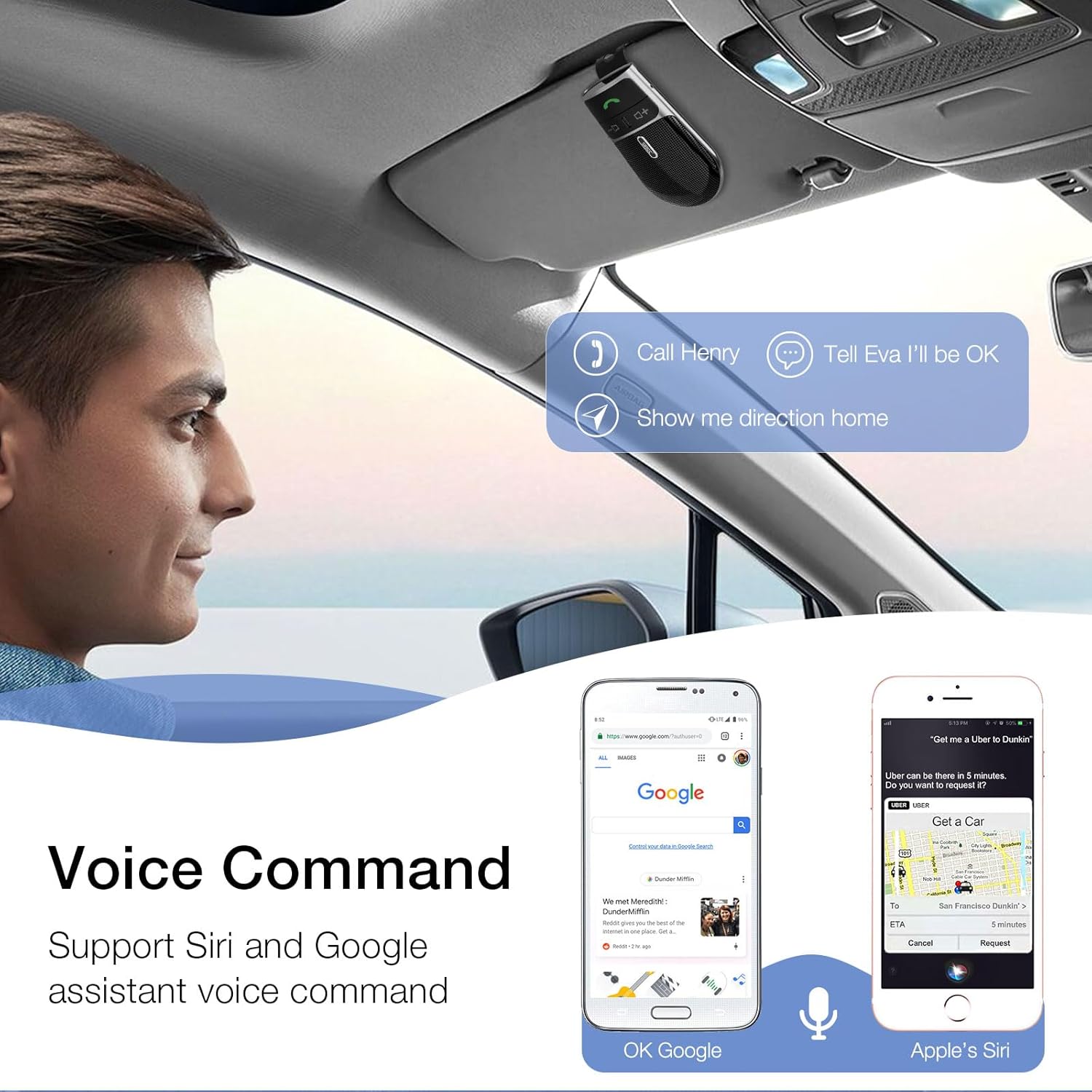
Image: A user in a car interacting with the SUNITEC BC920 to use voice commands for calling, texting, and navigation via Siri or Google Assistant.
5.3 Stemmevejledning
The device provides clear voice prompts for various operational statuses, making it easy to use without visual confirmation.
- "Power On"
- "Power Off"
- "Pairing"
- "Connected"
- "Disconnected"
- "Battery Low"
Image: Depiction of the SUNITEC BC920 providing voice guidance, with a list of common voice prompts.
6. Vedligeholdelse
- Rengør enheden med en blød, tør klud. Brug ikke slibende rengøringsmidler eller opløsningsmidler.
- Hold enheden væk fra ekstreme temperaturer, fugt og direkte sollys.
- Do not disassemble the device. This will void the warranty and may cause damage.
- Opbevares på et køligt, tørt sted, når det ikke er i brug i længere perioder.
7. Fejlfinding
| Problem | Mulig årsag | Løsning |
|---|---|---|
| Enheden tænder ikke. | Batteriet er afladet. | Oplad enheden helt. |
| Kan ikke parres med telefonen. | Bluetooth er slået fra på telefonen; enheden er ikke i parringstilstand; for mange parrede enheder. | Ensure phone Bluetooth is on. Restart both devices. Clear previous Bluetooth connections on your phone. |
| Dårlig lydkvalitet under opkald. | Low battery; interference; device too far from phone. | Charge the device. Move closer to your phone. Avoid sources of strong electromagnetic interference. |
| Stemmeassistenten svarer ikke. | Not activated correctly; phone settings. | Ensure you press and hold the Call Button for 2 seconds. Check voice assistant settings on your phone. |
8. Specifikationer
| Feature | Detalje |
|---|---|
| Modelnummer | BC920 |
| Produktdimensioner | 4.5 x 2.6 x 1 tommer |
| Varens vægt | 2.2 ounce |
| Batterier | 1 Lithium Polymer batteri (medfølger) |
| Forbindelsesteknologi | Bluetooth |
| Strømkilde | Batteridrevet |
| Materiale | Plast |
| Speciel funktion | DSP Noise Cancellation, Microphone |
| Taletid | Op til 22 timer |
| Standby tid | Op til 1000 timer |
9. Sikkerhedsoplysninger
Proper usage while driving and battery handling precautions are essential. Always refer to the full user manual for comprehensive safety warnings.
- Brug ikke enheden på en måde, der distraherer dig fra kørslen. Prioritér altid trafiksikkerhed.
- Udsæt ikke enheden for vand eller overdreven fugt.
- Undgå ekstreme temperaturer.
- Bortskaf batterier i henhold til lokale bestemmelser. Må ikke brændes.
10. Garanti og support
SUNITEC offers a customer-friendly policy for its products:
- Garanti: 365 Days free return for any problems.
- Kundeservice: Expect a quick response within 24 hours for inquiries.
For further assistance, please contact SUNITEC support:
- Telefon: 0755-36863386 / 26863387 / 36863389
- E-mail: support@sunitec.net
- Webwebsted: www.sunitec.net/en/

Image: Information regarding SUNITEC's customer service, including contact details and warranty period.
Ask a question about this manual
Ask about setup, troubleshooting, compatibility, parts, safety, or missing instructions. Manuals+ will review the question and use this page’s manual context to help answer it.