
BYL SQ03
User Manual for BESTISAN 120W 2.1 Channel Sound Bar System
Model: SQ03
Indledning
Tak for købetasing the BESTISAN 120W 2.1 Channel Sound Bar System. This manual provides essential information for setting up, operating, and maintaining your new sound system. Please read this manual thoroughly before use to ensure proper operation and to maximize your listening experience.
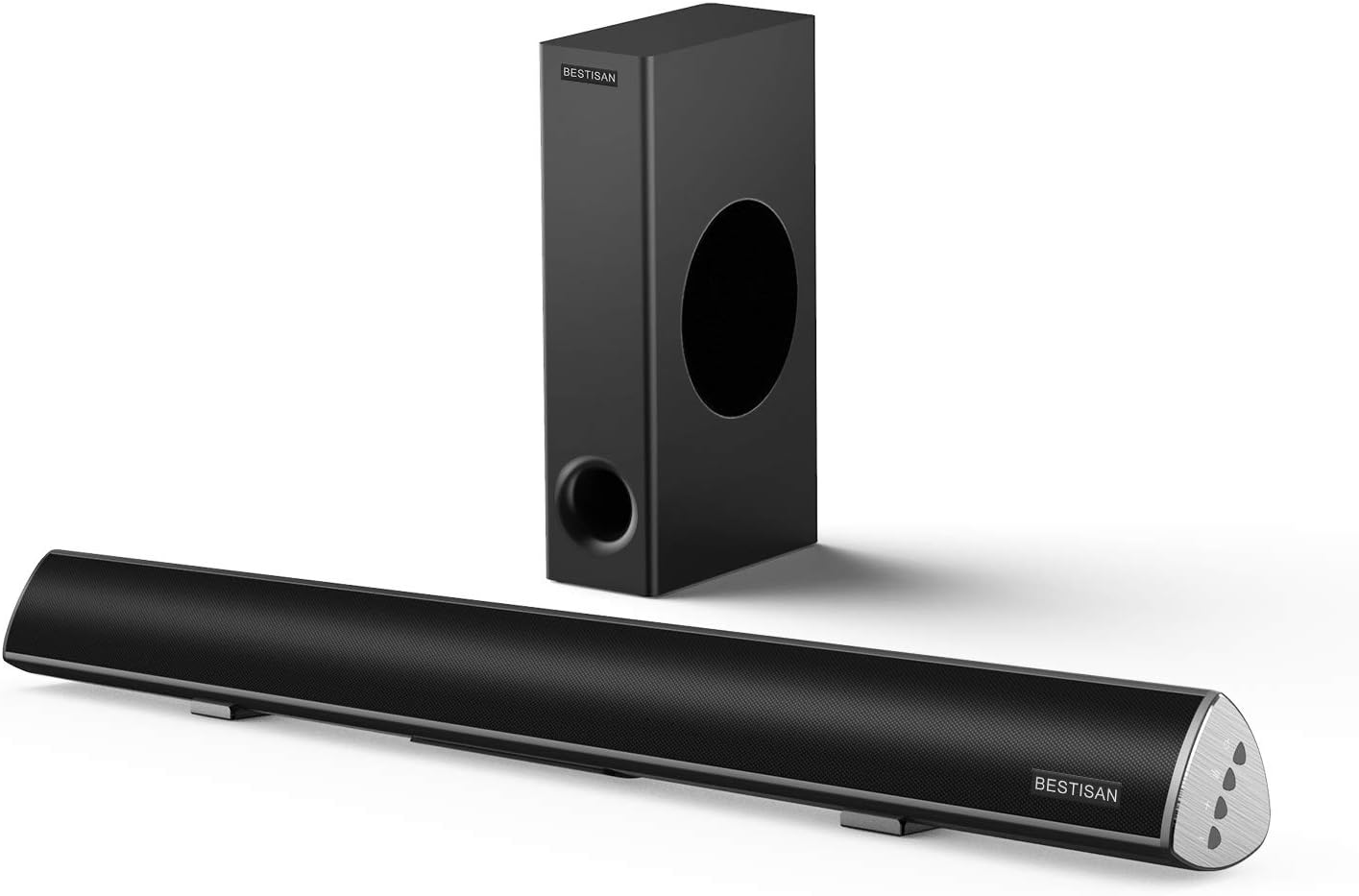
Image: The BESTISAN 120W 2.1 Channel Sound Bar and its wired subwoofer.
Sikkerhedsoplysninger
- Udsæt ikke enheden for regn, fugt eller ekstreme temperaturer.
- Ensure proper ventilation around the sound bar and subwoofer.
- Bloker ikke nogen ventilationsåbninger.
- Brug kun tilbehør/tilbehør specificeret af producenten.
- Tag stikket ud af apparatet under tordenvejr, eller når det ikke skal bruges i længere perioder.
- Overlad al service til kvalificeret servicepersonale.
Pakkens indhold
Kontroller venligst, at alle varer er til stede i din pakke:
- soundbar
- Kablet subwoofer
- Fjernbetjening
- Strømadapter
- Brugervejledning
- Digitalt optisk kabel
- Stereo RCA til 3.5 mm lydkabel
- SUB OUT Cable (for subwoofer connection)

Billede: En visuel repræsentation af alle varer, der er inkluderet i produktpakken.
Produkt overview
Sound Bar Controls and Remote
The sound bar features integrated controls on its side panel for basic functions, and a comprehensive remote control for full functionality.

Billede: Detaljeret view of the sound bar's side panel controls and the included remote control.
Forbindelsesporte
The sound bar offers multiple connectivity options to integrate with various devices.
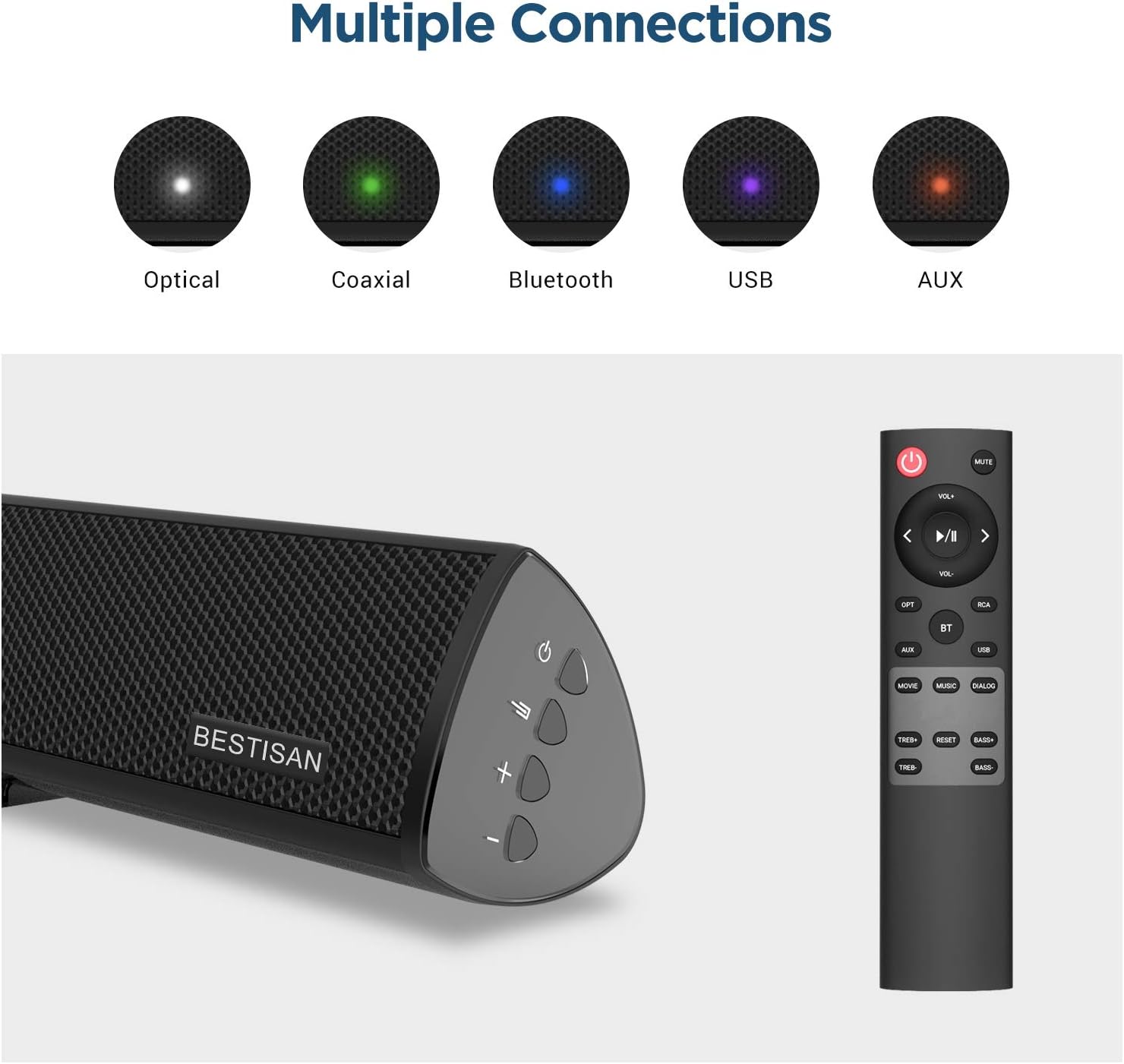
Image: Visual representation of the various input options available on the sound bar, including Optical, Coaxial, Bluetooth, USB, and AUX.
Opsætning
Placering
For optimal audio performance, place the sound bar centrally below your television. The subwoofer can be placed on the floor near the sound bar, ensuring it has adequate space for sound dispersion.

Image: The sound bar positioned directly below a television, demonstrating typical placement.
Tilslutning af subwooferen
Connect the wired subwoofer to the sound bar using the provided SUB OUT cable. Ensure the connection is secure.
Connecting to Your TV or Audio Source
Vælg en af følgende tilslutningsmetoder:
- Optisk forbindelse: Use the supplied optical cable to connect the sound bar's OPTICAL IN port to your TV's Optical Out port. This is recommended for high-quality digital audio.
- Koaksialforbindelse: Use a coaxial cable (not supplied) to connect the sound bar's COAXIAL IN port to your TV's Coaxial Out port.
- AUX -forbindelse: Use the supplied Stereo RCA to 3.5mm audio cable to connect the sound bar's AUX IN port to your TV's 3.5mm audio output or RCA audio outputs.
- USB-forbindelse: Indsæt et USB-drev i USB-porten for at afspille lyd files direkte fra drevet.
Strømtilslutning
Connect the power adapter to the DC IN port on the sound bar, then plug the adapter into a wall outlet.
Betjeningsvejledning
Tænd/sluk
Tryk på Magt button on the remote control or the sound bar to turn the unit on or off.
Valg af input
Tryk på Input button (OPT, COAX, AUX, USB, BT) on the remote control to switch between different audio sources.
Lydstyrkekontrol
Brug VOL+ og VOL- buttons on the remote or sound bar to adjust the volume level.
Sound Modes (DSP Technology)
The sound bar features Digital Signal Processing (DSP) technology with optimized sound modes for various content types. Press the corresponding button on the remote to select:
- Filmtilstand: Enhances cinematic sound, providing crisp and clear audio for films.
- Musiktilstand: Optimizes audio for music playback, delivering rich and dynamic sound.
- Dialog Mode: Improves vocal clarity, making speech in TV shows and news broadcasts more audible.

Image: A visual representation of the DSP Audio Modes (Movie, Music, Dialog) and their effects on sound.

Image: An illustration highlighting the internal speaker configuration for champion stereo sound.
Bluetooth-parring
Sådan forbinder du din mobilenhed via Bluetooth:
- Tryk på BT button on the remote control to switch to Bluetooth mode. The indicator light on the sound bar will flash.
- Enable Bluetooth on your mobile device and search for "SQ03" or "BESTISAN".
- Select the sound bar from the list of available devices to pair. Once connected, the indicator light will turn solid.
- You can now play audio from your device through the sound bar. The effective range for Bluetooth connection is up to 33 feet (10 meters).

Image: A user's hand holding a smartphone, illustrating the process of connecting to the sound bar via Bluetooth.
Opretholdelse
To ensure the longevity and optimal performance of your sound bar system:
- Rensning: Use a soft, dry cloth to clean the surfaces of the sound bar and subwoofer. Do not use liquid cleaners or aerosol sprays.
- Ventilation: Hold ventilationsåbningerne fri for støv og snavs.
- Opbevaring: Hvis enheden opbevares i længere tid, skal den tages ud af stikkontakten og opbevares et køligt og tørt sted.
Fejlfinding
| Problem | Mulig årsag | Løsning |
|---|---|---|
| Ingen strøm | Netledningen er ikke tilsluttet; stikkontakten er ikke aktiv. | Ensure the power cord is securely connected. Try a different power outlet. |
| Ingen lyd | Forkert indgang valgt; Lydstyrke for lav; Kabler ikke tilsluttet korrekt. | Select the correct input source. Increase the volume. Check all audio cable connections. Ensure TV audio output is set correctly. |
| Bluetooth-forbindelse mislykkes | Soundbaren er ikke i parringstilstand; Enheden er for langt væk; Interferens. | Ensure the sound bar is in Bluetooth pairing mode. Move your device closer to the sound bar. Avoid placing the sound bar near other wireless devices. |
| Fjernbetjening virker ikke | Batterierne er døde eller isat forkert; Blokering mellem fjernbetjening og soundbar. | Replace batteries. Ensure line of sight between remote and sound bar. |
Specifikationer
| Feature | Detalje |
|---|---|
| Modelnavn | SQ03 |
| Højttaler type | Subwoofer (2.1 Channel System) |
| Højttaler Maksimal udgangseffekt | 120 watt |
| Forbindelsesteknologi | Bluetooth 5.0, Optical, Coaxial, USB, AUX |
| Trådløs kommunikationsteknologi | Bluetooth |
| Subwoofer tilslutningsteknologi | Kablet |
| Anbefalede anvendelser | Musik, hjemmebiograf, film |
| Kompatible enheder | Bærbar computer, fjernsyn, tablet, smartphone |
| Kontrolmetode | Fjernbetjening |
| Varens vægt | 8.82 pund |
| Dimensioner (pakke) | 30.5 x 13 x 9 tommer |
| UPC | 680613284600 |
Garanti og support
BYL provides comprehensive customer support for your product.
- Garanti: This product comes with a Limited Warranty, typically up to 12 months. Please refer to your purchase documentation for specific warranty terms.
- Returpolitik: A 30-day free return policy is generally available.
- Kundeservice: For any questions, technical support, or warranty claims, please contact BYL customer service. 24/7 E-mail assistance is available.

Image: The BYL Model SQ03 sound bar and subwoofer, designed to deliver enhanced audio.