
1. Introduktion
This manual provides comprehensive instructions for the setup, operation, maintenance, and troubleshooting of your Macally QKEY Full-Size USB Wired Keyboard. Please read this manual thoroughly to ensure proper use and to maximize the lifespan of your device. Keep this manual for future reference.

Image 1.1: The Macally QKEY Full-Size USB Wired Keyboard, showcasing its layout and attached USB cable.
2. Produktfunktioner
The Macally QKEY keyboard is designed for seamless integration with Apple Mac computers, offering a comfortable and efficient typing experience. Key features include:
- Layout i fuld størrelse: 104 keys including a dedicated numeric keypad for data entry.
- Apple-Specific Shortcuts: 16 pre-programmed shortcut keys for quick access to macOS functions such as brightness, volume, media control, and more.
- Lav-Profile Nøgler: Designed for comfortable and quiet typing with responsive feedback.
- Ergonomisk design: Features a naturally sloped profile and a foldable kickstand for adjustable typing angles, reducing wrist strain.
- Durable and Spill-Resistant: Constructed for longevity with keycaps rated for 10 million keystrokes and integrated drainage holes to protect against accidental spills.
- Plug & Play-tilslutning: Simple USB-A wired connection requires no software or drivers for immediate use.
- Kompatibilitet: Fully compatible with Apple desktops and laptops running macOS X 10.6 and later.

Image 2.1: The keyboard layout, highlighting the 16 Apple-specific shortcut keys (F1-F16) located at the top row.
Billede 2.2: Side view of the keyboard showing the adjustable kickstand in an extended position for ergonomic typing.
3. Pakkens indhold
Bekræft at alle varer er til stede i pakken:
- Macally QKEY Full-Size USB Wired Keyboard
- Brugervejledning (dette dokument)
4. Opsætning
Setting up your Macally QKEY keyboard is a straightforward process:
- Locate an available USB-A port on your Mac computer (Mac Mini/Pro, iMac, MacBook Pro/Air).
- Plug the USB-A connector of the keyboard cable into the USB-A port on your computer.
- The keyboard is plug-and-play; no additional drivers or software installation is required. Your Mac will automatically recognize the device.
- Adjust the keyboard's tilt using the foldable kickstand located on the underside for your preferred typing angle.
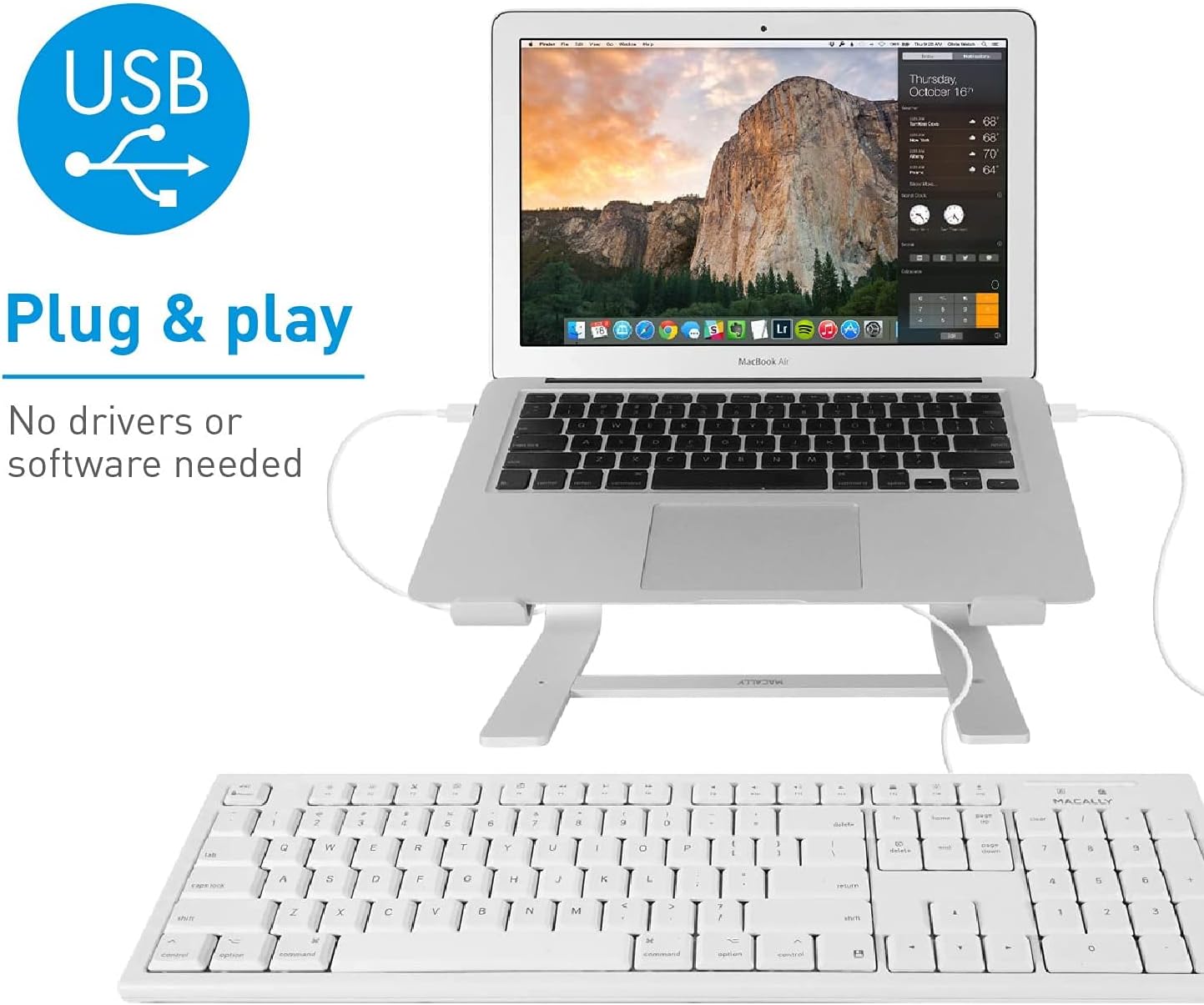
Image 4.1: The Macally QKEY keyboard connected via its USB cable to a MacBook Air, demonstrating the simple plug-and-play setup.
5. Betjeningsvejledning
The Macally QKEY keyboard offers standard typing functionality along with convenient macOS-specific features:
5.1 Standardskrivning
Use the alphanumeric keys for text input. The layout is consistent with standard Mac keyboards, ensuring a familiar typing experience.
5.2 numerisk tastatur
The dedicated numeric keypad on the right side allows for efficient entry of numbers and calculations. Ensure the 'Clear' key (Num Lock equivalent) is active if numbers are not registering.

Billede 5.1: En detaljeret view of the numeric keypad, including the 'Clear' key and mathematical operators.
5.3 Apple-Specific Shortcut Keys
The top row of the keyboard features 16 function keys (F1-F16) pre-configured for macOS shortcuts. These allow direct control over various system functions without needing to press the 'Fn' key (if present on your Mac's internal keyboard) or navigate menus.
| Nøgle | Fungere |
|---|---|
| F1 | Formindsk skærmens lysstyrke |
| F2 | Forøg skærmens lysstyrke |
| F3 | Missionskontrol |
| F4 | Launchpad |
| F5 | Forrige spor |
| F6 | Afspil/pause |
| F7 | Næste spor |
| F8 | Slå lyd fra |
| F9 | Sænk lydstyrken |
| F10 | Øg lydstyrken |
| F11 | Udstøde |
| F12 | Print Screen (Screenshot) |
| F13 | Skære |
| F14 | Kopi |
| F15 | Indsæt |
| F16 | Force Quit Application |
5.4 Indikatorlys
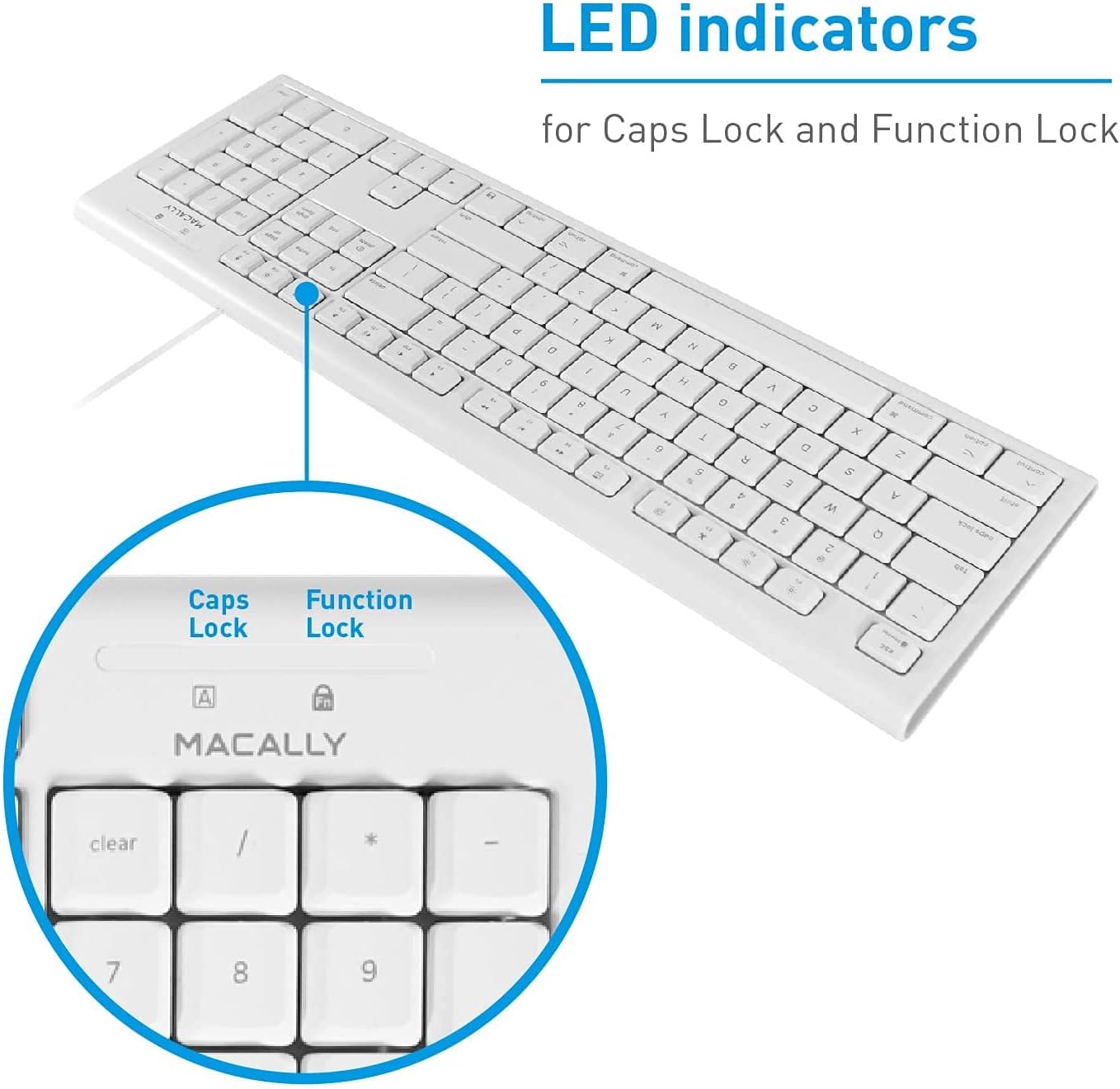
The keyboard features LED indicators for Caps Lock and Function Lock (if applicable). These lights illuminate when the respective function is active.

Billede 5.2: Nærbillede view of the LED indicators for Caps Lock (A) and Function Lock (Fn) located above the numeric keypad.
6. Vedligeholdelse
Proper care will help maintain the performance and appearance of your keyboard.
- Rensning: Brug en blød, fnugfri klud lidt dampSkyl med vand eller en mild rengøringsopløsning for at tørre tastaturets overflade af. Undgå skrappe kemikalier eller slibende materialer.
- Spildmodstand: The keyboard is designed with drainage holes to mitigate damage from accidental spills. In case of a spill, immediately disconnect the keyboard from your computer, invert it to allow liquid to drain, and let it dry completely before reconnecting. Do not immerse the keyboard in liquid.
- Opbevaring: Når tastaturet ikke er i brug, skal det opbevares et rent og tørt sted væk fra ekstreme temperaturer.
7. Fejlfinding
If you encounter issues with your Macally QKEY keyboard, refer to the following common solutions:
- Tastaturet reagerer ikke:
- Ensure the USB cable is securely plugged into a functioning USB-A port on your Mac.
- Try plugging the keyboard into a different USB-A port.
- Restart your Mac computer.
- Test the keyboard on another computer if possible, to determine if the issue is with the keyboard or the computer's port.
- Specifikke taster virker ikke:
- Check for any debris or obstructions under the non-functioning key.
- If the numeric keypad is not working, ensure the 'Clear' key (Num Lock) is active.
- Fejlfunktion i indikatorlamper:
- If the Caps Lock or Function Lock indicator lights behave erratically (e.g., stuck on, not illuminating), try disconnecting and reconnecting the keyboard.
- A system restart may also resolve temporary software glitches affecting indicator lights.
- Keys Fading:
- Keycap legends may show wear over extended periods of heavy use. This is cosmetic and does not affect keyboard functionality.
8. Specifikationer
Detailed technical specifications for the Macally QKEY keyboard:
| Feature | Detalje |
|---|---|
| Modelnummer | QKEY |
| Forbindelse | USB-A kablet |
| Antal nøgler | 104 (Full-Size) |
| Genvejstaster | 16 Apple-specific |
| Numerisk tastatur | Inkluderet |
| Operativsystemkompatibilitet | macOS X 10.6 and later |
| Kabellængde | 5 fod (cirka 1.5 meter) |
| Dimensioner (LxBxH) | 17.5 x 5.4 x 0.78 tommer (44.45 x 13.72 x 1.98 cm) |
| Vægt | 1.02 pund (0.46 kg) |
| Farve | Hvid |
| Keycap Durability | Up to 10,000,000 keystrokes |
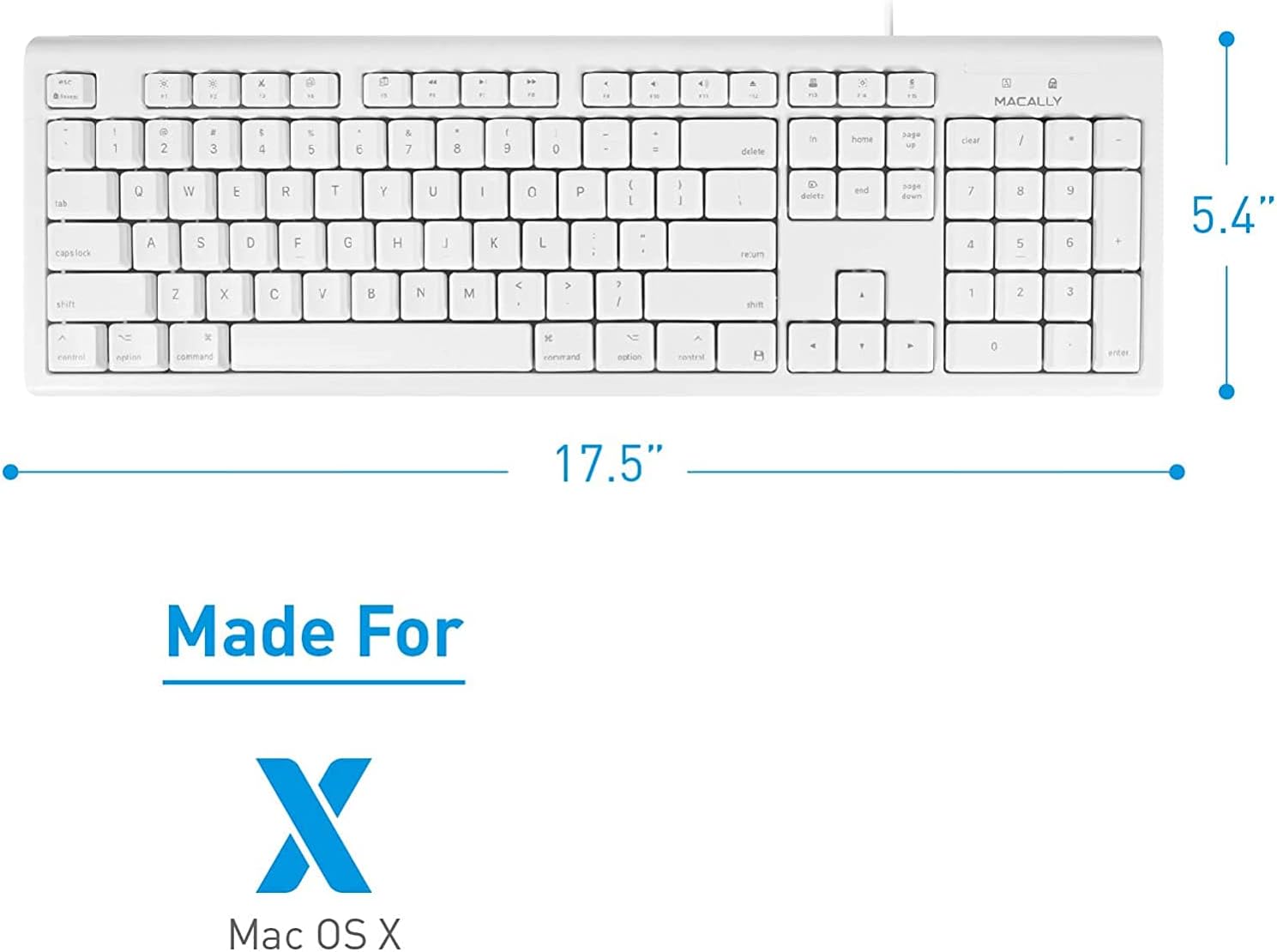
Billede 8.1: Top-down view of the keyboard with its length (17.5 inches) and width (5.4 inches) indicated.

Billede 8.2: Side profile of the keyboard showing its thin design (0.78 inches height).
9. Garanti og support
The Macally QKEY keyboard comes with a one-year warranty, guaranteeing its functionality under normal use. For warranty claims, technical support, or further assistance, please visit the official Macally webwebstedet eller kontakt deres kundeserviceafdeling. Du kan finde flere oplysninger og kontaktoplysninger på Macally-butik på Amazon.
10. Sikkerhedsoplysninger
Overhold venligst følgende sikkerhedsretningslinjer:
- Do not attempt to disassemble or modify the keyboard. This may void the warranty and could result in damage or injury.
- Keep the keyboard away from excessive moisture, heat, and direct sunlight.
- Bortskaf produktet ansvarligt i henhold til lokale regler for elektronisk affald.