
1. Introduktion
Thank you for choosing the Sygonix PYO-813 Wired Video Intercom System. This manual provides detailed instructions for the safe and efficient installation, operation, and maintenance of your new intercom system. Please read this manual thoroughly before use and retain it for future reference.
2. Sikkerhedsinstruktioner
- Ensure all electrical connections are made by a qualified electrician to prevent electric shock or fire hazards.
- Do not expose the outdoor unit to extreme temperatures, direct sunlight for prolonged periods, or heavy rain/snow beyond its water-resistant rating.
- Åbn ikke enheden casings. Refer all servicing to qualified personnel.
- Keep the indoor monitor away from water and high humidity.
- Brug kun den strømadapter, der følger med systemet.
- Before cleaning, disconnect the power supply. Use a soft, dry cloth for cleaning.
3. Pakkens indhold
Kontroller venligst pakkens indhold for at sikre, at alle varer er til stede og ubeskadigede:
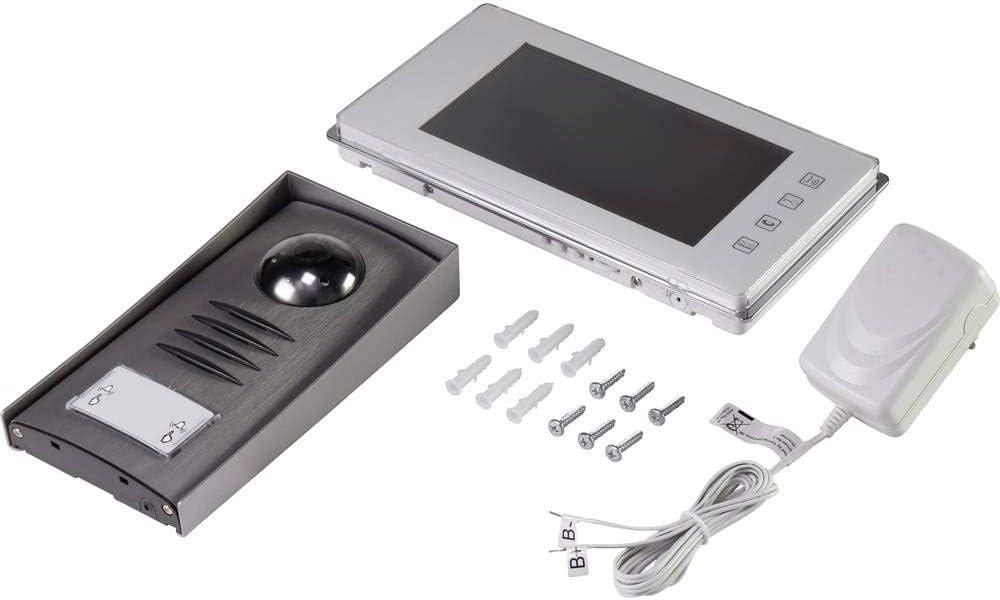
- 1x Outdoor Camera Unit
- 1x Indoor Monitor Unit (7" TFT LCD)
- 1x strømadapter
- Monteringsskruer og vægdyvler
- Brugervejledning (dette dokument)
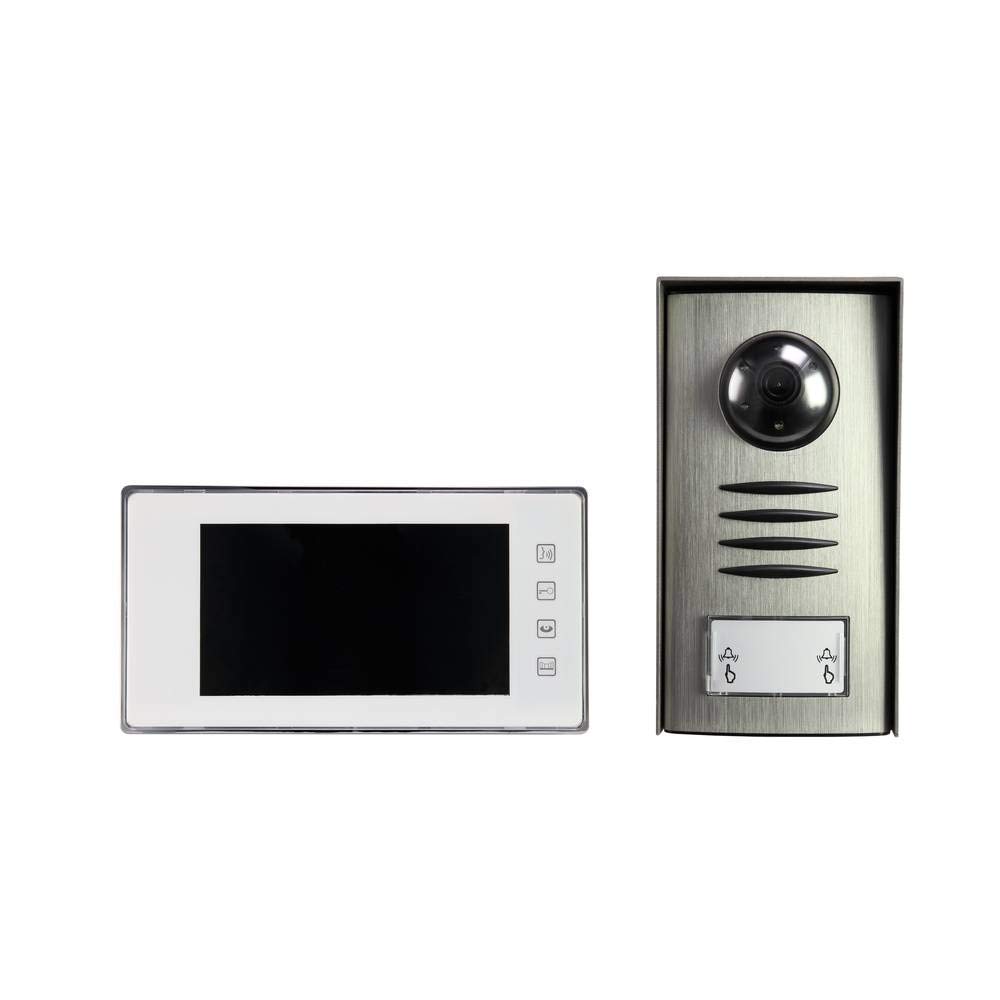
Image: Complete package contents of the Sygonix PYO-813 intercom system.
4. Produktet er slutview
The Sygonix PYO-813 is a wired video intercom system designed for secure and convenient communication with visitors at your door. It features a hands-free system for clear two-way communication.
4.1 Outdoor Camera Unit
- Adjustable Angle Camera: Allows for optimal viewing of visitors.
- Integreret højttaler og mikrofon: Muliggør tovejs lydkommunikation.
- Water-Resistant Casing: Protects components from splashes.
- Integrerede LED'er: Automatically illuminate in low light conditions for night vision.
- Opkaldsknap: For visitors to initiate a call to the indoor monitor.
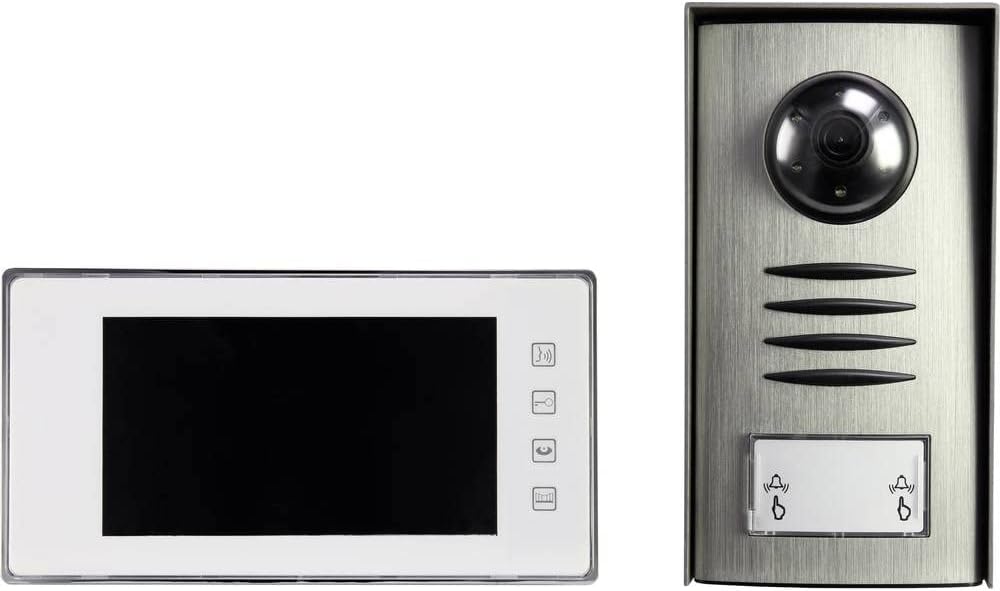
Image: The outdoor camera unit (right) and indoor monitor (left) of the Sygonix PYO-813.
4.2 Indoor Monitor Unit
- 7" TFT LCD-skærm: Provides a clear display of the visitor.
- Touch-knapper: For intuitive control of the system functions.
- Integreret højttaler og mikrofon: For hands-free two-way communication.
Billede: Nærbillede view of the Sygonix PYO-813 indoor monitor and outdoor camera unit.
5. Opsætning og installation
Korrekt installation er afgørende for optimal ydeevne. Det anbefales, at installationen udføres af en kvalificeret tekniker.
5.1 Mounting the Outdoor Camera Unit
- Choose a suitable location near your entrance, ensuring it is protected from direct heavy weather and at an appropriate height for visitors.
- Marker borepunkterne ved hjælp af enheden som skabelon.
- Bor huller og indsæt vægpropper.
- Secure the outdoor unit to the wall using the provided screws.
- Adjust the camera angle as needed for the best view of your entrance area.
5.2 Mounting the Indoor Monitor Unit
- Select a convenient indoor location, typically near the main entrance or in a central living area.
- Mark and drill holes, then insert wall plugs.
- Secure the mounting bracket (if separate) or the monitor directly to the wall.
5.3 Ledningsforbindelser
Connect the outdoor camera unit to the indoor monitor unit using appropriate wiring (not explicitly listed as included, but implied by "wired intercom"). Ensure all connections are secure and correctly polarized according to the wiring diagram in the full product manual (if available, otherwise general advice).
Connect the power adapter to the indoor monitor unit and then plug it into a suitable power outlet.
Vigtig: Ensure power is disconnected during all wiring procedures.6. Betjeningsvejledning
6.1 Modtagelse af et opkald
- Når en besøgende trykker på opkaldsknappen på udendørsenheden, ringer indendørsskærmen og viser den besøgendes billede.
- Tryk på Svar button (typically a phone icon) on the indoor monitor to establish two-way communication.
6.2 Tovejskommunikation
Once the call is answered, you can speak with the visitor hands-free through the integrated speakers and microphones on both units.
- For at afslutte samtalen skal du trykke på Afslut opkald button (typically a hang-up icon) or wait for the call to automatically disconnect after a set period.
6.3 Monitoring the Entrance
Du kan manuelt view the outdoor camera feed at any time without a visitor pressing the call button.
- Tryk på Overvåge button (typically an eye or camera icon) on the indoor monitor to activate the outdoor camera view.
- The integrated LEDs on the outdoor unit will automatically activate in dark conditions to provide clear night vision.
6.4 Justering af indstillinger
The indoor monitor may have touch buttons for adjusting settings such as ringtone volume, display brightness, and contrast. Refer to the icons on your monitor for specific functions.
7. Vedligeholdelse
- Rensning: Use a soft, dry, lint-free cloth to clean the indoor monitor screen and the outdoor unit lens. Do not use abrasive cleaners or solvents.
- Inspektion: Periodically check all wiring connections for wear or damage.
- Miljøbeskyttelse: Ensure the outdoor unit's water-resistant seals are intact.
8. Fejlfinding
| Problem | Mulig årsag | Løsning |
|---|---|---|
| Intet billede på indendørsskærmen. |
|
|
| Ingen lyd under kommunikation. |
|
|
| Dårlig billedkvalitet om natten. |
|
|
9. Specifikationer
| Mærke: | Sygonix |
| Modelnummer: | SY-3313340 (1656670) |
| Indendørs skærm: | 7" TFT LCD-skærm |
| Farve: | Sølv |
| Materiale: | Aluminium |
| Strømtype: | Mains Powered (via included adapter) |
| Pakkedimensioner: | 32.5 x 32.5 x 7 cm |
| Vægt: | 9.07 gram |
10. Garanti og support
For warranty information, please refer to the documentation provided with your purchase or contact your retailer. For technical support or service inquiries, please contact Sygonix customer service or your local distributor.
Fabrikant: Sygonix