
Indledning
Thank you for choosing the AGPTEK M16SB 16GB Bluetooth MP3 Player. This manual provides detailed instructions for setting up, operating, and maintaining your device. Please read it carefully to ensure proper use and to maximize your listening experience.
Produkt overview
Gør dig bekendt med enhedens komponenter og betjeningselementer.

Billede: Forside og side view of the AGPTEK M16SB MP3 player with numbered labels indicating each button and port function.
Knap definitioner:
- Retur: Navigates back to the previous menu.
- Bluetooth/FM Radio: Short press for Bluetooth, long press for FM Radio.
- Submenu/Screen-lock: Accesses submenus or locks/unlocks the screen.
- Flyt op: Navigerer op i menuer.
- Previous/Fast rewind: Skips to the previous track or fast rewinds during playback.
- Flyt ned: Navigerer ned i menuer.
- Next/Fast forward: Skips to the next track or fast forwards during playback.
- Indtast/Afspil/Pause: Confirms selection or plays/pauses media.
- Volumen +: Øger volumen.
- Lydstyrke -: Reducerer volumen.
- Power on/off; Screen on/off: Powers the device on/off or turns the screen on/off.
Porte og funktioner:
- Card slot (TF): For Micro SD card expansion up to 128GB.
- Høretelefonstik: 3.5mm audio output for wired headphones.
- Micro USB-port: Til opladning og dataoverførsel.
- Indbygget højttaler: Til lydafspilning uden hovedtelefoner.
- Mikrofon (MIC): Til stemmeoptagelse.
Opsætning
1. Opladning af enheden
Before first use, fully charge the MP3 player. A full charge takes approximately 2 hours using a 5V/500mA charger or a computer USB port.

Billede: A person relaxing while listening to the MP3 player, with text indicating "2 HOURS for full charge" and "28-30 hours playtime".
- Connect the Micro USB cable to the player's Micro USB port and the other end to a USB power source.
- Batteriindikatoren på skærmen viser opladningsstatus.
- Once fully charged, the device offers up to 28 hours of music playback (screen off, medium volume) or 5 hours via Bluetooth headphones.
2. Tænd/sluk
- For at tænde skal du trykke på og holde nede Tænd/sluk-knap (11) indtil skærmen lyser.
- For at slukke, skal du trykke på og holde nede Tænd/sluk-knap (11) indtil enheden lukker ned.
- Et kort tryk på Tænd/sluk-knap (11) will turn the screen on or off.
3. Indsættelse af et Micro SD-kort
The device has 16GB of internal memory and supports external Micro SD cards up to 128GB (not included).

Billede: En detaljeret view of the MP3 player's side, highlighting the TF card slot with a Micro SD card partially inserted, indicating 16GB internal memory and support for up to 128GB external storage.
- Find Card slot (TF) (12) on the side of the player.
- Indsæt forsigtigt Micro SD-kortet i åbningen, indtil det klikker på plads.
- For at fjerne det skal du skubbe kortet let ind, indtil det springer ud.
Betjeningsvejledning
1. Grundlæggende navigation
- Brug Move up (4) og Move down (6) buttons to navigate through menus.
- Tryk på Enter/Play/Pause button (8) for at vælge en mulighed.
- Tryk på Return button (1) for at gå tilbage til den forrige skærm.
- Juster lydstyrken ved hjælp af Volume + (9) og Volume - (10) knapper på siden.
2. Musikafspilning
The player supports MP3, WMA, OGG, APE, FLAC, WAV, AAC-LC, and ACELP audio formats.

Billede: A person holding the AGPTEK MP3 player, displaying the music playback interface with track information and a Bluetooth connection indicator.
- Vælg "Musik" fra hovedmenuen.
- Browse by Artist, Album, Songs, Playlists, or Folder.
- Trykke Enter/Play/Pause (8) for at starte eller sætte afspilningen på pause.
- Bruge Previous/Fast rewind (5) og Next/Fast forward (7) to change tracks or fast forward/rewind.
- Access submenus (e.g., Equalizer, Repeat Mode) by pressing the Submenu button (3) under afspilning.
3. Bluetooth-parring
Connect your MP3 player to Bluetooth headphones or speakers for wireless audio.

Billede: An illustration demonstrating three audio output options for the MP3 player: wired headphones for private listening, the built-in speaker for sharing, and a Bluetooth speaker for party settings.
- Vælg "Bluetooth" i hovedmenuen.
- Alternativt kan du trykke kort på Bluetooth/FM Radio button (2) to quickly enable Bluetooth.
- Ensure your Bluetooth device (headphones/speaker) is in pairing mode.
- Afspilleren vil søge efter tilgængelige enheder. Vælg din enhed fra listen for at parre.
- The player supports automatic reconnection to previously paired devices.
4. FM Radio
Listen to FM radio stations. Wired headphones must be connected as they act as the antenna.
- Connect wired headphones to the Earphone jack (13).
- Vælg "FM-radio" i hovedmenuen.
- Alternativt kan du trykke længe på Bluetooth/FM Radio button (2) to quickly enter FM Radio mode.
- Use the navigation buttons to scan for stations or select from presets.
- The radio function allows saving up to 30 preset stations and supports FM recording.
5. Andre funktioner
- Stemmeoptager: Select "Record" from the main menu to use the built-in microphone for voice recording.
- E-bog: Read TXT format e-books by selecting "E-book".
- Video: Play AMV format videos by selecting "Video".
- Billede Vieweh: Browse JPG, GIF, and BMP images by selecting "Pictures".
- Indstillinger: Access various device settings, including equalizer, volume limit, display brightness, and timed shutdown.
Opretholdelse
1. Firmwareopdatering
Free firmware updates are available to improve device performance and add new features.
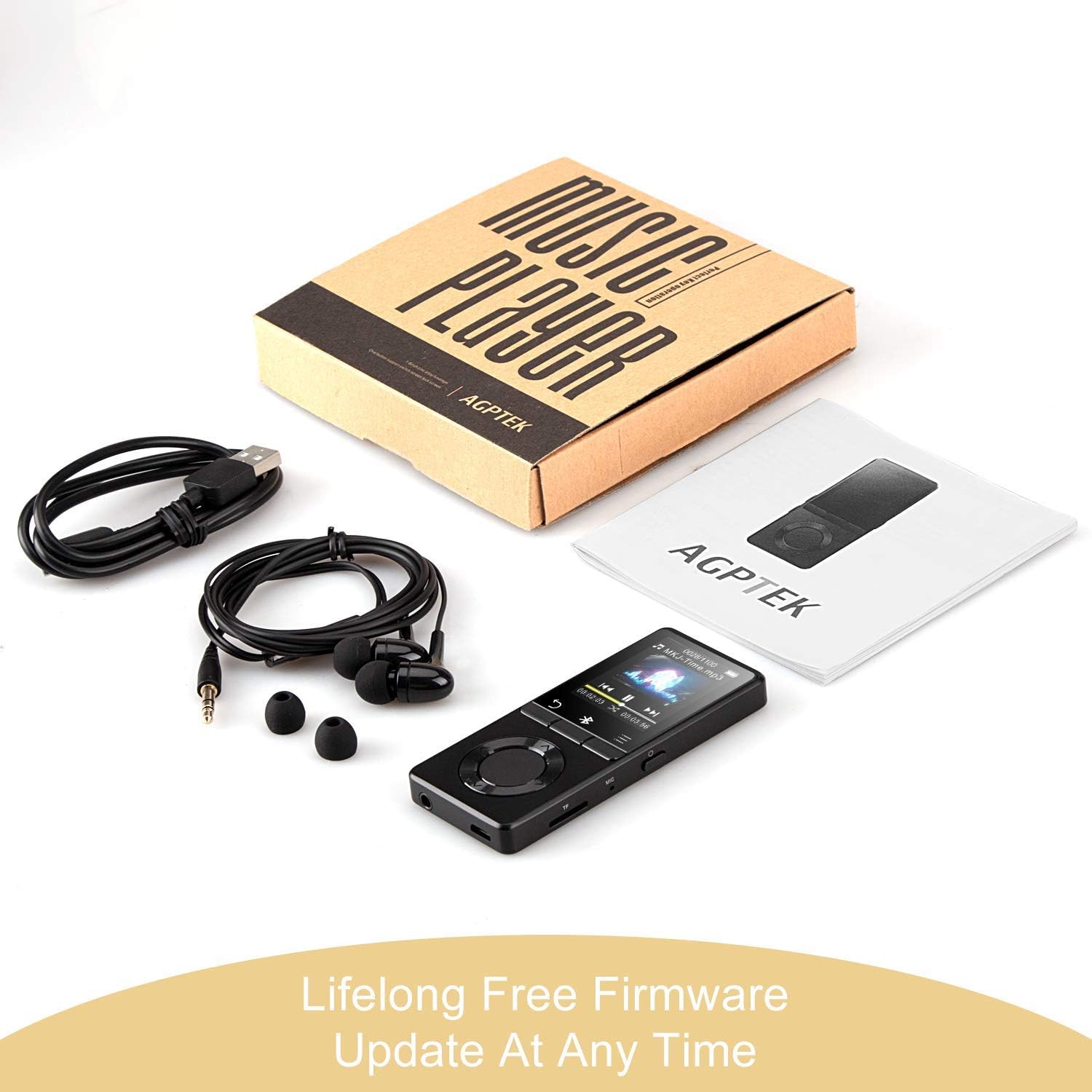
Billede: The AGPTEK MP3 player, its packaging, and included accessories (earphones, USB cable), emphasizing the availability of lifelong free firmware updates.
- Besøg den officielle AGPTEK webwebsted for den nyeste firmware og instruktioner.
- Follow the provided instructions carefully to update your device.
2. Rensning
- Brug en blød, tør klud til at rengøre enhedens yderside.
- Undgå at bruge flydende rengøringsmidler eller slibende materialer.
Fejlfinding
- Enheden tænder ikke: Sørg for, at batteriet er opladet. Tilslut det til en oplader, og prøv igen.
- Ingen lyd: Check volume levels. Ensure headphones are properly connected or Bluetooth device is paired and connected. If using the built-in speaker, ensure it is enabled in settings.
- Problemer med Bluetooth-forbindelse: Ensure the Bluetooth device is in pairing mode and within range. Disconnect the MP3 player from other Bluetooth devices if it was previously paired elsewhere.
- Filespiller ikke: Bekræft at lyd/video file format is supported (MP3, WMA, OGG, APE, FLAC, WAV, AAC-LC, ACELP for audio; AMV for video).
- Enheden reagerer ikke: Press and hold the Power button for 10-15 seconds to force a reset.
- Micro SD card not detected: Ensure the card is inserted correctly. Try reinserting or using a different card to rule out card issues.
- Issues during PC sync: Avoid altering files directly in the player's window while synced. Make changes on the PC, then re-upload. If the player crashes, perform a long press on the power button to reset.
Specifikationer
| Mærke | AGPTEK |
| Modelnavn | AGPTEK 16GB Bluetooth 4.0 MP3 Player with Touch Buttons |
| Modelnummer | M16SB-EU |
| Forbindelsesteknologi | Bluetooth |
| Hukommelseslagringskapacitet | 16 GB (expandable up to 128 GB with Micro SD card) |
| Farve | Sort |
| Skærmstørrelse | 1.8 tommer |
| Kompatible enheder | Hovedtelefoner, Personlig computer |
| Medietype | MP3 |
| Understøttede lydstandarder | AAC, ACELP, APE, FLAC, MP3, OGG, WAV, WMA |
| Understøttede videostandarder | AMV |
| Supported Image Standards | JPG, GIF, BMP |
| Batterilevetid (musikafspilning) | Up to 28 hours (screen off, medium volume) |
| Batterilevetid (Bluetooth-afspilning) | Op til 5 timer |
| Opladningstid | Ca. 2 timer |
Garanti og support
AGPTEK is committed to providing reliable and high-quality products. While specific warranty details are not provided in this manual, AGPTEK offers free firmware updates and customer support.
- For any product issues or inquiries, please contact AGPTEK customer service.
- Refer to the official AGPTEK website for support contact information and the latest firmware updates.