
Indledning
This manual provides instructions for the ECONTROLLY BN59-00888A Replacement Remote Control. This remote is designed to function as a direct replacement for original Samsung TV remote models, specifically compatible with LA32B460, LA32B450C4D, LA26B450, and LA32B450 series televisions. No programming is required for operation; simply install batteries.
Produkt overview
The ECONTROLLY BN59-00888A remote control is constructed from durable ABS environmental protection material, offering a comfortable grip. It features an infrared (IR) connectivity technology and provides a control range of approximately 10 meters (33 feet).
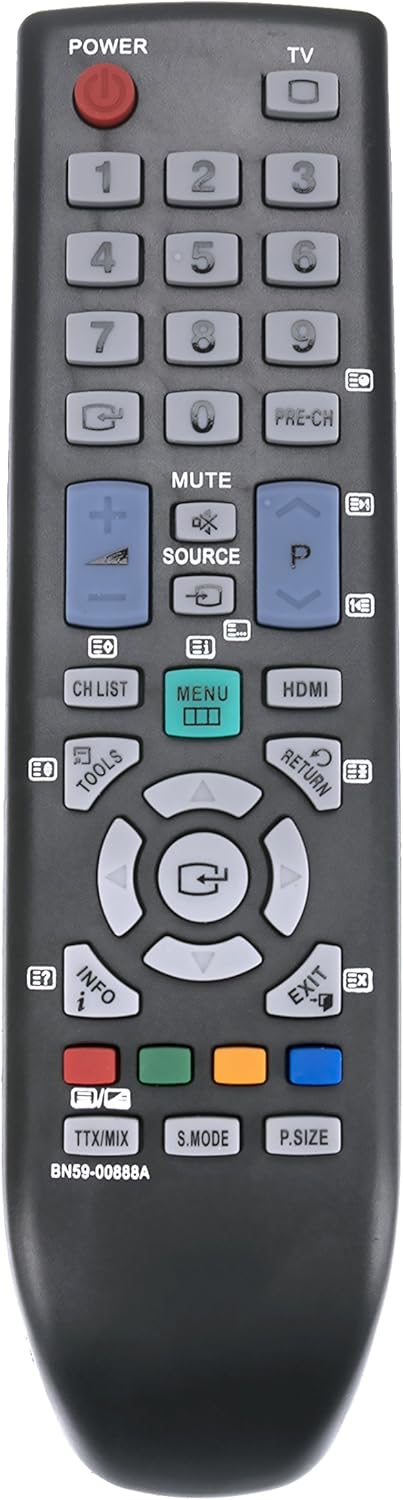
Billede 1: Forside view of the BN59-00888A remote control, displaying the layout of its 20 buttons including power, number keys, channel, volume, menu, and navigation controls.

Billede 2: Vinklet view of the BN59-00888A remote control, showcasing its ergonomic shape and button arrangement from a side perspective.
Opsætning
To begin using your ECONTROLLY BN59-00888A replacement remote control, follow these simple steps:
- Åbn batterirummet: Find batteridækslet på bagsiden af fjernbetjeningen. Skub eller tryk på låsen for at åbne det.
- Indsæt batterier: Insert two (2) AAA alkaline batteries into the compartment. Ensure the positive (+) and negative (-) terminals of the batteries align correctly with the indicators inside the compartment. Incorrect insertion can prevent the remote from functioning.
- Luk batterirummet: Sæt dækslet til batterirummet på igen, og sørg for, at det klikker sikkert på plads.
- Test fjernbetjeningen: Point the remote control towards your Samsung TV and press the 'POWER' button. The TV should respond. If it does not, recheck battery insertion and ensure there are no obstructions between the remote and the TV's infrared receiver.
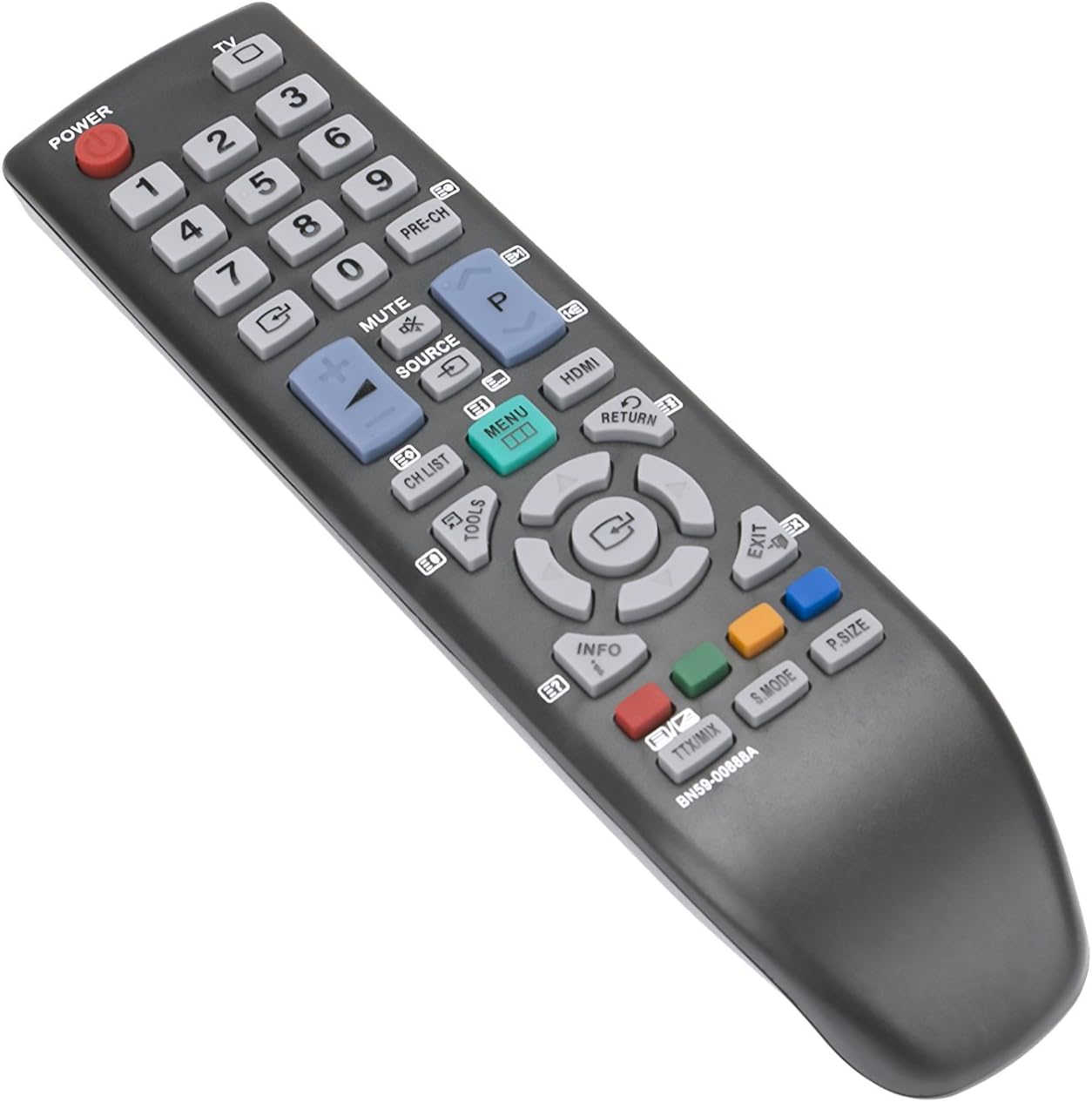
Billede 3: Side profile of the BN59-00888A remote control, illustrating its slim design.

Billede 4: Bagside view of the BN59-00888A remote control with the battery cover detached, revealing the two AAA battery slots.
Betjeningsvejledning
This remote control operates identically to the original Samsung TV remote. Point the remote directly at your television's infrared receiver for optimal performance. Below are common functions:
- MAGT: Tænder eller slukker for tv'et.
- Nummerknapper (0-9): Vælg tv-kanaler direkte.
- CH LISTE: Viser kanallisten.
- VOL (+/-): Justerer lydstyrken.
- CH (up/down): Skifter kanal sekventielt.
- STUM: Slår lyden fra eller til på tv'et.
- KILDE: Vælger inputkilder (f.eks. HDMI, AV).
- MENU: Giver adgang til tv'ets hovedmenu.
- Navigationsknapper (op, ned, venstre, højre, enter): Naviger gennem menuer og bekræft valg.
- RETURNERING: Vender tilbage til den forrige menu eller skærm.
- AFSLUT: Forlader den aktuelle menu eller funktion.
- INFO: Viser oplysninger om det aktuelle program eller input.
- VÆRKTØJ: Åbner hurtigindstillinger eller værktøjsmenuen.
- HDMI: Directly selects an HDMI input.
- PRE-CH: Vender tilbage til det tidligere viewed kanal.
- Farveknapper (rød, grøn, gul, blå): Bruges til specifikke funktioner i bestemte tv-menuer eller applikationer.
- TTX/MIX: Tekst-tv-funktioner.
- S.MODE: Sound mode selection.
- P. STØRRELSE: Picture size adjustment.
Opretholdelse
To ensure the longevity and proper functioning of your remote control, observe the following maintenance guidelines:
- Udskiftning af batteri: Replace batteries when the remote's response becomes sluggish or stops working. Always replace both batteries simultaneously with new AAA alkaline batteries. Do not mix old and new batteries, or different types of batteries.
- Rensning: Tør fjernbetjeningen af med en blød, tør klud. Tør let af genstridigt snavs.ampRengør kluden med vand eller et mildt, ikke-slibende rengøringsmiddel. Undgå at bruge skrappe kemikalier eller slibende materialer, da disse kan beskadige fjernbetjeningens overflade eller interne komponenter.
- Opbevaring: Opbevar fjernbetjeningen et køligt, tørt sted væk fra direkte sollys, ekstreme temperaturer og høj luftfugtighed.
- Undgå fald og stød: Protect the remote from physical shocks, as internal components can be damaged.
- Væskeeksponering: Do not expose the remote control to liquids. If liquid spills on the remote, remove the batteries immediately and allow it to dry completely before reinserting them.
Fejlfinding
If you experience issues with your remote control, refer to the following common solutions:
- Fjernbetjeningen reagerer ikke:
- Sørg for, at batterierne er isat korrekt med den korrekte polaritet (+/-).
- Udskift gamle batterier med nye AAA alkaliske batterier.
- Kontroller, om der er forhindringer mellem fjernbetjeningen og tv'ets infrarøde modtager.
- Confirm that the remote is pointed directly at the TV.
- Begrænset rækkevidde:
- Ensure batteries are fresh. Low batteries can reduce the effective range.
- Fjern eventuelle genstande, der måtte blokere signalvejen mellem fjernbetjeningen og tv'et.
- Specifikke knapper virker ikke:
- This remote is a direct replacement and does not require programming. If a specific button is not working, ensure it is a function supported by your Samsung TV model.
- Clean the remote control, especially around the non-functioning button, to remove any debris that might be preventing proper contact.
Specifikationer
| Feature | Detalje |
|---|---|
| Modelnummer | BN59-00888A (also RCEC-0888A) |
| Mærke | EKONTROLLIGT |
| Kompatible tv-modeller | Samsung LA32B460, LA32B450C4D, LA26B450, LA32B450 |
| Forbindelsesteknologi | Infrarød (IR) |
| Maksimal rækkevidde | Cirka 10 meter (33 fod) |
| Strømkilde | 2 x AAA alkaliske batterier (medfølger ikke) |
| Materiale | ABS miljøbeskyttelsesmateriale |
| Antal knapper | 20 |
| Varens vægt | 1 ounce |
| UPC | 707409971862 |
Garanti og support
For warranty information or technical support regarding your ECONTROLLY BN59-00888A Replacement Remote Control, please refer to the documentation provided at the time of purchase or contact your retailer. As this is a replacement product, specific warranty terms may vary.