
Vigtige sikkerhedsinstruktioner
Læs venligst disse instruktioner omhyggeligt, inden du bruger enheden. Gem denne manual til senere brug.
- Bloker ikke nogen ventilationsåbninger.
- Må ikke installeres i nærheden af varmekilder.
- Beskyt netledningen mod at blive trådt på eller klemt.
- Brug kun tilbehør/tilbehør specificeret af producenten.
- Træk stikket ud af dette apparat under tordenvejr, eller når det ikke skal bruges i længere perioder.
- Overlad al service til kvalificeret servicepersonale.
- ADVARSEL: For at reducere risikoen for brand eller elektrisk stød må dette apparat ikke udsættes for regn eller fugt.
Produkt overview
The Victrola VS-120 is a versatile microsystem offering multiple audio playback options. It includes Bluetooth connectivity, a CD player, USB playback, an Aux-in port, and an FM radio.
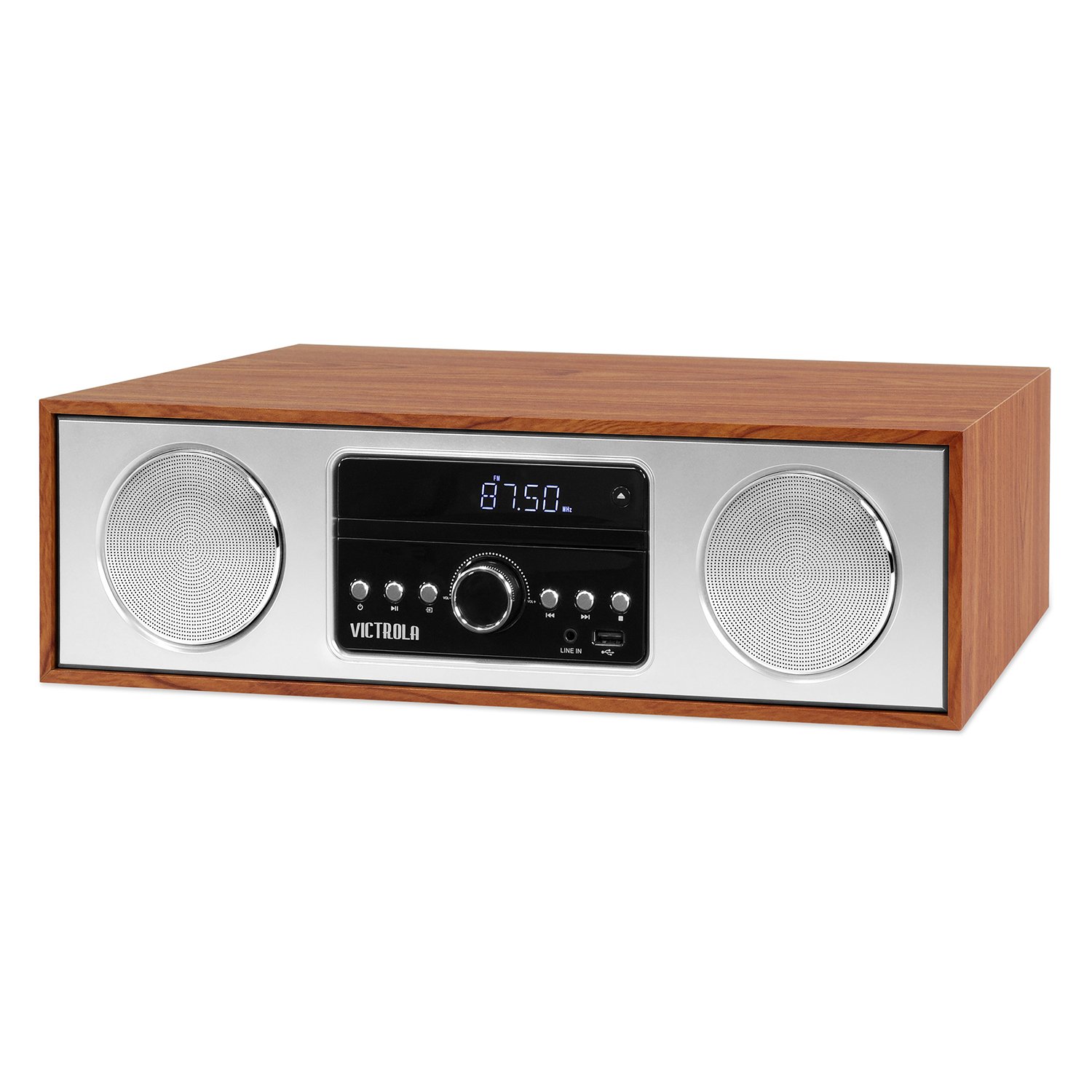
Front view of the Victrola VS-120 Bluetooth Microsystem, showing the speaker, display, and control panel.

The Victrola VS-120 microsystem with its CD tray open, revealing a disc, and the included remote control positioned in the foreground.
Opsætningsvejledning
Udpakning
Carefully remove the unit from its packaging. Ensure all accessories are present:
- Victrola VS-120 Microsystem
- Fjernbetjening
- Strømadapter
- Brugervejledning (dette dokument)
Strømtilslutning
- Insert the small end of the power adapter into the DC IN jack on the rear of the unit.
- Sæt den anden ende af strømadapteren i en almindelig stikkontakt (AC 100-240V, 50/60Hz).
- The unit will enter standby mode, and the LED clock display will illuminate.
Antenna Connection (FM Radio)
For optimal FM radio reception, extend the FM wire antenna fully. Adjust its position for the best signal.
Betjeningsvejledning
Tænd/sluk
Tryk på MAGT button on the unit or remote control to turn the system on or off (standby mode).
Valg af tilstand
Tryk på MODE button on the unit or remote control repeatedly to cycle through available functions: Bluetooth, CD, USB, AUX, og FM radio.
Bluetooth-betjening
- Vælge Bluetooth mode. The display will show "BT" and flash, indicating pairing mode.
- On your Bluetooth-enabled device (smartphone, tablet, etc.), enable Bluetooth and search for "Victrola VS-120".
- Select "Victrola VS-120" to pair. Once connected, the "BT" indicator will stop flashing and a confirmation tone will sound.
- You can now stream audio from your device to the microsystem.
- Use your device or the microsystem's controls (PLAY/PAUSE, NEXT, PREVIOUS) to manage playback.
CD-afspilning
- Vælge CD mode.
- Tryk på ÅBN/LUK knappen for at åbne CD-skuffen.
- Placer en cd (lyd-cd eller MP3-cd) med etiketsiden opad i bakken.
- Trykke ÅBN/LUK again to close the tray. The unit will read the disc and begin playback automatically.
- Bruge AFSPIL/PAUSE, NÆSTE, og TIDLIGERE knapper til at styre afspilning.
USB-afspilning
- Insert a USB flash drive (FAT32 format, containing MP3 files) i USB-porten.
- Vælge USB mode. The unit will automatically detect and begin playing MP3 files fra drevet.
- Bruge AFSPIL/PAUSE, NÆSTE, og TIDLIGERE knapper til at styre afspilning.
Betjening af FM-radio
- Vælge FM radio mode.
- Tryk og hold på TUNE +/- knapperne for automatisk at scanne efter den næste tilgængelige station.
- Tryk på TUNE +/- buttons briefly to manually adjust the frequency in small increments.
- To save a station as a preset, press the MEM knappen, og brug derefter FORUDINDSTILLING +/- for at vælge et forudindstillet nummer, og tryk på MEM igen for at bekræfte.
- To recall a preset station, use the FORUDINDSTILLING +/- knapper.
Aux-in tilslutning
- Tilslut en ekstern lydenhed (f.eks. MP3-afspiller, smartphone) til AUX IN stik ved hjælp af et 3.5 mm lydkabel (medfølger ikke).
- Vælge AUX mode.
- Styr afspilning og lydstyrke fra din eksterne enhed.
Fjernbetjeningsfunktioner
The included remote control provides full functionality. Ensure batteries are correctly inserted. Key functions include:
- MAGT: Turn unit on/off.
- KØRSELSVEJLEDNING: Vælg lydkilde.
- VOL +/-: Juster lydstyrken.
- PLAY/PAUSE, NEXT, PREVIOUS: Control playback for CD, USB, and Bluetooth.
- TUNE +/-: Tune FM radio stations.
- MEM: Store FM presets.
- FORUDINDSTILLING +/-: Select FM presets.
- EQ: Cycle through equalizer settings (Flat, Rock, Pop, Jazz, Classic).
- UR: Indstil uret.
- DIMMER: Juster skærmens lysstyrke.
Justering af EQ-indstillinger
Tryk på EQ button on the remote control to cycle through preset equalizer modes: Flat, Rock, Pop, Jazz, and Classic. Select the mode that best suits your audio preference.
Indstilling af uret
For at indstille uret skal du trykke på UR button on the remote control. Use the TUNE +/- buttons to adjust the hour and minute, and press UR igen for at bekræfte hver indstilling.
Opretholdelse
Rengøring af enheden
To clean the exterior of the unit, use a soft, dry cloth. Do not use abrasive cleaners, waxes, or solvents as these may damage the surface. Ensure the unit is unplugged before cleaning.
Pleje af CD-afspiller
Handle CDs by their edges. Keep them clean and free of scratches. If a CD is dirty, wipe it gently with a soft, lint-free cloth from the center outwards. Do not use solvents or abrasive cleaners on CDs.
Fejlfinding
| Problem | Mulig årsag | Løsning |
|---|---|---|
| Ingen strøm | Netledningen er ikke tilsluttet; stikkontakten er ikke aktiv. | Sørg for, at netledningen er korrekt tilsluttet; prøv en anden stikkontakt. |
| Ingen lyd | Lydstyrken er for lav; Forkert tilstand valgt; Ekstern enhed afspiller ikke. | Increase volume; Select correct mode (BT, CD, USB, AUX, FM); Ensure external device is playing and its volume is up. |
| CD'en afspiller ikke | CD'en er isat forkert; CD'en er snavset eller ridset; Diskformatet understøttes ikke. | Insert CD with label side up; Clean or replace CD; Ensure it's an audio CD or MP3 CD. |
| Bluetooth-parring mislykkes | Unit not in pairing mode; Device too far; Device already paired to another unit. | Ensure unit is in BT mode and "BT" is flashing; Move device closer; Disconnect from other devices. |
| Dårlig FM -modtagelse | Antennen er ikke trukket ud eller placeret korrekt. | Fully extend and reposition the FM wire antenna. |
| Fjernbetjening virker ikke | Batterier døde eller isat forkert; Blokering mellem fjernbetjening og enhed. | Replace batteries; Ensure correct polarity; Remove obstructions; Point remote directly at the unit's sensor. |
Specifikationer
- Mærke: Victrola
- Model: VS 120
- Forbindelse: Bluetooth, USB, Aux-stik (3.5 mm)
- Lydkilder: CD Player, USB Player, FM Radio, Bluetooth, Aux-in
- Udgangseffekt: 30 watt
- Understøttede lydformater: CD, MP3
- Dimensioner (L x B x H): 15.97 x 4.69 x 10.83 tommer (40.56 x 11.91 x 27.51 cm)
- Vægt: 10.76 pund (4.88 kg)
- Strømindgang: AC 100-240V, 50/60Hz
- Farve: Ahorn
Garanti og support
Victrola products are designed with quality and performance in mind. For detailed warranty information, please refer to the warranty card included with your product or visit the official Victrola website. For technical support or customer service inquiries, please contact Victrola customer support through their official channels.
Webwebsted: www.victrola.com

