
Indledning
Thank you for choosing the PowerPac 12-Inch Table Fan, model PPTF303. This manual provides comprehensive instructions for the safe and efficient use of your new fan. Please read all instructions carefully before operating the appliance and retain this manual for future reference.
Vigtige sikkerhedsinstruktioner
For at mindske risikoen for brand, elektrisk stød eller personskade skal du altid følge disse grundlæggende sikkerhedsforanstaltninger:
- Læs alle instruktioner, før du bruger denne ventilator.
- Sørg for, at strømforsyningen voltage stemmer overens med typeskiltet på ventilatoren.
- Tag altid stikket ud af stikkontakten, inden du rengør, servicerer eller flytter den.
- Stik ikke fingre eller genstande ind gennem gitteret, når ventilatoren er i drift.
- Hold ventilatoren væk fra vand eller andre væsker. Må ikke anvendes i våde omgivelser.
- Brug ikke ventilatoren med en beskadiget ledning eller stik. Hvis ledningen er beskadiget, skal den udskiftes af producenten, dennes servicerepræsentant eller lignende kvalificerede personer for at undgå fare.
- Dette apparat er ikke beregnet til brug af personer (inklusive børn) med nedsatte fysiske, sensoriske eller mentale evner, eller mangel på erfaring og viden, medmindre de har fået opsyn eller instruktion i brugen af apparatet af en person, der er ansvarlig for deres sikkerhed.
- Børn skal være under opsyn for at sikre, at de ikke leger med apparatet.
- Do not use the fan near curtains, plants, or other objects that could be drawn into the fan blades.
- Placer ventilatoren på en stabil, plan overflade for at forhindre den i at vælte.
- The fan is equipped with built-in thermal protection against overheating. If the fan overheats, it will automatically shut off. Unplug the fan and allow it to cool down before restarting.
Produkt overview
Komponenter
The PowerPac 12-Inch Table Fan PPTF303 includes the main fan unit with its base, grille, blades, motor housing, control panel, and power cord.
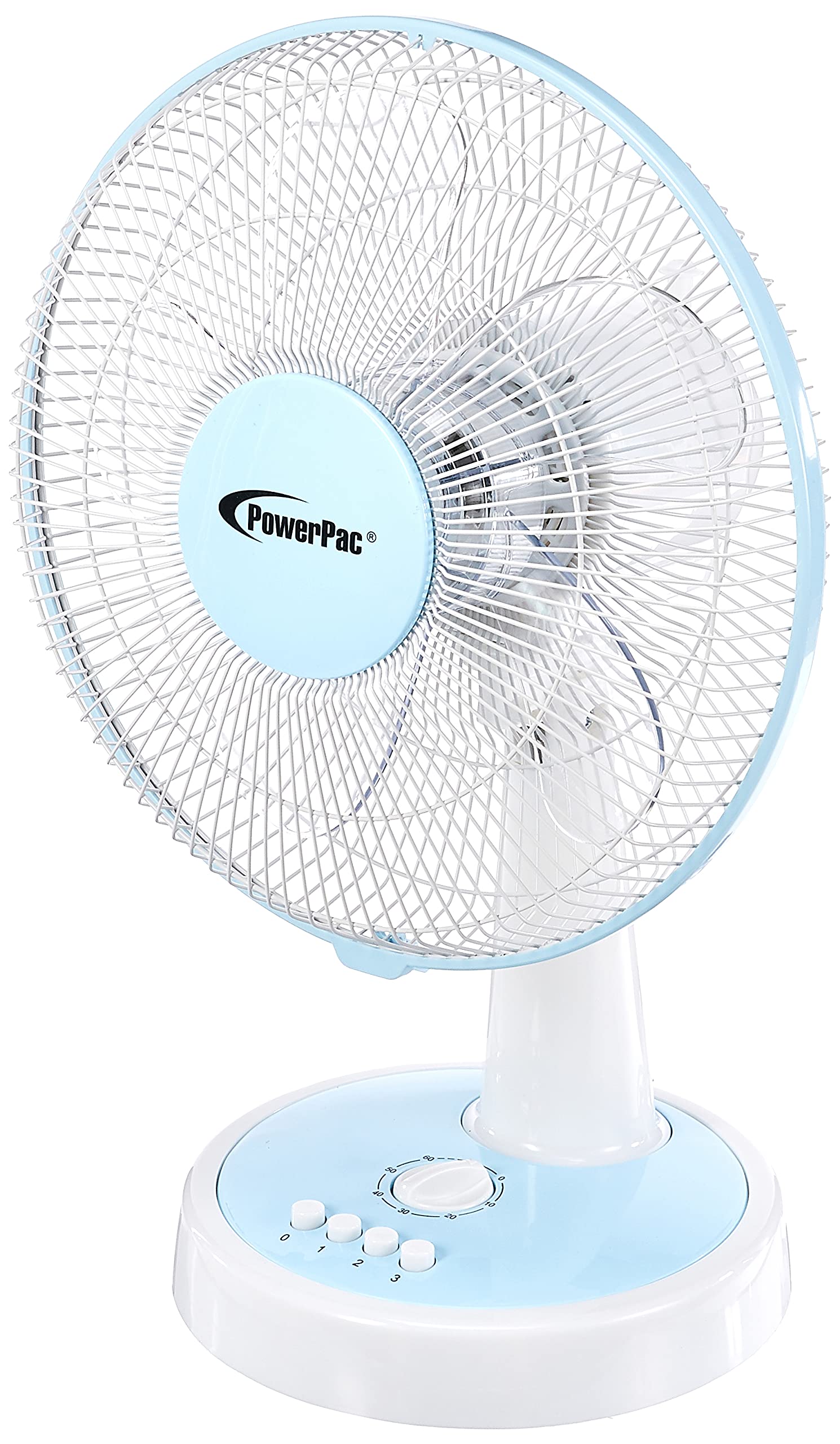
Figur 1: Forside view of the PowerPac 12-Inch Table Fan PPTF303.
Funktioner
- 3 hastighedsindstillinger: Choose from low, medium, or high airflow.
- Indbygget termisk beskyttelse: Slukker automatisk for at forhindre overophedning.
- High Velocity Motor: Designed for maximum air circulation.
- oscillation: Provides wide-area cooling.
- Timer funktion: Allows for timed operation.
Opsætning
The PowerPac 12-Inch Table Fan PPTF303 typically comes pre-assembled. Follow these steps for initial setup:
- Pakker ud: Carefully remove the fan from its packaging. Retain packaging for storage or return if necessary.
- Placering: Place the fan on a firm, level surface where it will not be easily knocked over. Ensure there is adequate space around the fan for proper air circulation and oscillation.
- Strømtilslutning: Insert the power plug into a suitable electrical outlet. Ensure the outlet voltage matcher ventilatorens krav.
Betjeningsvejledning
Your PowerPac Table Fan features a touch control method for easy operation.
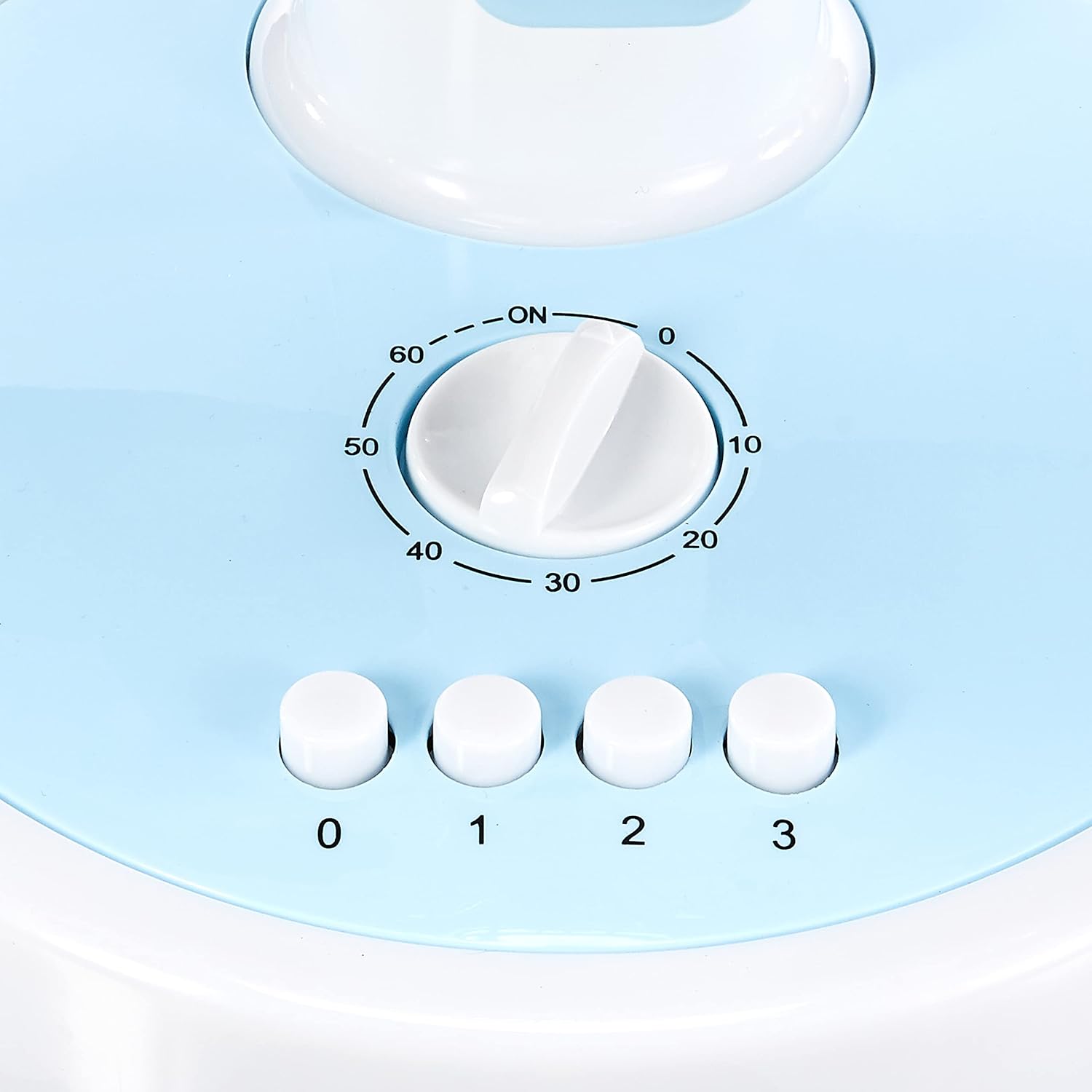
Figure 2: Close-up of the control panel with speed and timer settings.
- Tænd/sluk: Press the '0' button to turn the fan off. To turn it on, select a speed setting (1, 2, or 3).
- Justering af blæserhastighed:
- Press '1' for Low speed.
- Press '2' for Medium speed.
- Press '3' for High speed.
- oscillation: To activate the oscillation feature, press the button located on the top of the motor housing. Press it again to stop oscillation.
- Timer funktion: The fan includes a timer dial, typically marked from 0 to 60 minutes. Turn the dial clockwise to set the desired operating time. The fan will automatically switch off once the set time has elapsed.
Opretholdelse
Regelmæssig vedligeholdelse sikrer optimal ydeevne og levetid for din ventilator.
- Rensning:
- Tag altid ventilatoren ud af stikkontakten før rengøring.
- Brug en blød, damp klud til at tørre de udvendige overflader af. Brug ikke slibende rengøringsmidler eller opløsningsmidler.
- To clean the fan blades, carefully remove the front grille (refer to specific instructions if provided with your model for grille removal). Wipe the blades with a damp cloth. Ensure all parts are dry before reassembling and operating.
- Opbevaring: When not in use for extended periods, store the fan in its original packaging or a clean, dry place.
Fejlfinding
Hvis du støder på problemer med din ventilator, bedes du se følgende almindelige problemer og løsninger:
| Problem | Mulig årsag | Løsning |
|---|---|---|
| Ventilatoren tænder ikke. | No power supply; fan unplugged; thermal protection activated. | Check power cord connection; ensure outlet is functional; unplug and allow fan to cool for 30 minutes before restarting. |
| Svag luftstrøm. | Fan speed set too low; dirty blades/grille. | Increase fan speed; clean blades and grilles as per maintenance instructions. |
| Ventilatoren laver usædvanlig lyd. | Loose parts; obstruction in blades. | Unplug and check for any loose parts or obstructions. If noise persists, contact customer support. |
If the problem persists after attempting these solutions, please contact PowerPac customer support.
Specifikationer
Key technical specifications for the PowerPac 12-Inch Table Fan PPTF303:
| Specifikation | Detalje |
|---|---|
| Mærke | PowerPac |
| Modelnavn | PPTF303 |
| Elektrisk ventilator design | Bordventilator |
| Størrelse | 12 tommer |
| Antal hastigheder | 3 |
| Strømkilde | Elektrisk med ledning |
| Wattage | 70 watt |
| Kontrolmetode | Røre |
| Særlige funktioner | Timer, Oscillation, Thermal Protection |
| Materiale | Plast |
| Oprindelsesland | Kina |

Figure 3: Approximate dimensions of the PowerPac 12-Inch Table Fan PPTF303.
Garanti og support
The PowerPac 12-Inch Table Fan PPTF303 comes with a 1 års lokal (Singapore) producentgarantiGem venligst din købsbevis i tilfælde af garantikrav.
For technical support, service, or warranty inquiries, please contact PowerPac customer service through their official webwebstedet eller forhandleren, hvor produktet blev købt.