
1. Produktet er slutview
The Jtron 12V Add-a-Circuit Fuse Tap Adapter is designed to provide an easy and safe way to add a new circuit to your vehicle's electrical system without cutting or splicing wires. It converts one fuse slot into two, allowing you to power additional 12V DC devices such as GPS units, cell phone chargers, car MP3 players, vacuum cleaners, or tire inflators, while maintaining protection for both the original and the new circuit.

Billede 1.1: Overview of the Jtron Add-a-Circuit Fuse Tap Adapter kit, showing the cigarette lighter socket, fuse tap cable, fuse puller, and various fuses.
2. Pakkens indhold
Kontroller venligst, at alle nedenstående varer er inkluderet i din pakke:
- 1x Car Cigarette Lighter Socket (with 3.3ft / 1m 18AWG cable)
- 1x Add-A-Circuit Fuse Holder Tap Adapter Cable (LP-Mini APS type)
- 1x Free 15-Fuse-Set: 5A (x5), 10A (x5), 15A (x5) AMPS
- 1x Fuse Puller (yellow)
- Several Zip Ties
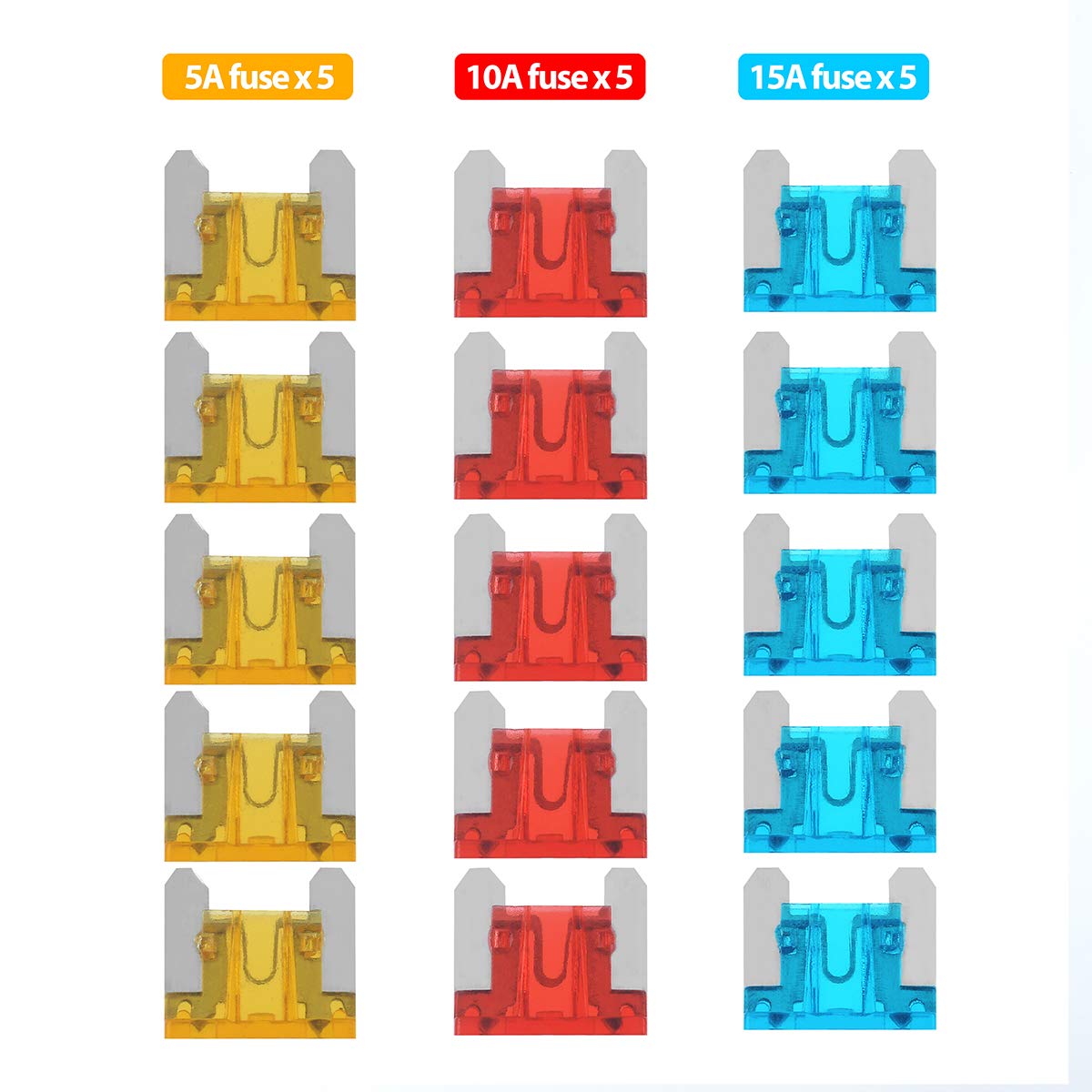
Billede 2.1: Nærbillede view of the included 5A (yellow), 10A (red), and 15A (blue) fuses.
3. Specifikationer
| Produktnavn | Jtron 12V Add-a-Circuit Fuse Tap Adapter |
| Modelnummer | 01011097-ons |
| Input bindtage | 12 volt DC |
| Maks Ampslette | 30 Amps |
| Kabellængde | 1 meter (3.3 fod) |
| Wire Gauge | 18 AWG |
| Fuse Tap Type | LP-Mini (APS) |
| Connector Type | Cigarettænder Plug |
| Kompatible enheder | GPS, MP3 Players, Car Vacuum Cleaners, Tire Inflators, etc. |
| Varens vægt | 3.3 ounce |
4. Nøglefunktioner
- Dual Circuit Protection: Converts one fuse slot into two, providing independent protection for both the existing circuit and the newly added accessory.
- Høj kvalitetskonstruktion: Made from durable materials for crush resistance and long-lasting performance.
- Nem installation: Designed for straightforward installation without the need for wire cutting or splicing.
- Alsidig strømkilde: Ideal for powering a wide range of 12V DC automotive accessories.
5. Important Considerations: Fuse Sizes
Før købasing and installing, it is crucial to identify the correct fuse type for your vehicle's fuse box. This product includes an LP-Mini (APS) type fuse tap. Ensure your vehicle uses this fuse type or acquire the correct adapter for your specific fuse size.
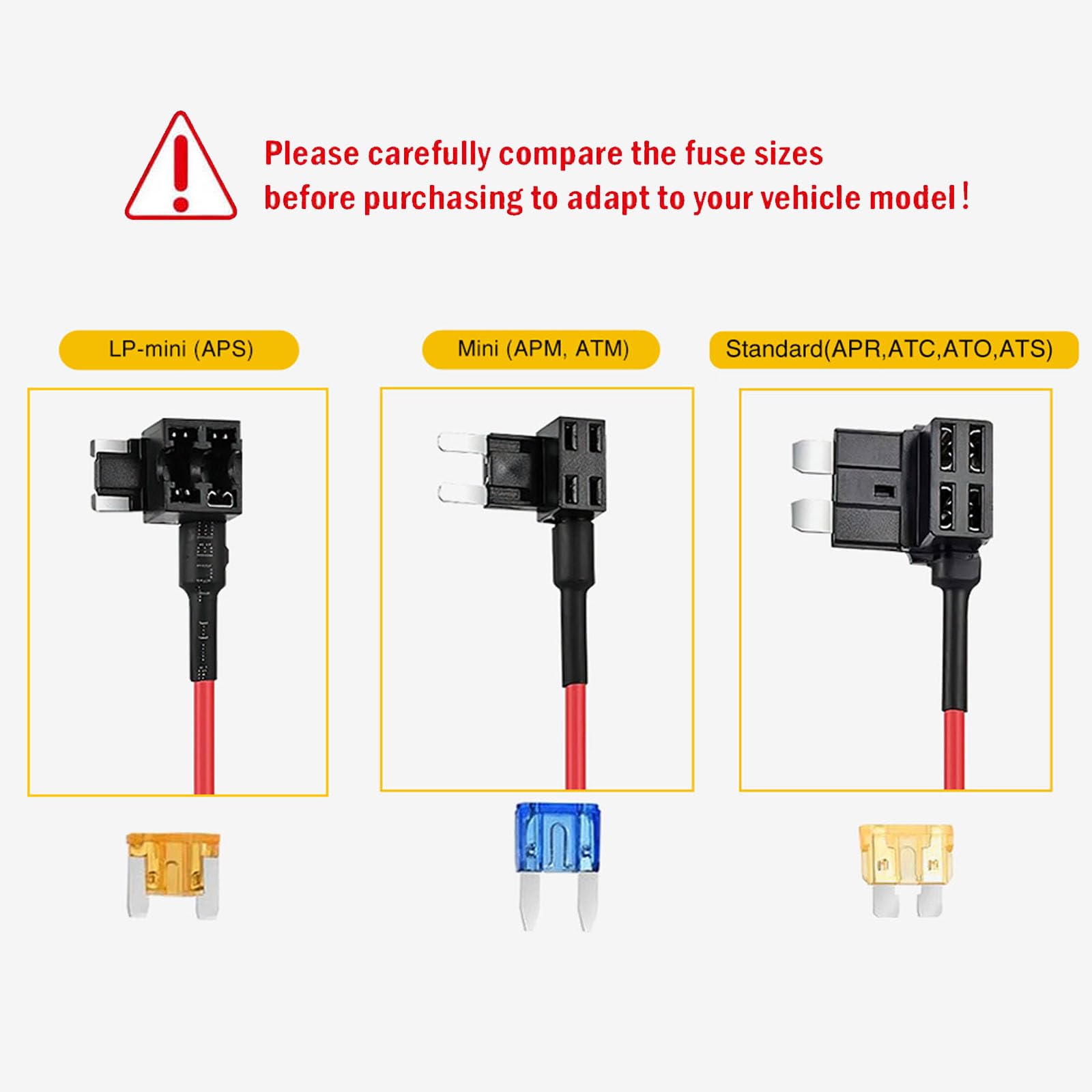
Image 5.1: Visual comparison of LP-Mini (APS), Mini (APM, ATM), and Standard (APR, ATC, ATO, ATS) fuse types.

Image 5.2: Guide to common fuse sizes (M, S, Mini) and their typical association with car brands.
Detailed dimensions for common fuse types:
.jpg)
Image 5.3: LP-Mini (APS) Fuse and Adapter Dimensions.
.jpg)
Image 5.4: Mini (APM, ATM) Fuse and Adapter Dimensions.
.jpg)
Image 5.5: Standard (APR, ATC, ATO) Fuse and Adapter Dimensions.
6. Installationsvejledning
Follow these steps to properly install the Jtron Add-a-Circuit Fuse Tap Adapter:
- Find sikringsboksen: Identify your vehicle's fuse box. This is typically located under the dashboard, in the engine bay, or in the trunk. Consult your vehicle's owner's manual for the exact location.
- Identificér en passende sikringsplads: Choose an existing fuse slot that provides the desired power (e.g., constant power, accessory power, or ignition-switched power). It is recommended to use a circuit that is not critical to vehicle operation (e.g., radio, accessory outlet, or unused spare slot).
- Determine Hot Side: With the ignition off, use a circuit tester or multimeter to identify the "hot" side of the fuse slot (the side that receives power directly from the battery).
- Insert Original Fuse: Remove the original fuse from the chosen slot using the provided fuse puller (or your vehicle's fuse puller, if preferred). Insert this original fuse into the sænke slot of the Add-a-Circuit fuse tap adapter. This slot protects the original circuit.
- Indsæt ny sikring: Insert a new fuse (of appropriate amperage for your accessory) into the øverst slot of the Add-a-Circuit fuse tap adapter. This fuse protects your new accessory.
- Orient and Insert Fuse Tap: Insert the Add-a-Circuit fuse tap into the empty fuse slot in your vehicle's fuse box. Ensure the wire coming from the fuse tap is oriented away from the "hot" side of the fuse slot. This ensures the new fuse protects the accessory circuit correctly.
- Connect Cigarette Lighter Socket: The fuse tap adapter cable is pre-wired to the cigarette lighter socket. Ensure this connection is secure.
- Route and Secure Wiring: Carefully route the cable to your desired location, ensuring it does not interfere with pedals, steering, or other moving parts. Use the included zip ties to secure the cable and prevent it from dangling.
- Test forbindelse: Turn on your vehicle's ignition (if using an ignition-switched circuit) and plug in a device to the cigarette lighter socket to confirm it is receiving power.
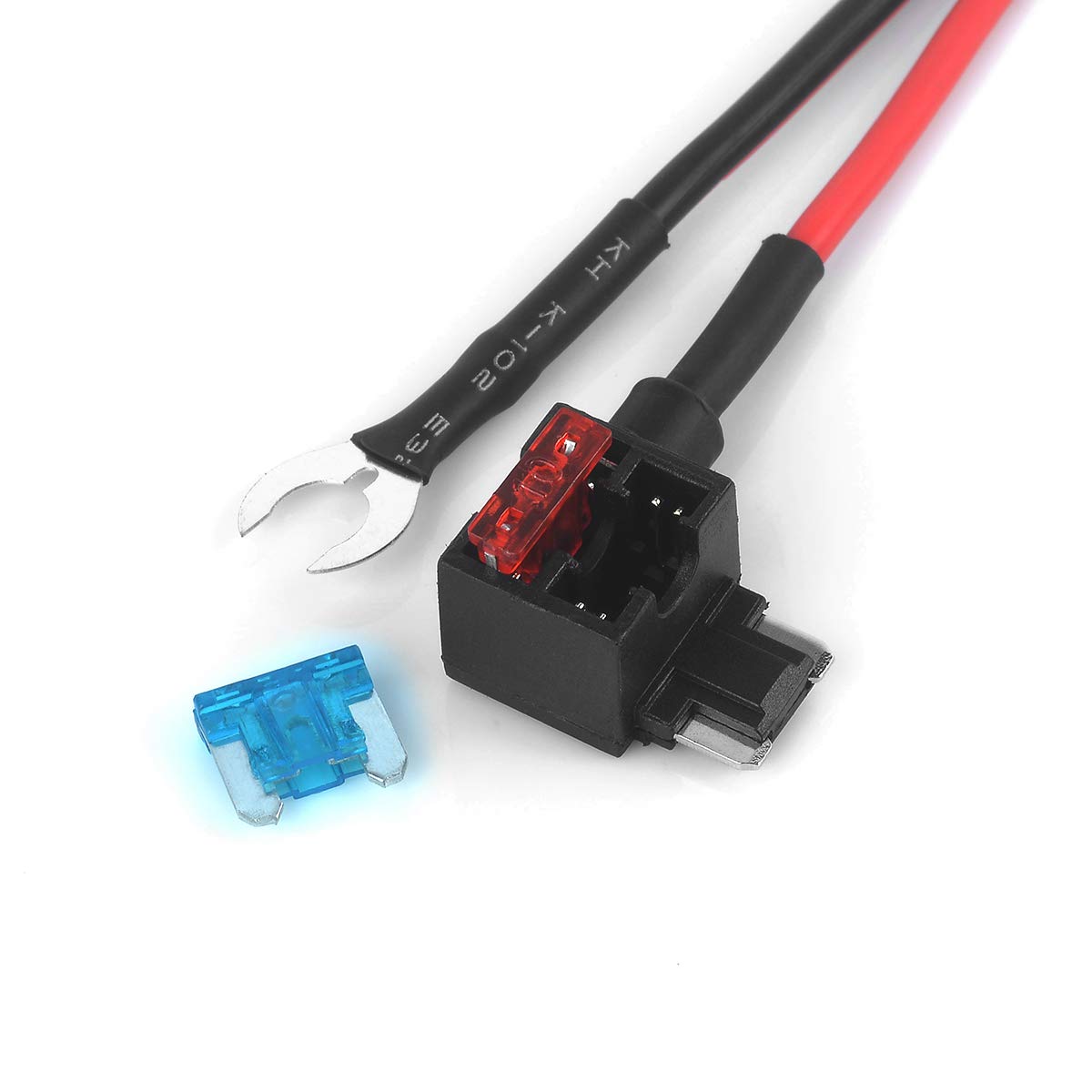
Image 6.1: Close-up of the Add-a-Circuit fuse tap, showing where fuses are inserted.

Billede 6.2: Eks.ample of the fuse tap adapter installed in a vehicle's fuse box (left image shows general routing, right image shows fuse box detail).

Image 6.3: Another perspective of the fuse tap adapter installed in a vehicle's fuse box, highlighting the connection point.
7. Betjeningsvejledning
Once installed, operating the Jtron Add-a-Circuit Fuse Tap Adapter is straightforward:
- Plug your 12V DC accessory (e.g., GPS, phone charger, dash cam) into the cigarette lighter socket.
- The accessory will receive power according to the circuit you tapped into (e.g., constant power, or power only when the ignition is on).
- Ensure the accessory's power requirements do not exceed the amperage of the fuse installed in the upper slot of the fuse tap.

Billede 7.1: Detaljeret view of the cigarette lighter socket, ready for device connection.
8. Vedligeholdelse
The Jtron Add-a-Circuit Fuse Tap Adapter requires minimal maintenance. Periodically check the following:
- Forbindelser: Ensure all connections, especially the fuse tap in the fuse box and the accessory plugged into the cigarette lighter socket, remain secure.
- Sikringer: If an accessory stops working, check the fuse in the upper slot of the fuse tap. If it's blown, replace it with a fuse of the same amperage. Always carry spare fuses.
- Kabeltilstand: Inspect the cable for any signs of wear, fraying, or damage. Replace the unit if any damage is observed to prevent electrical hazards.
- Renhed: Keep the cigarette lighter socket free from dust and debris to ensure good electrical contact.
9. Fejlfinding
| Problem | Mulig årsag | Løsning |
|---|---|---|
| Accessory not receiving power. | Blown fuse in the fuse tap (upper slot). | Replace the fuse with one of the correct ampslette. |
| Accessory not receiving power. | Incorrect fuse tap orientation (wire on hot side). | Re-orient the fuse tap so the wire is on the non-hot side of the fuse slot. |
| Accessory not receiving power. | Loose connection at the fuse box or cigarette lighter socket. | Ensure the fuse tap is fully seated and the accessory is firmly plugged into the socket. |
| Accessory not receiving power. | Tapped circuit is ignition-switched, and ignition is off. | Turn the vehicle's ignition to the ACC or ON position. |
| Fuse keeps blowing. | Accessory draws too much current for the fuse. | Ensure the accessory's current draw does not exceed the fuse rating. Do not use a higher ampen højere sikring end anbefalet. |
| Fuse keeps blowing. | Short circuit in the accessory or wiring. | Inspect the accessory and wiring for damage. Discontinue use if a short is suspected. |
10. After-Sales Service and Support
Jtron is committed to providing quality products and customer satisfaction. If you encounter any issues with your product, such as damage due to transportation or installation, please do not hesitate to contact Jtron customer support. We are dedicated to assisting you and will arrange for a replacement product if necessary.
For support, please refer to the contact information provided with your purchase or visit the official Jtron store on Amazon: Jtron Store.