
1. Introduktion
Tak for købetasing the Intempo EE1736MGSTK Curved Metallic Bluetooth Speaker. This speaker is designed to provide high-quality wireless audio from your Bluetooth-enabled devices. Featuring a sleek curved design, hands-free calling capability, and a rechargeable battery, it offers portable sound for various environments. Please read this manual carefully before use to ensure proper operation and to maximize your listening experience.
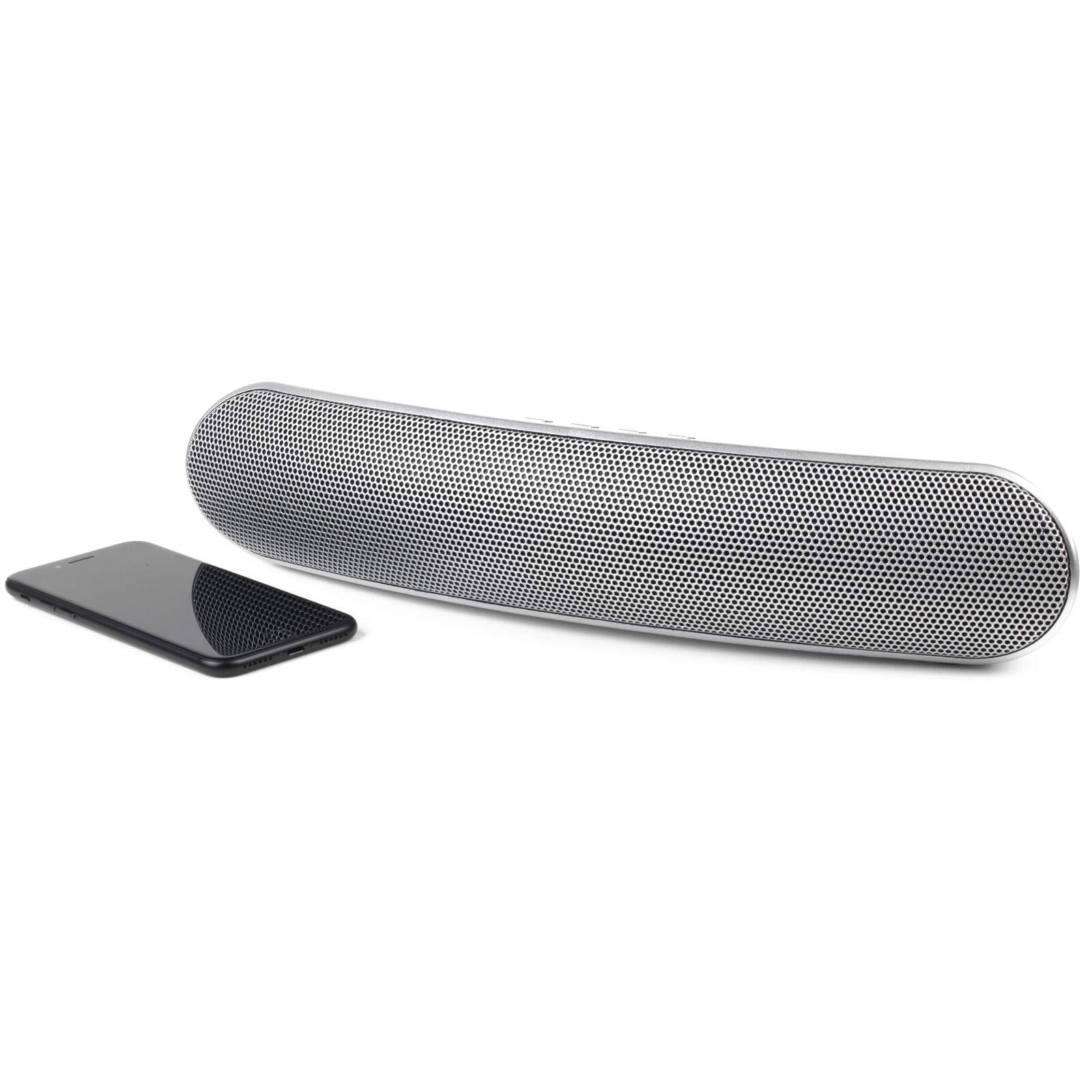
Billede 1.1: Forside view of the Intempo EE1736MGSTK Curved Metallic Bluetooth Speaker.
2. Sikkerhedsoplysninger
To ensure safe and efficient operation, please observe the following safety guidelines:
- Keep the speaker away from water, moisture, and other liquids to prevent electric shock, explosion, or damage to the device.
- Do not expose the speaker to extreme temperatures (hot or cold), as this may shorten the life of the battery or deform plastic parts.
- Do not attempt to disassemble or modify the speaker. This will void the warranty and may result in injury or damage.
- Clean the speaker only with a soft, dry cloth. Do not use abrasive cleaners or solvents.
- Opbevares utilgængeligt for børn.
- Dispose of the battery responsibly according to local regulations. Do not dispose of the battery in fire.
3. Pakkens indhold
Markér venligst feltet for følgende elementer:
- Intempo EE1736MGSTK Curved Metallic Bluetooth Speaker
- USB opladningskabel
- 3.5 mm AUX-kabel
- Brugermanual
4. Produktet er slutview
Gør dig bekendt med højttalerens betjeningselementer og porte:

Billede 4.1: Top view of the speaker with control buttons.
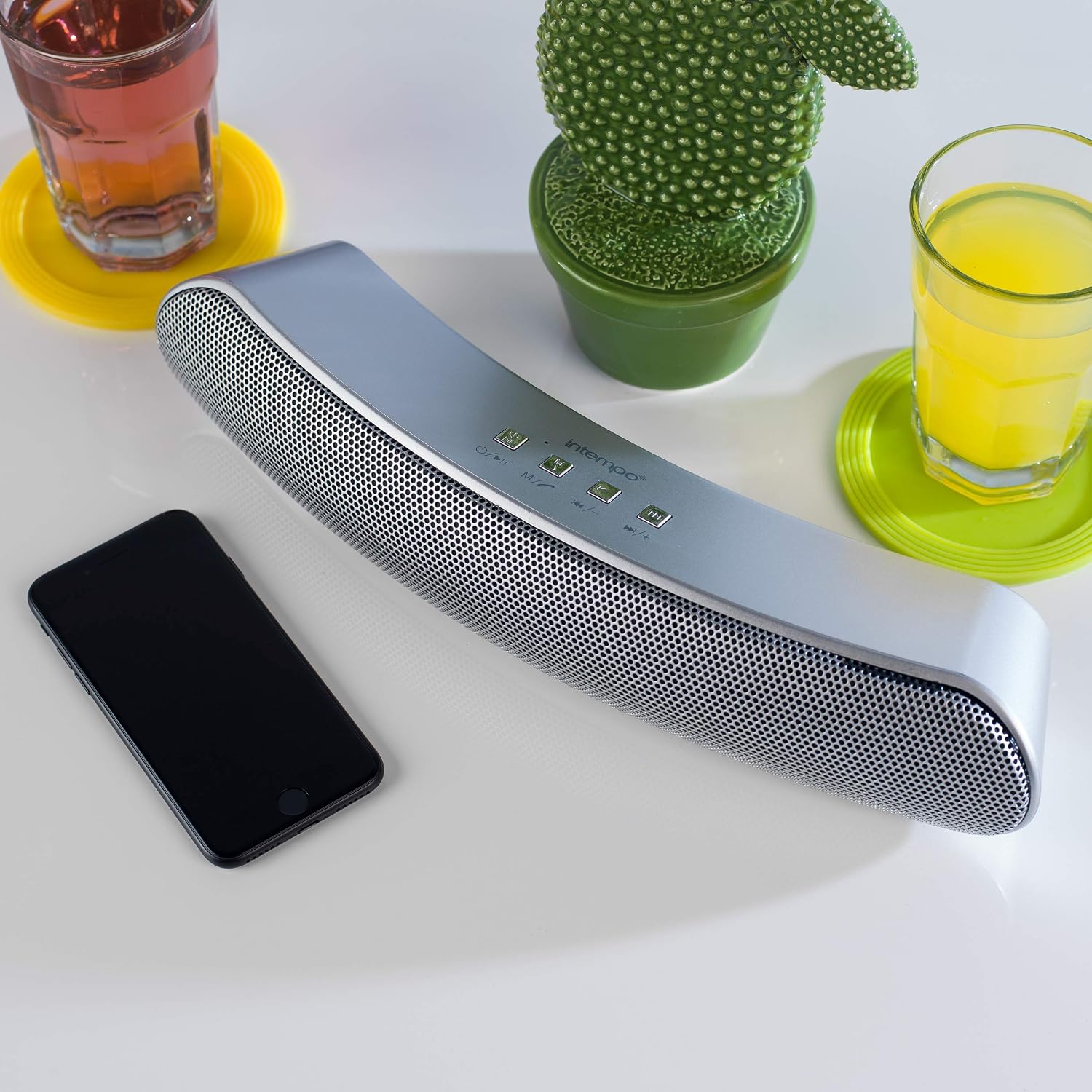
Image 4.2: Close-up of the speaker's control panel.
- Power Button / Mode (M): Press and hold to power on/off. Short press to switch modes (Bluetooth, TF Card, AUX).
- Afspil/Pause/Opkald-knap: Play or pause music. Answer or end phone calls.
- Previous Track / Volume Down (-): Kort tryk for forrige nummer. Langt tryk for at sænke lydstyrken.
- Next Track / Volume Up (+): Kort tryk for næste nummer. Langt tryk for at øge lydstyrken.
- TF kort slot: For inserting a TF (Micro SD) card.
- AUX-indgang: For connecting external audio devices via 3.5mm cable.
- Micro USB-opladningsport: Til opladning af højttaleren.
- LED-indikator: Shows charging status and Bluetooth pairing status.
- Mikrofon: Til håndfri opkald.
5. Opsætning
5.1 Opladning af højttaleren
- Connect the small end of the provided USB charging cable to the Micro USB charging port on the speaker.
- Tilslut den større ende af USB-opladerkablet til en USB-strømadapter (medfølger ikke) eller en computers USB-port.
- The LED indicator will illuminate to show that the speaker is charging. It will turn off or change color once fully charged.
- A full charge provides up to 8 hours of wireless playtime.
5.2 Tænd/sluk
- For at tænde højttaleren skal du trykke på og holde Strøm/tilstand (M) button until you hear an audible prompt or see the LED indicator light up.
- For at slukke højttaleren skal du trykke på og holde Strøm/tilstand (M) button again until you hear an audible prompt or the LED indicator turns off.
6. Betjeningsvejledning
6.1 Bluetooth -parring
- Sørg for, at højttaleren er fuldt opladet og tændt. Den vil automatisk gå i Bluetooth-parringstilstand, hvilket indikeres af et blinkende LED-lys.
- Aktiver Bluetooth på din smartphone, tablet eller anden Bluetooth-aktiveret enhed.
- Søg efter available Bluetooth devices. The speaker will appear as "EE1736MGSTK" or similar.
- Vælg højttaleren på listen for at starte parringen.
- Når parringen er gennemført, vil LED-indikatoren stoppe med at blinke og forblive konstant, og du vil høre en bekræftelsestone.
- Højttaleren har en Bluetooth-rækkevidde på op til 10 meter.
6.2 Afspilning af musik
- Afspil/pause: Tryk kort på Afspil/pause knappen for at afspille eller sætte det aktuelle nummer på pause.
- Næste spor: Tryk kort på Næste spor (+) knappen for at springe til næste sang.
- Forrige spor: Tryk kort på Forrige nummer (-) knappen for at gå til den forrige sang.
- Lydstyrke op: Tryk længe på Næste spor (+) knappen for at øge lydstyrken.
- Lydstyrke ned: Tryk længe på Forrige nummer (-) knappen for at sænke lydstyrken.
6.3 Håndfri opkald
Når højttaleren er tilsluttet via Bluetooth, kan den bruges til håndfri opkald:
- Besvar opkald: Tryk kort på Afspil/pause/opkald knappen, når et indgående opkald ringer.
- Afslut opkald: Tryk kort på Afspil/pause/opkald button during a call to hang up.
- Afvis opkald: Tryk længe på Afspil/pause/opkald knappen for at afvise et indgående opkald.
6.4 TF-kortafspilning
- Indsæt et TF-kort (Micro SD) med MP3-lyd files ind i TF-kortåbningen.
- The speaker will automatically switch to TF card mode and begin playing music. If not, short press the Tilstand (M) button to switch to TF card mode.
- Brug Afspil/pause, Forrige nummer (-), og Næste spor (+) knapper til at styre afspilning.
6.5 AUX-tilstand
- Tilslut den ene ende af 3.5 mm AUX-kablet til AUX-indgangsporten på højttaleren.
- Connect the other end of the 3.5mm AUX cable to the headphone jack of your external audio device (e.g., MP3 player, laptop).
- Højttaleren skifter automatisk til AUX-tilstand. Hvis ikke, tryk kort på Tilstand (M) knappen for at skifte til AUX-tilstand.
- In AUX mode, playback is controlled directly from your connected audio device. Volume can be adjusted on both the speaker and the connected device.
7. Vedligeholdelse
- Always power off the speaker before cleaning.
- Tør højttalerens yderside af med en blød, tør og fnugfri klud.
- Brug ikke flydende rengøringsmidler, aerosoler eller opløsningsmidler.
- Opbevar højttaleren et køligt og tørt sted, når den ikke er i brug i længere perioder.
- Recharge the battery periodically if storing for a long time to maintain battery health.
8. Fejlfinding
| Problem | Mulig årsag | Løsning |
|---|---|---|
| Højttaleren tænder ikke. | Batteriet er afladet. | Oplad højttaleren ved hjælp af det medfølgende USB-kabel. |
| Kan ikke parres via Bluetooth. | Højttaleren er ikke i parringstilstand, eller enhedens Bluetooth er slået fra. | Ensure speaker is on and flashing LED. Turn Bluetooth off/on on your device. Move devices closer. |
| Ingen lyd under afspilning. | Lydstyrken er for lav, den er forkert, eller enheden er ikke tilsluttet. | Increase volume on both speaker and connected device. Check if speaker is in correct mode (Bluetooth, TF, AUX). Re-pair Bluetooth if necessary. |
| Dårlig lydkvalitet. | Bluetooth interference or low battery. | Move speaker closer to the source device. Ensure no obstructions. Charge the speaker. |
| Hands-free calls not working. | Speaker not connected via Bluetooth or microphone blocked. | Ensure Bluetooth is connected. Check if anything is covering the microphone. |
9. Specifikationer
| Feature | Specifikation |
|---|---|
| Modelnummer | EE1736MGSTKEU |
| Dimensioner (L x B x H) | 36 x 7 x 7 cm (ca.) |
| Vægt | 1.04 kg |
| Forbindelsesteknologi | Bluetooth, Trådløs |
| Højttaler type | Bluetooth højttaler |
| Maksimal højttalerudgangseffekt | 10 watt |
| Strømkilde | Batteridrevet (genopladelig via USB) |
| Gennemsnitlig batterilevetid | Op til 8 timer |
| Bluetooth rækkevidde | Op til 10 meter (33 fod) |
| Farve | Sølv |
10. Garanti og support
This product comes with a standard manufacturer's warranty. For details regarding warranty coverage, please refer to the warranty card included in your package or contact Intempo customer support. If you encounter any issues or require technical assistance, please visit the official Intempo webwebstedet eller kontakt deres kundeserviceafdeling for at få support.