
1. Introduktion
This manual provides essential information for the safe and effective use of your Amcrest IP8M-2493EB Outdoor PoE Bullet Camera. Please read these instructions thoroughly before installation and operation to ensure optimal performance and to prevent damage to the device.
2. Produktet er slutview
2.1 Nøglefunktioner
- 2MP IP PoE Bullet Camera
- 1920x1080p @30fps Video Resolution
- Nightvision up to 98 feet (30 meters)
- IP67 Weatherproof Rating for outdoor use
- Cloud Storage Capability
- Wall Mount Design
- 4K Video Capture Resolution (for recording)
- Motion Sensor Special Feature
2.2 Pakkens indhold
Bekræft at alle komponenter er til stede i din pakke:
- Amcrest IP8M-2493EB Outdoor PoE Bullet Camera
- Monteringsudstyr (skruer, ankre)
- Quick Start Guide (denne manual)
2.3 Kamerakomponenter
Gør dig bekendt med kameraets fysiske komponenter:

Figur 1: Forside view of the Amcrest IP8M-2493EB Bullet Camera, showing the lens, IR LEDs, and housing.
3. Opsætning
3.1 Før du begynder
Ensure you have the following items and conditions:
- A Power over Ethernet (PoE) switch or PoE injector (802.3af/at compliant)
- Cat5e or Cat6 Ethernet cable
- A stable internet connection (recommended for remote viewing and cloud features)
- A drill and screwdriver for mounting
3.2 Fysisk installation
- Vælg et monteringssted: Select a suitable wall location that provides the desired viewvinkel og er inden for rækkevidde af dit Ethernet-kabel.
- Marker borehuller: Use the provided mounting template (if included) or the camera base to mark the positions for drilling.
- Bore huller: Drill pilot holes and insert wall anchors if mounting on drywall or masonry.
- Sikre kameraet: Fastgør kamerabasen til væggen med de medfølgende skruer.
- Juster vinkel: Loosen the adjustment screws on the camera body to position the camera for optimal coverage, then tighten them securely.
3.3 Netværksforbindelse
Connect one end of the Ethernet cable to the camera's Ethernet port and the other end to a PoE port on your PoE switch or injector. The camera will power on automatically.
3.4 Indledende konfiguration
For initial setup and configuration, download the Amcrest View Pro app on your mobile device or use the Amcrest web interface via a computer connected to the same network. Follow the on-screen instructions to discover and add your camera to your system.
4. Betjening af kameraet
4.1 Adgang til live View
Access the live video feed through the Amcrest View Pro app or the web interface. This allows real-time monitoring of your surveillance area.
4.2 Optagelse og opbevaring
Kameraet understøtter forskellige optagemuligheder:
- Lokal opbevaring: If equipped with a microSD card slot (card sold separately), recordings can be stored directly on the camera.
- Netværksvideooptager (NVR): Connect the camera to a compatible Amcrest NVR for continuous recording and extended storage.
- Cloud Storage: Utilize Amcrest Cloud services for off-site storage of event-triggered recordings. Refer to the Amcrest website for subscription details.
4.3 Bevægelsesdetektion
Configure motion detection settings via the camera's interface. You can define detection zones, sensitivity levels, and set up alerts (e.g., email notifications, push notifications to your phone) when motion is detected.
4.4 Nattesyn
The camera features infrared (IR) LEDs for night vision, providing clear surveillance footage in low-light or no-light conditions up to 98 feet. The camera automatically switches between day and night modes.
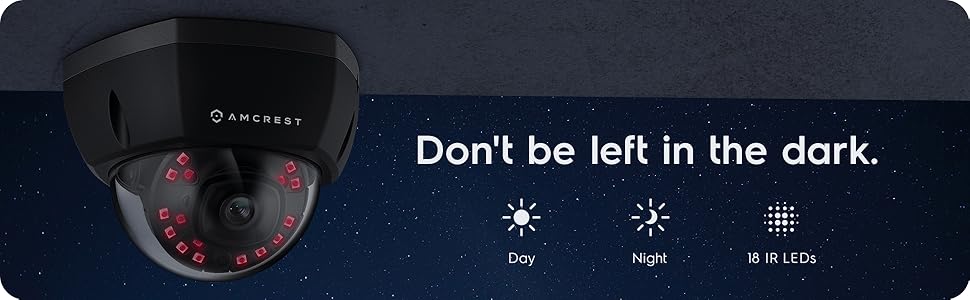
Figur 2: Eksample of night vision capability, illustrating clear image capture in dark conditions.
5. Vedligeholdelse
5.1 Rengøring
Rengør kameralinsen og huset med jævne mellemrum med en blød kludamp klud. Undgå at bruge skrappe kemikalier eller slibende materialer, der kan ridse linsen eller beskadige finishen.
5.2 firmwareopdateringer
Regularly check for and install firmware updates from the Amcrest website. Firmware updates often include performance improvements, new features, and security enhancements.
5.3 Vejrbeskyttelse
The IP8M-2493EB camera has an IP67 weatherproof rating, meaning it is protected against dust ingress and can withstand immersion in water up to 1 meter for 30 minutes. While designed for outdoor use, ensure all cable connections are properly sealed to maintain water resistance.
6. Fejlfinding
6.1 Almindelige problemer og løsninger
- No Power/No Video: Ensure the Ethernet cable is securely connected to both the camera and a functioning PoE port. Check the PoE switch/injector for power.
- Dårlig billedkvalitet: Clean the camera lens. Check network bandwidth. Adjust resolution and compression settings in the camera interface. Ensure sufficient lighting for optimal image clarity.
- Night Vision Halo Effect: This can occur if the IR light reflects off nearby surfaces or the camera housing. Ensure there are no obstructions close to the lens.
6.2 Video Support
For visual guidance on resolving common issues, including potential IR reflection, please refer to the following video:
Video 1: This video from Amcrest Direct provides instructions on resolving IR reflection issues that can affect night vision clarity in Amcrest cameras.
7. Specifikationer
| Feature | Specifikation |
|---|---|
| Modelnavn | IP8M-2493EB |
| Indendørs/Udendørs brug | Udendørs |
| Strømkilde | AC/DC (via PoE) |
| Forbindelsesprotokol | Ethernet |
| Monteringstype | Vægmontering |
| Videooptagelsesopløsning | 4K |
| Farve | Sort |
| Antal genstande | 1 |
| Antal kanaler | 1 |
| Trådløs kommunikationsteknologi | POE (Power over Ethernet) |
| Formfaktor | Kugle |
| Night Vision Range | 98 fod (30 meter) |
| Billedhastighed | 30 fps |
| Varedimensioner (L x B x H) | 6.1 x 6.1 x 5.4 tommer |
| Varens vægt | 1.3 pund |
| Batterier påkrævet? | Ingen |
| Low Light teknologi | Nat farve |
| International Protection Rating | IP67 |
| Maksimum Webcam billedopløsning | 2 MP |
| Kontrolmetode | App |
| Anbefalet anvendelse af produktet | Udendørs sikkerhed |
| Forbindelsesteknologi | Kablet |
| Speciel funktion | Bevægelsessensor |
8. Garanti og support
Amcrest products typically come with a limited warranty. For specific warranty terms, registration, and technical support, please visit the official Amcrest website or contact Amcrest customer service directly. Keep your purchase receipt for warranty claims.
Amcrest Support: https://amcrest.com/support