
Youshiko YC8061-B
Youshiko YC8061-B Jumbo Radio Controlled Wall Clock
Brugervejledning
1. Introduktion
Thank you for choosing the Youshiko YC8061-B Jumbo Radio Controlled Wall Clock. This clock is designed to provide precise timekeeping, automatically synchronizing with the MSF radio signal for the UK and Ireland. It features a large, clear LCD display that shows time, date, day of the week, indoor temperature, and humidity. This manual will guide you through the setup, operation, and maintenance of your new clock.
Figur 1.1: Forside view of the Youshiko YC8061-B Jumbo Radio Controlled Wall Clock, displaying time, date, day, temperature, and humidity.
2. Pakkens indhold
- Youshiko YC8061-B Jumbo Radio Controlled Wall Clock
- Instruktionsmanual
Note: 4 x AA-batterier kræves til drift og er ikke inkluderet i pakken.
3. Produktet er slutview
Familiarize yourself with the main components and controls of your clock.
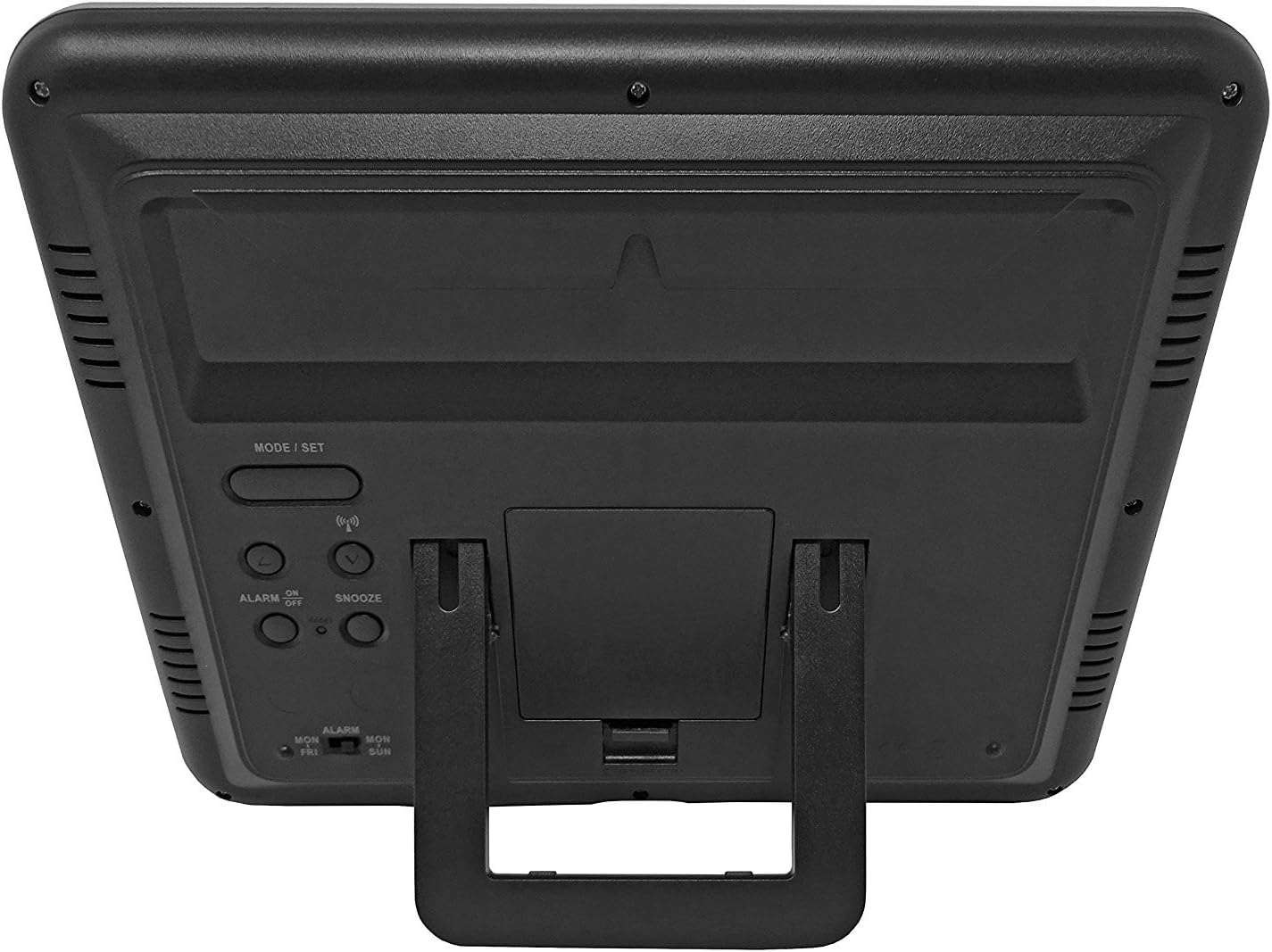
Figur 3.1: Tilbage view of the clock, highlighting the battery compartment and control buttons.
Kontrolknapper:
- MODE / SET: Bruges til at skifte mellem visningstilstande og gå ind i indstillingstilstand.
- OP NED: Used to adjust values during setting mode.
- BØLGE / RCC: Manually initiates or stops radio control signal reception.
- ALARM ON / OFF: Aktiverer eller deaktiverer alarmen.
- SNOOZE: Aktiverer snooze-funktionen, når alarmen lyder.
4. Batteriinstallation
- Find batteridækslet på bagsiden af uret.
- Fjern dækslet ved at skubbe det ned eller løfte det af.
- Isæt 4 nye AA-batterier, og sørg for at polerne (+ og -) vender korrekt som angivet inde i batterirummet.
- Sæt batterirummets dæksel på igen.
The clock will power on and begin searching for the radio control signal automatically.
5. Initial Setup & Time Synchronization
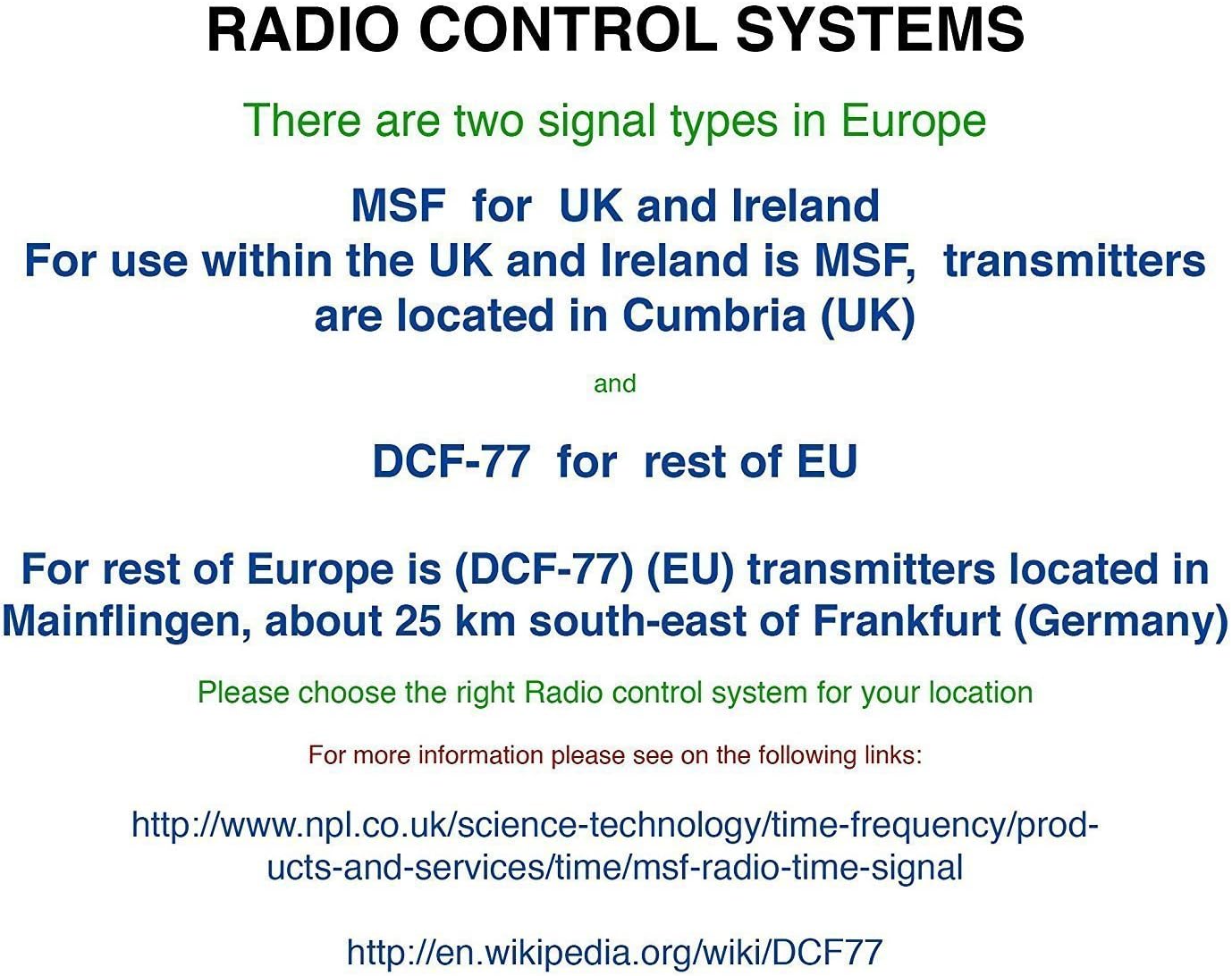
The Youshiko YC8061-B clock is designed to automatically set its time and date via the MSF radio signal broadcast from Cumbria, UK. This signal is specifically for use within the UK and Ireland.

Figure 5.1: Explanation of radio control systems (MSF for UK/Ireland, DCF-77 for rest of EU).
Automatisk synkronisering:
- After battery installation, the clock will automatically start searching for the MSF signal. A radio wave icon will flash on the display.
- Place the clock near a window, away from electronic devices that may cause interference.
- The initial synchronization process may take several minutes to a few hours, depending on your location and signal strength.
- Once the signal is successfully received, the radio wave icon will appear solid on the display, and the clock will show the correct time and date.
- The clock will automatically adjust for Daylight Saving Time (DST) and perform daily checks to maintain accuracy.
Manuel signalsøgning:
If the clock does not synchronize automatically or if you wish to force a signal search, press and hold the WAVE / RCC button. The radio wave icon will flash, indicating it is searching for the signal.
Manual Time Setting (if radio signal is unavailable):
In areas where the radio signal cannot be received, you can manually set the time and date:
- Tryk og hold på MODE / SET knappen, indtil tidscifrene begynder at blinke.
- Brug UP or NED knapper til at justere den blinkende værdi (f.eks. time, minut).
- Trykke MODE / SET again to confirm the setting and move to the next adjustable item (e.g., minute, year, month, day, 12/24-hour format, temperature unit).
- Gentag trin 2 og 3, indtil alle indstillinger er konfigureret.
- Trykke MODE / SET en sidste gang for at afslutte indstillingstilstanden.
6. Betjeningsvejledning
Skærmtilstande:
The clock displays time (hours, minutes, seconds), date (day, month, year), day of the week, indoor temperature, and humidity. The time digits are large (8.3 cm) for easy readability.
Alarm funktion:
- For at indstille alarmtidspunktet skal du trykke på MODE / SET knappen gentagne gange, indtil alarmtidspunktet vises.
- Tryk og hold MODE / SET until the alarm hour flashes. Use UP or NED at justere.
- Trykke MODE / SET to confirm the hour and move to minutes. Use UP or NED at justere.
- Trykke MODE / SET for at afslutte alarmindstillingen.
- For at aktivere eller deaktivere alarmen skal du trykke på ALARM TIL/FRA knappen. Et alarmikon vises på displayet, når den er aktiveret.
Snooze-funktion:
Når alarmen lyder, skal du trykke på SLUM knappen for midlertidigt at afbryde alarmen. Alarmen lyder igen efter cirka 5 minutter.
Valg af temperaturenhed:
To switch between Celsius (°C) and Fahrenheit (°F) for temperature display, press the UP button during normal time display.
7. Monteringsmuligheder
The Youshiko YC8061-B clock offers versatile placement options:
Vægmontering:
The clock features a keyhole slot on the back for easy wall mounting. Use a suitable screw (not included) in your desired location.

Figure 7.1: The clock displayed on a wall, showcasing its suitability for wall mounting.
Bordstativ:
An integrated foldable stand on the back allows the clock to be placed on any flat surface, such as a desk, shelf, or bedside table.

Figure 7.2: The clock positioned on a table using its integrated stand.
8. Vedligeholdelse
Rensning:
Tør uret af med en blød, tør klud. Brug ikke slibende rengøringsmidler eller opløsningsmidler, da disse kan beskadige displayet ellerasing.
Udskiftning af batteri:
When the display dims or the clock stops functioning correctly, replace all 4 AA batteries simultaneously. Do not mix old and new batteries or different types of batteries.
9. Fejlfinding
| Problem | Mulig årsag | Løsning |
|---|---|---|
| Uret viser ingenting. | Batterierne er døde eller isat forkert. | Udskift batterierne med nye, og sørg for korrekt polaritet. |
| Radio wave icon is flashing, or time is incorrect. | Dårlig radiosignalmodtagelse. | Move the clock to a location with better signal reception (e.g., near a window, away from electronics). Manually initiate signal search using the WAVE / RCC button. |
| Alarmen lyder ikke. | Alarmen er ikke aktiveret. | Press the ALARM ON / OFF button to activate the alarm (alarm icon should appear). |
| Temperatur-/fugtighedsaflæsningerne virker unøjagtige. | Clock is placed in an area with extreme temperature fluctuations or direct sunlight. | Relocate the clock to a stable indoor environment. Allow time for readings to stabilize. |
10. Specifikationer

Figure 10.1: Dimensions of the Youshiko YC8061-B Jumbo Radio Controlled Wall Clock.
| Feature | Detalje |
|---|---|
| Modelnummer | YC8061-B |
| Dimensioner (L x B x H) | 24.8 x 20.6 x 2.8 cm (9.76 x 8.11 x 1.1 tommer) |
| Vægt | 600 gram |
| Strømkilde | 4 x AA batterier (medfølger ikke) |
| Display Type | Digital LCD |
| Tidssignal | MSF (UK & Ireland version) |
| Særlige funktioner | Radio-controlled, Automatic DST adjustment, Indoor Temperature Display, Indoor Humidity Display, Calendar (Day, Month, Year), Alarm with Snooze, Wall Mountable / Table Stand |
| Farve | Sort |
11. Garantioplysninger
Youshiko products are manufactured to high-quality standards. This product is covered by a standard manufacturer's warranty against defects in materials and workmanship. Please retain your proof of purchase for warranty claims. Specific warranty terms and duration may vary by region. For detailed warranty information, please refer to the documentation provided at the time of purchase or contact Youshiko customer support.
12. Support
Should you encounter any issues or have questions regarding your Youshiko YC8061-B Jumbo Radio Controlled Wall Clock that are not addressed in this manual, please contact Youshiko customer support. Contact details can typically be found on the product packaging or the official Youshiko webwebsted.
Ask a question about this manual
Ask about setup, troubleshooting, compatibility, parts, safety, or missing instructions. Manuals+ will review the question and use this page’s manual context to help answer it.