
1. Introduktion
The Secukey SK1-W is a robust, standalone access control system designed for secure entry management. Featuring RFID and PIN access, an integrated door opener relay, and an IP66-rated anti-vandal zinc alloy casing, this device is suitable for both indoor and outdoor applications. This manual provides detailed instructions for installation, operation, and maintenance to ensure optimal performance and security.
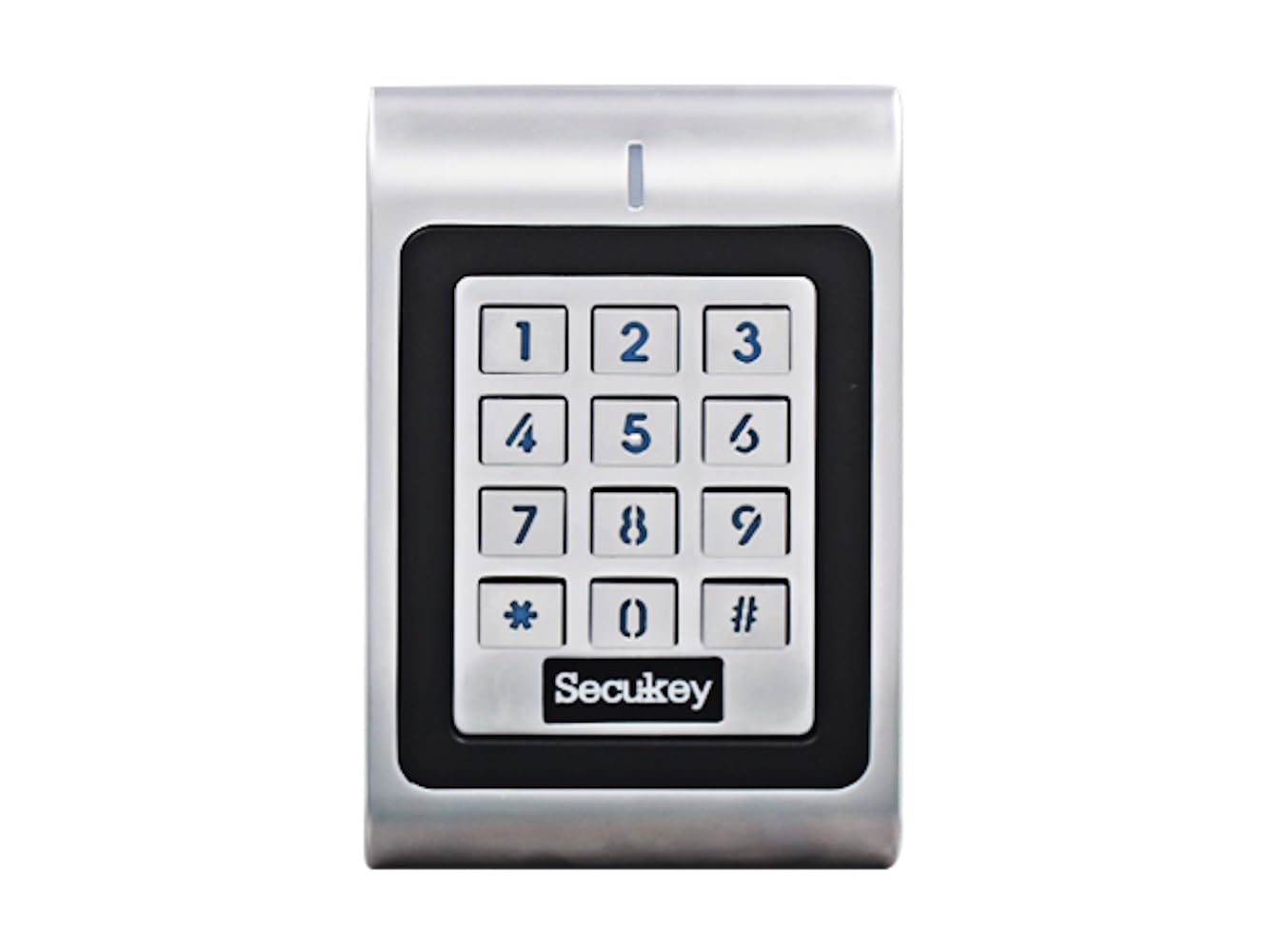
Front view of the Secukey SK1-W access control device, featuring a numeric keypad and an integrated card reader.

Vinklet view of the Secukey SK1-W access control unit, highlighting its compact design and silver finish.
2. Nøglefunktioner
- Holdbar konstruktion: IP66 waterproof and anti-vandal zinc alloy casing.
- Brugerkapacitet: Understøtter op til 1000 brugere.
- Flere adgangstilstande: Card only, PIN only, or Card + PIN.
- Adjustable Relay Output: Programmable from 1 to 99 seconds (default 5 seconds).
- Adjustable Alarm Output: Programmable from 1 to 3 minutes (default 1 minute).
- Wiegand grænseflade: 26-bit input/output for external devices (e.g., exit button, external alarm).
- Latch Mode: Functionality to hold a door or gate open.
- Baggrundsbelyst tastatur: Forbedret synlighed under forhold med svagt lys.
- Wide Voltage Område: Compatible with 12-24V DC / 12-18V AC power supplies.
- Bred driftstemperatur: Functions reliably from -40°C to 60°C (-40°F to 140°F).

Et billedshowasing the robust features of the SK1-W, including its -40°C resistance, IP66 waterproof rating, and wide voltage range of 12-28 Volts AC/DC.
3. Specifikationer
| Feature | Specifikation |
|---|---|
| Produktmål (H x B x D) | 12.0 x 7.6 x 2.5 cm |
| Vægt | 600 g |
| Materiale | Zinc Alloy with Powder Coating |
| Strømforsyning | 12-24V DC / 12-18V AC (Power supply not included) |
| Lås outputbelastning | 3 Amper max |
| Alarmoutputbelastning | 3 Amper max |
| Brugerkapacitet | Op til 1000 brugere |
| PIN-kode længde | 4 til 6 cifre |
| Korttype | 125 KHz EM Card (13.56MHz Mifare also supported as per image) |
| Wiegand-interface | 26-bit Input & Output |
| Driftstemperatur | -40°C til 60°C (-40°F til 140°F) |
| Driftsfugtighed | 10 % ~ 90 % (ikke-kondenserende) |
4. Installation og ledningsføring
Proper installation and wiring are crucial for the functionality and safety of the SK1-W system. Ensure all connections are secure and follow local electrical codes.
4.1 Montering
Mount the device on a flat, stable surface at a convenient height for users. Consider the device dimensions (12.0H x 7.6W x 2.5D cm) when selecting a mounting location. The IP66 rating allows for outdoor installation.
4.2 Ledningsdiagrammer
Refer to the diagrams below for connecting the SK1-W to your power supply, lock, and alarm systems. A 1N4004 diode (included in packing) or equivalent is required when using a common power supply to prevent damage to the reader.

Detailed wiring diagrams for the Secukey SK1-W. The top diagram shows common power supply connections, while the bottom diagram illustrates access control power supply connections. Both include keypad, lock, and alarm wiring, with a note on the required 1N4004 diode.
Vigtig: Ensure the power supply is disconnected before performing any wiring to prevent electrical shock or damage to the device.
5. Betjeningsvejledning
The SK1-W supports various operating modes and user management functions. The device comes with a Master Add Card and a Master Delete Card for initial setup and user management.
5.1 Brugerstyring
The system can manage up to 1000 users. Users can be added or deleted using the Master Add Card and Master Delete Card, or through specific programming sequences via the keypad.

An image illustrating the Secukey SK1-W access control unit in use, showing a hand presenting an EM card for access. Text indicates user types (Card, PIN) and supported card types (125KHz EM, 13.56MHz Mifare).
5.2 Adgangstilstande
The SK1-W offers three primary access modes:
- Card Only: Access granted by presenting a valid EM card.
- PIN Only: Access granted by entering a valid 4-6 digit PIN code.
- Kort + PIN-kode: Access granted by presenting a valid EM card followed by entering a valid PIN code.
5.3 Systemindstillinger
- Relay Output Time: The duration the door relay remains active can be set from 1 to 99 seconds.
- Alarm Output Time: The duration of the alarm output can be set from 1 to 3 minutes.
- Baggrundslys kontrol: The keypad backlight and LED status can be toggled ON or OFF.
- Latch Mode: Activate this mode to keep the door or gate continuously open until manually deactivated.

The Secukey SK1-W access control unit with its backlit keypad illuminated, demonstrating the adjustable LED status feature for visibility in various lighting conditions.
5.4 Operating Modes Diagram
The SK1-W can function in three distinct modes, as illustrated below:

A diagram illustrating the three main operating modes of the SK1-W: Standalone Mode, Controller Mode, and Reader Mode (with LED and Buzzer Output), and their interconnections via Wiegand D0 & D1.
- Standalone tilstand: The device operates independently, managing users and access directly.
- Controllertilstand: The device acts as a controller for other Wiegand readers.
- Reader Mode with LED & Buzzer Output: The device functions as a Wiegand reader, providing LED and buzzer feedback.
6. Vedligeholdelse
To ensure the longevity and reliable operation of your Secukey SK1-W access control system, follow these maintenance guidelines:
- Rensning: Tør regelmæssigt enheden af med en blød, tør klud.amp cloth. Avoid abrasive cleaners or solvents that could damage the casing or keypad.
- Miljøforhold: While the device is IP66 rated, avoid prolonged exposure to extreme conditions beyond its specified operating temperature and humidity ranges.
- Kabelinspektion: Periodically check all wiring connections for signs of wear, corrosion, or damage. Ensure all connections remain secure.
- Firmwareopdateringer: Tjek producentens webwebstedet for tilgængelige firmwareopdateringer, der kan forbedre ydeevnen eller tilføje nye funktioner.
7. Fejlfinding
If you encounter issues with your SK1-W system, refer to the following common problems and solutions:
- Enheden tænder ikke:
- Kontroller strømforsyningens tilslutninger, og sørg for, at lydstyrken er korrekt.tage (12-24V DC / 12-18V AC) is being supplied.
- Verify that the power supply unit is functional.
- Access Denied (Valid Card/PIN):
- Ensure the card or PIN is correctly programmed into the system.
- Check the access mode setting (Card Only, PIN Only, Card + PIN) to ensure it matches the user's attempt.
- If using Card + PIN, ensure both are entered correctly in sequence.
- Døren låser ikke op:
- Verify the lock wiring connections are correct and secure.
- Check the relay output time setting; it might be too short.
- Sørg for, at selve låsen fungerer og modtager strøm.
- Tastatur reagerer ikke:
- Check for any physical damage to the keypad.
- Ensure the device is receiving adequate power.
If these steps do not resolve the issue, please contact Secukey customer support for further assistance.
8. Garanti og support
The Secukey SK1-W access control system is covered by a manufacturer's warranty. Please refer to the warranty card included with your product or visit the official Secukey webhjemmeside for detaljerede garantivilkår.
For technical support, troubleshooting assistance, or inquiries regarding your product, please contact Secukey customer service through their official webwebstedet eller kontaktoplysningerne på din produktemballage.