
1. System overview
This manual provides instructions for the SANNCE 16-channel 8MP NVR Wireless WiFi Security Camera System. This system is designed for comprehensive surveillance, offering high-resolution video recording and remote monitoring capabilities.
Nøglefunktioner:
- 16-Channel 8MP NVR: Supports up to 16 cameras with 8-megapixel resolution for clear video.
- Wireless WiFi Connectivity: Utilizes 2.4/5.8GHz dual-band WiFi for stable and long-distance connections up to 985ft in open environments.
- H.264+ Video Coding: Advanced compression technology to optimize storage space while maintaining video quality.
- IP66 Outdoor Cameras: Weatherproof cameras suitable for various environmental conditions (-20℃ to 60℃).
- Nattesyn: Features up to 98ft IR night vision and 33ft full-color night vision for 24/7 monitoring.
- Human Motion Detection & Two-Way Talk: Enhanced security with intelligent detection and audio communication.
- Udvidelig lagerplads: Supports up to 8TB local HDD storage and cloud storage options.
- Smart integration: Kompatibel med Alexa til stemmestyring.
2. Systemopsætning
The SANNCE security system is designed for quick and easy plug-and-play installation. Follow these steps for initial setup.
2.1 Unpacking and Initial Connection
- Carefully unpack all components: NVR, cameras, power adapters, and accessories.
- Tilslut NVR'en til en skærm ved hjælp af et HDMI- eller VGA-kabel.
- Tilslut NVR'en til en strømkilde ved hjælp af den medfølgende strømadapter.
- Connect the cameras to their respective power sources. The cameras will automatically pair with the NVR.
- Connect the NVR to your router via an Ethernet cable for network access and remote viewing.

Figur 2.1: Overview of system installation, WiFi connection, and remote access via mobile application.
2.2 Netværkskonfiguration
Once the NVR is connected to your router, access the NVR's interface on the connected monitor to configure network settings. Ensure DHCP is enabled on your router or assign a static IP address to the NVR if required by your network setup.
2.3 Opsætning af mobilapp
- Download the SANNCE mobile application from your device's app store.
- Registrer en konto og log ind.
- Add your NVR to the app by scanning the QR code displayed on the NVR's interface or by manually entering its ID.
- Når du har tilføjet det, kan du view live feeds, playback recordings, and receive alerts remotely.

Figur 2.2: Fjernbetjening viewing of camera feeds on various devices.
3. Systemdrift
This section details the various operational modes and features of your SANNCE security system.
3.1 Optagelsestilstande
The system offers flexible recording options:
- Kontinuerlig optagelse: Records 24/7 without interruption.
- Optagelse af bevægelsesdetektering: Optager kun, når der registreres bevægelse.
- Menneskelig bevægelsesdetektion: Advanced detection specifically for human shapes, reducing false alarms.
- Planlagt optagelse: Indstil specifikke tidspunkter for optagelse.
- Alarm Triggered Recording: Records when an alarm event (e.g., motion, human detection) is triggered.

Figure 3.1: Intelligent human detection feature and various recording options.
3.2 Nattesyn
The cameras are equipped with advanced night vision technology to ensure clear surveillance in low-light conditions.
- IR nattesyn: Provides black and white video up to 98 feet in complete darkness.
- Nattesyn i fuld farve: Offers color video up to 33 feet in low-light conditions, enhancing detail and identification.

Figure 3.2: Demonstration of full-color night vision capability.
3.3 Tovejslyd
Utilize the built-in microphone and speaker on the cameras for two-way communication. This feature allows you to speak to individuals near the camera and hear their responses through the mobile app or NVR interface.

Figure 3.3: System features including two-way audio.

Figur 3.4: Eksampmed tovejs lydkommunikation.
3.4 Fjernovervågning og advarsler
Stay informed with real-time notifications and remote access:
- Mobile App Notifications: Receive instant alerts on your smartphone when motion or human detection is triggered.
- E-mail-advarsler: Configure the system to send email notifications with snapshots of events.
- Alexa Integration: Use voice commands with Alexa-enabled devices to view kamerafeeds.

Figure 3.5: Notifications for intelligent people detection.

Figure 3.6: Seamless integration with Alexa for voice control.
4. Vedligeholdelse
Regelmæssig vedligeholdelse sikrer optimal ydeevne og levetid for dit sikkerhedssystem.
4.1 Rengøring af kamera
- Rengør kameralinserne regelmæssigt med en blød kludamp klud til at fjerne støv, snavs eller vandpletter, der kan blokere view.
- Avoid using harsh chemicals or abrasive materials that could damage the lens coating.
4.2 NVR and Storage Management
- Sørg for, at NVR'en er placeret et godt ventileret område for at forhindre overophedning.
- Kontrollér regelmæssigt harddiskens status via NVR-grænsefladen for at sikre, at den fungerer korrekt.
- Manage storage space by configuring recording settings or backing up important footage to external storage or cloud services.
4.3 firmwareopdateringer
Check the SANNCE official website or the mobile application periodically for firmware updates. Keeping your system's firmware updated ensures access to the latest features, security patches, and performance improvements.
5. Fejlfinding
Dette afsnit omhandler almindelige problemer, du kan støde på, og giver løsninger.
5.1 Ingen videovisning
- Tjek strøm: Ensure the NVR and all cameras are properly connected to power outlets and are turned on.
- Skærmforbindelse: Verify the HDMI/VGA cable connection between the NVR and your monitor.
- Parring af kamera: Confirm that cameras are successfully paired with the NVR. Refer to the setup section for pairing instructions if needed.
5.2 Poor Wireless Connection
- Signalstyrke: Check the wireless signal strength of the cameras in the NVR interface.
- Forhindringer: Reduce obstacles (thick walls, metal structures) between cameras and the NVR.
- Afstand: Ensure cameras are within the effective wireless range (up to 985ft in open environments).
- Interferens: Minimize interference from other wireless devices. The system supports dual-band WiFi (2.4/5.8GHz) which can help.
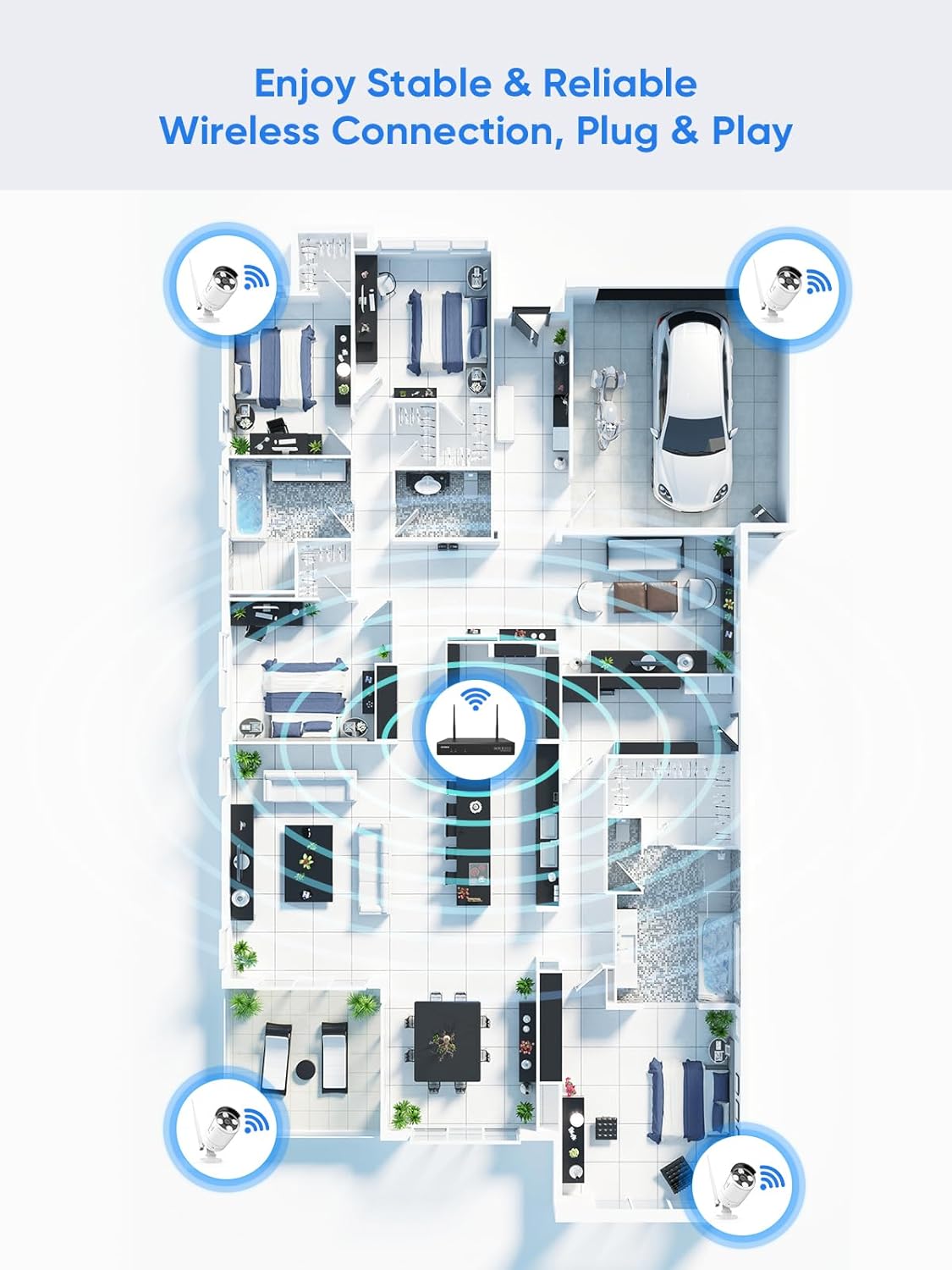
Figure 5.1: Wireless coverage and connection stability.
5.3 Optagelsesproblemer
- Harddisk: Verify the hard drive is installed correctly and is not full. Format the HDD if necessary (this will erase all data).
- Optagelsesplan: Check your recording schedule and motion detection settings to ensure they are configured as desired.
- Bevægelsesfølsomhed: Adjust motion detection sensitivity if recordings are too frequent or not frequent enough.
5.4 Remote Access Problems
- Internetforbindelse: Ensure both your NVR and mobile device have a stable internet connection.
- NVR Network Settings: Confirm the NVR's network settings are correct and it has access to the internet.
- App-login: Verify you are logged into the SANNCE app with the correct account.
6. Specifikationer
| Feature | Detalje |
|---|---|
| Modelnummer | 4335041969 |
| Mærke | SANNCE |
| Forbindelsesteknologi | HDMI, USB, VGA, Wireless WiFi (2.4/5.8GHz) |
| Kompatible enheder | Kameraer |
| Hukommelseslagringskapacitet | Up to 8 TB (HDD) |
| Harddisk størrelse | 8 TB (Maximum Supported) |
| IP-vurdering | IP66 (Outdoor Cameras) |
| Driftstemperatur | -20℃ til 60℃ |
| Pakkedimensioner | 13.78 x 11.42 x 3.19 tommer |
| Varens vægt | 3.14 pund |
| Dato først tilgængelig | 11. december 2017 |
7. Garanti og support
7.1 Returpolitik
This product is subject to a 30-day return policy from the date of purchase. Please refer to your retailer's specific return guidelines for detailed information.
7.2 Producentgaranti
SANNCE provides a limited warranty for this product against defects in materials and workmanship. For specific warranty terms, duration, and conditions, please refer to the warranty card included with your product or visit the official SANNCE webwebsted.
7.3 Kundesupport
If you encounter any issues or have questions regarding the installation, operation, or maintenance of your SANNCE security system, please contact SANNCE customer support for assistance. You can typically find contact information on the SANNCE official webwebstedet eller i produktemballagen.
For mere information, besøg SANNCE Store.