
Indledning
Thank you for choosing the Teufel One M All-in-One WiFi Bluetooth Streaming Speaker. This device integrates Wi-Fi and Bluetooth streaming capabilities with an internal subwoofer, delivering powerful and immersive audio. This manual provides essential information for the proper setup, operation, and maintenance of your speaker. Please read it thoroughly before use.
Vigtige sikkerhedsinstruktioner
- Strømforsyning: Only use the provided power cable. Ensure the voltage matches your local power supply. Disconnect the power cable during lightning storms or when unused for extended periods.
- Placering: Place the speaker on a stable, flat surface. Avoid direct sunlight, heat sources, or areas with high humidity. Ensure adequate ventilation around the unit.
- Vand og fugt: Do not expose the speaker to dripping or splashing water. Do not place objects filled with liquids, such as vases, on or near the speaker. The speaker is not waterproof.
- Rensning: Unplug the speaker before cleaning. Use a soft, dry cloth. Do not use liquid cleaners or aerosol sprays.
- Service: Do not attempt to repair the speaker yourself. Refer all servicing to qualified service personnel. Opening the unit voids the warranty.
- Børn: Hold emballagematerialer og små dele væk fra børn for at undgå kvælningsfare.
Hvad er inkluderet
- 1 x Teufel One M Speaker
- 1 x strømkabel
Produkt overview
Kontrol på frontpanelet

Figure 1: Front Panel Controls (Black Model)
The front panel features integrated touch controls for convenient operation:
- Lydstyrkeknap: Rotate to adjust the audio volume. Press to mute/unmute.
- Afspil/pause knap: Press to play or pause the current audio track.
- Knapper til at springe spor over: Use to skip to the next or previous track.
- Knapper til valg af kilde: Quickly switch between different audio sources (e.g., Wi-Fi, Bluetooth, Line-In).
Bagpaneltilslutninger

Figure 2: Rear Panel Connections (Black Model)
Bagpanelet tilbyder følgende tilslutningsmuligheder:
- AUX-indgang: 3.5mm jack for connecting external audio devices (e.g., turntables, CD players).
- LAN-port: Ethernet port for a wired network connection.
- USB-port: For connecting USB storage devices to play music.
- Nulstil knap: Bruges til at nulstille enheden til fabriksindstillinger.
- Opsætningsknap: Initiates the Wi-Fi setup process.
- BT knap: Aktiverer Bluetooth-parringstilstand.
- Strømindgang: Tilslut det medfølgende strømkabel her.
Opsætning
1. Strømtilslutning
- Tilslut det medfølgende strømkabel til Strømindgang on the rear panel of the Teufel One M.
- Sæt den anden ende af strømkablet i en passende stikkontakt.
- The speaker will power on automatically or can be turned on using the power button (if available, or via app).
2. Network Connection (Wi-Fi or LAN)
For Wi-Fi streaming and multiroom functionality, connect your speaker to your home network.
Wi-Fi opsætning:
- Download og installer Raumfeld App på din smartphone eller tablet.
- Follow the in-app instructions to connect your Teufel One M to your Wi-Fi network. This typically involves pressing the Opsætningsknap på bagpanelet.
LAN-forbindelse:
Alternatively, you can connect the speaker directly to your router using an Ethernet cable via the LAN-port på bagpanelet.
3. Bluetooth-parring
To stream audio via Bluetooth from your mobile device:
- Tryk på BT-knap on the rear panel or select Bluetooth as the source via the front panel controls. The Bluetooth indicator will flash.
- On your smartphone or tablet, go to Bluetooth settings and select "Teufel One M" from the list of available devices.
- Once paired, the Bluetooth indicator will glow steadily, and you can begin streaming audio.
4. Raumfeld App Installation
The Raumfeld app is essential for managing multiroom audio, Wi-Fi streaming services (Spotify, internet radio), and accessing music from USB or NAS drives. Download it from your device's app store.
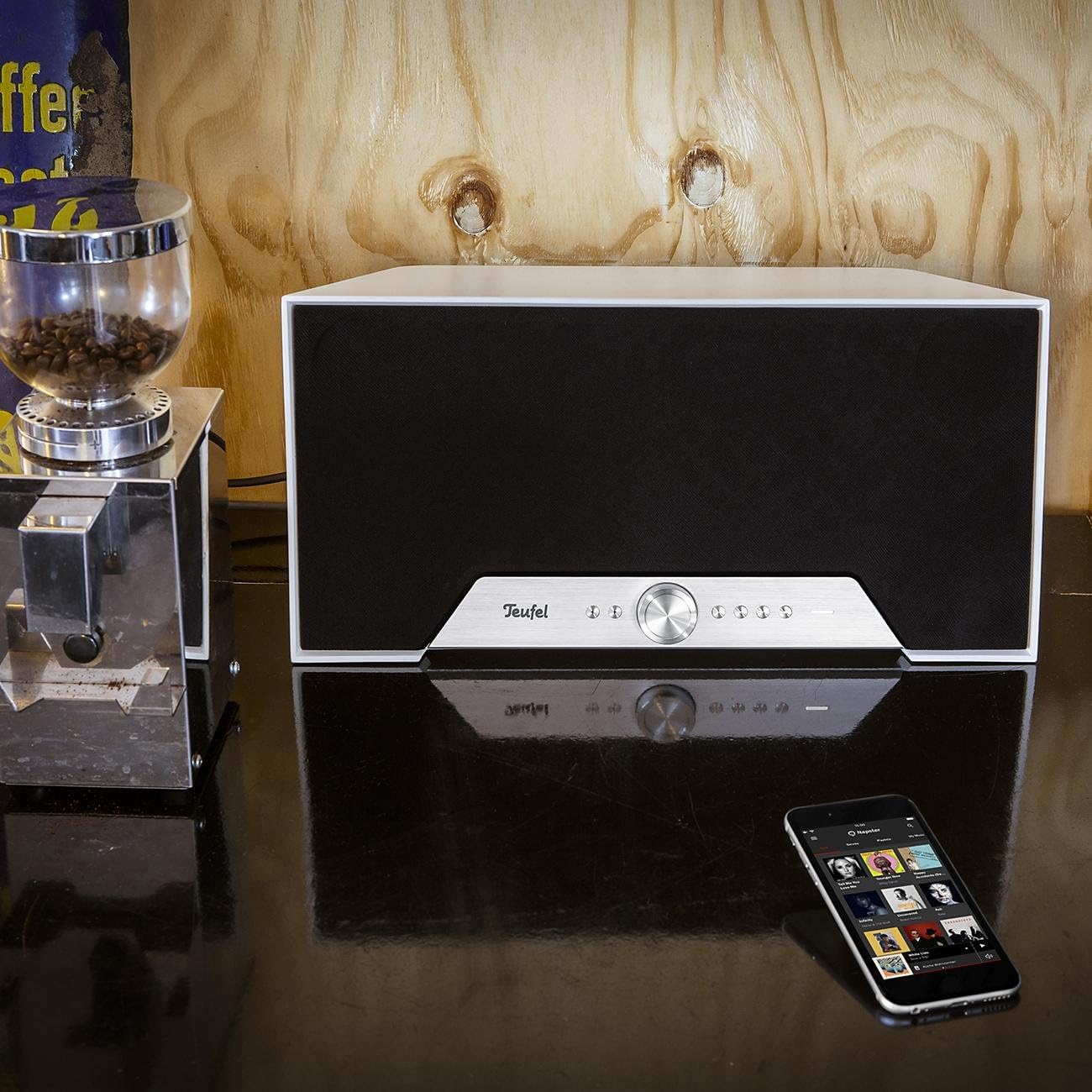
Figure 3: Teufel One M in a home environment (White Model)
Operating Your Teufel One M
Grundlæggende afspilning
Use the front panel controls for basic functions:
- Tryk på Afspil/pause knappen for at starte eller stoppe afspilning.
- Drej på Volumenknap for at justere lydniveauet.
- Brug Spor Spring over knapper til at navigere gennem din afspilningsliste.
Wi-Fi-streaming
Utilize the Raumfeld app to access various Wi-Fi streaming options:
- Musiktjenester: Stream directly from integrated services like Spotify.
- Internet radio: Få adgang til en bred vifte af internetradiostationer.
- Lokal opbevaring: Spil musik files from USB drives connected to the USB port or from Network Attached Storage (NAS) devices on your network.
Bluetooth-afspilning
After successful pairing, select Bluetooth as the source and play audio from your paired device. The speaker will reproduce the sound wirelessly.
Line-In Source
Connect an external audio source (e.g., a turntable or CD player) to the AUX-indgang using a 3.5mm audio cable. Select the Line-In source via the front panel controls or the Raumfeld app to listen to audio from this device.
Smart Standby Mode
The Teufel One M features a smart standby mode for low power consumption. The speaker will automatically enter standby after a period of inactivity and can be woken up by playing audio via Wi-Fi or Bluetooth, or by interacting with the controls.
Opretholdelse
Pleje og rengøring
To maintain the appearance and performance of your Teufel One M speaker:
- Tag altid stikket ud af stikkontakten før rengøring.
- Brug en blød, tør og fnugfri klud til at tørre overfladerne af.
- Brug ikke slibende rengøringsmidler, voks eller opløsningsmidler, da de kan beskadige finishen.
- Undgå at sprøjte væsker direkte på højttaleren.
Fejlfinding
If you encounter issues with your Teufel One M, refer to the following table for common problems and solutions.
| Problem | Mulig årsag | Løsning |
|---|---|---|
| Ingen strøm | Strømkabel ikke tilsluttet, eller stikkontakten er ikke aktiv. | Sørg for, at strømkablet er korrekt tilsluttet både højttaleren og en fungerende stikkontakt. |
| Ingen lyd | Volume is too low or muted; incorrect source selected; audio cable issues. | Increase volume, check mute status. Verify the correct input source is selected. For Line-In, check cable connections. |
| Kan ikke oprette forbindelse til Wi-Fi | Incorrect Wi-Fi password; speaker out of range; router issues. | Double-check Wi-Fi password. Move speaker closer to router. Restart router and speaker. Use the Raumfeld app for troubleshooting. |
| Bluetooth-parring mislykkes | Højttaler ikke i parringstilstand; enhed allerede parret; interferens. | Press the BT button to enter pairing mode. Ensure no other device is connected. Try pairing again. |
| Multiroom not working | Network issues; Raumfeld app not configured correctly. | Ensure all speakers are on the same network. Check Raumfeld app settings and update if necessary. Note: Teufel One M is not compatible with Teufel Home series products or the Teufel Home app. |
Tekniske specifikationer
| Feature | Værdi |
|---|---|
| Modelnavn | ONE M |
| Varemodelnummer | 105404002 |
| Mærke | Teufel |
| Farve | Hvid |
| Produktmål (L x B x H) | 19 x 42 x 20.5 cm |
| Materiale Type | Plastic or lacquered material |
| Højttaler type | All-in-one streaming speaker |
| Lydudgangstilstand | Stereoanlæg |
| Surround Sound Kanalkonfiguration | 2.1 |
| Maksimal højttalerudgangseffekt | 120 watt |
| Antal højttalere | 1 |
| Forbindelsesteknologi | Bluetooth, WiFi |
| Trådløs kommunikationsteknologi | Bluetooth, WiFi |
| Kontrolmetode | Røre |
| Strømkilde | Elektrisk kabel |
| Kompatible enheder | Smartphones, tablets, computers |
| Særlige funktioner | Multi-room audio, High-res audio, Wi-Fi and Bluetooth streaming |
| Anbefalet anvendelse af produktet | For music player |
| Monteringstype | Bordmontering |
| Er vandtæt | falsk |
| Inkluderede komponenter | 1 strømkabel |
| Antal genstande | 1 |
| Dato først tilgængelig | 7. december 2017 |
Garanti og kundesupport
Your Teufel One M speaker comes with a limited warranty. For specific details regarding the warranty period and coverage, please refer to the warranty card included with your product or visit the official Teufel webwebsted.
For technical support, troubleshooting assistance, or inquiries about spare parts, please contact Lautsprecher Teufel GmbH directly. Contact information can typically be found on their official webwebstedet eller i din produktdokumentation.