
iFrogz IFFAWL-BL0
IFROGZ Aurora Wireless Headphones User Manual
Mærke: iFrogz | Model: IFFAWL-BL0
Indledning
The IFROGZ Aurora Wireless Headphones are designed to provide a high-quality audio experience with the convenience of wireless connectivity. Featuring 40mm drivers for rich sound and a comfortable, foldable design, these headphones are suitable for various uses, including listening to music and taking calls on the go. This manual provides detailed instructions for setup, operation, and maintenance to ensure optimal performance and longevity of your headphones.
Pakkens indhold
Kontroller venligst, at alle varer er til stede i pakken:
- IFROGZ Aurora Wireless Headphones
- USB opladningskabel
- 3.5 mm Audio Jack-kabel
- Brugervejledning (dette dokument)
Produkt overview

Figur 1: Vinklet view of the IFROGZ Aurora Wireless Headphones, highlighting the overall design and earcups.

Figur 2: Side view of the headphones, illustrating the placement of control buttons for volume and track navigation.

Figur 3: Front view of the headphones, showcasing the iFrogz logo and the sleek design of the earcups.
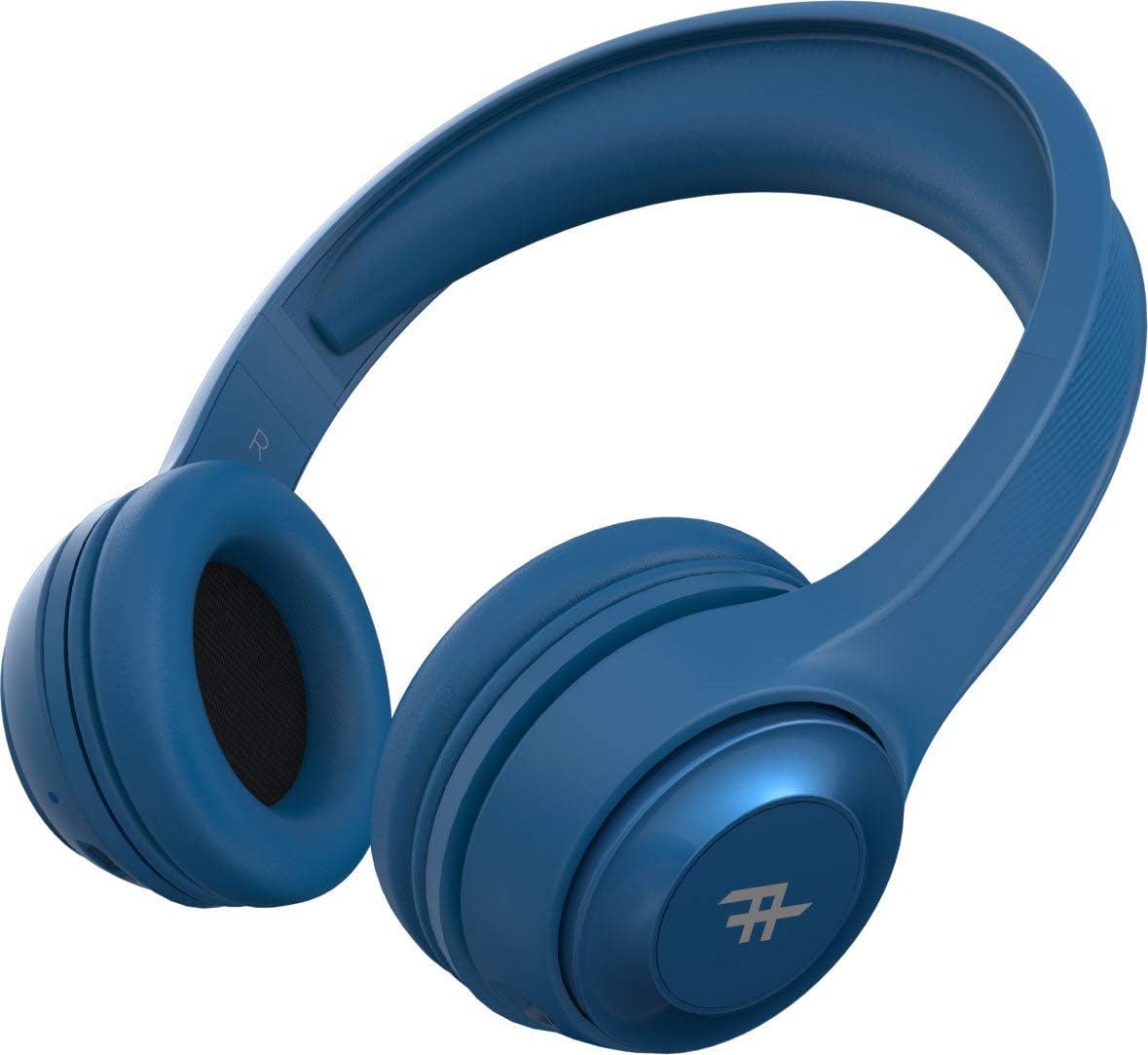
Figur 4: Top view of the headphones, demonstrating the adjustable headband for a comfortable fit.
Nøglefunktioner:
- Trådløs Bluetooth-forbindelse: Enjoy freedom from cords with seamless Bluetooth pairing.
- Premium lyd: Equipped with 40mm drivers for rich and powerful audio output.
- Betjening på headsettet: Intuitive controls located on the earcup for easy management of music and calls.
- Lang batterilevetid: Op til 12 timers afspilningstid på en enkelt opladning.
- Integreret mikrofon: Giver mulighed for håndfri opkald.
- Sammenfoldeligt design: Compact and easy to store, ideal for travel.
- Konvertibel brug: Can be used wirelessly via Bluetooth or wired with the included 3.5mm audio jack cable.
- Passiv støjisolering: AeroFoam padding on earcups provides comfort and helps reduce ambient noise.
Opsætning og førstegangsbrug
1. Opladning af hovedtelefonerne
Before first use, fully charge your headphones. Connect the small end of the USB charging cable to the charging port on the headphone earcup and the larger end to a USB power source (e.g., computer USB port, wall adapter). The LED indicator will show charging status and turn off or change color when fully charged.
2. Tænd/sluk
- For at tænde: Press and hold the Power button (usually the multi-function button) for approximately 3 seconds until the LED indicator lights up and you hear an audible prompt.
- For at slukke: Tryk på tænd/sluk-knappen, og hold den nede i cirka 5 sekunder, indtil LED-indikatoren slukker, og du hører en lydmeddelelse.
3. Bluetooth-parring
- Sørg for, at hovedtelefonerne er slukket.
- Press and hold the Power button for about 5-7 seconds until the LED indicator flashes rapidly, indicating pairing mode.
- Aktiver Bluetooth på din enhed (smartphone, tablet, computer) og søg efter tilgængelige enheder.
- Select "IFROGZ Aurora" from the list of found devices.
- Once paired, the LED indicator will stop flashing and remain solid blue, and you will hear a confirmation tone.
- Hvis du bliver bedt om en adgangskode, skal du indtaste "0000".
Bemærk: Hovedtelefonerne vil automatisk forsøge at genoprette forbindelsen til den sidst parrede enhed, når de tændes.
4. Kablet forbindelse (valgfrit)
If the battery is depleted or you prefer a wired connection, you can use the included 3.5mm audio jack cable. Plug one end into the audio input port on the headphone earcup and the other end into your device's 3.5mm audio output jack. The headphones will function as passive wired headphones in this mode.
Betjeningsvejledning
Musikafspilningskontroller
- Afspil/pause: Press the Multi-function button (usually the iFrogz logo button).
- Næste nummer: Press and hold the "Next" button (usually marked with >).
- Forrige nummer: Press and hold the "Previous" button (usually marked with <).
- Lydstyrke op: Tryk kort på "+"-knappen.
- Skrue ned for lyden: Tryk kort på "-" knappen.
Opkaldsstyring
- Besvar/afslut opkald: Tryk på multifunktionsknappen.
- Afvis opkald: Tryk og hold multifunktionsknappen nede i 2 sekunder.
- Genopkald sidste nummer: Tryk to gange på multifunktionsknappen.
Pleje og vedligeholdelse
- Rensning: Tør hovedtelefonerne af med en blød, tør klud. Brug ikke slibende rengøringsmidler eller opløsningsmidler.
- Opbevaring: Når hovedtelefonerne ikke er i brug, skal de opbevares køligt og tørt, væk fra direkte sollys og ekstreme temperaturer. Det foldbare design muliggør kompakt opbevaring.
- Batteripleje: For at forlænge batteriets levetid, skal hovedtelefonerne oplades mindst én gang hver tredje måned, hvis de ikke bruges regelmæssigt. Undgå at aflade batteriet helt ofte.
- Vandeksponering: These headphones are not waterproof. Avoid exposure to liquids, moisture, or rain.
Fejlfinding
| Problem | Mulig årsag | Løsning |
|---|---|---|
| Hovedtelefonerne tændes ikke. | Lavt batteri. | Oplad hovedtelefonerne helt. |
| Kan ikke parre med Bluetooth-enhed. | Hovedtelefoner er ikke i parringstilstand; enhedens Bluetooth er slået fra; for langt fra enheden. | Ensure headphones are in pairing mode (flashing LED). Turn on Bluetooth on your device. Move headphones closer to the device (within 10 meters). |
| Ingen lyd eller lav lydstyrke. | Volume too low on headphones or device; incorrect audio source; headphones not connected. | Increase volume on both headphones and device. Ensure headphones are properly paired or connected via audio cable. Check audio output settings on your device. |
| Lydforvrængning. | Too far from Bluetooth device; interference; audio file kvalitet. | Move closer to the Bluetooth device. Avoid strong electromagnetic interference. Try a different audio file. |
| Mikrofon virker ikke. | Microphone muted on device; headphones not selected as input device. | Check microphone settings on your device. Ensure the headphones are selected as the audio input device during calls. |
Specifikationer
| Feature | Detalje |
|---|---|
| Modelnummer | IFFAWL-BL0 |
| Forbindelse | Wireless (Bluetooth), Wired (3.5mm Audio Jack) |
| Trådløs teknologi | Bluetooth |
| Batteritype | Lithiumpolymer (1 medfølger) |
| Batterilevetid | Op til 12 timer |
| Formfaktor | Over-øre |
| Farve | Blå |
| Materiale | Plast (PU) |
| Særlige funktioner | Foldable design, Integrated microphone |
| Fabrikant | ZAGG |
| Pakkedimensioner | 8.4 x 19 x 21.2 cm |
| Pakkevægt | 0.28 kg |
Garanti og support
For warranty information and customer support, please refer to the warranty card included in your product packaging or visit the official iFrogz webwebsted. Gem din købsbevis i tilfælde af garantikrav.
For further assistance or technical inquiries, please contact iFrogz customer service.
Ask a question about this manual
Ask about setup, troubleshooting, compatibility, parts, safety, or missing instructions. Manuals+ will review the question and use this page’s manual context to help answer it.