
InFocus IN112XV
InFocus IN112XV præsentationsprojektor brugermanual
Model: IN112XV | Brand: InFocus
1. Introduktion
This manual provides essential information for the safe and efficient operation of your InFocus IN112XV Presentation Projector. The IN112XV is designed for business presentations and educational use, offering a long lamp life, high brightness, and clear image quality.
- Forlænget Lamp Liv: Enjoy over 15,000 hours of viewing.
- Høj lysstyrke: 3800 lumens for clear images in various lighting conditions.
- Kontrastforhold: 26000:1 for distinct whites and blacks.
- Fleksibel Viewing: Projects images from 28 inches to 300 inches diagonally.
- Forbindelse: Features HDMI input and SVGA (800 x 600) resolution.
2. Pakkens indhold
Bekræft, at alle nedenstående varer er inkluderet i din pakke:
- InFocus IN112XV Projector
- Strømledning
- Fjernbetjening
- VGA-kabel
- Dokumentation (denne manual og andre vejledninger)
3. Produktet er slutview
Familiarize yourself with the components and controls of your InFocus IN112XV projector.
3.1 Foran View
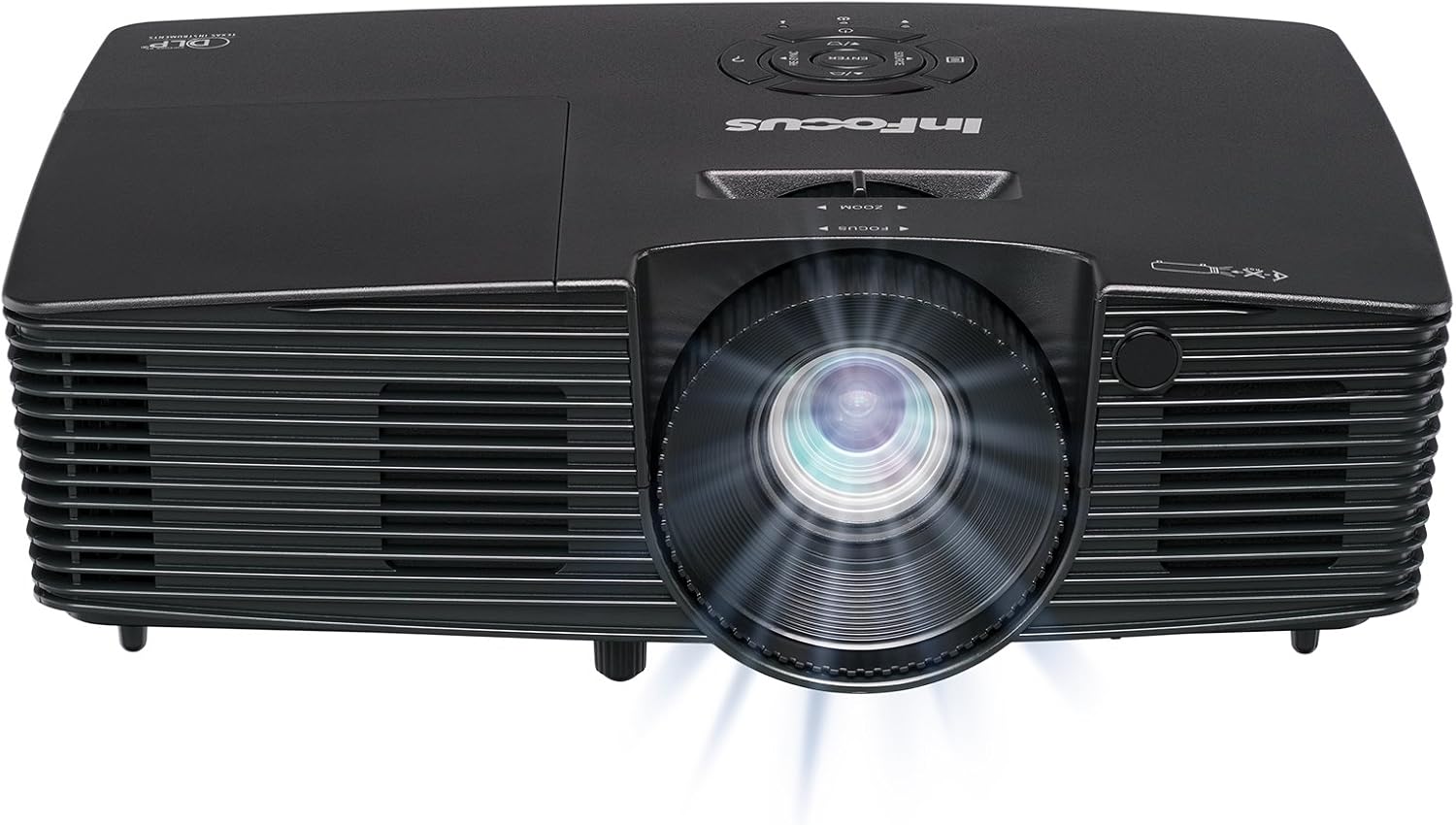
Billede 3.1: Front view of the InFocus IN112XV projector. This image highlights the main projection lens and the front ventilation grilles.
3.2 Top View og Kontrolpanel

Billede 3.2: Top view of the InFocus IN112XV projector. The control panel is visible on the right, featuring buttons for power, source selection, menu navigation, keystone adjustment, and volume. The focus and zoom adjustment rings are located around the lens.
The control panel on the top of the projector allows for basic operation without the remote. Key buttons include:
- Magt: Tænder eller slukker for projektoren.
- Kilde: Blader gennem tilgængelige inputkilder.
- Menu: Åbner skærmmenuen (OSD).
- Indtast: Bekræfter valg i OSD-menuen.
- Piletasterne: Navigate menu options and adjust settings.
- Re-Sync: Synchronizes the image.
3.3 bag View og tilslutningsporte

Billede 3.3: Bag view of the InFocus IN112XV projector. This image displays the available connection ports, including Video In, S-Video In, Computer In (VGA), HDMI, and the power input.
Bagpanelet har forskellige porte til tilslutning af eksterne enheder:
- Video i: For composite video sources.
- S-videoindgang: For S-Video sources.
- Computerindgang (VGA): For connecting to computers via VGA cable.
- HDMI: Til digitale video- og lydkilder.
- Service: Til service- og vedligeholdelsesformål.
- Strømindgang: Connects the power cord to an electrical outlet.
3.4 Fjernbetjening

Billede 3.4: Remote control for the InFocus IN112XV projector. The remote provides full control over the projector's functions, including power, source selection, menu navigation, keystone correction, and volume.
The remote control offers convenient access to all projector functions. Ensure batteries are correctly installed.
4. Opsætning
4.1 Placering
Position the projector on a stable, flat surface or mount it securely. Ensure there is adequate space around the projector for ventilation.
4.2 Strømtilslutning
- Tilslut netledningen til projektorens strømindgang.
- Sæt den anden ende af netledningen i en jordet stikkontakt.
4.3 Tilslutning af indgangskilder
The projector supports various input sources. Choose the appropriate cable for your device:
- HDMI: Connect an HDMI cable from your source device (e.g., laptop, media player) to the projector's HDMI port.
- VGA (computerindgang): Connect a VGA cable from your computer to the projector's Computer In port. This is a plug-and-play connection.
- Video In / S-Video In: Use composite video or S-Video cables for older video sources.
- Mobile enheder: To connect an iPad or smartphone, a LightCast Key (sælges separat) er påkrævet.
5. Betjeningsvejledning
5.1 Tænd/sluk
- For at tænde: Tryk på Magt button on the projector's control panel or the remote control. The power indicator light will change.
- For at slukke: Tryk på Magt button again. A confirmation message may appear. Press again to confirm shutdown. Allow the projector to cool down before unplugging.
5.2 Valg af en indgangskilde
After connecting your source device, select the correct input:
- Tryk på Kilde button on the projector's control panel or the remote control to cycle through available inputs (HDMI, VGA, Video, S-Video).
- Alternatively, use the dedicated input buttons (HDMI, VGA, Video) on the remote control.
5.3 Justering af fokus og zoom
For a clear and appropriately sized image, adjust the lens rings:

Billede 5.1: Manual Focus Adjustment. This image illustrates the effect of adjusting the focus ring, transforming a blurry projection into a clear and sharp image.
- Fokus: Drej på Fokus ring on the projector lens until the image appears sharp and clear.
- Zoom: Drej på Zoom ring on the projector lens to adjust the size of the projected image.
5.4 Keystone-korrektion
If the projected image appears trapezoidal (wider at the top or bottom), use keystone correction to square it:
- Tryk på Keystone+ or Keystone- buttons on the remote control to adjust the image geometry.
5.5 Menunavigation
Access the On-Screen Display (OSD) menu for advanced settings:
- Tryk på Menu button on the remote or control panel.
- Brug piletasterne til at navigere gennem menupunkterne.
- Trykke Indtast for at vælge en mulighed eller bekræfte en indstilling.
- Trykke Menu igen for at afslutte OSD-menuen.
6. Vedligeholdelse
6.1 Lamp Liv
Projektoren lamp has an estimated life of over 15,000 hours. When the lamp reaches the end of its life, the projector may display a warning message or the image brightness may significantly decrease. Refer to the full service manual for lamp replacement procedures if necessary.
6.2 Rengøring
- Projektor Casing: Brug en blød, tør klud til at tørre projektorens yderside af. Brug ikke slibende rengøringsmidler eller opløsningsmidler.
- Linse: Rengør forsigtigt linsen med en linserengøringsklud og en specialopløsning til linserengøring. Undgå at berøre linsens overflade med fingrene.
- Ventilationsåbninger: Periodically check and clean the ventilation openings to ensure proper airflow and prevent overheating. Use a soft brush or compressed air to remove dust.
7. Fejlfinding
Dette afsnit omhandler almindelige problemer, du kan støde på med din projektor.
| Problem | Mulig årsag | Løsning |
|---|---|---|
| Intet billede vises |
|
|
| Billedet er sløret |
|
|
| Billedet er trapezformet |
|
|
| Projector runs hot or smells of burning plastic |
|
|
| Ingen lyd |
|
|
Vigtig bemærkning: This projector is not recommended for high-definition movie viewing. While it can accept a 1080p input signal, it projects at its native SVGA (800 x 600) resolution.
8. Specifikationer
| Feature | Detalje |
|---|---|
| Modelnummer | IN112XV |
| Displayteknologi | DLP |
| Indfødt opløsning | SVGA (800x600) |
| Lysstyrke | 3800 lumen |
| Kontrastforhold | 26000:1 |
| Lamp Liv | Op til 15,000 timer |
| Forbindelse | HDMI, VGA (Computer In), Video In, S-Video In |
| Speciel funktion | 3D-klar |
| Anbefalede anvendelser | Erhverv, Uddannelse |
| Produktdimensioner | 8.8 x 12.4 x 4 tommer |
| Varens vægt | 5.5 pund |
9. Garanti og support
9.1 Garantioplysninger
The InFocus IN112XV projector is backed by a 2 års garantiDenne garanti dækker materiale- og fabrikationsfejl ved normal brug. Gem venligst din købsbevis i tilfælde af garantikrav.
9.2 Kundesupport
For technical assistance, troubleshooting beyond this manual, or warranty service, please contact InFocus customer support. Contact information can typically be found on the official InFocus webwebstedet eller i den dokumentation, der følger med dit produkt.
Ask a question about this manual
Ask about setup, troubleshooting, compatibility, parts, safety, or missing instructions. Manuals+ will review the question and use this page’s manual context to help answer it.