
1. Introduktion
The Blaupunkt IRD 30c is a versatile internet radio designed to provide a wide range of audio entertainment. It features Internet Radio, DAB+, and FM reception, allowing access to over 18,000 internet radio stations and 12,000 podcasts worldwide, alongside traditional digital and analog broadcasts. With its WLAN connectivity, color display, and remote control, it offers intuitive operation and a rich listening experience. The device also includes an AUX input for connecting external audio sources, an alarm clock, and a sleep function, making it suitable for various environments like the living room, kitchen, or bedroom.
2. Sikkerhedsoplysninger
- Læs alle instruktioner omhyggeligt, før du bruger enheden.
- Gem manualen til fremtidig reference.
- Udsæt ikke enheden for regn, fugt eller ekstreme temperaturer.
- Sørg for korrekt ventilation for at forhindre overophedning.
- Brug kun den medfølgende strømadapter.
- Forsøg ikke at åbne eller reparere enheden selv. Overlad al service til kvalificeret personale.
- Opbevares utilgængeligt for børn.
3. Pakkens indhold
Kontroller venligst, at alle varer er til stede i pakken:
- Blaupunkt IRD 30c Internet Radio Unit
- Fjernbetjening
- Strømadapter
- Brugermanual

4. Produktet er slutview
Familiarize yourself with the various parts of your Blaupunkt IRD 30c Internet Radio.
4.1 Frontpanel
The front panel features the color display, the main control knob (for navigation and selection), and several function buttons (MENU, FAV, HOME).

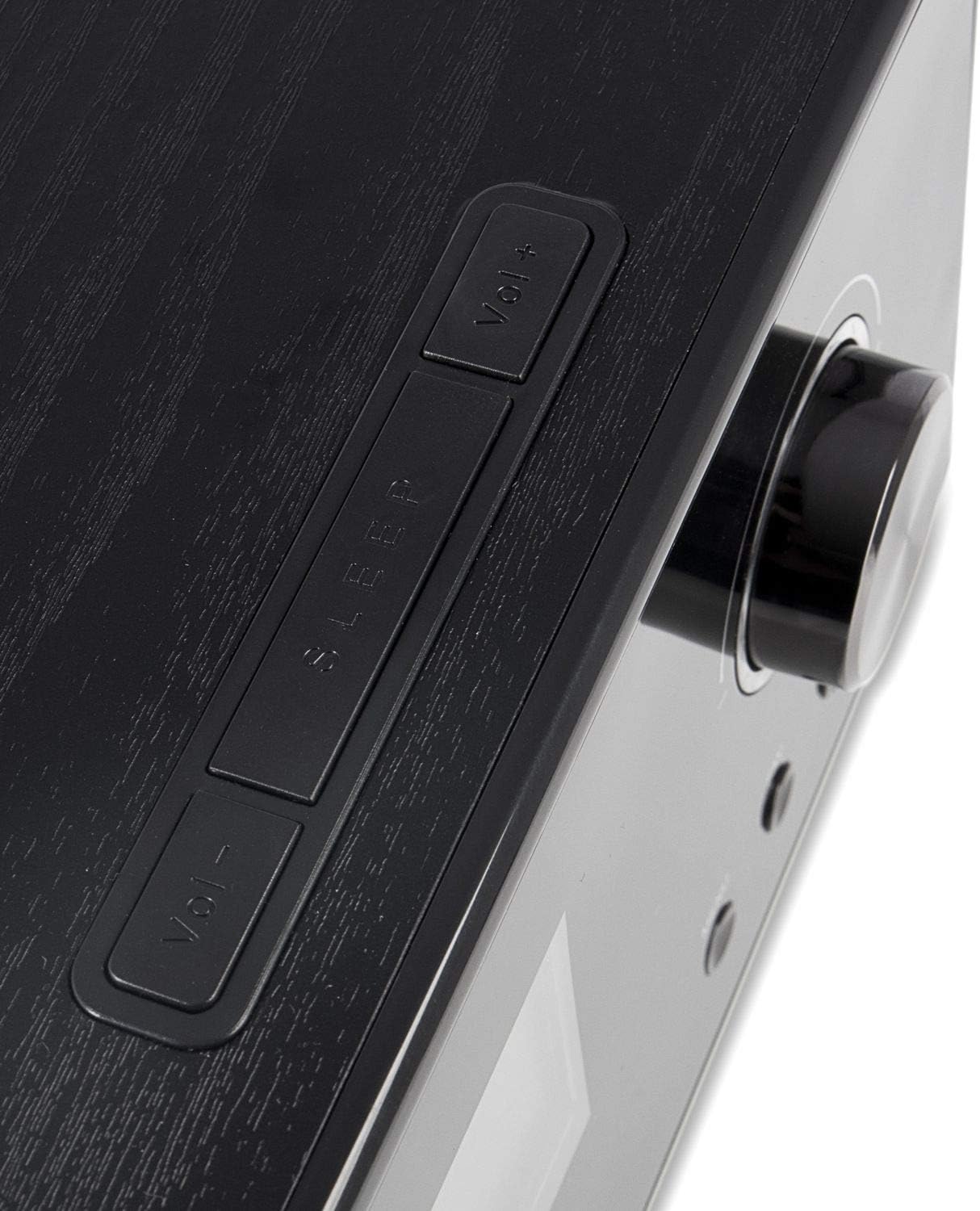
4.2 Toppanel
The top panel includes additional control buttons, such as Volume Up/Down and Sleep.
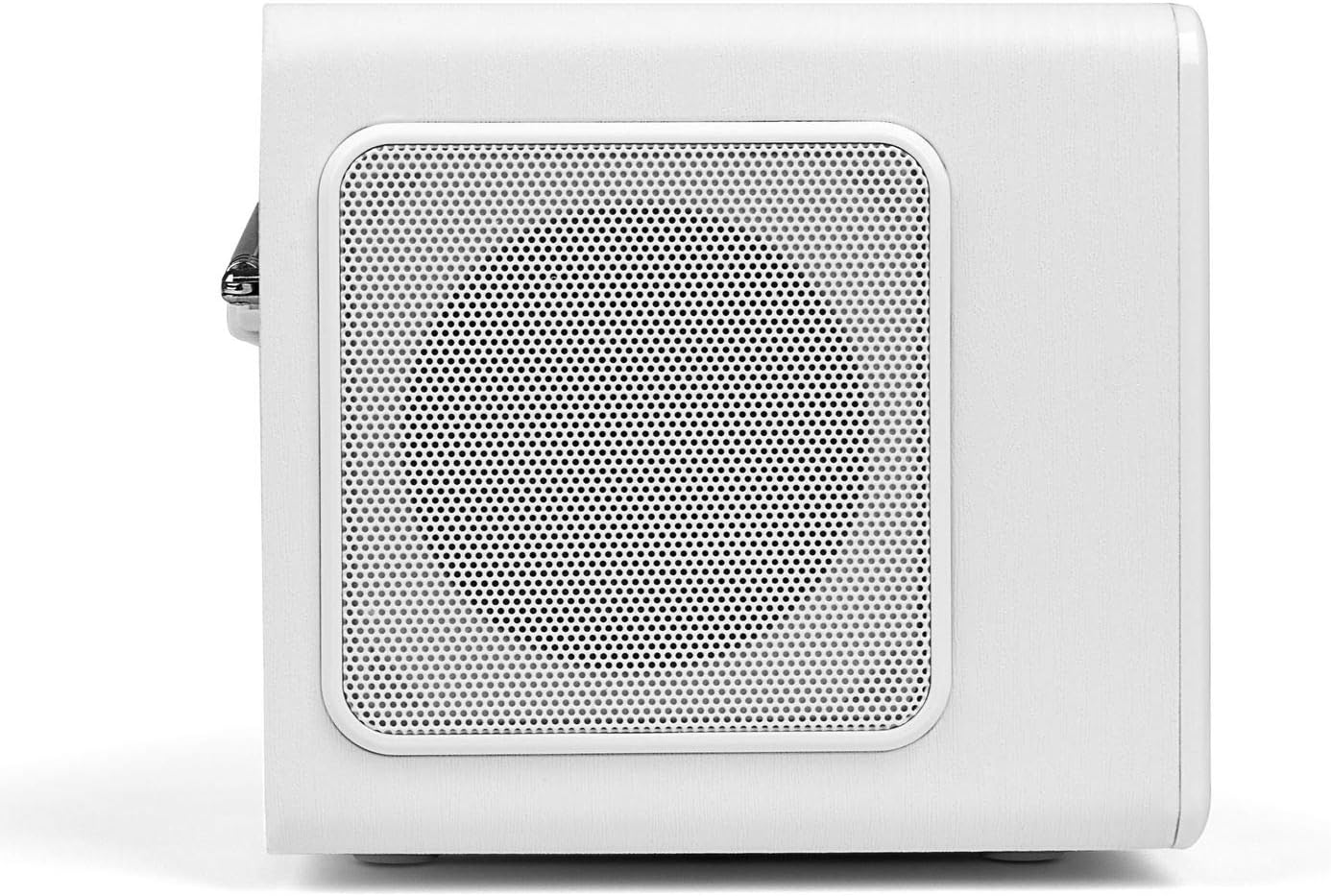
4.3 Sidepanel
The side panels feature integrated speakers for stereo sound output.
4.4 Bagpanel
The rear panel houses the telescopic antenna, power input, Line Out, and AUX input ports.

5. Opsætning
Follow these steps to set up your Blaupunkt IRD 30c Internet Radio for the first time.
- Pak enheden ud: Fjern forsigtigt alle komponenter fra emballagen.
- Tilslut strøm: Plug the power adapter into the DC 12V input on the rear of the radio, then connect it to a power outlet.
- Forlæng antenne: Fully extend the telescopic antenna for optimal DAB+ and FM reception.
- Første gang tændt: The radio will power on automatically or require a press of the power button.
- Network Setup (WLAN): Follow the on-screen prompts to connect to your Wi-Fi network. You will need your network name (SSID) and password.
- Tid og dato: The device will usually synchronize time and date automatically via the internet.
Watch the following video for a visual guide on unboxing and initial setup:
Video 5.1: Unboxing and basic setup of the Blaupunkt IRD 30c Internet Radio, demonstrating power connection, antenna extension, and initial menu navigation.
6. Betjeningsvejledning
6.1 Internetradio
Access thousands of stations and podcasts from around the world.
- Tryk på HJEM button to navigate to the main menu.
- Select "Internet Radio" using the control knob and press to confirm.
- Du kan søge efter stationer efter placering, genre eller bruge søgefunktionen.
- To save a favorite station, tune into the desired station and press the FAV button. Follow the on-screen instructions to store it.
6.2 DAB+ digitalradio
Nyd digitale radioudsendelser i høj kvalitet.
- Tryk på MENU -knappen og vælg "DAB-radio".
- Perform a "Full Scan" to find all available DAB+ stations in your area.
- Use the control knob to scroll through the station list and select your desired station.
6.3 FM radio
Stil ind på traditionelle analoge FM-udsendelser.
- Tryk på MENU -knappen og vælg "FM-radio".
- You can perform an automatic scan or manually tune to a frequency using the control knob.
- For best reception, ensure the telescopic antenna is fully extended.
6.4 AUX-indgang
Tilslut eksterne lydenheder som smartphones eller MP3-afspillere.
- Connect your external device to the AUX IN port on the rear of the radio using a 3.5mm audio cable.
- Tryk på MENU button and select "AUX In" mode.
- Styr afspilning fra din eksterne enhed.
6.5 Vækkeur og sovefunktion
Use the radio as an alarm clock or set a sleep timer.
- Alarm: Access the alarm settings via the main menu to set up to two independent alarms with customizable sources (buzzer, internet radio, DAB+, FM).
- Sleep timer: Tryk på SOVE button on the top panel or remote control to set a timer (e.g., 15, 30, 60 minutes) after which the radio will automatically turn off.
6.6 Lydtilpasning (Equalizer)
Juster lydudgangen efter dine præferencer.
The IRD 30c features an equalizer with preset genres (e.g., Rock, Pop, Classical, HipHop) and a custom setting to adjust bass and treble levels. Access the equalizer settings through the menu or directly via the remote control.
7. Vedligeholdelse
To ensure the longevity and optimal performance of your Blaupunkt IRD 30c, follow these maintenance guidelines:
- Rensning: Brug en blød, tør klud til at rengøre radioens yderside. Brug ikke slibende rengøringsmidler, voks eller opløsningsmidler.
- Støv: Regularly dust the speaker grilles and control areas to prevent accumulation.
- Placering: Placer radioen på en stabil, plan overflade væk fra direkte sollys, varmekilder og overdreven fugtighed.
- Antenne: Håndter teleskopantennen forsigtigt for at undgå at den bøjer eller knækker.
8. Fejlfinding
Hvis du støder på problemer med din radio, kan du se følgende almindelige problemer og løsninger:
| Problem | Mulig årsag | Løsning |
|---|---|---|
| Ingen strøm | Strømadapteren er ikke tilsluttet, eller der er en defekt stikkontakt. | Check power connections and try a different outlet. Ensure the power button is pressed correctly. |
| No internet radio reception | WLAN connection issue, weak signal, or incorrect network settings. | Verify your Wi-Fi password. Check router status. Move the radio closer to the router or use a Wi-Fi extender. Reconfigure network settings. |
| Dårlig DAB+/FM-modtagelse | Antennen er ikke strakt ud, svagt signal eller interferens. | Fully extend the telescopic antenna. Reposition the radio. Perform a new station scan. |
| Ingen lyd fra AUX-indgangen | Incorrect mode selected, cable issue, or external device volume. | Ensure "AUX In" mode is selected. Check the 3.5mm audio cable connection. Increase volume on both the radio and the external device. |
| Fjernbetjening virker ikke | Dead batteries, obstruction, or remote not pointed at sensor. | Replace batteries. Remove any obstructions between the remote and the radio. Ensure direct line of sight. |
| Blue ring light around control knob is too bright/distracting | This is a design feature and cannot be permanently turned off. | The light typically illuminates for a few seconds after interaction and turns off in standby. Consider placement if used in a dark room like a bedroom. |
9. Specifikationer
| Feature | Detalje |
|---|---|
| Mærke | BLAUPUNKT |
| Model | IRD 30 C |
| Forbindelsesteknologi | AUX, WLAN (802.11 b/g/n) |
| Tuner-teknologi | Digital (FM, DAB+) |
| Understøttede radiobånd | Internetradio, FM, DAB+ |
| Strømkilde | Elektrisk med ledning |
| Lydudgangseffekt | 2 x 7 Watts RMS (14 Watts total) |
| Vise | Color Display (dimmable) |
| Hardware-interface | 3.5mm Audio (AUX In, Line Out) |
| Varens vægt | 3.09 pund (ca. 1.4 kg) |
| Dimensioner (ca.) | Højde: 13 cm, Dybde: 12.9 cm, Bredde: 21.2 cm |
| Funktioner | Alarm Clock, Sleep Function, Equalizer, Remote Control |
10. Garanti og support
For warranty information and customer support, please refer to the documentation included with your product or visit the official Blaupunkt webwebsted. Gem din købsbevis i tilfælde af garantikrav.
If you require technical assistance or have questions not covered in this manual, please contact Blaupunkt customer service.