
Enermax EMT750EWT
Enermax MaxTytan 750W Power Supply User Manual
Model: EMT750EWT
1. Introduktion
The Enermax MaxTytan 750W power supply is an 80 PLUS Titanium certified, full modular unit designed for high-performance computing systems. It features advanced technologies such as Dust Free Rotation (DFR) for fan self-cleaning and smart semi-fanless control for quiet operation. This manual provides essential information for proper installation, operation, and maintenance of your power supply.
2. Sikkerhedsoplysninger
Please read and understand all safety warnings before installing or operating the power supply. Failure to do so may result in personal injury or damage to the product or system components.
- Sørg for, at strømforsyningen er afbrudt fra stikkontakten før installation eller vedligeholdelse.
- Åbn ikke strømforsyningen casing. Høj volumentager til stede indeni, selv når de er frakoblet.
- Installer strømforsyningen i et godt ventileret område.
- Brug kun de modulære kabler, der følger med strømforsyningen. Brug af inkompatible kabler kan forårsage skade.
- Undgå at udsætte strømforsyningen for fugt eller ekstreme temperaturer.
3. Pakkens indhold
Bekræft at alle varer er til stede i pakken:
- Enermax MaxTytan 750W Power Supply
- Modulært kabelsæt
- AC strømledning
- Monteringsskruer
- Kabelbindere / Velcrostropper
- Brugermanual

Figure 3.1: Enermax MaxTytan 750W Power Supply and all included accessories, including modular cables, power cord, and documentation.
4. Opsætning og installation
Follow these steps to properly install your Enermax MaxTytan power supply into your computer system.
4.1. Fysisk installation
- Sørg for, at dit computerkabinet er kompatibelt med ATX-strømforsyninger.
- Mount the power supply into the designated PSU bay in your computer case, typically at the bottom or top rear. Secure it with the provided mounting screws.
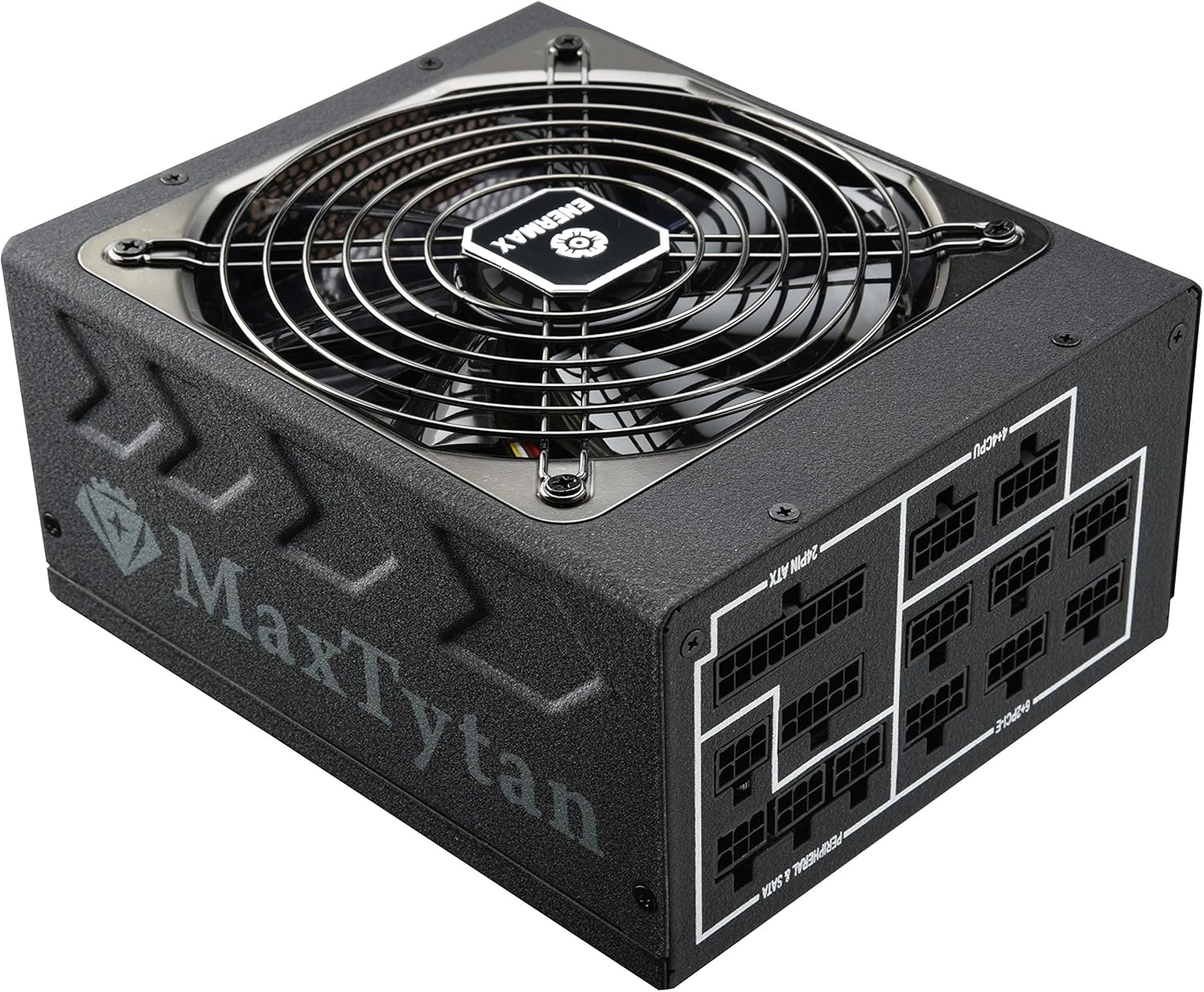
Figur 4.1: Forside view of the Enermax MaxTytan 750W Power Supply, showing the fan grill and the MaxTytan branding.
4.2. Kabelforbindelser
The MaxTytan 750W is a full modular power supply, allowing you to connect only the necessary cables for your system, improving airflow and cable management.
- Connect the 24-pin ATX motherboard cable to the power supply and your motherboard.
- Connect the 4+4 pin CPU (EPS) cable(s) to the power supply and your motherboard's CPU power connector(s).
- Connect the 6+2 pin PCIe cables to the power supply and your graphics card(s).
- Connect SATA power cables to your storage drives (SSDs, HDDs) and peripheral power cables to other components as needed.
- Sørg for, at alle forbindelser er faste og sikre.
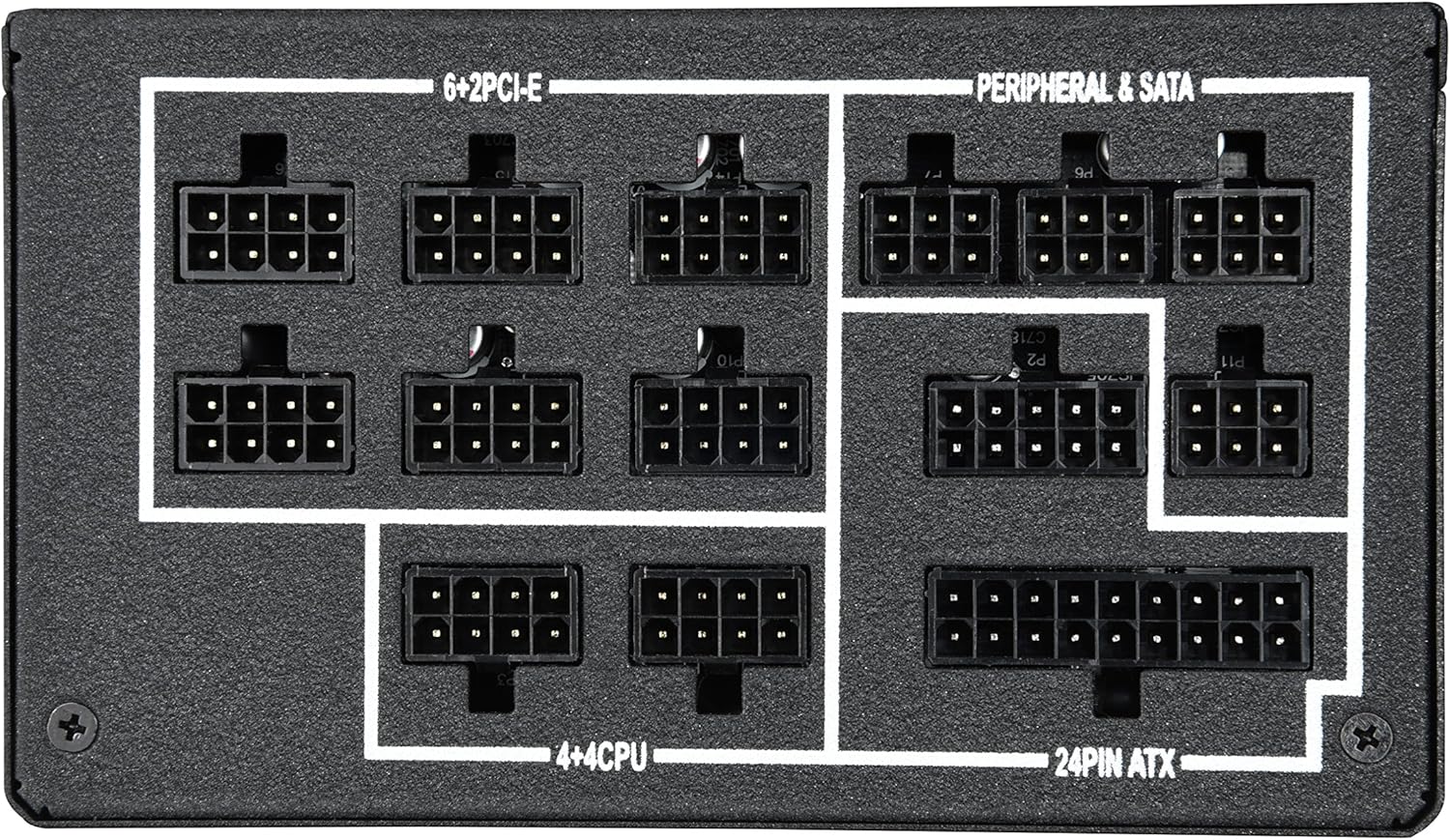
Figur 4.2: Nærbillede view of the modular cable connection ports on the power supply, clearly labeled for 24-pin ATX, 4+4 CPU, 6+2 PCIe, and Peripheral & SATA connections.
The included SLEEMAX cables are individually sleeved with premium fabric, providing durability and a smooth, soft texture for easy routing and improved aesthetics.
5. Betjeningsvejledning
5.1. Tænd/sluk
After all connections are made, connect the AC power cord to the power supply and a wall outlet. Flip the main power switch on the back of the power supply to the 'ON' position. You can then power on your computer system.
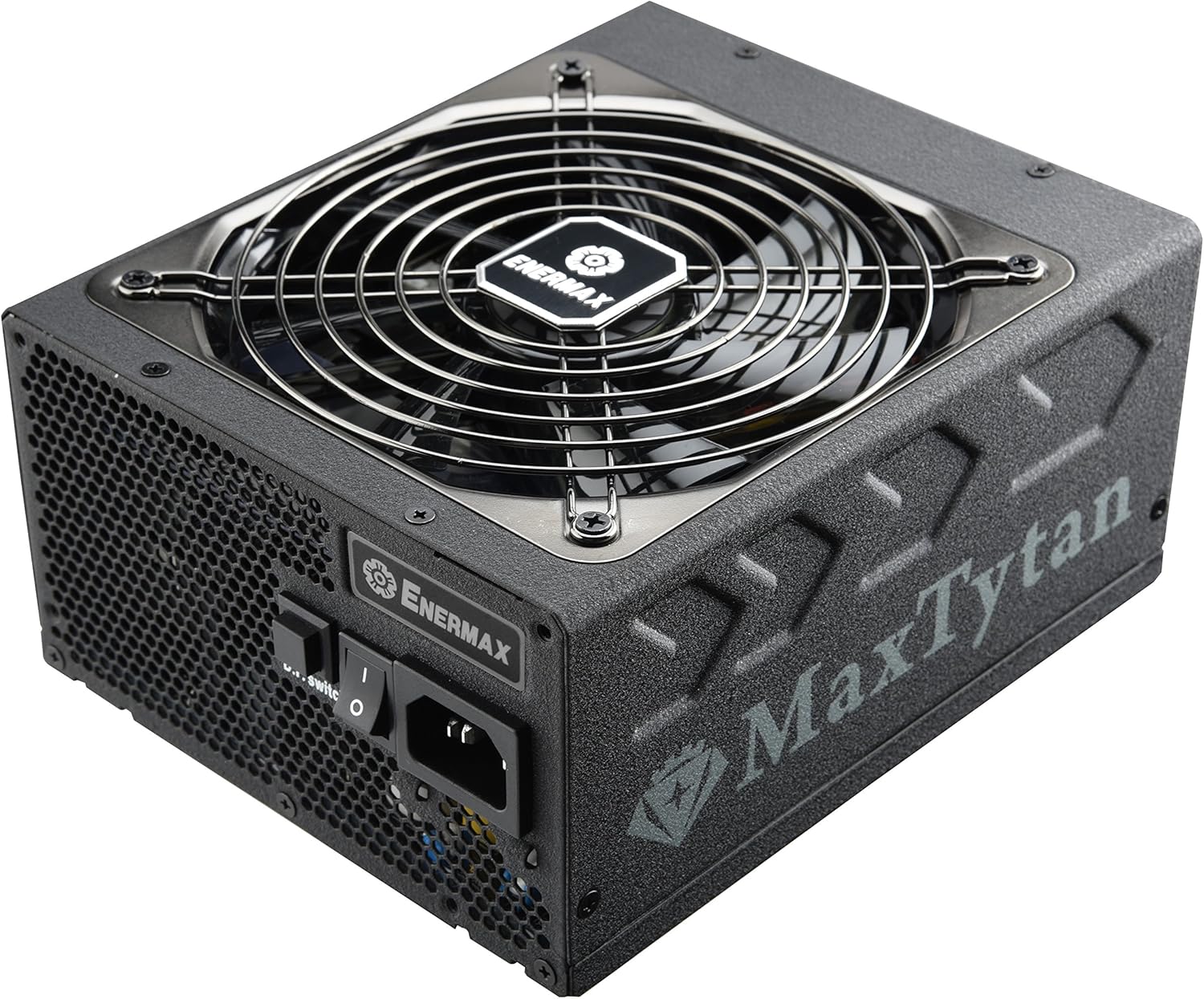
Figur 5.1: Bagside view of the power supply, highlighting the main power switch and the D.F. switch for Dust Free Rotation technology.
5.2. Smart Semi-fanless Control
The MaxTytan 750W features a smart semi-fanless control function. The fan remains off for silent operation when the system load is below 55% (approximately 412W at 25°C ambient temperature). Once the load surpasses this threshold, the fan will automatically start spinning to maintain optimal cooling.
5.3. Dust Free Rotation (DFR) Technology
The unique Dust Free Rotation (DFR) technology helps to prevent dust accumulation inside the power supply. Upon startup, the PSU fan performs a self-cleaning spin in reverse for 10 seconds to blow away accumulated dust. Additionally, the dedicated D.F. switch on the rear of the power supply allows users to activate this DFR technology manually at any time during operation.
Video 5.1: An official Enermax video demonstrating the features of the MaxTytan Power Supply, including its 80 PLUS Titanium efficiency, smart semi-fanless control, and the Dust Free Rotation (DFR) technology activated by the D.F. switch.
6. Vedligeholdelse
Regelmæssig vedligeholdelse er med til at sikre strømforsyningens levetid og optimale ydeevne.
- Fjernelse af støv: Utilize the DFR technology regularly by pressing the D.F. switch to clear dust from the fan and internal components. For stubborn dust, gently use compressed air while the unit is powered off and disconnected.
- Kabelinspektion: Periodically check all modular cable connections to ensure they are securely seated.
- Ventilation: Sørg for, at strømforsyningens indsugnings- og udstødningsventiler ikke er blokerede for at sikre korrekt luftgennemstrømning.
7. Fejlfinding
Hvis du støder på problemer med din strømforsyning, kan du se følgende almindelige fejlfindingstrin:
- Ingen strøm:
- Kontroller, om netledningen er korrekt tilsluttet både strømforsyningen og stikkontakten.
- Sørg for, at hovedafbryderen på strømforsyningen er i 'ON'-positionen.
- Verify that all modular cables are correctly connected to the power supply and system components.
- Test stikkontakten med en anden enhed for at bekræfte, at den har strøm.
- Ventilatoren drejer ikke:
- The MaxTytan features semi-fanless operation. The fan will not spin if the system load is below 55%. This is normal behavior.
- If the system load is high and the fan is still not spinning, try activating the DFR function using the D.F. switch.
- Systemustabilitet/nedbrud:
- Sørg for, at din strømforsyning ertage is sufficient for all your system components.
- Kontrollér alle strømtilslutninger for løse forbindelser.
- If issues persist, consult a qualified technician or contact Enermax support.
8. Specifikationer
Key specifications for the Enermax MaxTytan 750W Power Supply:
| Feature | Beskrivelse |
|---|---|
| Mærke | Enermax |
| Modelnavn | MaxTytan |
| Varemodelnummer | EMT750EWT |
| Output Wattage | 750 watt |
| Effektivitetscertificering | 80 PLUS Titanium |
| Formfaktor | ATX |
| Afkølingsmetode | Luft |
| Dimensioner (LxBxH) | 7 x 6 x 3.5 tommer |
| Vægt | 10 pund |
| Kondensatorer | 100% 105°C Japanese electrolytic capacitors |
| Ventilator | 13.9cm Twister Bearing Fan |
| Beskyttelseskredsløb | OCP, OVP, UVP, OTP, OPP, SCP, SIP |
9. Garanti og support
The Enermax MaxTytan 750W Power Supply comes with a 10-year warranty, ensuring long-term reliability and peace of mind. For technical support, warranty claims, or further assistance, please visit the official Enermax webwebsted eller kontakt deres kundeserviceafdeling.
Du kan finde mere information og supportressourcer på Enermax Store on Amazon.
Ask a question about this manual
Ask about setup, troubleshooting, compatibility, parts, safety, or missing instructions. Manuals+ will review the question and use this page’s manual context to help answer it.