
1. Introduktion
Thank you for choosing the Avantree HF026 Wired Over-Ear Headphones. These lightweight and comfortable headphones are designed to provide a clear audio experience with rich bass, suitable for various devices and uses. This manual will guide you through the setup, operation, and maintenance of your new headphones.
The HF026 headphones feature high-definition drivers and a noise-isolating design for an enhanced listening experience. They are equipped with an extra-long 1.5-meter (4.9-foot) cable for freedom of movement and include a built-in microphone with Multi-Function Button (MFB) control for hands-free communication and media management.
2. Pakkens indhold
- Avantree HF026 Wired Over-Ear Headphones (Model: ADHF-026-BLK)
- Cable ties (for organization)
- Bæretaske
3. Produktet er slutview
Familiarize yourself with the key features of your Avantree HF026 headphones.

Image: Avantree HF026 headphones highlighting stereo sound, on-ear design, answer calling, soft wire, and comfortable wear features.
- Justerbart pandebånd: For a comfortable and secure fit for various head sizes.
- Soft Over-Ear Cushions: Designed for extended wear comfort and passive noise isolation.
- Indbygget mikrofon: Located on the cable for clear voice communication.
- Multifunktionsknap (MFB): Integrated into the cable for call and music control.
- 3.5 mm lydstik: L-shaped connector for universal compatibility with audio devices.
- Foldbare ørekopper: Earcups rotate flat for easy storage and portability in the included carrying case.
4. Opsætning og tilslutning
The Avantree HF026 headphones are designed for simple plug-and-play operation.
- Identificér lydporten: Locate the 3.5mm audio jack on your device (computer, laptop, tablet, mobile phone, MP3/MP4 player). This port is typically marked with a headphone icon.
- Tilslut hovedtelefonerne: Insert the L-shaped 3.5mm audio jack of the Avantree HF026 headphones firmly into your device's audio port.
- Juster for komfort: Place the headphones over your ears. Adjust the headband by sliding the earcups up or down until they fit comfortably and securely on your head. The soft over-ear cushions should fully cover your ears for optimal sound and comfort.
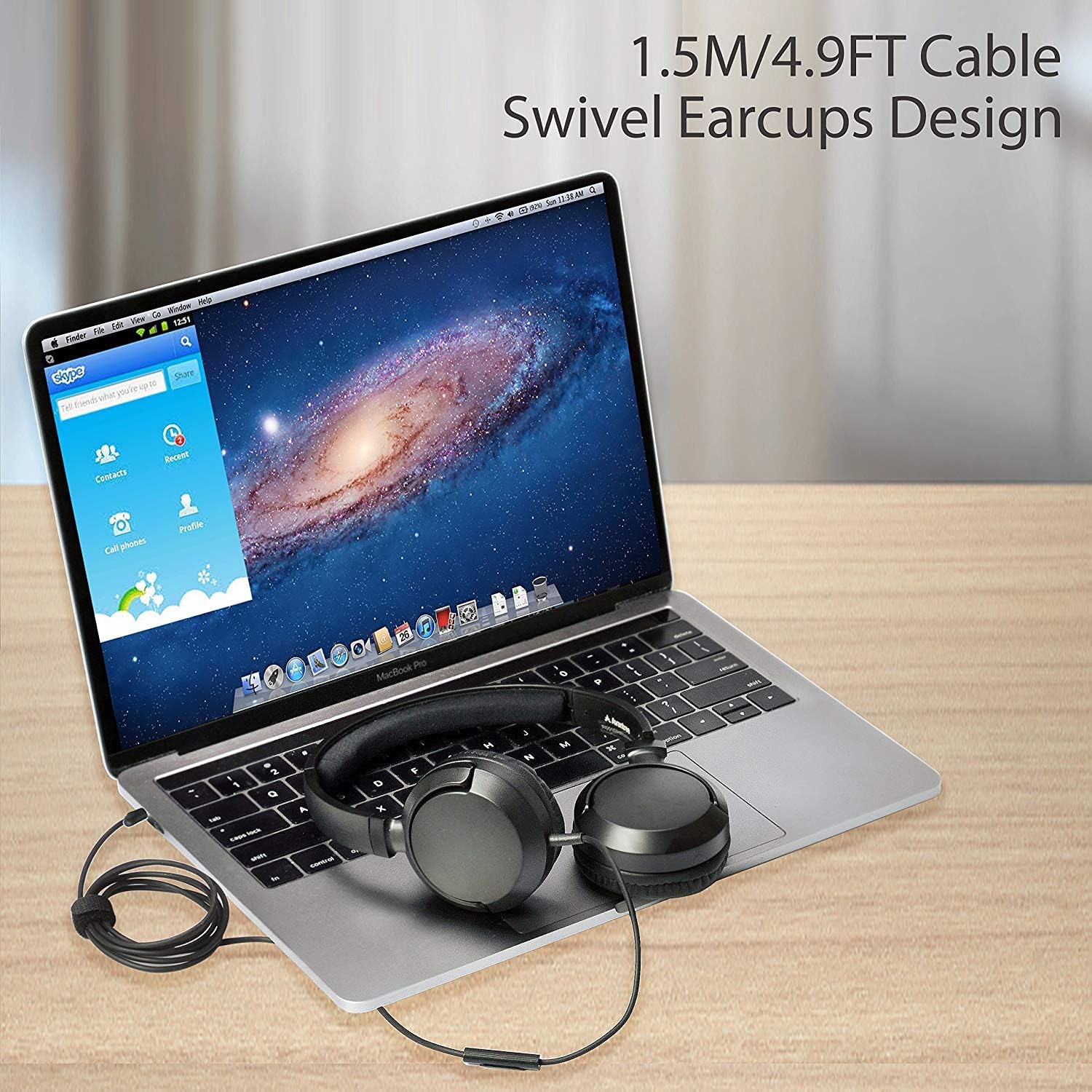
Image: Avantree HF026 headphones with its 1.5m cable connected to a laptop, demonstrating the swivel earcups design.
Your headphones are now ready for use. Ensure your device's volume is set to a comfortable level before playing audio.
5. Betjeningsvejledning
The Avantree HF026 headphones offer straightforward controls for audio playback and calls.
5.1 Lydafspilning
- Once connected, audio from your device will automatically play through the headphones.
- Adjust the volume using your device's volume controls.
- Use the Multi-Function Button (MFB) on the cable to control music:
- Enkelt tryk: Afspil/pause musik.
- Dobbelt tryk: Spring til næste nummer.
- Triple Press: Gå til det forrige spor.
5.2 Opkaldshåndtering
Den indbyggede mikrofon muliggør håndfri opkald.

Image: A person wearing Avantree HF026 headphones and using the built-in microphone for a call while working on a laptop.
- When a call comes in, the audio will switch from music to the call.
- Use the Multi-Function Button (MFB) on the cable to manage calls:
- Enkelt tryk: Besvar et indgående opkald eller afslut et aktivt opkald.
- Tryk og hold: Afvis et indgående opkald.
6. Vedligeholdelse og pleje
Proper care will extend the lifespan of your Avantree HF026 headphones.
- Rensning: Brug en blød, tør klud til at rengøre ørekopperne og hovedbøjlen. Brug ikke flydende rengøringsmidler eller opløsningsmidler.
- Opbevaring: When not in use, fold the earcups flat and store the headphones in the provided carrying case to protect them from dust and damage. Use the included cable ties to keep the cable tidy.
- Undgå fugt: Disse hovedtelefoner er ikke vandafvisende. Hold dem væk fra vand, regn og for høj luftfugtighed.
- Håndteres med forsigtighed: Avoid pulling on the cable or subjecting the headphones to strong impacts.

Image: Close-up of Avantree HF026 headphones showing the soft ear cushions and the stretchable headband for comfort.
7. Fejlfinding
Hvis du støder på problemer med dine hovedtelefoner, kan du prøve følgende løsninger:
- Ingen lyd:
- Ensure the 3.5mm audio jack is fully inserted into your device's port.
- Check your device's volume settings and ensure it is not muted.
- Test hovedtelefonerne med en anden enhed for at udelukke et enhedsspecifikt problem.
- Ensure the audio output on your device is set to the connected headphones.
- Mikrofonen virker ikke:
- Ensure the 3.5mm audio jack is fully inserted. Some devices require a TRRS (4-pole) jack for microphone functionality, which the HF026 provides.
- Check your device's microphone input settings and ensure the correct microphone is selected.
- Test mikrofonen med en anden applikation eller enhed.
- Dårlig lydkvalitet:
- Sørg for, at lydstikket er rent og fri for snavs.
- Try adjusting the audio settings on your device.
- Test med forskellige lydkilder eller files.
8. Specifikationer
| Feature | Detalje |
|---|---|
| Modelnavn | ADHF-026-BLK |
| Mærke | Avantree |
| Forbindelsesteknologi | Kablet |
| Hovedtelefonens formfaktor | Over-Ear |
| Hovedtelefonstik | 3.5 mm Jack |
| Støjkontrol | Lydisolering |
| Kabellængde | 1.5 meter (4.9 fod) |
| Driver diameter | 36 mm |
| Frekvensområde | 20Hz ~ 20KHz |
| Impedans | 32 Ohm ± 15 % |
| Følsomhed | 101 ± 3 dB |
| Varens vægt | 110.56 gram (3.9 ounce) |
| Produktdimensioner | 18.03 x 14.99 x 6.6 cm |
| Materiale | Kunstlæder, Plast |
| Kontroltype | Mediekontrol (knap) |
| Vandmodstandsniveau | Ikke vandafvisende |
| Aldersinterval | Voksen |
9. Garanti og support
Avantree provides a 24 måneders garanti for normal use of the HF026 headphones.
For any issues or suggestions, please contact Avantree support:
- Online support
- Telefonsupport
- E-mail support
A video user guide may also be available on the official Avantree webwebsted for yderligere hjælp.