
1. Introduktion
This manual provides detailed instructions for the installation, operation, and maintenance of your Amcrest AGPS18E16P-AT-190M 18-Port PoE+ Gigabit Ethernet Switch. This managed switch is designed for efficient network management, offering Power over Ethernet (PoE+) capabilities for various network devices such as IP cameras, wireless access points, and VoIP phones. Please read this manual thoroughly before using the device to ensure proper setup and functionality.
Video: An official Amcrest video providing an overview of the product's reliability and security features, demonstrating its application in various settings.
2. Produktfunktioner
The Amcrest AGPS18E16P-AT-190M switch offers a robust set of features for demanding network environments:
- 18-Port POE+ 802.3at Desktop Power Ethernet Switch with 16-Port POE+ and Gigabit Uplink (10/100/1000mbps).
- Supports maximum 30W power (POE+ 802.3at) and 10/100mbps to each POE port.
- 190W total power available to all POE ports.
- 10/100/1000mbps Gigabit Ethernet Uplink and SFP Optical Fiber Uplink.
- Enterprise-level managed switch capability.
- Rack-mountable design for flexible installation.
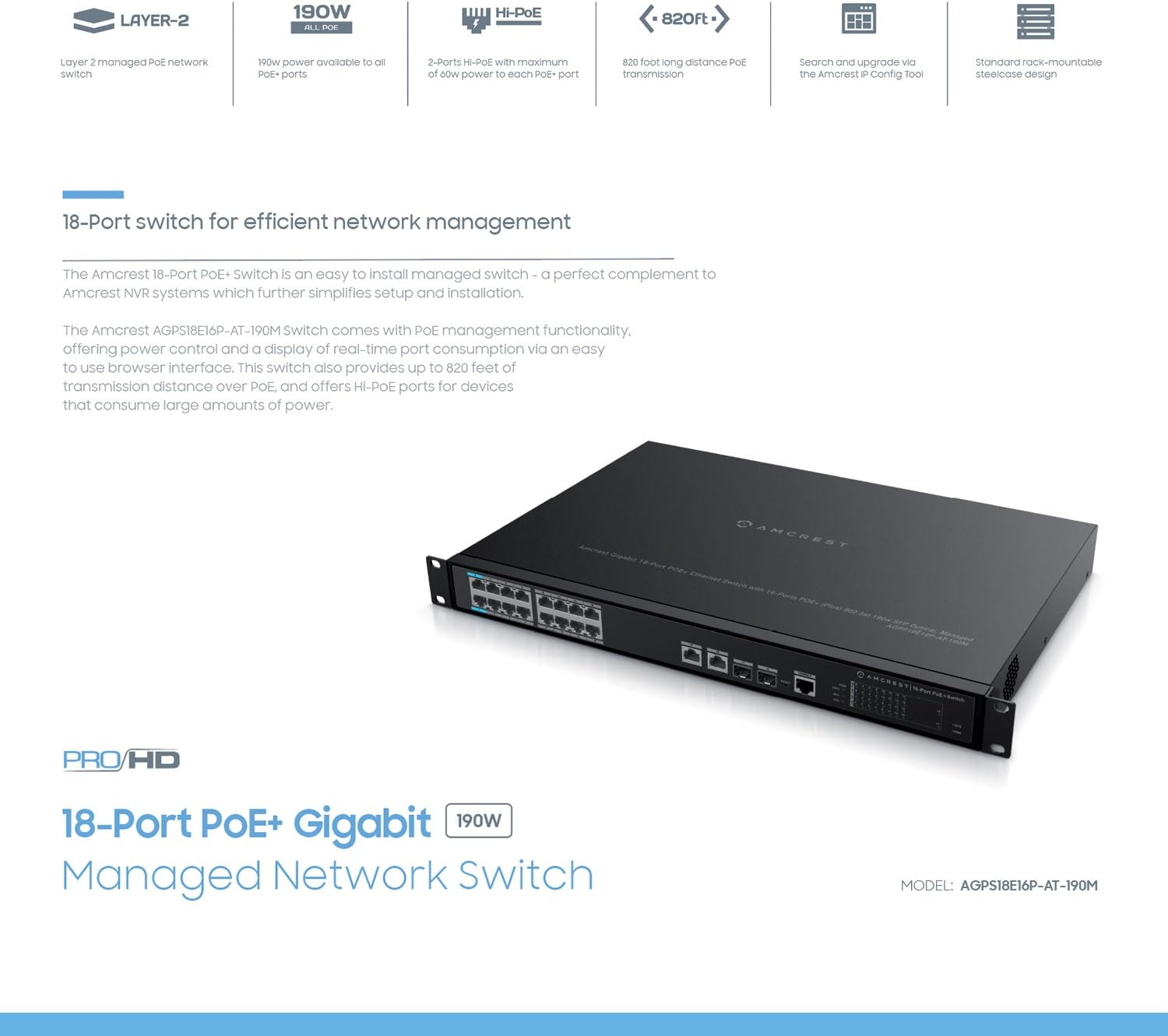
Billede: Diagram highlighting key features of the Amcrest 18-Port PoE+ Switch, including 190W power, Hi-PoE, 820ft long distance PoE transmission, and rack-mountable design.
3. Pakkens indhold
Kontroller venligst, at alle varer er til stede i din pakke:
- Amcrest AGPS18E16P-AT-190M 18-Port PoE+ Gigabit Ethernet Switch
- Strømledning
- Rackmount Ears (with screws)
- Brugervejledning (dette dokument)
4. Fysisk beskrivelse
Familiarize yourself with the ports and indicators on the switch.
Frontpanel
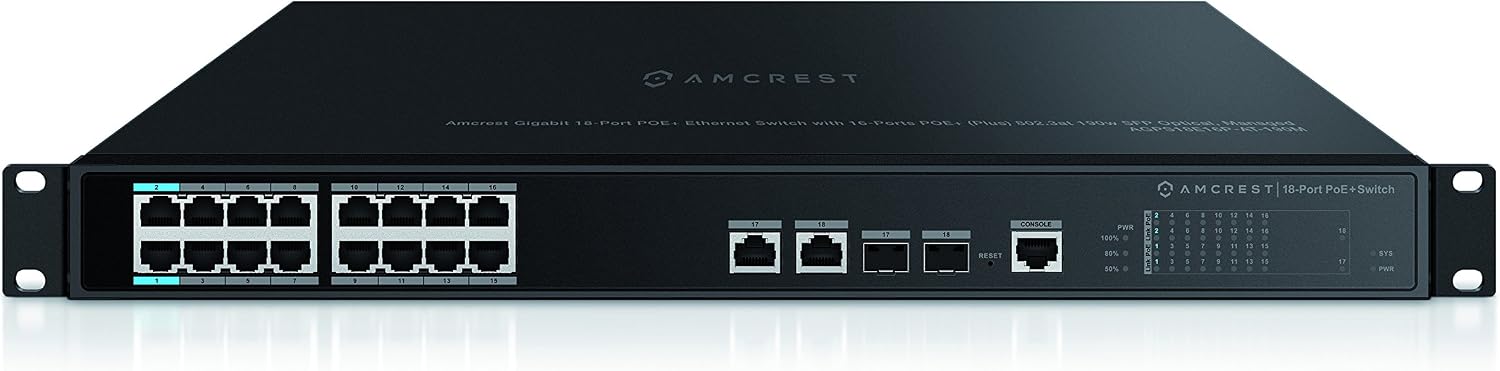
Billede: Front view of the Amcrest 18-Port PoE+ Switch. This image shows the 16 PoE+ ports, 2 Gigabit uplink ports, 2 SFP ports, console port, reset button, and LED indicators.
- PoE+ porte (1-16): 10/100Mbps ports supporting 802.3at/af PoE+.
- Gigabit Uplink Ports (17-18): 10/100/1000Mbps Ethernet ports for connecting to a core network or other switches.
- SFP-porte (17-18): Shared with Gigabit Uplink ports, these slots are for SFP fiber optic modules for long-distance connections.
- Konsolport: For command-line interface (CLI) management.
- Nulstil knap: Bruges til at gendanne fabriksindstillingerne.
- LED-indikatorer: Provide status for Power (PWR), System (SYS), Link/Act, and PoE status for each port.
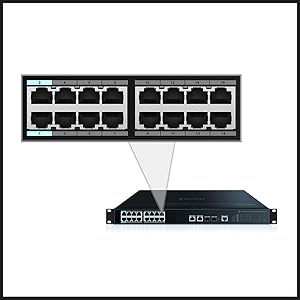
Billede: Close-up image of the ports on the Amcrest 18-Port PoE+ Switch, providing a clearer view of the Ethernet and SFP connections.
Dimensioner

Billede: Detaljeret view of the Amcrest 18-Port PoE+ Switch showing its dimensions (17.3 inches wide, 1.7 inches high) and a clear layout of all ports and indicators.
5. Opsætning
Follow these steps to set up your Amcrest PoE+ switch:
- Montering: The switch is rack-mountable. Attach the included rackmount ears to the sides of the switch using the provided screws. Secure the switch into a standard 19-inch equipment rack. Ensure adequate ventilation around the switch.
- Strømtilslutning: Connect the power cord to the AC power inlet on the rear panel of the switch and then to a grounded electrical outlet.
- Netværksforbindelser:
- PoE-enheder: Connect your PoE-compatible devices (e.g., IP cameras, access points) to ports 1-16 using standard Ethernet cables. The switch will automatically detect and provide power to these devices.
- Uplink-porte: Connect the Gigabit uplink ports (17 or 18) to your router, NVR, or main network switch using an Ethernet cable.
- SFP-moduler: If using fiber optic connections, insert compatible SFP modules into the SFP slots (shared with ports 17-18) and connect fiber optic cables.
- Indledende konfiguration: For managed features, connect a computer to any non-PoE port or a Gigabit uplink port. The switch typically has a default IP address (refer to the included quick start guide or Amcrest support for the specific default IP and login credentials). Access the web-baseret administrationsgrænseflade via en web browser to configure advanced settings.

Billede: Illustrative image showing various network devices, such as IP cameras and access points, connected to the Amcrest PoE+ Switch, demonstrating its application in a network setup.
6. Betjeningsvejledning
Tænd/sluk
Once the power cord is connected, the switch will power on automatically. The PWR LED indicator will illuminate. To power off, disconnect the power cord from the electrical outlet.
LED-indikatorer
- PWR: Solid green when the switch is powered on.
- SYS: Indicates system status (e.g., solid for normal operation, blinking for activity).
- Link/Act (per port): Solid green when a device is connected and a link is established. Blinking green indicates data activity.
- PoE (per port): Solid green when PoE power is being supplied to a connected device.
Managed Features
As a managed switch, the AGPS18E16P-AT-190M offers advanced configuration options via its web-based interface. These include:
- VLAN configuration for network segmentation.
- Quality of Service (QoS) settings to prioritize network traffic.
- Port Aggregation (LACP) for increased bandwidth and redundancy.
- PoE management, including power scheduling and monitoring.
- System logs and diagnostics.
Refer to the switch's online documentation or Amcrest support for detailed instructions on configuring these advanced features.
7. Vedligeholdelse
Proper maintenance ensures the longevity and optimal performance of your switch:
- Rensning: Rengør regelmæssigt ydersiden af kontakten med en blød, tør klud. Brug ikke flydende rengøringsmidler eller rengøringsmidler på sprayform. Sørg for, at ventilationsåbningerne er fri for støv og blokeringer.
- Firmwareopdateringer: Periodically check the Amcrest official website for available firmware updates. Applying updates can improve performance, add features, and address security vulnerabilities. Follow the instructions provided with the firmware update carefully.
- Miljøforhold: Operate the switch within its specified temperature and humidity ranges. Avoid exposing the switch to direct sunlight, excessive heat, or moisture.
8. Fejlfinding
Hvis du støder på problemer med din switch, kan du se følgende almindelige problemer og løsninger:
- Ingen strøm:
- Sørg for, at netledningen er korrekt tilsluttet både afbryderen og en fungerende stikkontakt.
- Kontroller, at stikkontakten fungerer ved at tilslutte en anden enhed.
- Ingen forbindelse/forbindelse:
- Check that Ethernet cables are securely connected to both the switch port and the connected device.
- Sørg for, at den tilsluttede enhed er tændt og fungerer korrekt.
- Prøv et andet Ethernet-kabel eller en anden port.
- For SFP connections, ensure the SFP module is correctly inserted and compatible.
- PoE Not Delivering Power:
- Verify the connected device is PoE-compatible (802.3at/af).
- Check the PoE LED for the specific port; if it's off, power is not being supplied.
- Ensure the total power consumption of all PoE devices does not exceed the switch's 190W budget.
- Få adgang til web management interface to check PoE settings and status for the port.
- Langsom netværkshastighed:
- Kontroller for defekte kabler eller forbindelser.
- Ensure connected devices are operating at their expected speeds (e.g., 100Mbps devices on 10/100 ports).
- Review QoS settings in the management interface if traffic prioritization is configured.
- Nulstilling af kontakten: If issues persist, you may need to reset the switch to factory default settings. With the switch powered on, use a paperclip or similar pointed object to press and hold the Reset button for approximately 5-10 seconds until the LEDs flash. The switch will then reboot with default settings.
9. Specifikationer
Detailed technical specifications for the Amcrest AGPS18E16P-AT-190M switch:
| Feature | Specifikation |
|---|---|
| Mærke | Amcrest |
| Modelnummer | AGPS18E16P-AT-190M |
| Antal havne | 18 (16 PoE+, 2 Gigabit Uplink/SFP) |
| PoE Standard | IEEE 802.3at/af |
| Maks. PoE-strøm pr. port | 30W |
| Samlet PoE Power Budget | 190W |
| Ethernet-porthastighed | 10/100Mbps (PoE+ ports), 10/100/1000Mbps (Uplink ports) |
| Uplink grænseflade | Gigabit Ethernet, SFP |
| Switch Type | Administreret |
| Etui materiale | Metal |
| Rack montering | Ja |
| Strømforsyning | AC 100-240V |
| Dimensioner (B x H x D) | 17.3 x 1.7 x [Depth not specified, typical for 1U rackmount] inches |
| Driftsfugtighed | 10% - 90% RF (ikke-kondenserende) |
| Garanti | 1 år |
10. Garanti og support
The Amcrest AGPS18E16P-AT-190M switch comes with a 1-års garanti fra købsdatoen. Denne garanti dækker fejl i materialer og udførelse ved normal brug.
For technical support, warranty claims, or additional product information, please contact Amcrest customer service through their official website or the contact information provided with your purchase. Ensure you have your product model number (AGPS18E16P-AT-190M) and proof of purchase available when contacting support.
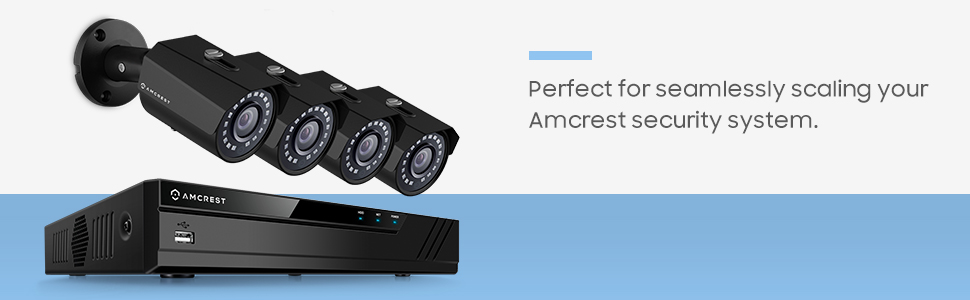
Billede: An image depicting the Amcrest PoE+ Switch as part of a larger security system, connecting multiple surveillance cameras.