
1. Introduktion
This manual provides instructions for the proper setup, operation, and maintenance of your Amazon Basics Controller Battery Pack Charger for Xbox One S Console. Please read this manual thoroughly before use to ensure optimal performance and safety.
2. Produktet er slutview
The Amazon Basics Controller Battery Pack Charger is designed to provide a convenient and efficient charging solution for your Xbox One S wireless controllers. It includes a charging dock that connects directly to your console and two rechargeable battery packs.
2.1 Pakkens indhold
- 1 x Amazon Basics Controller Battery Pack Charger
- 2 x genopladelige batteripakker
- 1 x Brugermanual (dette dokument)
2.2 Produktegenskaber
- Integrated design for Xbox One S console.
- Dual charging slots for two battery packs.
- LED-indikatorer for opladningsstatus.
- Pass-through USB port for continued console functionality.

Image: The Amazon Basics Controller Battery Pack Charger with its two included rechargeable battery packs.
3. Opsætningsvejledning
- Connect the Charger to the Console: Locate an available USB port on your Xbox One S console. Insert the charger's integrated USB connector into the console's USB port. The charger is designed to fit snugly on the side of the console.

Image: The charging dock securely attached to the side of an Xbox One S console, utilizing a USB port.
- Install Battery Packs into Controllers: Open the battery compartment on your Xbox One S wireless controller. Insert an Amazon Basics rechargeable battery pack, ensuring the contacts align correctly. Close the battery compartment cover.
Note: The battery packs are designed for a snug fit. Ensure proper alignment and gentle pressure when installing or removing to avoid damage.

Image: Two Amazon Basics rechargeable battery packs, ready for insertion into a controller or charger.
4. Betjeningsvejledning
4.1 Charging Battery Packs
- Ensure the charger is properly connected to your Xbox One S console.
- Insert the rechargeable battery packs into the charging slots on the top of the charger. Ensure they are seated correctly.

Image: A rechargeable battery pack being placed into one of the charging slots on the dock.
- The LED indicators on the front of the charger will illuminate to show the charging status:
- Rød LED: Batteriet oplades.
- Grøn LED: Batteriet er fuldt opladet.

Image: The charging dock attached to the console, displaying its LED indicators for charging status.
- Once fully charged, remove the battery packs from the charger.
4.2 Using the Pass-Through USB Port
The charger features a pass-through USB port on its front, allowing you to connect other USB devices to your console without losing a port. This port functions as a standard USB 3.0 port.
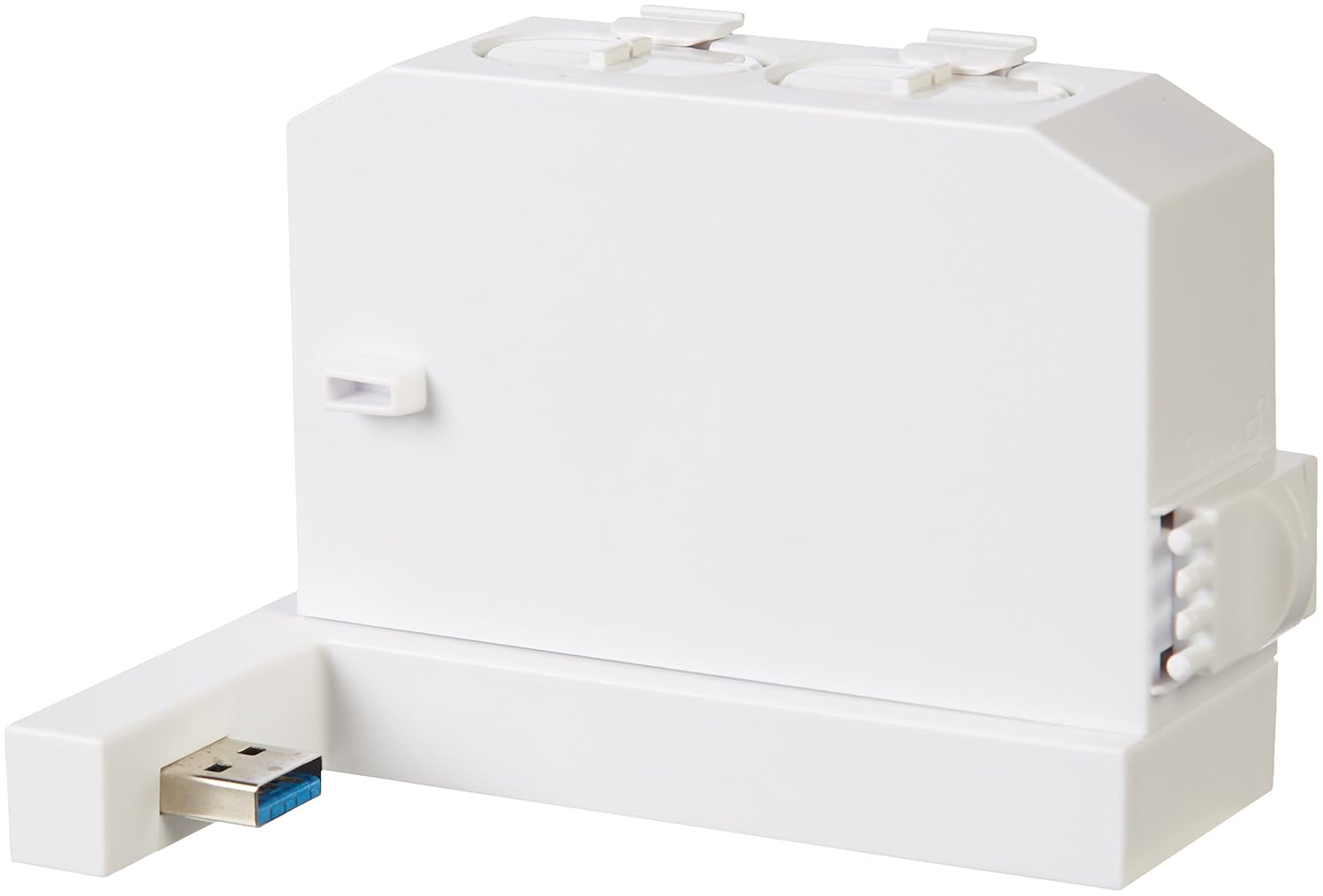
Image: The charging dock highlighting its integrated pass-through USB port for additional connectivity.
5. Vedligeholdelse
- Rensning: Disconnect the charger from the console before cleaning. Use a soft, dry cloth to wipe the surface of the charger and battery packs. Do not use liquid cleaners or abrasive materials.
- Opbevaring: When not in use for extended periods, store the charger and battery packs in a cool, dry place away from direct sunlight and extreme temperatures.
6. Fejlfinding
| Problem | Mulig årsag | Løsning |
|---|---|---|
| Batteries not charging (Red LED not on) |
|
|
| Battery pack does not fit controller |
|
|
| Pass-through USB port not working |
|
|
7. Specifikationer
- Modelnummer: 88b1050f-1d0d-44fb-81a3-52970ae4488e
- Kompatibilitet: Xbox One S Wireless Controllers
- Input: USB (from Xbox One S console)
- Produktion: Dual charging slots, 1x USB 3.0 pass-through port
- Batteritype: Rechargeable NiMH (specific capacity not provided in source, general type)
- Dato først tilgængelig: 19. juni 2017
- Fabrikant: Grundlæggende om Amazon
8. Sikkerhedsoplysninger
- Du må ikke skille enheden ad, modificere eller forsøge at reparere enheden.
- Keep the charger and battery packs away from water, moisture, and extreme temperatures.
- Undgå at tabe eller udsætte enheden for kraftige stød.
- Kortslut ikke batteripolerne.
- Bortskaf brugte batterier i henhold til lokale regler.
- Dette produkt er kun beregnet til indendørs brug.
9. Garanti og support
For garantioplysninger og kundesupport henvises til den officielle Amazon Basics-side. webwebstedet eller kontakt Amazons kundeservice direkte. Gem din købskvittering til garantikrav.