
1. Produktet er slutview
The Fender Monterey Bluetooth Speaker delivers clear, powerful audio with a design inspired by classic Fender amplifiers. This speaker is engineered for high-fidelity sound reproduction, featuring 120 watts of power, two woofers, and two tweeters. It supports audio streaming via Bluetooth and direct connection through a 3.5mm auxiliary jack or RCA inputs.
Figur 1: Forside view of the Fender Monterey Bluetooth Speaker, showcasing its classic amplifier-inspired grille and Fender logo.
2. Hvad er der i æsken
Bekræft, at alle nedenstående varer er inkluderet i din pakke:
- Fender Monterey Bluetooth Speaker
- 3.5 mm hjælpekabel
- RCA-kabel
- Strømkabel
3. Opsætningsvejledning
3.1 Strømtilslutning
- Ensure the speaker's volume control is set to minimum before connecting power.
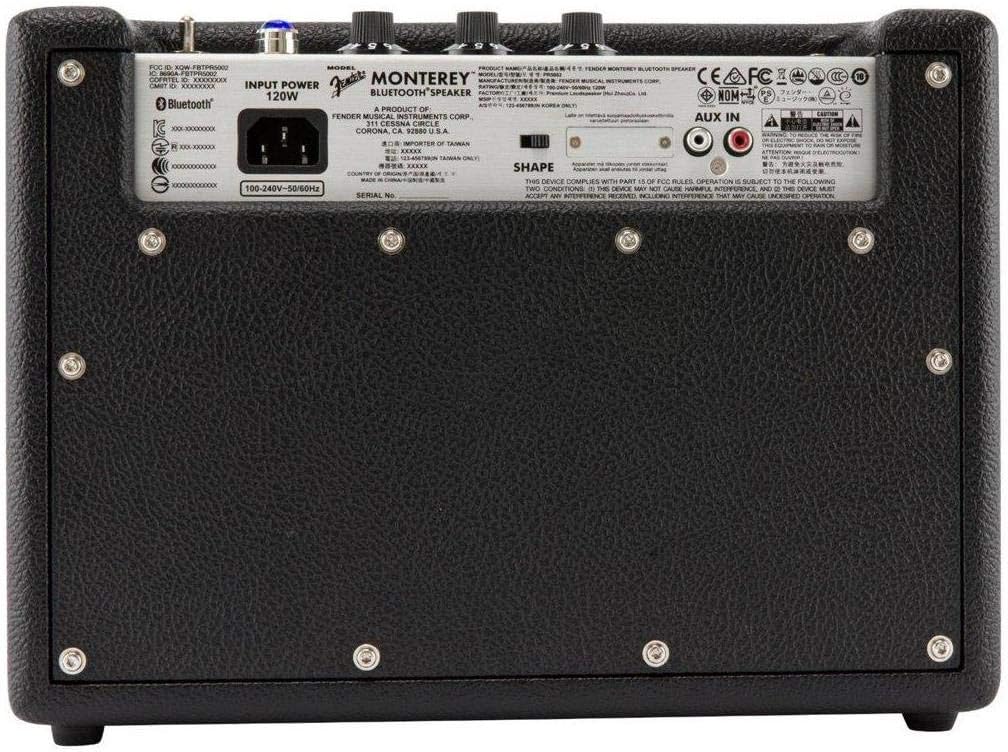
- Connect the supplied power cable to the AC input on the rear panel of the speaker.
- Sæt den anden ende af strømkablet i en passende stikkontakt (100-240V, 50/60Hz).
- Flip the power switch on the top panel to the "ON" position. The speaker will emit a chime indicating it is powered on.
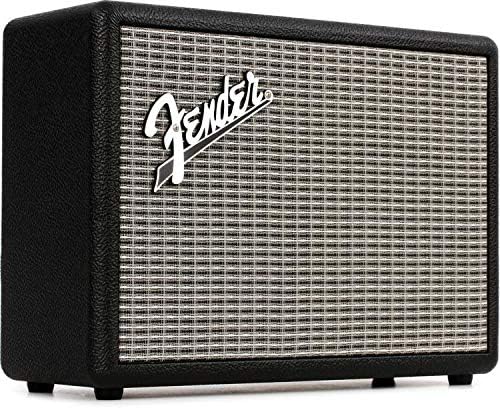
Figure 2: Rear panel of the Fender Monterey speaker, showing the power input and auxiliary connections.
3.2 Bluetooth -parring
- With the speaker powered on, press the PAR button on the top panel. The Bluetooth indicator light will begin to flash, indicating it is in pairing mode.
- Gå til Bluetooth-indstillingerne på din lydenhed (smartphone, tablet, computer).
- Select "Fender Monterey" from the list of available devices.
- Once successfully paired, the Bluetooth indicator light on the speaker will turn solid blue, and a confirmation chime will sound.
3.3 Tilslutning af hjælpeindgang
For devices without Bluetooth, use the provided 3.5mm auxiliary cable or RCA cable.
- 3.5mm Aux: Connect one end of the 3.5mm cable to your audio device's headphone jack and the other end to the MINI input on the speaker's top panel.
- RCA: Connect the RCA cable to your audio device's RCA outputs and the other end to the RCA inputs on the speaker's rear panel.
Select the appropriate source (BLUETOOTH, MINI, eller RCA) bruger KILDE knappen på toppanelet.

Figure 3: Top panel controls of the Fender Monterey speaker, including Volume, Treble, Bass, Source, and Pair buttons.
4. Betjeningsvejledning
4.1 Lydafspilning
- Ensure your audio source is connected and selected (Bluetooth, Mini, or RCA).
- Start afspilning af lyd fra din tilsluttede enhed.
- Juster BIND knob on the speaker's top panel to your desired listening level.
4.2 Tonekontroller
The Fender Monterey speaker features dedicated controls for customizing your sound:
- DISKANT: Adjusts the high-frequency response of the audio. Turn clockwise for brighter sound, counter-clockwise for warmer sound.
- BAS: Adjusts the low-frequency response of the audio. Turn clockwise for more bass, counter-clockwise for less bass.
- FORM: A toggle switch located on the rear panel. This control modifies the overall tonal character, offering different sound profiles. Experiment with both positions to find your preferred sound.
5. Vedligeholdelse
- Rensning: Use a soft, dry cloth to clean the speaker's exterior. Avoid abrasive cleaners, solvents, or sprays that may damage the finish.
- Opbevaring: Når højttaleren ikke er i brug i længere perioder, skal den opbevares køligt og tørt, væk fra direkte sollys og ekstreme temperaturer.
- Ventilation: Ensure proper ventilation around the speaker to prevent overheating. Do not block any ventilation openings.
- Væskeeksponering: Keep the speaker away from liquids. In case of accidental spills, immediately disconnect power and allow it to dry completely before re-use.
6. Fejlfinding
Ingen strøm
- Sørg for, at strømkablet er korrekt tilsluttet både højttaleren og en fungerende stikkontakt.
- Verify the power switch on the top panel is in the "ON" position.
- Kontroller om stikkontakten fungerer ved at tilslutte en anden enhed.
Ingen lyd
- Confirm the correct audio source (Bluetooth, Mini, or RCA) is selected using the KILDE knap.
- Forøg BIND knob on the speaker and the volume on your connected audio device.
- If using Bluetooth, ensure the device is properly paired and connected. Try re-pairing if necessary.
- If using auxiliary inputs, ensure cables are fully inserted and not damaged.
Problemer med Bluetooth-parring
- Ensure the speaker is in pairing mode (flashing Bluetooth indicator). Press the PAR button if it's not flashing.
- Move your audio device closer to the speaker to ensure it's within range.
- Turn off and on the Bluetooth function on your audio device.
- If the speaker was previously paired with another device, disconnect it from that device first.
7. Tekniske specifikationer
| Modelnummer | 6960200000 |
| Mærke | Fender |
| Output Wattage | 120 watt |
| Højttalerkonfiguration | Two woofers, two tweeters |
| Forbindelse | Bluetooth, 3.5mm Auxiliary Input, RCA Input |
| Produktmål (D x B x H) | 9.3" x 16.8" x 14.6" (23.6 cm x 42.7 cm x 37.1 cm) |
| Varens vægt | 18.6 pund (8.44 kg) |
| Farve | Sort |
| Fabrikant | Fender Musical Instruments Corp. |
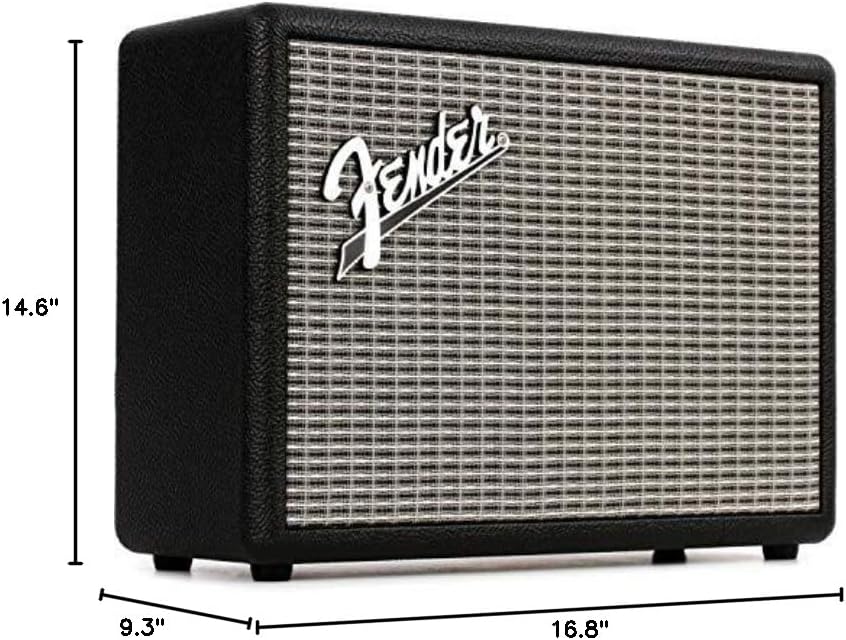
Figure 4: Dimensions of the Fender Monterey Bluetooth Speaker.
8. Garanti og support
For warranty information, product registration, or technical support, please refer to the official Fender webwebstedet eller kontakt Fender kundeservice. Gem din købsbevis til garantikrav.
Online ressourcer: www.fender.com