
1. Introduktion
The EOZ One Wireless Bluetooth Earphones offer a premium audio experience with powerful bass and clear mid-highs, delivered by 9mm electro-dynamic drivers and aptX technology. Crafted from fine leather and aluminum, these earphones combine elegant design with advanced functionality. This manual provides detailed instructions for the proper use and care of your EOZ One earphones.
2. Pakkens indhold
Kontroller venligst, at alle nedenstående varer er inkluderet i din pakke:
- EOZ One Earphones
- USB-hurtigopladningskabel
- Memory Foam Ear Tips (Sizes S, M, L)
- Silicon Ear Tips (Sizes S, M, L)
- Leather Carrying Pouch
- EOZ Member Card
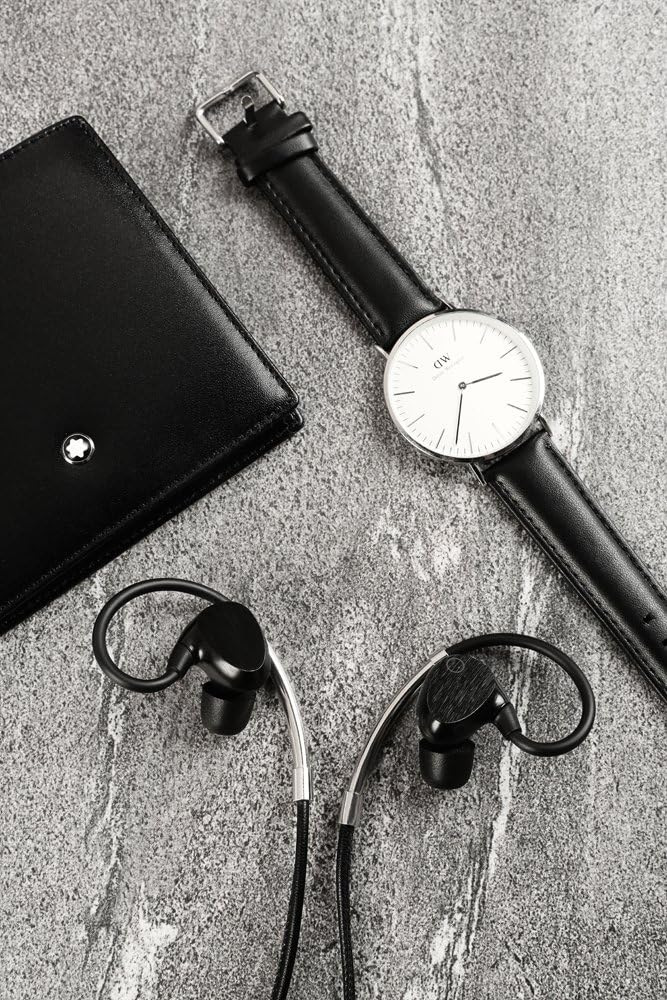
Image: EOZ One Earphones displayed with their included accessories, such as the leather carrying pouch, USB charging cable, and various sizes of ear tips.
3. Produktfunktioner
- Premium materialer: Constructed with high-quality leather and aluminum for durability and aesthetic appeal.
- Overlegen lyd: Equipped with 9mm electro-dynamic drivers and aptX technology for high-resolution audio, powerful bass, and clear mid-highs.
- Komfortabel pasform: Features around-ear ergonomic design and includes both memory foam and silicon ear tips for a secure and comfortable fit.
- Lang batterilevetid: Op til 9 timers lydafspilning på en enkelt opladning.
- Hurtig opladning: Fully charges in less than 90 minutes.
- IPX4 Water and Dust Resistant: Designed to withstand splashes and light dust exposure, making them suitable for various activities.
- Integreret kontrol: Manage music playback, answer calls, and activate voice commands directly from the inline remote.

Image: A woman with wet hair wearing the EOZ One earphones, demonstrating their water resistance feature (IPX4).
4. Opsætning
4.1. Opladning af øretelefonerne
Before first use, fully charge your EOZ One earphones. A full charge takes less than 90 minutes.
- Connect the small end of the provided USB charging cable to the charging port on the inline remote of your earphones.
- Tilslut den større ende af USB-kablet til en USB-strømkilde (f.eks. en computers USB-port eller en USB-vægadapter).
- The LED indicator on the remote will illuminate during charging and change color or turn off when charging is complete.
4.2. Bluetooth-parring
To connect your EOZ One earphones to a Bluetooth-enabled device:
- Sørg for, at høretelefonerne er slukkede.
- Press and hold the multi-function button on the inline remote until the LED indicator flashes blue and red alternately, indicating pairing mode.
- Aktiver Bluetooth på din enhed (smartphone, tablet, computer) og søg efter tilgængelige enheder.
- Select "EOZ One" from the list of found devices.
- Once connected, the LED indicator on the earphones will flash blue periodically or turn solid blue.
5. Betjening af øretelefonerne
5.1. Sådan bærer du høretelefonerne
For optimal sound quality and comfort, ensure the earphones are worn correctly with the ear hooks positioned over your ears.

Image: A woman wearing the EOZ One earphones, showing the side profile and how the ear hooks fit.

Image: A woman wearing the EOZ One earphones, showing the back profile and the cable routing.
Experiment with the different sizes of memory foam and silicon ear tips to find the best fit for your ears. A proper seal is crucial for bass response and noise isolation.
5.2. Inline Remote Controls
Den indbyggede fjernbetjening giver nem kontrol over din lyd og dine opkald.

Billede: En detaljeret view of the EOZ One earphones, highlighting the inline remote control with its buttons.
| Knap/handling | Fungere |
|---|---|
| Multifunktionsknap (Centrum) |
|
| Volumen + | Tryk én gang: Øg lydstyrken |
| Volumen - | Tryk én gang: Sænk lydstyrken |
6. Vedligeholdelse
6.1. Rensning
Regular cleaning helps maintain the performance and hygiene of your earphones.
- Wipe the earphones and inline remote with a soft, dry, lint-free cloth.
- For ear tips, remove them from the earphones and clean with a mild soap solution if necessary, then rinse thoroughly and allow to air dry completely before reattaching.
- Brug ikke slibende rengøringsmidler, alkohol eller kemiske opløsningsmidler.
6.2. Opbevaring
When not in use, store your EOZ One earphones in the provided leather carrying pouch to protect them from dust, scratches, and tangles.
7. Fejlfinding
If you encounter issues with your EOZ One earphones, refer to the following common solutions:
| Problem | Mulig løsning |
|---|---|
| Ingen strøm/Tænder ikke | Charge the earphones fully. Ensure the charging cable is securely connected. |
| Kan ikke parres med enheden | Ensure earphones are in pairing mode (flashing blue/red). Turn off and on Bluetooth on your device. Move earphones closer to the device. Clear previous Bluetooth connections on your device. |
| Ingen lyd/lav lydstyrke | Increase volume on both earphones and connected device. Ensure earphones are properly paired. Check ear tip fit for a good seal. |
| Sound cuts out/Intermittent connection | Move closer to the connected device. Avoid obstacles between earphones and device. Reduce interference from other wireless devices. |
| Mikrofon virker ikke | Ensure earphones are connected for calls. Check microphone settings on your device. |
Hvis problemet fortsætter efter at have prøvet disse løsninger, bedes du kontakte kundesupport.
8. Specifikationer
| Feature | Detalje |
|---|---|
| Modelnummer | EO-1103 |
| Forbindelsesteknologi | Bluetooth |
| Driver størrelse | 9mm Electro-dynamic |
| Batterilevetid | Op til 9 timer |
| Opladningstid | Mindre end 90 minutter |
| Vandmodstandsvurdering | IPX4 |
| Vægt | 18 gram |
| Materialer | Aluminium, Leather |
| Kontroltype | Voice Control, Inline Remote |
9. Garanti og support
9.1. Garantioplysninger
The EOZ One Wireless Bluetooth Earphones come with a 1 års lokal (Singapore) producentgaranti fra købsdatoen. Denne garanti dækker fabrikationsfejl og udførelse under normal brug. Den dækker ikke skader forårsaget af misbrug, ulykker, uautoriserede ændringer eller normal slitage.
Gem venligst dit købsbevis for garantikrav.
9.2. Kundesupport
For technical assistance, warranty claims, or further inquiries, please contact EOZ Audio customer support through their official webwebstedet eller forhandleren, hvor produktet blev købt.