
Indledning
This manual provides essential instructions for the proper use and care of your Transcend TS64GUSDU3M microSD card. This high-performance storage solution is designed for reliable data storage and fast transfer speeds across various compatible devices.
Pakkens indhold
- Transcend TS64GUSDU3M microSD Card
- SD-kortadapter
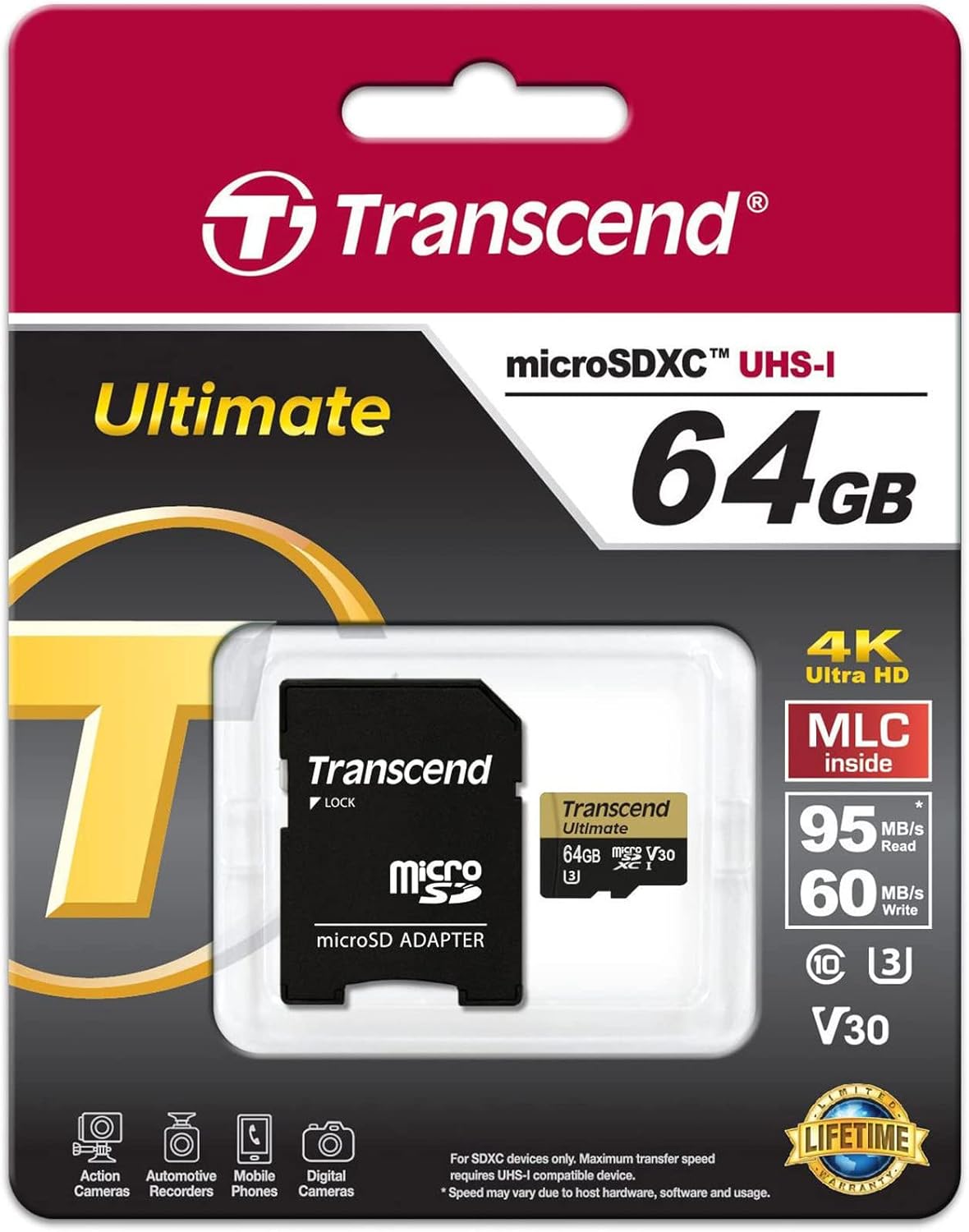
Image: Transcend microSD card and SD adapter as packaged.
Opsætning
- Indsættelse af microSD-kortet: Locate the microSD card slot on your compatible device (e.g., camera, smartphone, tablet). Ensure the card is oriented correctly according to the device's diagram. Gently push the card into the slot until it clicks into place.
- Brug af SD-adapteren: For devices that use standard SD card slots, insert the microSD card into the provided SD adapter. Then, insert the adapter into the device's SD card slot. Ensure the lock switch on the adapter is in the 'unlocked' position.
- Formatering: It is recommended to format the microSD card using your device's internal formatting function before first use. This ensures optimal compatibility and performance. Refer to your device's manual for specific formatting instructions. Formatting will erase all data on the card.

Image: Transcend microSD card and SD adapter, ready for use.
Drift
- Dataoverførsel: Once inserted and recognized, the microSD card functions as external storage. You can transfer files (photos, videos, documents) to and from the card using your device's file management system or by connecting the device to a computer.
- Hastighedsklasse: This card is rated UHS-I U3 and V30, indicating high-speed performance suitable for 4K Ultra HD video recording and fast continuous shooting. Ensure your device supports these speed classes for optimal performance.
- Kompatibilitet: The card is compatible with devices supporting microSD, microSDHC, and microSDXC standards. Verify that your device supports the card's capacity (64GB) before use.
Opretholdelse
- Vandtæt funktion: The card is designed to be waterproof, offering protection against accidental water exposure. However, avoid prolonged submersion.
- Håndtering: Always handle the card by its edges. Avoid touching the gold contacts to prevent data corruption or physical damage.
- Opbevaring: Store the card in a protective case when not in use to prevent physical damage and exposure to extreme temperatures or static electricity.
Fejlfinding
- Kort ikke genkendt:
- Sørg for, at kortet er sat helt og korrekt i enheden eller adapteren.
- Try inserting the card into another compatible device or a different card reader to rule out device-specific issues.
- If using the SD adapter, ensure the lock switch is in the 'unlocked' position.
- Check if your device's firmware is up to date.
- Langsom ydeevne:
- Sørg for, at din enhed understøtter UHS-I-hastigheder. Ældre enheder udnytter muligvis ikke kortets hastighedsmuligheder fuldt ud.
- Undgå at fylde kortet helt op, da dette nogle gange kan påvirke ydeevnen.
- Regularly back up data and format the card to maintain optimal performance.
- Datatab:
- Immediately stop using the card if data loss is suspected.
- Consult data recovery software or professional services if necessary.
Specifikationer
| Mærke | Transcendere |
| Modelnavn | TS64GUSDU3M |
| Flash-hukommelsestype | Micro SD, SD (with adapter) |
| Hukommelseslagringskapacitet | 64 GB |
| Kompatible enheder | Kamera, Personlig Computer, Smartphone |
| Yderligere funktioner | Vandtæt |
| Læs Speed | Op til 95 megabyte pr. sekund |
| Hardwareforbindelse | MicroSD |
| Sikker digital associations hastighedsklasse | Class 10, UHS-I U3, V30 |
| Varens vægt | 9.07 g |
| Farve | Sort |
Garanti
This Transcend microSD card comes with a limited warranty. For specific terms, conditions, and duration of the warranty, please refer to the official Transcend website or the warranty information included with your product packaging. Keep your proof of purchase for warranty claims.
Støtte
For further assistance, product registration, or to submit a warranty claim, please visit the official Transcend website. You can typically find detailed FAQs, driver downloads, and contact information for customer support there.
For mere information kan du også besøge Transcend Store on Amazon.