
Indledning
Thank you for choosing the ALLOYSEED Bluetooth FM Transmitter Car Charger. This device allows you to stream audio from your Bluetooth-enabled smartphone or tablet to your car's FM radio, make hands-free calls, and charge your mobile devices via its integrated USB port. Please read this manual carefully to ensure proper use and optimal performance.
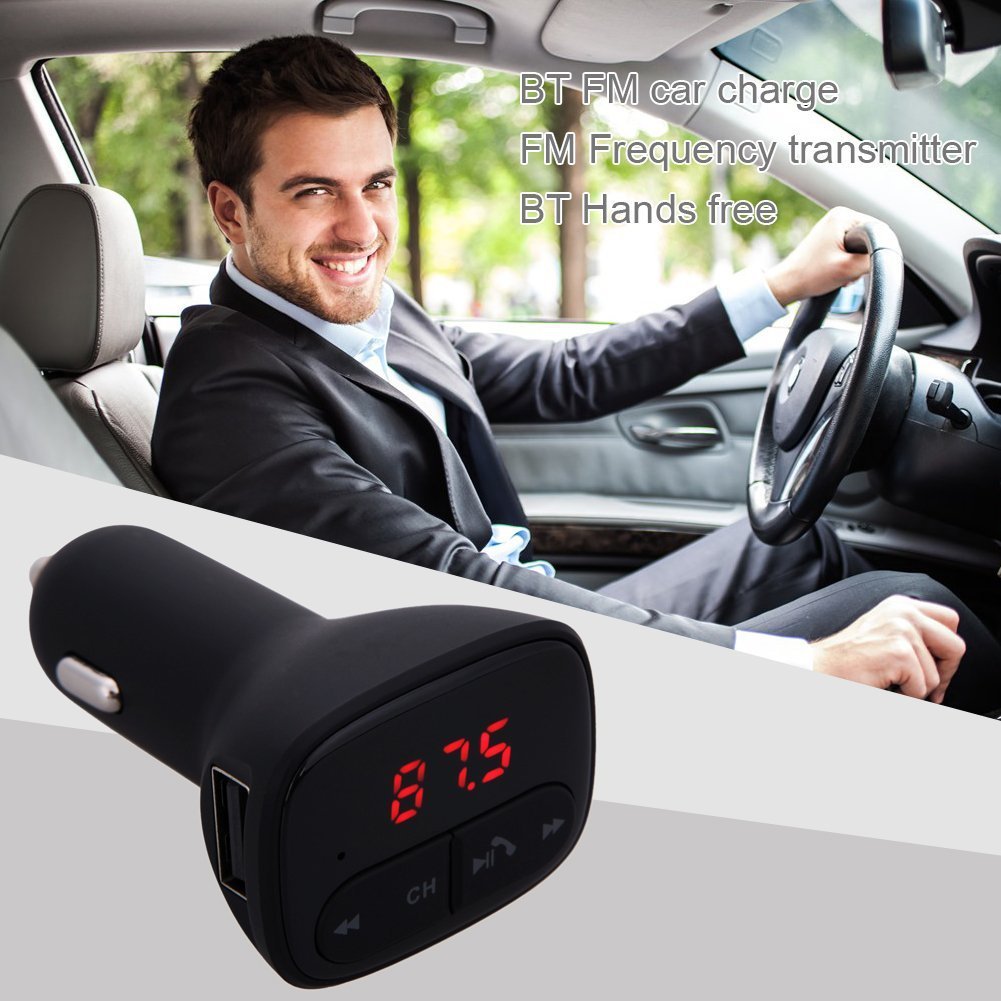
Image: The ALLOYSEED Bluetooth FM Transmitter Car Charger plugged into a car's cigarette lighter socket, with a driver in the background.
Sikkerhedsoplysninger
- Enheden må ikke skilles ad eller modificeres.
- Hold enheden væk fra vand, fugt og ekstreme temperaturer.
- Undgå at udsætte enheden for direkte sollys i længere perioder.
- Ensure the car's cigarette lighter socket provides the specified DC 12V~24V input voltage.
- Betjen ikke enheden under kørsel, hvis den distraherer dig fra vejen. Prioriter trafiksikkerhed.
Produkt overview
Familiarize yourself with the components of your ALLOYSEED Bluetooth FM Transmitter Car Charger:
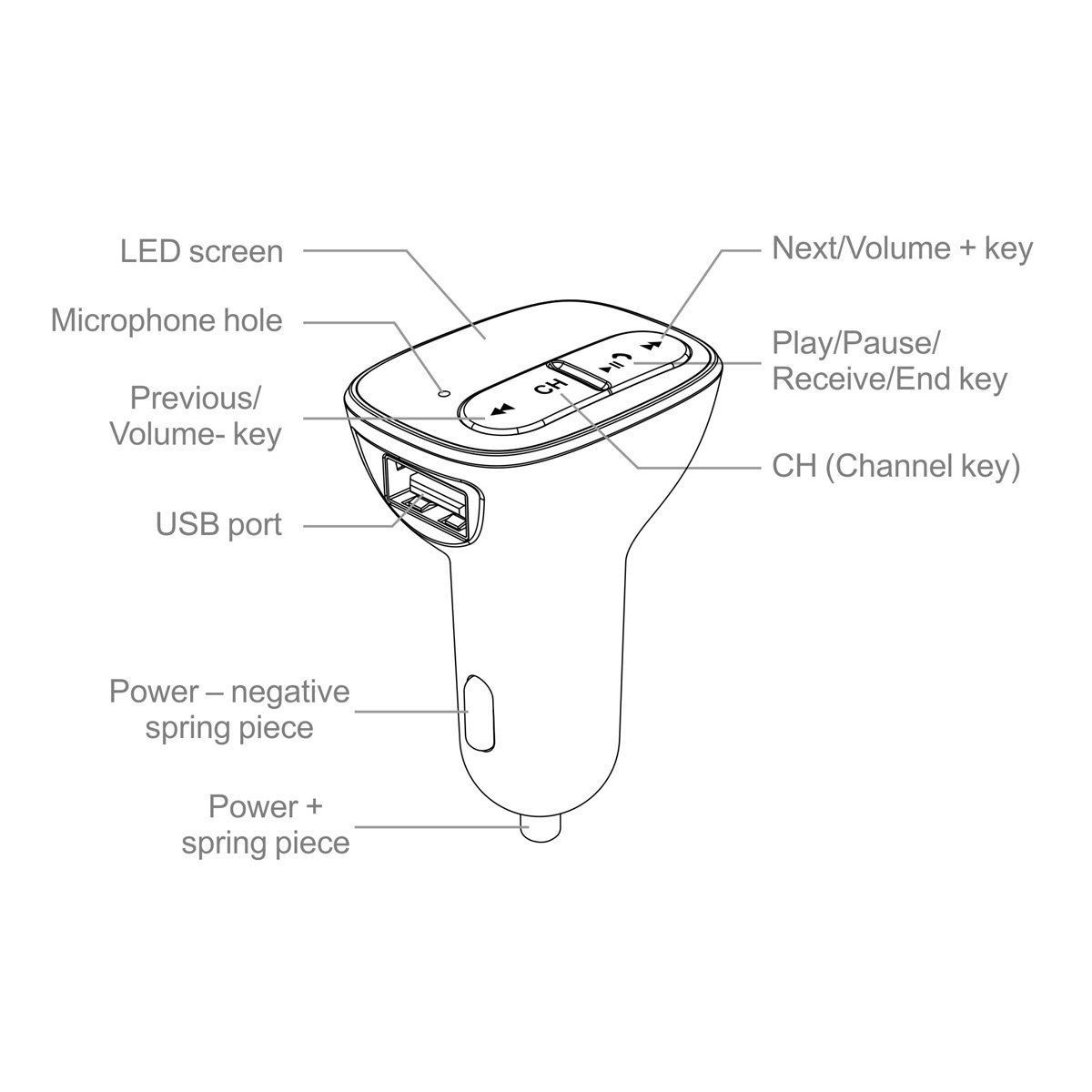
Image: A detailed diagram of the ALLOYSEED Bluetooth FM Transmitter Car Charger, highlighting its various components and controls.
- LED skærm: Displays FM frequency.
- Mikrofonhul: Til håndfri opkald.
- Forrige/volumen-tast: Kort tryk for forrige nummer, langt tryk for at sænke lydstyrken.
- Next/Volume+ Key: Kort tryk for næste nummer, langt tryk for at øge lydstyrken.
- Play/Pause/Receive/End Key: Kort tryk for at afspille/sætte musik på pause, besvare/afslutte opkald. Langt tryk for at afvise opkald.
- CH (Channel Key): Short press to enter FM frequency adjustment mode.
- USB-port: 2.1A output for charging mobile devices.
- Power - Negative Spring Piece: Connects to the negative terminal of the car's power socket.
- Power + Spring Piece: Connects to the positive terminal of the car's power socket.
Specifikationer
| Input bindtage | DC 12V~24V |
| Arbejdsaktuel | <100mA (when not charging) |
| FM frekvensområde | 87.5 - 108.0MHz (0.1MHz increments) |
| FM-transmissionsafstand | <3 mio |
| Bluetooth version | V2.1+EDR |
| Bluetooth Protocols Supported | A2DP/AVRCP/HSP/HFP |
| A2DP Transmission Distance | >5 mio |
| USB udgangsstrøm | 2.1A |
| USB-udgang Voltage | 5.2V |
| Varens vægt | 80 g |
Opsætning
- Sæt i bilstikkontakten: Plug the ALLOYSEED Bluetooth FM Transmitter into your car's 12V-24V cigarette lighter socket. The device will power on automatically, and the LED screen will display the current FM frequency.
- Tænd: The device powers on automatically when connected to the car's power.
Betjeningsvejledning
1. Indstilling af FM-frekvens
- Tryk på CH (Channel) key. The frequency display on the LED screen will start flashing.
- Brug Previous/Volume- key or Next/Volume+ key to adjust the FM frequency. Select a frequency that is clear and not occupied by a local radio station.
- Once the desired frequency is set, wait a few seconds. The display will stop flashing, and the frequency will be saved.
- Tune your car's FM radio to the samme frekvens as displayed on the transmitter.
2. Bluetooth-parring
- After powering on, the device will automatically enter Bluetooth pairing mode. The LED screen may show a Bluetooth icon or similar indicator.
- Aktiver Bluetooth på din smartphone eller tablet, og søg efter tilgængelige enheder.
- Select the device named "LEGERINGSFØ" (or similar) from the list to pair.
- Once paired, a confirmation sound or indicator may be heard/seen. You are now ready to stream audio.
3. Musikafspilning
- After successful Bluetooth pairing, open your music player on your smartphone/tablet and start playing music.
- The audio will be transmitted to your car's FM radio.
- Brug Afspil / pause-tast on the transmitter to play or pause music.
- Brug Previous/Volume- key og Next/Volume+ key for track navigation (short press) and volume adjustment (long press).
- The device has an automatic memory function, resuming the last played song when restarted.
4. Håndfri opkald
- Når der kommer et opkald, sættes musikken automatisk på pause.
- Tryk på Play/Pause/Receive/End key én gang for at besvare opkaldet.
- Tryk på for at afslutte et opkald Play/Pause/Receive/End key endnu en gang.
- Tryk længe på for at afvise et indgående opkald Play/Pause/Receive/End key.
- Den indbyggede mikrofon muliggør klar kommunikation.
5. Opladningsenheder
- Connect your mobile device (smartphone, tablet, etc.) to the USB-port on the transmitter using a compatible USB charging cable.
- The USB port provides a 2.1A output for efficient charging.
Opretholdelse
- Rengør enheden med en blød, tør klud. Brug ikke flydende rengøringsmidler eller aerosoler.
- Ensure the USB port and cigarette lighter connector are free from dust and debris.
- Opbevar enheden et køligt og tørt sted, når den ikke er i brug i længere perioder.
Fejlfinding
- Ingen strøm: Ensure the device is securely plugged into the car's cigarette lighter socket and that the car's ignition is on. Check the car's fuse for the cigarette lighter.
- Dårlig lydkvalitet/statisk:
- Adjust the FM frequency on the transmitter and your car radio to find a clear, unoccupied channel.
- Sørg for, at lydstyrken på din telefon og bilradio er indstillet korrekt.
- Flyt væk fra områder med stærk radiointerferens.
- Bluetooth parrer ikke:
- Sørg for, at Bluetooth er aktiveret på din mobilenhed.
- Restart the transmitter by unplugging and re-plugging it.
- Glem enheden fra din telefons Bluetooth-indstillinger, og prøv at parre igen.
- Ensure the transmitter is within range of your phone.
- USB-opladning virker ikke:
- Check if the charging cable is properly connected to both the device and the USB port.
- Prøv et andet USB-kabel.
- Ensure the car charger is receiving power.
Garanti og support
This product is covered by a warranty policy. For details regarding warranty coverage, terms, and conditions, please refer to the information provided at the point of purchase or contact ALLOYSEED customer support. Keep your purchase receipt as proof of purchase.
For technical assistance or further inquiries, please contact ALLOYSEED customer support through the official channels provided by the seller or manufacturer.