
Indledning
This manual provides comprehensive instructions for the Intel Core i7-7700K processor. Designed for high performance, this processor features 4 high-performing cores with a base frequency of 4.2GHz and 8MB of cache memory. It utilizes Intel Turbo Boost 2.0 technology to reach a max turbo frequency of 4.5GHz and Intel Hyper-Threading Technology for 8-way multitasking. As an unlocked processor, it offers flexibility for performance tuning.
Vigtige sikkerhedsoplysninger
Always handle the processor by its edges to avoid touching the gold contacts or the top surface. Electrostatic discharge (ESD) can damage electronic components. Use proper ESD precautions, such as an anti-static wrist strap, when installing or handling the processor. Ensure your system is powered off and unplugged before installation. Refer to your motherboard manual for specific installation procedures and safety guidelines.
Pakkens indhold
The Intel BX80677I77700K processor package typically includes the following:
- Intel® processor
- Three-year Limited Warranty information
- Brugsanvisning
Note: This processor model does not include a stock cooling fan. A separate CPU cooler must be purchased and installed.

Image: Retail box of the Intel Core i7-7700K processor, showing multilingual content information and the processor itself in a clear window.
Opsætning og installation
The Intel Core i7-7700K processor is compatible only with motherboards based on Intel 100 or 200 Series Chipsets and requires an LGA1151 socket. Ensure your motherboard's BIOS is updated to support Kaby Lake processors if necessary.
Installationstrin:
- Forbered bundkort: Open the CPU socket retention lever and load plate on your LGA1151 motherboard.
- Installer processor: Carefully align the processor with the socket, ensuring the gold triangle on the processor matches the triangle on the socket. Gently place the processor into the socket without forcing it.
- Sikker processor: Close the load plate and secure it with the retention lever.
- Påfør termisk pasta: Apply a thin, even layer of high-quality thermal paste to the center of the processor's integrated heat spreader (IHS).
- Installer CPU-køler: Mount your chosen CPU cooler according to its manufacturer's instructions. Ensure proper contact and pressure for optimal heat dissipation.
- Tilslut kølerblæser: Tilslut CPU-kølerens blæserkabel til den dertil beregnede CPU_FAN-header på dit bundkort.
For detailed visual instructions, refer to the official Installationsmanual (PDF) provided by Intel.
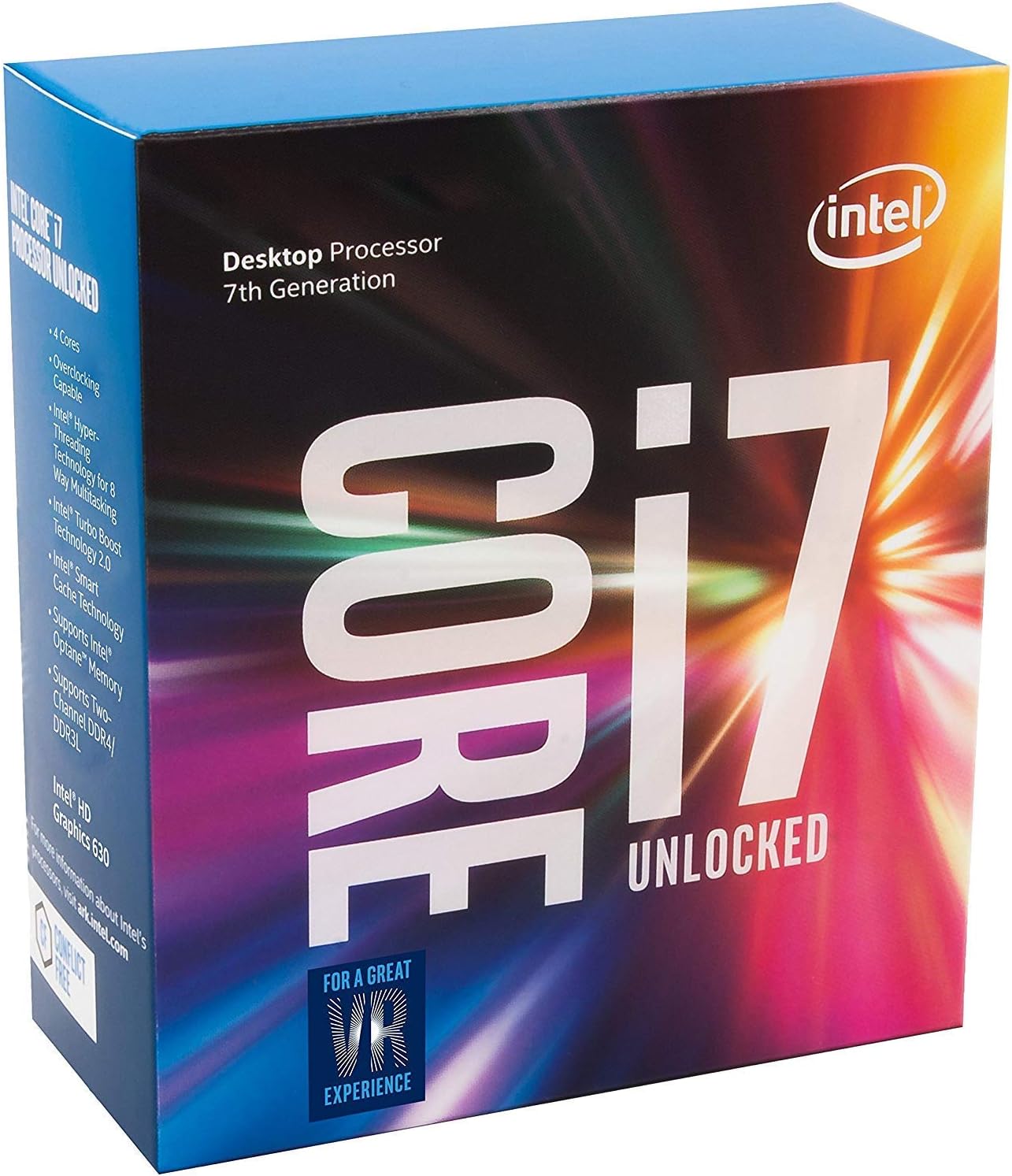
Image: The Intel Core i7-7700K processor, showcasing its integrated heat spreader and contact points.
Betjening af processoren
Once installed, the Intel Core i7-7700K processor operates automatically within your system. Its key features include:
- Kerner/gevind: 4 Cores / 8 Threads for efficient multitasking.
- Basisfrekvens: 4.20 GHz.
- Max Turbo Frequency: Up to 4.50 GHz with Intel Turbo Boost 2.0 technology.
- Cache: 8 MB Intel Smart Cache.
- Integreret grafik: Intel UHD Graphics 630.
- Instruktionssæt: 64-bit with Intel SSE4.1, Intel SSE4.2, and Intel AVX2 extensions.
- Hukommelsesstøtte: DDR4 SDRAM.
- Intel Optane-hukommelse: Supported for enhanced system responsiveness.
As an unlocked processor, the Core i7-7700K allows for overclocking to achieve higher performance. This requires compatible motherboard support and advanced knowledge of BIOS settings. Always ensure adequate cooling when attempting to overclock.
Opretholdelse
The Intel Core i7-7700K processor requires minimal maintenance. Key considerations include:
- Kølesystem: Regularly inspect and clean your CPU cooler (fans, heatsink, radiator for liquid coolers) to prevent dust buildup, which can impede airflow and lead to higher temperatures.
- Termisk pasta: Over time, thermal paste can degrade. If you notice consistently high temperatures, consider reapplying fresh thermal paste.
- Systemopdateringer: Keep your operating system, motherboard BIOS, and drivers updated to ensure optimal performance and compatibility.
Fejlfinding
Hvis du støder på problemer med din Intel Core i7-7700K-processor, kan du overveje følgende fejlfindingstrin:
Høje temperaturer:
- Kontroller installation af køler: Ensure the CPU cooler is correctly seated and making full contact with the processor's IHS. Verify that all mounting screws are tightened appropriately.
- Termisk pasta: Confirm that thermal paste was applied correctly and is not dried out. Reapply if necessary.
- Luftstrøm: Ensure adequate airflow within your PC case. Clean any dust from case fans and vents.
- BIOS-indstillinger: If overclocking, revert to default BIOS settings to rule out instability caused by excessive voltage eller frekvens.
Systemustabilitet/nedbrud:
- Bundkort kompatibilitet: Verify that your motherboard is fully compatible with the i7-7700K and has the latest BIOS version installed.
- Strømforsyning: Sørg for, at din strømforsyning (PSU) leverer tilstrækkelig og stabil strøm til alle komponenter.
- VÆDDER: Test your RAM modules for errors. Incorrect RAM settings or faulty modules can cause instability.
Operativsystemkompatibilitet:
- The Intel Core i7-7700K processor is primarily designed for Windows 10. While workarounds may exist, native support for older Windows versions is limited.
Specifikationer
| Mærke | Intel |
| CPU model | Core i7 |
| CPU hastighed | 4.5 GHz (maks. turbo) |
| CPU socket | LGA 1151 |
| Processorserie | Core i7 |
| Secondary Cache | 8 MB |
| Wattage | 91 watt |
| Processorantal | 4 |
| Processor Core Count | 4 |
| Platform | Windows 10 |
| Emnemål L x B | 9.52 cm L x 5 cm B |
| Modelnummer | BX80677I77700K |
| Varens vægt | 0.04 kilo |
Garantioplysninger
The Intel BX80677I77700K processor comes with a limited warranty of 3 years. For specific terms and conditions, please refer to the warranty documentation included in your product packaging or visit the official Intel support webwebsted.
Støtte
For additional support, technical assistance, or to download the latest drivers and software, please visit the official Intel support webwebsted:
You can also consult your motherboard manufacturer's website for specific compatibility information and BIOS updates.