
1. Introduktion
HyperX Cloud Pro Gaming Headset er udviklet til seriøse konsol- og pc-spillere og tilbyder overlegen komfort og lydkvalitet. Med en holdbar aluminiumsramme, ørepuder i memory foam og 53 mm drivere leverer dette headset krystalklar diskant, mellemtone og bas. Den praktiske indbyggede lydkontrol giver nem adgang til lydstyrkejusteringer og mikrofondæmpning, hvilket sikrer en fordybende spiloplevelse.
2. Pakkens indhold
- HyperX Cloud Pro Gaming Headset
- Aftagelig støjreducerende mikrofon
- Inline lydkontrolboks
- PC-forlængerkabel (2M) med stereo- og mikrofonstik
- Bæretaske

Billede: Alle komponenter inkluderet i HyperX Cloud Pro Gaming Headset.
3. Produktet er slutview
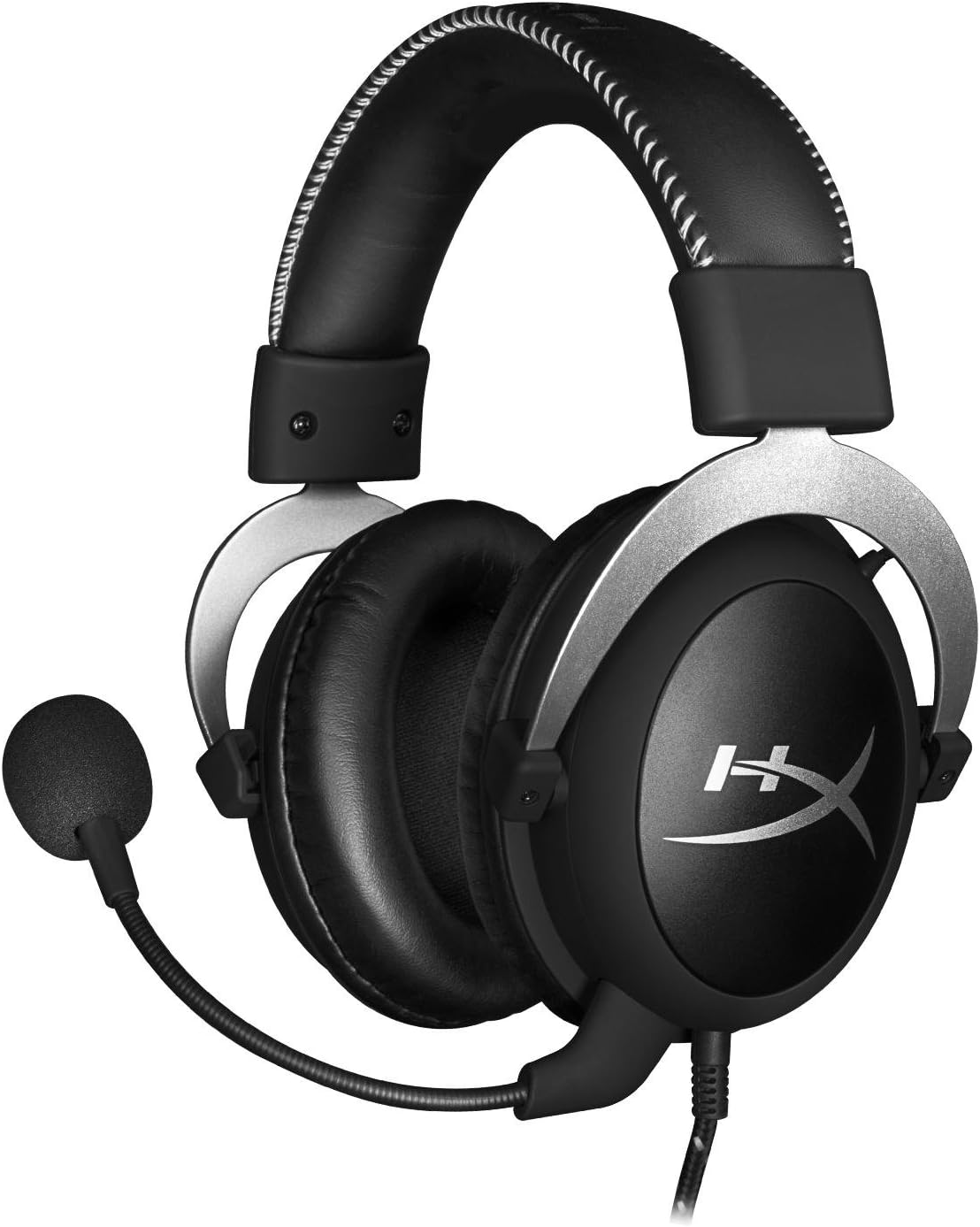
Front view af headsettet med mikrofon.
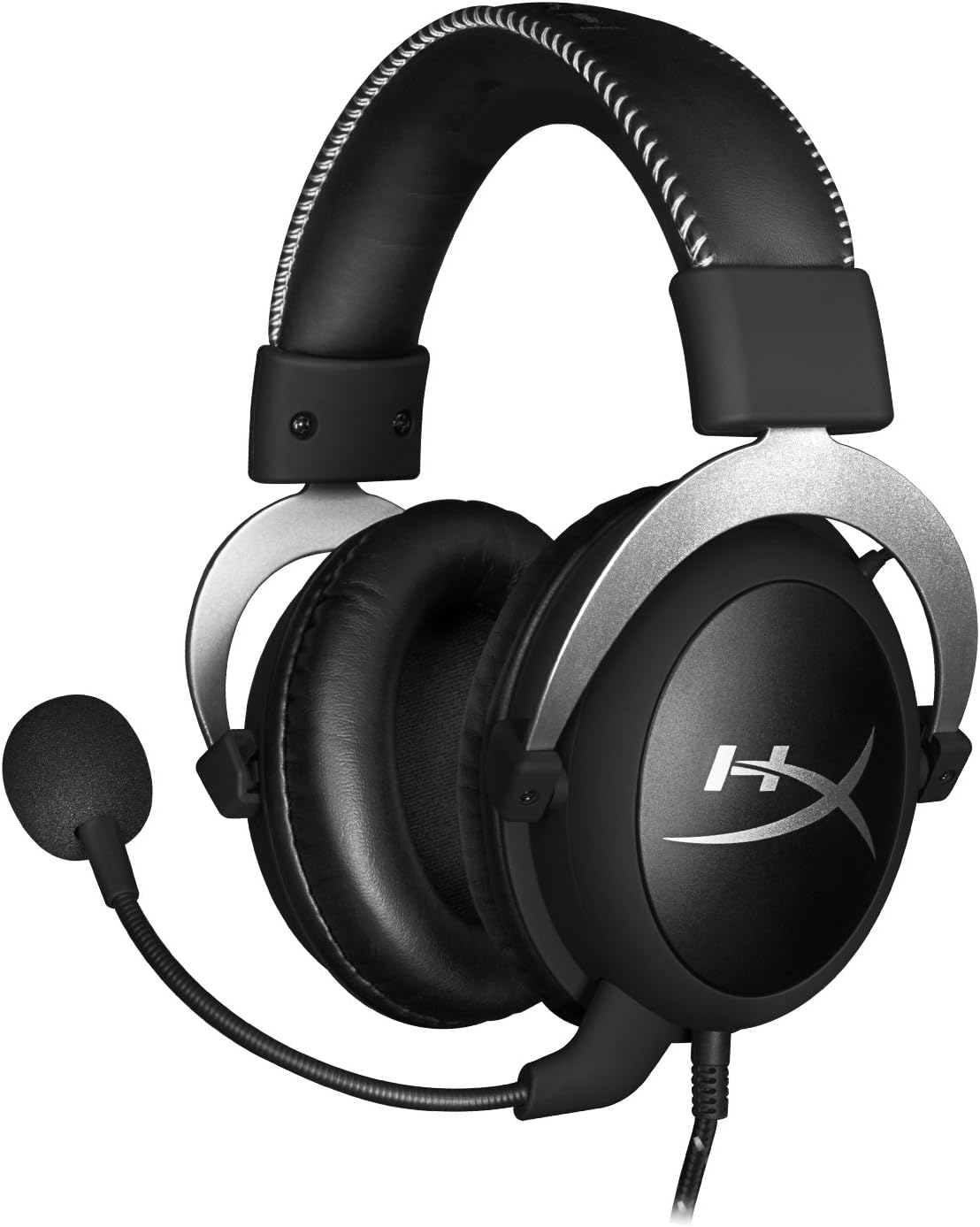
Side view af headsettet.

Headsettet kan foldes fladt sammen til opbevaring.

Top view af pandebåndet.
Nøglekomponenter:
- Pandebånd: Polstret med kunstlæder for komfort ved længere tids brug.
- Ørekopper: Over-ear design med memory foam puder, der giver passiv støjisolering.
- Aftagelig mikrofon: Fleksibel, støjreducerende mikrofon for klar kommunikation.
- Indbygget lydkontrol: Integreret enhed på kablet til lydstyrkejustering og mikrofon-mute.
4. Opsætning og tilslutning
4.1 PC-tilslutning
- Tilslut headsettets 3.5 mm-stik til den indbyggede lydkontrolboks.
- Tilslut pc-forlængerkablet til den indbyggede lydkontrolboks.
- Sæt det grønne lydstik på forlængerkablet i din pc's lydudgang (hovedtelefonport).
- Sæt det lyserøde mikrofonstik på forlængerkablet i din pc's mikrofonindgang.
- Sørg for, at den aftagelige mikrofon er korrekt isat i headsettets mikrofonport.
4.2 Konsolforbindelse (PS4, Xbox One, Wii U)
- Tilslut headsettets 3.5 mm-stik direkte til din konsolcontrollers 3.5 mm-port.
- Sørg for, at den aftagelige mikrofon er korrekt isat i headsettets mikrofonport.
- Juster lydindstillingerne på din konsol efter behov for at sende chat- og spillyd gennem headsettet.
4.3 Mobil enhedsforbindelse
- Tilslut headsettets 3.5 mm-stik direkte til din mobile enheds 3.5 mm lydstik.
- Mikrofonen kan monteres til opkald eller tages af, hvis den ikke er nødvendig.

Billede: Inline-lydstyringsenhed.
5. Betjeningsvejledning
5.1 Lydstyrkekontrol
Den indbyggede lydkontrol har et drejehjul til lydstyrke. Drej hjulet opad for at øge lydstyrken og nedad for at sænke lydstyrken. Dette justerer headsettets udgangslydstyrke uafhængigt af din enheds hovedlydstyrke.
5.2 Mikrofonlydløs
En knap på den indbyggede lydkontrol giver dig mulighed for hurtigt at slå mikrofonen fra eller på. Skub knappen til 'Lydløs'-positionen for at deaktivere mikrofonen, og skub den tilbage for at aktivere den. Dette er nyttigt for at beskytte dit privatliv, eller når du ikke ønsker, at din stemme skal transmitteres.
6. Vedligeholdelse og pleje
- Rensning: Brug en blød, tør klud til at tørre headsettet af. For ørepuder, en let tør kludamp klude kan bruges, men sørg for, at de er helt tørre før brug. Undgå skrappe kemikalier eller slibende rengøringsmidler.
- Opbevaring: Når headsettet ikke er i brug, skal det opbevares i den medfølgende bæretaske for at beskytte det mod støv og ridser. Undgå ekstreme temperaturer og fugtighed.
- Kabelpleje: Bøj eller træk ikke for meget i kablerne. Opbevar dem pænt for at forhindre sammenfiltring og beskadigelse.
7. Fejlfinding
| Spørgsmål | Mulig årsag | Løsning |
|---|---|---|
| Ingen lyd fra headset | Forkert forbindelse; Lydstyrke for lav; Enhedens lydindstillinger. | Sørg for, at alle kabler er korrekt tilsluttet. Skru op for lydstyrken ved hjælp af den indbyggede kontrol og enhedsindstillingerne. Kontroller lydudgangsindstillingerne på din pc/konsol. |
| Mikrofon virker ikke | Mikrofon slået fra; Forkert forbindelse; Enhedens mikrofonindstillinger. | Kontrollér mikrofonens mute-knap på den indbyggede betjening. Sørg for, at mikrofonen er sat helt i. Bekræft mikrofonindgangsindstillingerne på din pc/konsol. |
| Dårlig lydkvalitet / Statisk | Løs forbindelse; Interferens; Beskadiget kabel. | Tilslut alle kabler igen. Test på en anden enhed for at udelukke interferens. Hvis problemerne fortsætter, kan kablet være beskadiget. |
| Ubehageligt headset | Forkert pasform. | Juster hovedbøjlen for en behagelig pasform. Ørepuderne i memory foam er designet til øget komfort. |
8. Tekniske specifikationer
- Modelnavn: HyperX Cloud Pro Gaming Headset - Sølv - med indbygget lydkontrol
- Modelnummer: HX-HSCL-SR/NA
- Forbindelse: Kablet (3.5 mm jack)
- Drivere: 53 mm dynamiske drivere
- Frekvensrespons: 15 Hz - 25 kHz
- Materiale: Skum, aluminium, læder
- Varens vægt: 0.6 kilo (1.32 pund)
- Kompatible enheder: PS5, PS4, Xbox One, Wii U, Mac, Mobile enheder, PC
- Kontroltype: Lydstyrkekontrol, Mikrofon Mute
- Støjkontrol: Aktiv støjreduktion (mikrofon)
9. Garanti og support
HyperX Cloud Pro Gaming Headset er understøttet af en 2 års garantiFor teknisk support eller garantikrav, kontakt venligst HyperX kundeservice. Du kan også henvise til den officielle Brugervejledning (PDF) for yderligere information.


