
1. Introduktion
Thank you for choosing the Lenco PDR-030 DAB+/FM Portable Digital Radio. This manual provides essential information for setting up, operating, and maintaining your device. The PDR-030 offers high-quality digital radio reception (DAB+) and traditional FM radio, along with features such as an integrated rechargeable battery for portability, an RDS display, station memory, and an alarm clock function.
Inkluderede komponenter:
- Lenco PDR-030 Digital Radio
- AC Power Adapter (220 Volt)
- Brugermanual
2. Vigtige sikkerhedsoplysninger
- Udsæt ikke enheden for regn eller fugt for at forhindre brand eller elektrisk stød.
- Sørg for, at strømadapterens lydstyrketage matcher din lokale strømforsyning.
- Åbn ikke c'enasing. Overlad al service til kvalificeret personale.
- Undgå at placere enheden i nærheden af varmekilder eller i direkte sollys.
- Handle the integrated battery with care. Do not attempt to replace it yourself.
- Hold enheden væk fra stærke magnetiske felter.
3. Produktet er slutview
Familiarize yourself with the main components and controls of your Lenco PDR-030 radio.
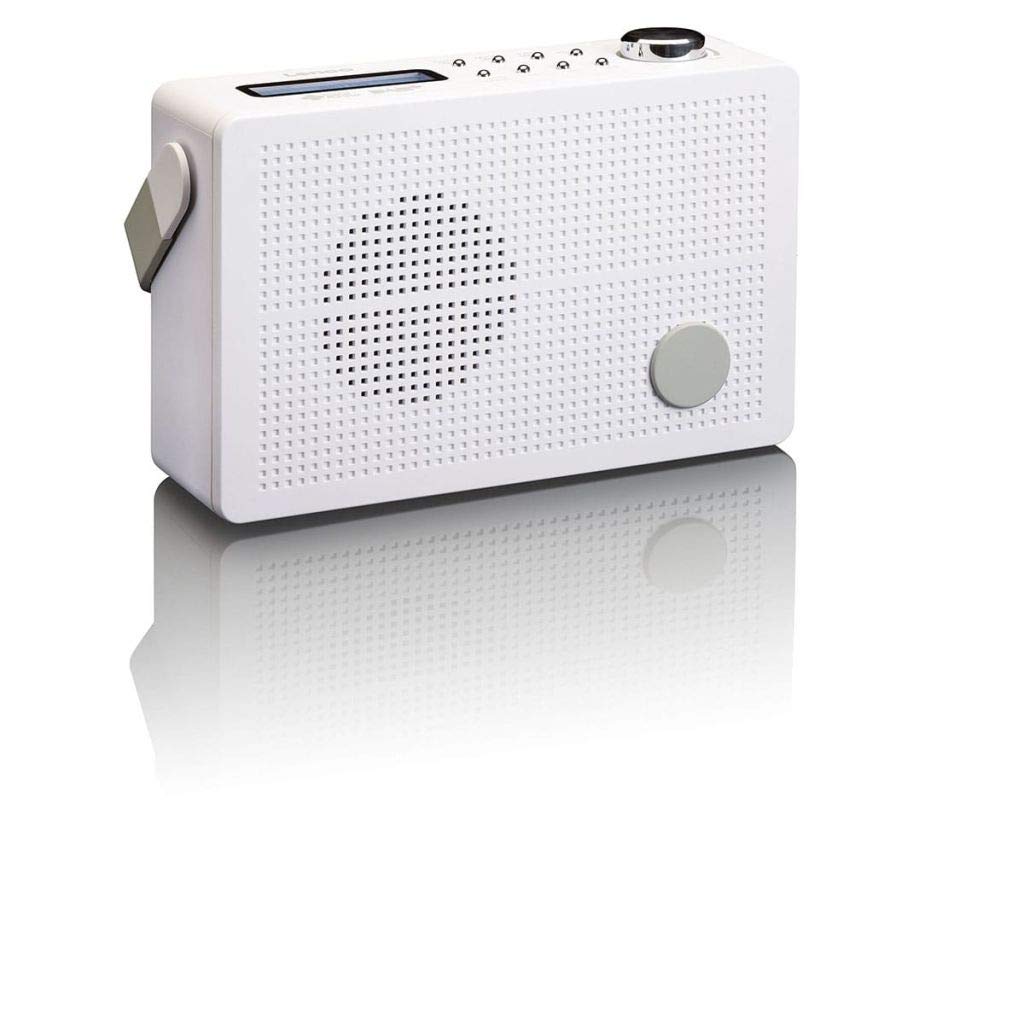
Figur 3.1: Front Panel of Lenco PDR-030 Radio. Features include a blue backlit LCD display, power/source button, alarm, sleep, info/menu, preset buttons, select/snooze, scan, previous, next buttons, and a rotary volume knob.
Key Controls and Features:
- Vise: Two-line illuminated LCD for time, date, station name, and information.
- Tænd/sluk-/kildeknap: Turns the radio on/off and switches between DAB+ and FM modes.
- Lydstyrkeknap: Justerer lydudgangsniveauet.
- Teleskopantenne: For optimal modtagelse af radiosignaler.
- Hovedtelefonstik (3.5 mm): Til privat lytning.
- Alarm/Sleep/Info/Menu/Preset Buttons: For various functions including setting alarms, sleep timer, accessing information, menu navigation, and managing station presets.
- Select/Snooze/Scan/Prev/Next Buttons: For station tuning, menu selection, and snooze function.
4. Opsætning
4.1 Strømforsyning til radioen
The PDR-030 can be powered by the included AC adapter or its integrated rechargeable battery.
- AC strøm: Connect the supplied 220V AC power adapter to the DC input jack on the radio and then to a wall outlet. The radio will automatically begin charging the internal battery.
- Batteristrøm: The integrated Lithium-ion battery allows for portable use. Ensure the battery is sufficiently charged before use without the AC adapter.
4.2 Antenneopsætning
Extend the telescopic antenna fully for optimal reception of both DAB+ and FM signals. Adjust its position for the best signal quality.
4.3 Initial Power On and Station Scan
- Tryk på Strømkilde knappen for at tænde for radioen.
- Upon first use, the radio will automatically enter DAB+ mode and perform a full scan for available digital radio stations. This may take a few minutes.
- Når scanningen er færdig, vil radioen stille ind på den første tilgængelige station.
5. Betjeningsvejledning
5.1 Tænd/sluk
Tryk på Strømkilde knappen til at tænde eller slukke radioen.
5.2 Valg af tilstand (DAB+/FM)
Tryk på Kilde knappen gentagne gange for at skifte mellem DAB+ og FM-radiotilstande.
5.3 Indstillingsstationer
- DAB+ Mode:
- Efter den første scanning skal du bruge Forrige og Næste buttons to navigate through the list of available DAB+ stations.
- To perform a new full scan, press the Menu button, navigate to "Full Scan" using Forrige/Næste, og tryk på Vælge.
- FM-tilstand:
- Tryk på Scan knappen for automatisk at scanne efter den næste tilgængelige FM-station.
- For manuel tuning skal du trykke på og holde Forrige or Næste knapper til at finjustere frekvensen.
5.4 Saving and Recalling Preset Stations
The radio allows you to store up to 10 DAB+ and 10 FM preset stations.
- Sådan gemmer du en forudindstilling:
- Stil ind på den ønskede station.
- Tryk og hold på Forudindstillet knappen, indtil "Forudindstillingslagring" vises på displayet.
- Brug Forrige/Næste knapperne til at vælge et forudindstillet nummer (1-10).
- Trykke Vælge for at bekræfte og gemme stationen.
- Sådan genkaldes en forudindstilling:
- Tryk på Forudindstillet knap kortvarigt.
- Brug Forrige/Næste knapperne til at vælge det ønskede forudindstillede nummer.
- Trykke Vælge to tune to the preset station.
5.5 Lydstyrkekontrol
Drej på Volumenknap med uret for at øge lydstyrken og mod uret for at sænke den.
5.6 RDS Functionality (FM Mode)
In FM mode, the RDS (Radio Data System) function displays information such as station name, program type, and other broadcast data on the two-line LCD display.
5.7 Vækkeurfunktion
The PDR-030 can be used as an alarm clock with two separate alarm times.
- Indstilling af en alarm:
- Tryk på Alarm knap.
- Bruge Forrige/Næste for at vælge Alarm 1 eller Alarm 2, og tryk derefter på Vælge.
- Follow the on-screen prompts to set the alarm time, duration, source (Buzzer or Radio), frequency (Daily, Once, Weekdays, Weekends), and volume.
- Ensure the alarm is set to "On" and press Vælge at gemme.
- Snooze-funktion: Når alarmen lyder, skal du trykke på Snooze knappen for midlertidigt at slå den fra i en bestemt periode.
- Sleep timer: Tryk på Sove knappen gentagne gange for at indstille en sleep-timer (f.eks. 15, 30, 45, 60 minutter), hvorefter radioen automatisk slukker.
5.8 Hovedtelefontilslutning
Connect 3.5mm stereo headphones to the headphone jack for private listening. The internal speaker will be muted automatically.
6. Vedligeholdelse
6.1 Rengøring
Wipe the radio's exterior with a soft, dry cloth. Do not use abrasive cleaners, waxes, or solvents as they may damage the finish. Ensure no liquids enter the device.
6.2 Pleje af batterier
The integrated Lithium-ion battery is designed for long life. To maximize battery lifespan:
- Undgå at aflade batteriet helt ofte.
- Hvis radioen opbevares i længere tid, skal batteriet oplades til cirka 50% og opbevares et køligt og tørt sted.
- Do not attempt to replace the battery yourself. Contact qualified service personnel if battery issues arise.
7. Fejlfinding
| Problem | Mulig årsag | Løsning |
|---|---|---|
| Ingen strøm | AC adapter not connected or faulty; battery discharged. | Check AC adapter connection. Charge the battery. |
| Dårlig DAB+/FM-modtagelse | Antenne ikke strakt ud; område med svagt signal; interferens. | Fully extend and adjust the telescopic antenna. Move the radio to a location with better signal. Avoid placing near other electronic devices. |
| Ingen lyd | Lydstyrken er for lav; hovedtelefoner tilsluttet; lydløs aktiveret. | Increase volume. Disconnect headphones. Check if mute is active (if applicable). |
| Alarmen lyder ikke | Alarm not activated; alarm volume too low; incorrect time setting. | Ensure alarm is set to "On". Check alarm volume. Verify current time and alarm time settings. |
8. Specifikationer
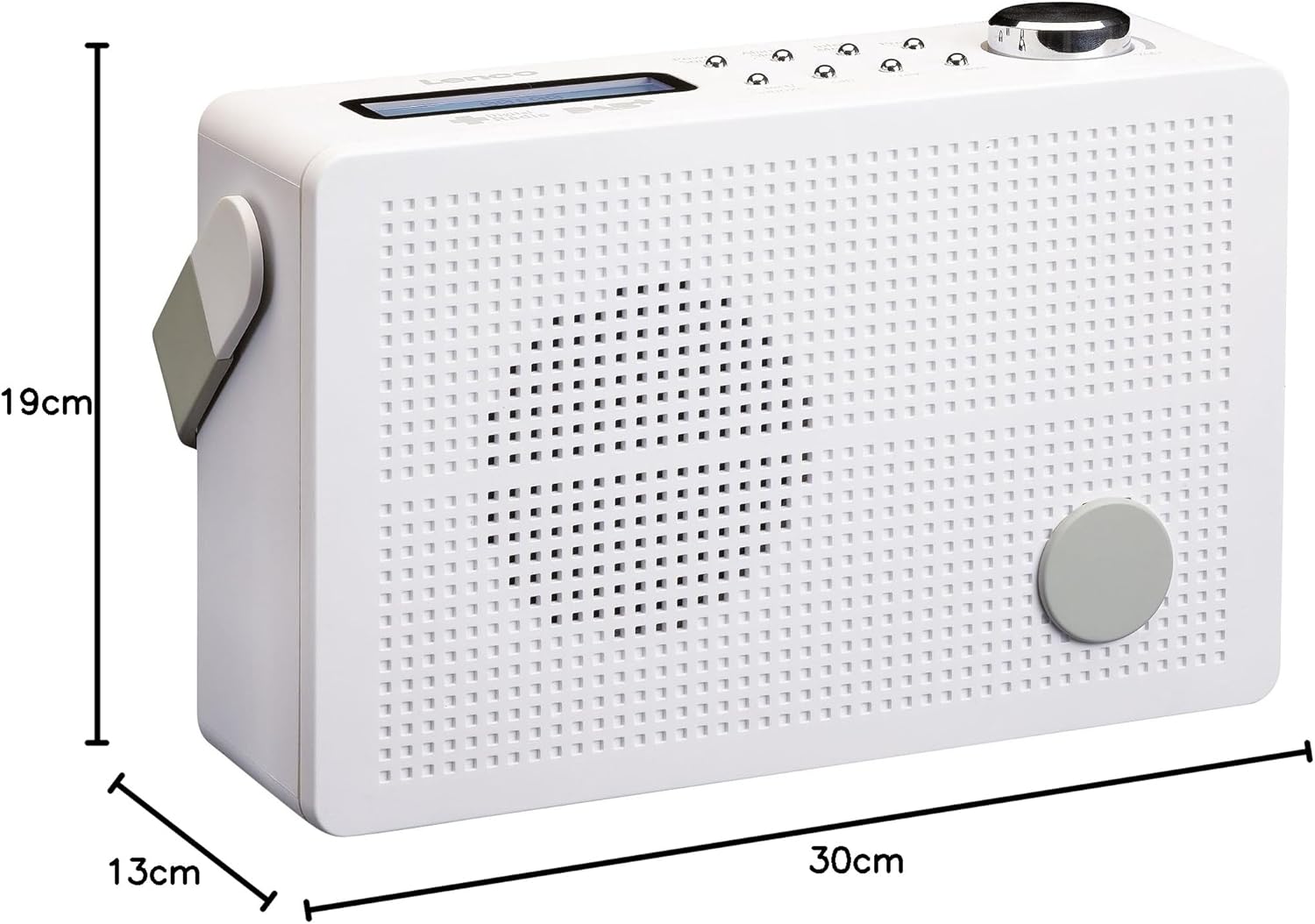
Figur 8.1: Lenco PDR-030 Dimensions.
| Feature | Detalje |
|---|---|
| Modelnummer | PDR-030 |
| Tuner-teknologi | DAB+, FM (Ukw) |
| Strømkilde | Battery-Powered (Integrated Lithium-ion), AC Adapter |
| AC Voltage | 220 volt |
| Produktmål (B x D x H) | 21.4 x 6.5 x 13.8 cm (approx. 22.5 x 8.5 x 15 cm as per another spec) |
| Varens vægt | 9 g (Note: This seems incorrect, likely 670g from description) |
| Materiale Type | Plast |
| Hardware-interface | 3.5 mm Audio (Headphone Jack) |
| Særlige funktioner | Portable, RDS Display, Alarm Clock, Station Memory (10 DAB+, 10 FM) |
Note: Some dimensions and weight specifications provided by the manufacturer may vary slightly. The description states 670 grams for weight, while specifications list 9g. Please refer to the product packaging for the most accurate information.
9. Garanti og support
Lenco products are designed for reliability and performance. This product typically comes with a 24-month manufacturer's warranty from the date of purchase, covering defects in materials and workmanship. Please retain your proof of purchase for warranty claims.
For technical support, service, or warranty inquiries, please refer to the contact information provided on the Lenco official website or your local retailer. Do not attempt to repair the device yourself.
For mere information kan du besøge Lenco Store on Amazon.


