
Indledning
This manual provides instructions for the proper setup, operation, and maintenance of your Targus W600 Wireless Optical Mouse. Please read this manual thoroughly before using the device to ensure optimal performance and longevity.
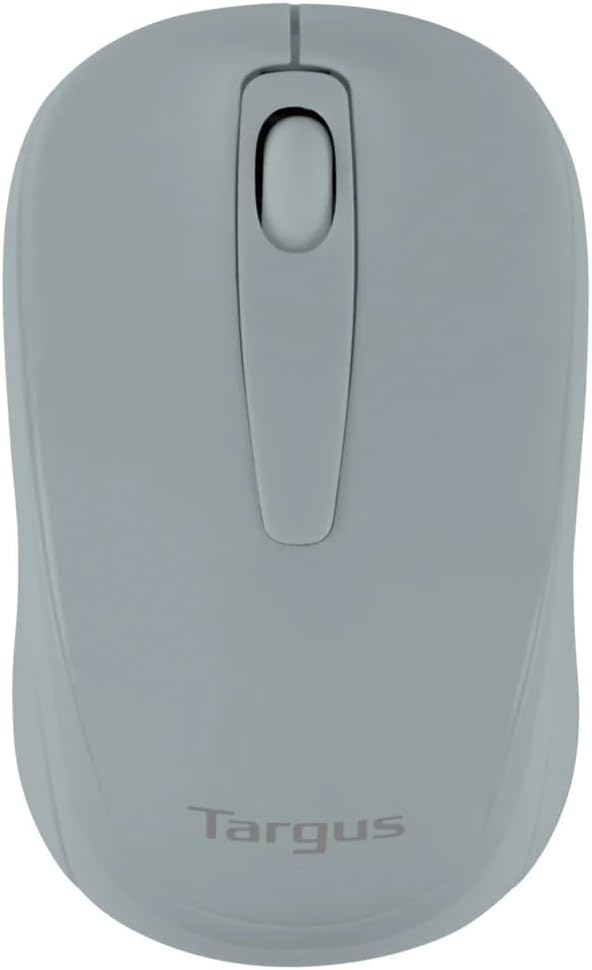
Figure 1: Targus W600 Wireless Optical Mouse (Quarry Gray)
Pakkens indhold
Sørg for at alle varer er til stede i pakken:
- Targus W600 Wireless Optical Mouse
- USB-modtager
- Brugervejledning (dette dokument)
Note: 1 AA battery is required and sold separately.
Produktegenskaber
- 2.4 GHz Wireless Technology for reliable connection
- 1600 DPI Optical Sensor for precise tracking
- Ergonomisk design til behagelig brug
- Kompatibel med Windows- og Mac-operativsystemer
- Integrated USB receiver storage compartment
Opsætning
1. Installation af batteriet
- Turn the mouse over to locate the battery compartment cover.
- Gently slide the cover off.
- Isæt et (1) AA-batteri, og sørg for at polariteten (+/-) vender korrekt.
- Sæt batterirummets dæksel på igen.
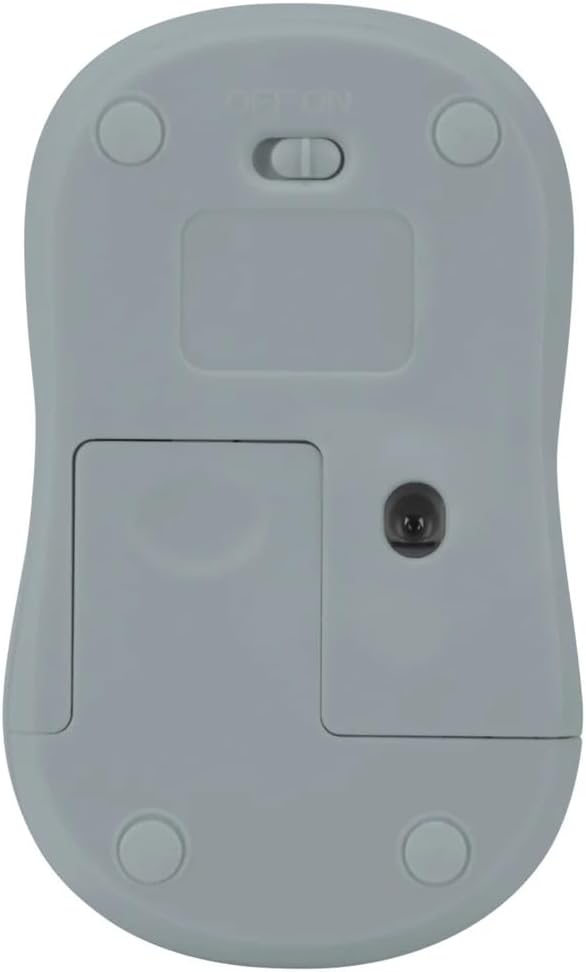
Figur 2: Nederst view of the mouse with battery compartment and power switch.
2. Tilslutning af USB-modtageren
- Locate the USB receiver, typically stored inside the mouse's battery compartment or a dedicated slot.
- Sæt USB-modtageren i en ledig USB-port på din computer.
- Din computer burde automatisk registrere og installere de nødvendige drivere. Dette kan tage et par øjeblikke.
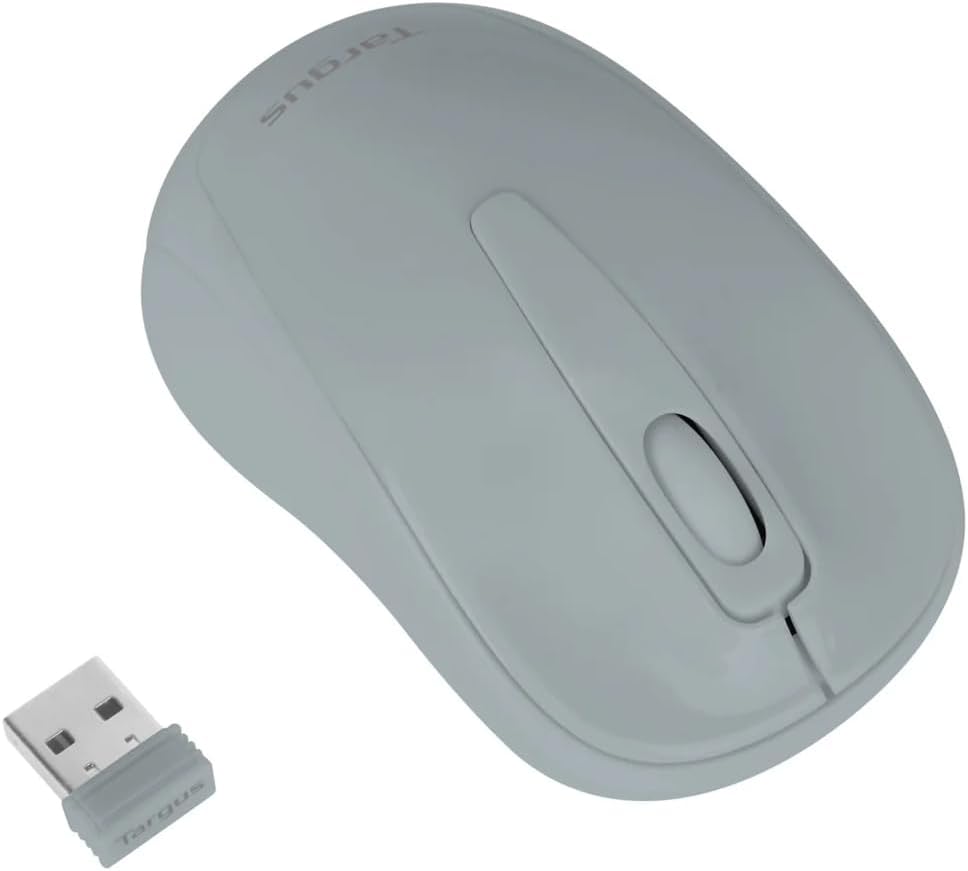
Figure 3: Targus W600 mouse and its USB receiver.

Figure 4: USB receiver plugged into a laptop, with the mouse nearby.
3. Tænd for musen
On the bottom of the mouse, slide the ON/OFF switch to the "ON" position. The mouse is now ready for use.
Betjening af musen
The Targus W600 Wireless Optical Mouse functions like a standard 3-button mouse. It features a left button, a right button, and a scroll wheel that also acts as a middle button.
- Venstre klik: Primær handling, valg, åbning af elementer.
- Højreklik: Åbner kontekstmenuer.
- Scrollhjul: Ruller dokumenter og web pages vertically. Pressing the scroll wheel acts as a middle click, often used for opening links in new tabs or specific application functions.
The 1600 DPI optical sensor provides smooth and accurate cursor control on most surfaces. For best performance, use on a mouse pad or a non-reflective, uniform surface.
Opretholdelse
Rensning
For at rengøre din mus skal du forsigtigt tørre overfladen af med en blød klud.amp cloth. Avoid using harsh chemicals or abrasive cleaners, as these can damage the finish or internal components. Ensure no liquid enters the mouse.
Udskiftning af batteri
When the mouse performance degrades or stops responding, it may be time to replace the battery. Follow the steps outlined in the "Installing the Battery" section to replace the AA battery. Dispose of used batteries responsibly according to local regulations.
Fejlfinding
| Problem | Løsning |
|---|---|
| Musen reagerer ikke |
|
| Uregelmæssig markør bevægelse |
|
| Kort trådløs rækkevidde |
|
Specifikationer
| Modelnummer | AMW60006AP-55 |
| Forbindelse | 2.4 GHz trådløs (USB-modtager) |
| Sensor Technology | Optisk |
| DPI | 1600 DPI |
| Antal knapper | 3 (Venstre, Højre, Scrollhjul/Midterste klik) |
| Strømkilde | 1 x AA batteri (medfølger ikke) |
| Kompatible operativsystemer | Windows, Mac |
Bemærk: Specifikationerne kan ændres uden varsel.
Garanti og support
For warranty information and technical support, please refer to the official Targus webwebstedet eller kontakt deres kundeservice. Gem din købskvittering som købsbevis i tilfælde af garantikrav.
Targus Officiel Webwebsted: www.targus.com