
ADE CK2112
ADE CK2112 Radiostyret digitalt vækkeur Brugermanual
Model: CK2112
1. Introduktion
Tak for købetasing the ADE CK2112 Radio-Controlled Digital Alarm Clock. This compact and versatile device features a clear LCD display, real bamboo casing, and provides time, date, day of the week, and indoor temperature. It is designed for ease of use with automatic time setting via DCF signal and dual alarm functions. Please read this manual carefully to ensure proper operation and maintenance of your new alarm clock.
2. Nøglefunktioner
- Compact wireless alarm clock with clear LCD display (5.2 x 5.2 cm).
- Displays time, ambient temperature, date, and day of the week.
- White backlight activated by button press.
- Real bamboo casing with high-quality white ABS plastic.
- Dimensions: 8.2 x 8.2 x 3.4 cm; Weight: 0.15 kg.
- DCF radio-controlled time signal for automatic time setting.
- Automatic summer/winter time adjustment.
- Manually adjustable time.
- Dual alarm with adjustable settings and snooze function.
- Integrated calendar.
- Built-in thermometer for indoor temperature display in °C or °F (-10 to 50 °C).
3. Pakkens indhold
Tjek venligst pakken for følgende varer:
- ADE CK2112 Digital Alarm Clock
- 2 x 1.5 V AA-batterier
- Brugervejledning (dette dokument)

Image: ADE CK2112 Alarm Clock with its packaging, showing the clock, batteries, and manual icon.
4. Opsætning
4.1 Batteriinstallation
- Find batterirummet på bagsiden af vækkeuret.
- Åbn batterirummets dæksel.
- Insert two (2) 1.5V AA batteries, ensuring correct polarity (+/-).
- Luk batterirummets dæksel forsvarligt.
4.2 Initial Time Synchronization (DCF Signal)
Upon battery installation, the clock will automatically attempt to synchronize with the DCF radio signal. This process may take a few minutes. Ensure the clock is placed in an area with good signal reception, away from electronic interference.
- The radio signal icon will flash during synchronization.
- Once synchronized, the icon will become steady, and the time will be set automatically.
- The clock will also automatically adjust for Daylight Saving Time (summer/winter time).
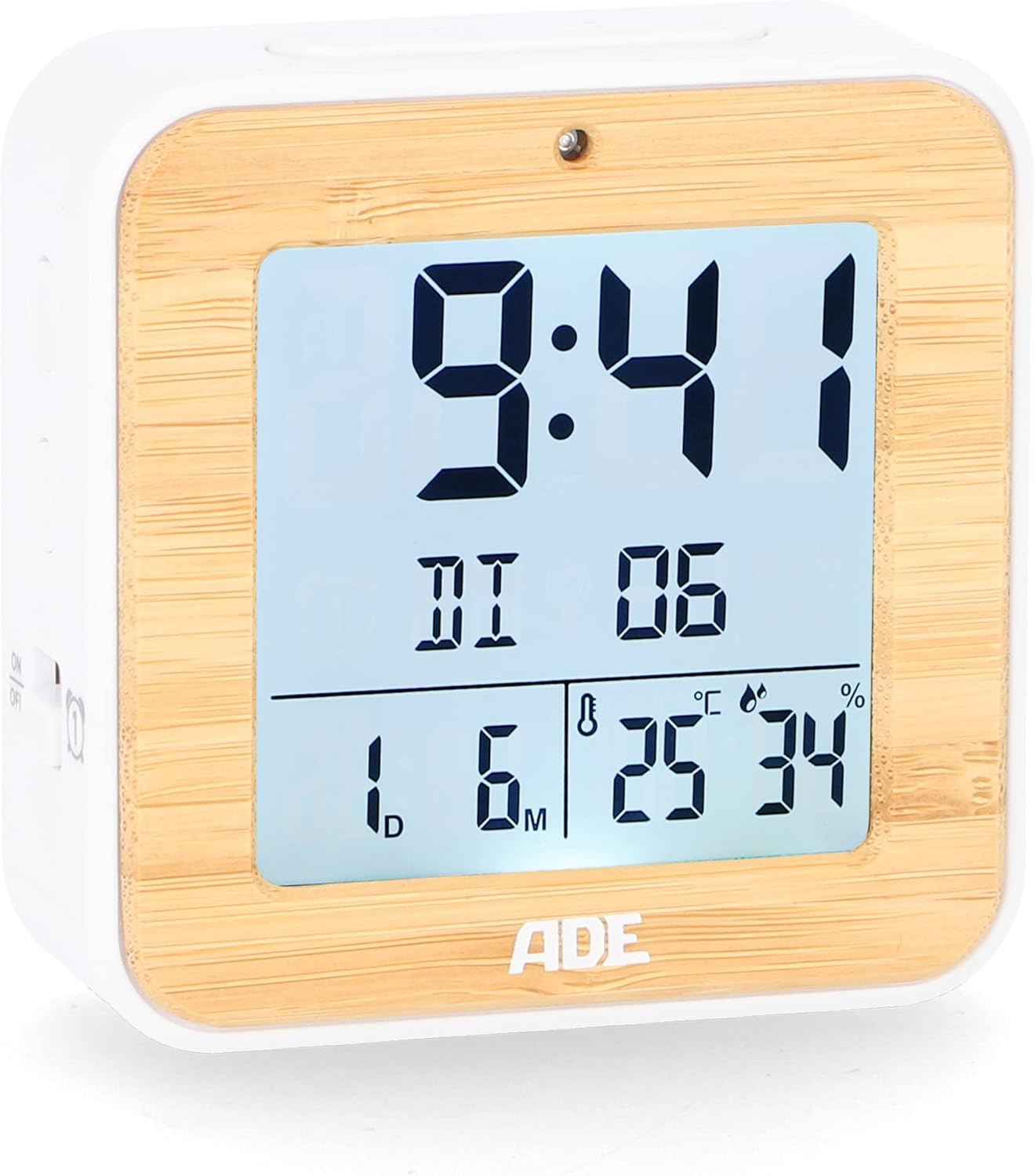
Billede: Forside view of the ADE CK2112 Digital Alarm Clock, showing the clear LCD display with time, date, and temperature.
5. Betjeningsvejledning
5.1 Manuel tidsindstilling
If the DCF signal is not available or you prefer to set the time manually:
- Press and hold the "SET" button (location usually on the back or side).
- Use the "+" or "-" buttons to adjust the hour, then press "SET" to confirm.
- Gentag for minutter, år, måned og dag.
5.2 Indstilling af alarmer (Alarm 1 og Alarm 2)
Uret har to uafhængige alarmer.
- Press the "ALARM 1" or "ALARM 2" button (usually on the side). The alarm time will flash.
- Use the "+" or "-" buttons to set the desired alarm hour, then press the respective alarm button to confirm.
- Gentag i minutter.
- To activate/deactivate an alarm, slide the corresponding ON/OFF switch (e.g., "ON/OFF 1" or "ON/OFF 2") on the side of the clock. An alarm icon will appear on the display when active.

Billede: Side view of the ADE CK2112 Digital Alarm Clock, highlighting the ON/OFF switches for Alarm 1 and Alarm 2.
5.3 Snooze -funktion
When the alarm sounds, press the "SNOOZE/LIGHT" button (usually on top) to temporarily silence the alarm. The alarm will sound again after approximately 5-10 minutes (check specific model for exact duration).
5.4 Aktivering af baggrundsbelysning
Press the "SNOOZE/LIGHT" button to activate the white backlight for a few seconds, improving visibility in low light conditions.

Image: Illustration showing the automatic backlight via light sensor and manual backlight activation by button press.
5.5 Temperaturvisning
The clock displays the indoor temperature. You can switch between Celsius (°C) and Fahrenheit (°F) by pressing a dedicated button (often labeled "°C/°F" or integrated with another setting button).

Image: Close-up of the ADE CK2112 display, indicating the sections for time, alarm, date, humidity, and temperature.
6. Vedligeholdelse
6.1 Rengøring
Wipe the clock with a soft, dry cloth. Do not use abrasive cleaners or immerse the device in water.
6.2 Udskiftning af batteri
When the display dims or the clock stops functioning, replace the batteries. Always use new 1.5V AA batteries and dispose of old batteries responsibly according to local regulations.
7. Fejlfinding
| Problem | Mulig årsag | Løsning |
|---|---|---|
| Skærmen er tom eller svag. | Lave eller døde batterier. | Replace with new 1.5V AA batteries. |
| Clock not setting time automatically. | Dårlig DCF-signalmodtagelse; interferens. | Move the clock to a different location, away from electronic devices or metal objects. Try manual time setting. |
| Alarmen lyder ikke. | Alarm not activated; incorrect alarm time set. | Ensure the alarm ON/OFF switch is in the "ON" position and the alarm time is correctly set. |
8. Specifikationer
- Model: CK2112
- Mærke: ADE
- Skærmtype: Digital LCD
- Dimensioner (L x B x H): 8.2 x 3.81 x 3.5 cm (ca. 3.23 x 1.5 x 1.38 tommer)
- Vægt: 110 gram (ca. 0.24 lbs)
- Materiale: Bamboo, ABS Plastic
- Strømkilde: 2 x 1.5V AA-batterier (inkluderet)
- Temperaturområde: -10 til 50 °C (14 til 122 °F)
- Tidssynkronisering: DCF radiostyret
- Alarmfunktioner: Dual Alarm, Snooze
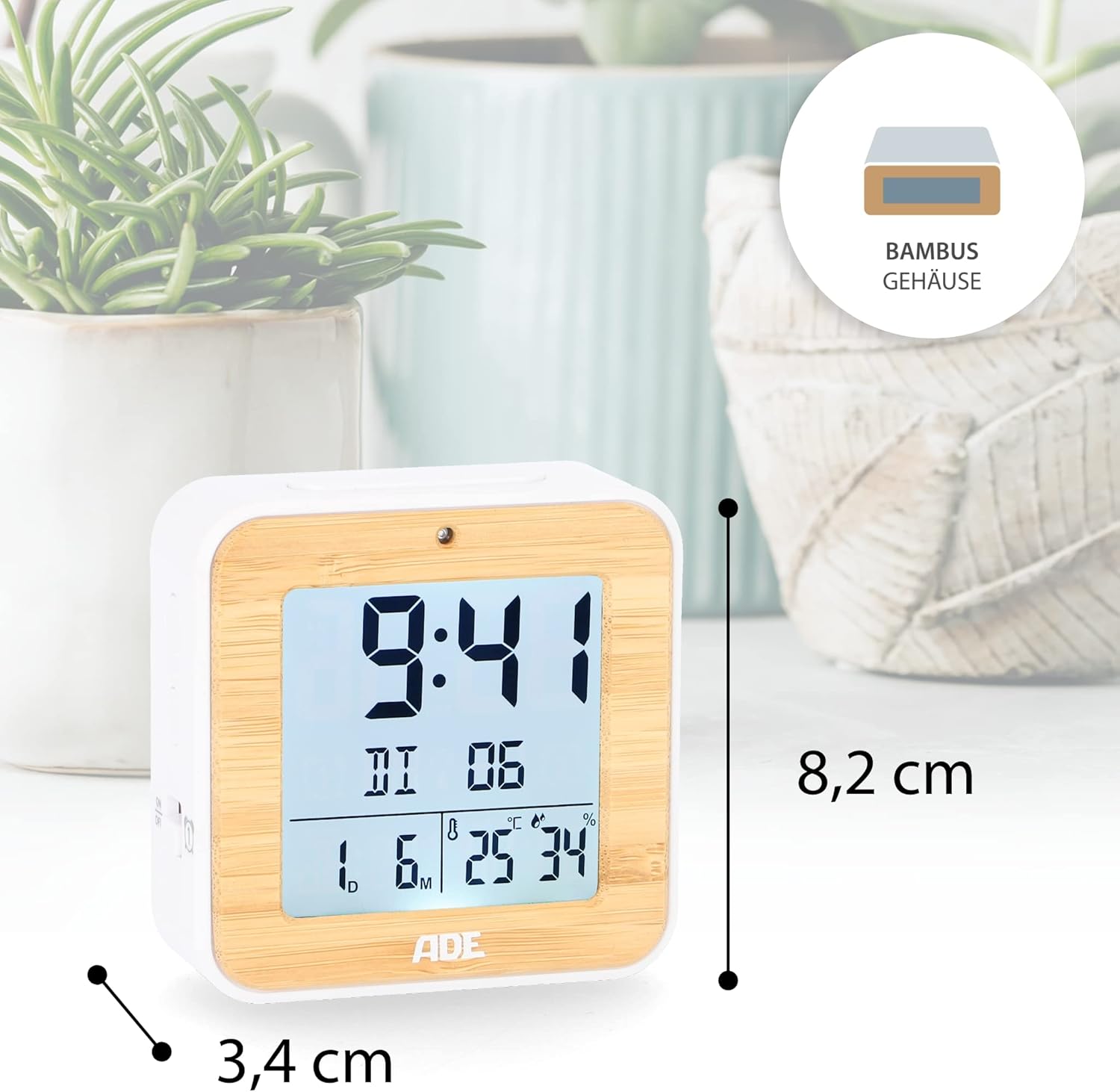
Image: The ADE CK2112 Digital Alarm Clock with its dimensions (8.2 cm height, 3.4 cm depth) clearly marked.
9. Garanti og support
For warranty information and customer support, please refer to the contact details provided by your retailer or visit the official ADE webwebstedet. Behold din købskvittering som købsbevis.
For frequently asked questions, you may also refer to the brand's FAQ section:
- Q: I received my item but it did not come with instructions in Spanish. What should I do now?
- A: All our items are printed in German, English, and French. Other languages, including Spanish, can be downloaded directly here, on the Amazon website. Or you can scan the QR code on the printed instructions.
- Q: I am very satisfied with my purchase. How can I rate them?
- A: We are very happy that you are satisfied. Feedback is very important to us. You can easily rate us and your purchased item through your Amazon account under orders. Thank you for taking the time to do so!
- Q: I am not satisfied with my purchase. What can I do?
- A: We are sorry that you are not satisfied with your item. We invite you to request a return through your account and you will receive your money back.
Ask a question about this manual
Ask about setup, troubleshooting, compatibility, parts, safety, or missing instructions. Manuals+ will review the question and use this page’s manual context to help answer it.