
1.Overview
The JJC S-PK1 Shutter Release Cable is designed to prevent camera shake for sharper images, especially during long exposures or macro photography. It functions identically to your camera's built-in shutter release button, offering both focus and shutter activation. This cable is powered by your camera, requiring no external batteries.
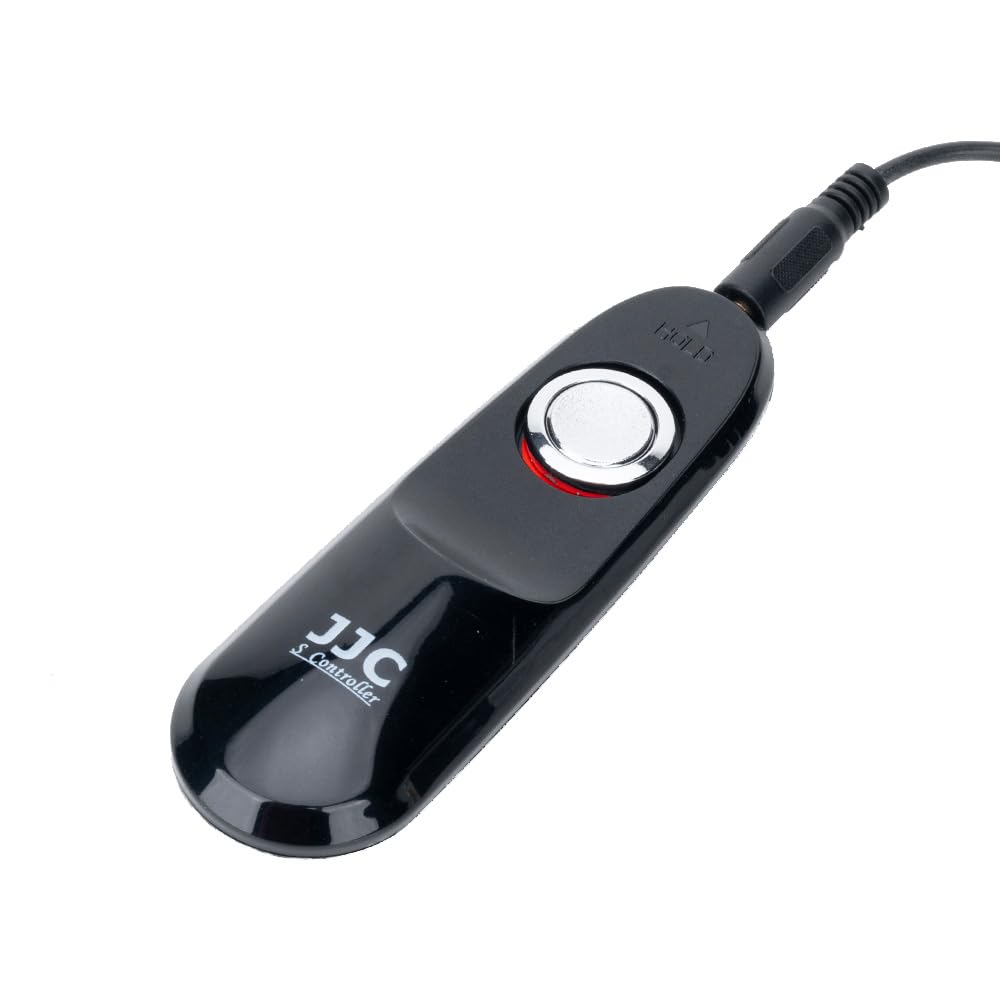
Figur 1: Forside view of the JJC S-PK1 Shutter Release Cable.
2. Produktfunktioner
- Kompatibilitet: Designed for Nikon ZR Z5II Z50II, Fujifilm X-E4 X-T200 X-S20 X-S10, Pentax K-70, KP cameras.
- Udskiftning: Replaces original Nikon MC-DC3 and Pentax CS-310 remote cords.
- Strømkilde: No battery required; powered directly by the camera.
- To-Stage knap: Functions like the camera's shutter button: half-press to focus, full-press to take a photo.
- Bulb Mode Lock: Features a slide lock for extended exposures in 'Bulb' mode, preventing camera shake.

Figur 2: Tilbage view of the remote control, showing the JJC branding and manufacturing details.
3. Opsætning
- Locate Camera Port: Identify the remote control terminal on your compatible camera. Refer to your camera's manual for the exact location.
- Tilslut kabel: Insert the plug of the JJC S-PK1 Shutter Release Cable firmly into the camera's remote control terminal. Ensure a secure connection.
- Bekræft forbindelsen: Once connected, the cable is ready for use. No additional setup or battery installation is required.

Figure 3: The shutter release cable connected to a camera, ready for operation.
4. Betjeningsvejledning
4.1 Basic Shutter Release
- Fokus: Gently press the shutter button on the remote halfway down. This will activate your camera's autofocus system.
- Tag et billede: Tryk udløserknappen helt ned for at tage billedet.
4.2 Long Exposure (Bulb Mode)
For long exposures, such as star trails or low-light scenes, use the bulb mode lock feature:
- Indstil kameraet til pæretilstand: Configure your camera to 'Bulb' exposure mode.
- Activate Shutter: Press the shutter button on the remote fully down.
- Lock Shutter: While holding the button down, slide the button forward (towards the cable end) to lock it in the depressed position. The shutter will remain open for the duration.
- Release Shutter: To end the exposure, slide the button backward to unlock it. The shutter will close, and the photo will be recorded.
4.3 Kontinuerlig optagelse
If your camera is set to continuous shooting mode, pressing and holding the shutter button fully down on the remote will trigger a series of shots until the button is released.
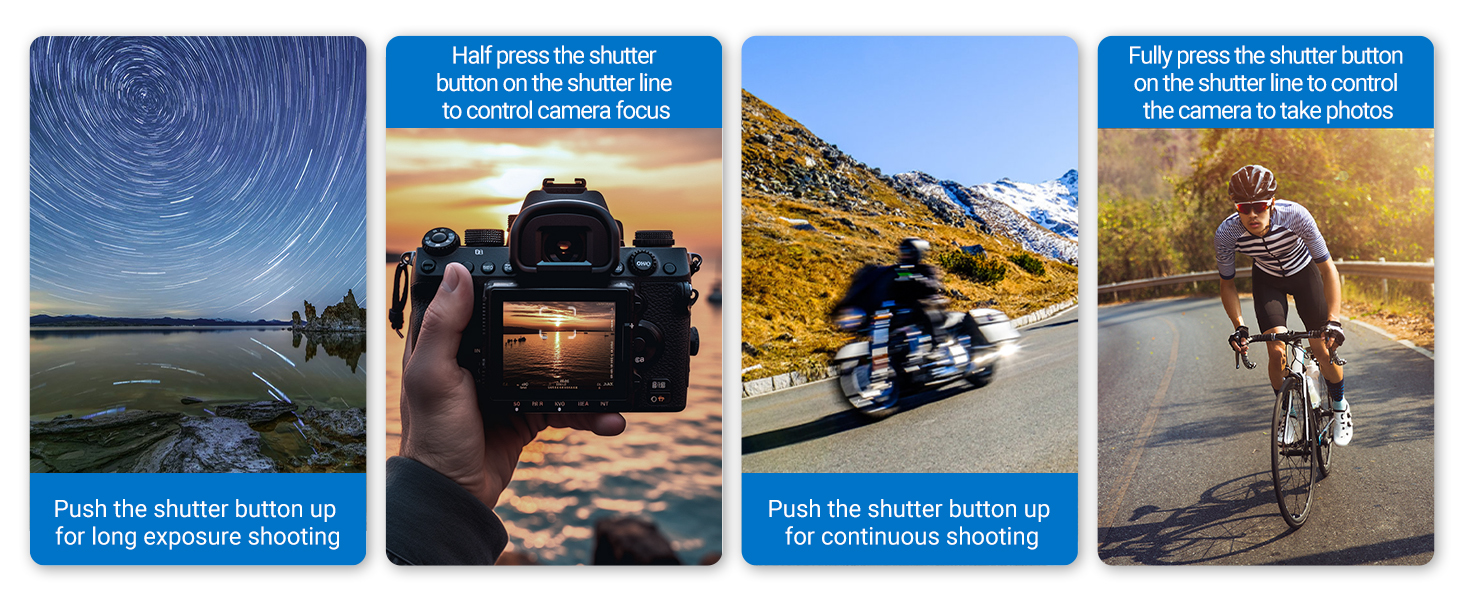
Figure 4: Visual guide to using the shutter release cable for various shooting modes.
Video 1: Demonstration of the JJC S-PK1 Shutter Release Cable's functions, including half-press for focus, full-press for photo, and the bulb mode lock feature.
5. Vedligeholdelse
- Rensning: Brug en blød, tør klud til at rengøre fjernbetjeningen. Undgå at bruge skrappe kemikalier eller slibende materialer.
- Opbevaring: Opbevar kablet et køligt og tørt sted, væk fra direkte sollys og ekstreme temperaturer.
- Kabelpleje: Undgå at bøje eller vride kablet for meget for at forhindre indvendig skade.
6. Fejlfinding
- Fjernbetjeningen virker ikke: Ensure the cable is securely plugged into the camera's remote control terminal. Check your camera's settings to confirm it is ready to accept remote input.
- Intermitterende forbindelse: Disconnect and reconnect the cable. Inspect the cable and connectors for any visible damage.
- Camera Not Focusing: Ensure the remote button is pressed halfway down. Verify your camera's autofocus system is enabled and functioning correctly.
7. Specifikationer
| Feature | Detalje |
|---|---|
| Mærke | JJC |
| Modelnavn | S-PK1 |
| Kompatible enheder | Nikon ZR Z5II Z50II, Fujifilm X-E4 X-T200 X-S10 X-S20, Pentax K-70 KP |
| Forbindelsesteknologi | Kabel |
| Antal knapper | 1 |
| Controller type | Kabelstyring |
| Maksimal rækkevidde | 10 Metres (cable length approx. 90cm) |
| Batterityper | Intet batteri påkrævet |
| Varens vægt | 59 g |
| Varedimensioner (L x B x H) | 10.5L x 3.4W x 2.3H centimeter |

Figure 5: Detailed dimensions of the JJC S-PK1 Shutter Release Cable and its coiled cable.
8. Garanti og support
For warranty information or technical support, please refer to the official JJC webwebstedet eller kontakt din forhandler. Gem din købskvittering i tilfælde af garantikrav.