
1. Produktet er slutview
The ADATA HM900 (model AHM900-6TU3-CEUBK) is a 6TB external hard disk drive designed for high-capacity data storage and transfer. This mechanical hard disk drive offers ample space for extensive data needs and supports simultaneous operations without compromising performance. It connects via USB, making it compatible with various devices, including personal computers and televisions.

Figur 1: Forside view of the ADATA HM900 External Hard Drive.
2. Opsætningsvejledning
2.1 Pakkens indhold
Før du fortsætter, skal du sørge for, at alle varer er til stede i pakken:
- ADATA HM900 External Hard Disk Drive
- USB datakabel
- Strømadapter
- Hurtigstartguide (hvis inkluderet)
2.2 Tilslutning af harddisken
- Tilslut strømadapteren: Plug the power adapter into the DC IN port on the back of the ADATA HM900. Connect the other end of the power adapter to a wall outlet. The device requires 12 Watts of power.
- Tilslut USB-kablet: Insert one end of the provided USB data cable into the USB port (marked 'SS' for SuperSpeed USB) on the back of the hard drive.
- Opret forbindelse til din enhed: Plug the other end of the USB cable into an available USB port on your computer, television, or other compatible device.
- Tænd: The drive should power on automatically. A status indicator light will typically illuminate to show it is active.
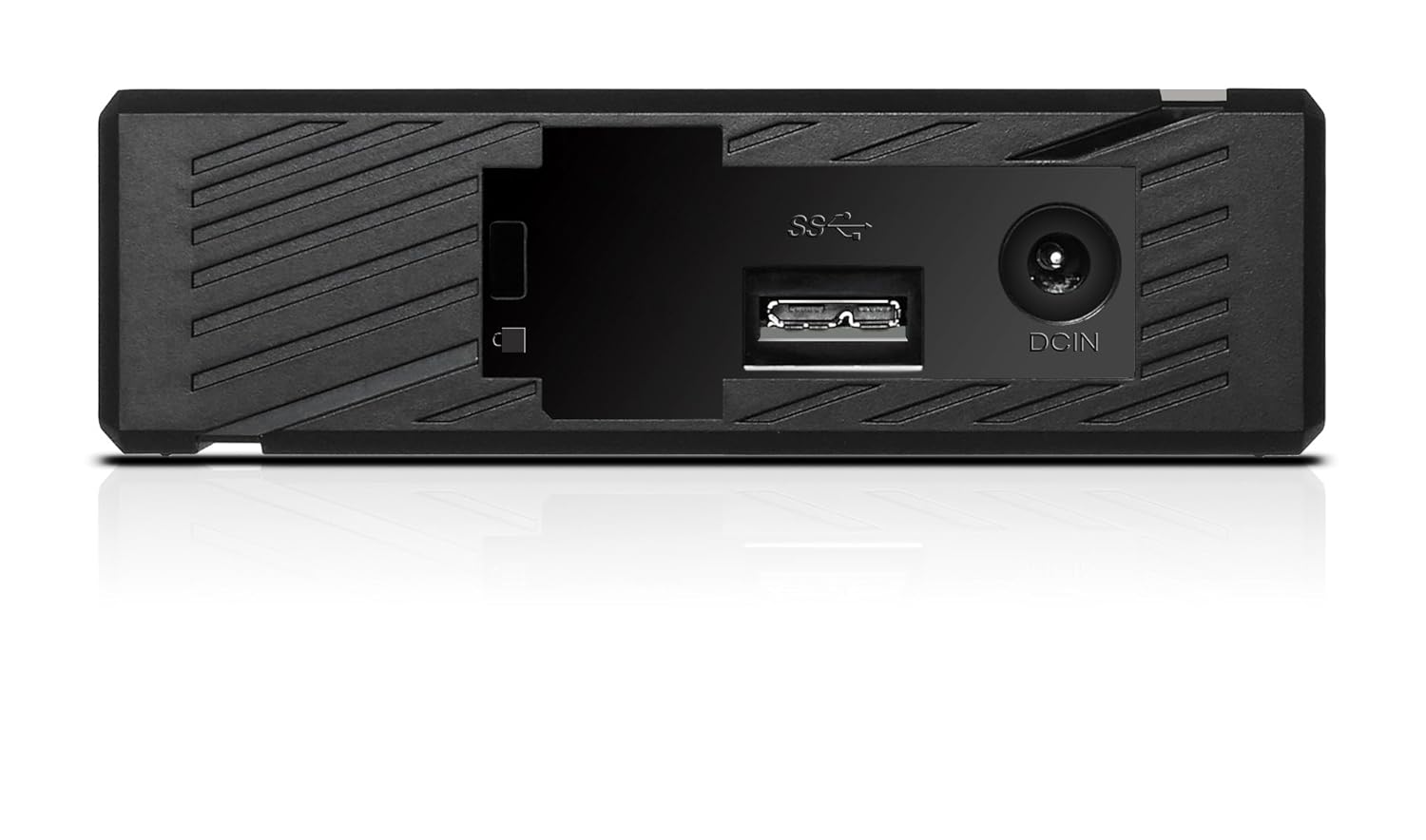
Figur 2: Bagside view of the ADATA HM900, highlighting the USB and DC IN ports for connection.
3. Betjening af harddisken
3.1 Førstegangsindregning
Upon first connection, your operating system (Windows, macOS, Linux) or compatible device (e.g., smart TV) should automatically detect the ADATA HM900. For computers, it may appear as a new drive letter or volume in 'My Computer'/'This PC' or 'Finder'.
3.2 Dataoverførsel
At overføre files, simply drag and drop them to and from the HM900 drive icon. For larger transfers, it is recommended to use your operating system's copy/paste functions or dedicated backup software.
3.3 Using with a Television
The ADATA HM900 is compatible with televisions that support external storage devices. Connect the drive as described in Section 2.2. Refer to your television's user manual for specific instructions on how to access and play media files from an external USB drive.
4. Vedligeholdelse og pleje
Proper care ensures the longevity and reliability of your ADATA HM900 external hard drive:
- Sikker afbrydelse: Always safely eject or unmount the hard drive from your operating system before physically disconnecting the USB cable or power. This prevents data corruption.
- Fysisk beskyttelse: Avoid dropping or subjecting the drive to strong impacts, as it contains a mechanical hard disk that can be damaged.
- Miljøforhold: Opbevar og betjen drevet et køligt og tørt sted, væk fra direkte sollys, ekstreme temperaturer og høj luftfugtighed.
- Rensning: Brug en blød, tør klud til at rengøre drevets yderside. Brug ikke flydende rengøringsmidler eller opløsningsmidler.
5. Fejlfinding
5.1 Drev ikke fundet
- Tjek forbindelser: Ensure both the power adapter and USB cable are securely connected to the drive and your device.
- Prøv en anden USB-port: Connect the drive to a different USB port on your computer or device.
- Bekræft strøm: Confirm the power adapter is plugged into a working electrical outlet and the drive's indicator light is on.
- Genstart enhed: Restart your computer or television and try connecting the drive again.
- Tjek Diskhåndtering (Windows) / Diskværktøj (macOS): For computers, check if the drive appears in disk management tools, even if it doesn't have a drive letter assigned.
5.2 Langsomme dataoverførselshastigheder
- Brug USB 3.0-porten: Ensure the drive is connected to a USB 3.0 (or higher) port on your device for optimal speeds. USB 2.0 ports will result in slower transfers.
- Avoid Other USB Devices: Disconnect other high-bandwidth USB devices during large transfers.
- Tjek drevets tilstand: Run a disk check utility on your computer to ensure the drive is healthy.
6. Specifikationer
| Feature | Specifikation |
|---|---|
| Mærke | ADATA |
| Modelnummer | AHM900-6TU3-CEUBK |
| Digital lagerkapacitet | 6 TB |
| Harddisk beskrivelse | Mekanisk harddisk |
| Harddisk formfaktor | 2.5 tommer |
| Forbindelsesteknologi | USB |
| Emnedimensioner (LxBxH) | 19 x 12.1 x 3.65 centimeter |
| Varens vægt | 998 g |
| Wattage | 12 watt |
| Kompatible enheder | Television, Personal Computers |
| Første ledige dato | 11. november 2016 |
7. Garanti og support
For detailed warranty information, please refer to the warranty card included with your product or visit the official ADATA website. Support resources, including drivers and firmware updates, may also be available on the ADATA support portal.