
1. Produktet er slutview
The Baseus Mini Type-C to USB Adapter (Model CAAOTG-01) is a compact and durable accessory designed to connect USB-C devices to standard USB-A ports. This adapter enables efficient data transfer, device synchronization, and fast charging capabilities up to 5 Amperes.

Billede 1.1: Forside view of the Baseus Mini Type-C to USB Adapter, showing the USB-A male connector and the Type-C female port.
2. Produktfunktioner
- Kompakt design: Small and lightweight, ideal for portability.
- Holdbar konstruktion: Made from aluminum alloy for enhanced durability and heat dissipation.
- Højhastighedsdataoverførsel: Supports USB 2.0 standard with data transfer speeds up to 480 Mbps.
- Hurtig opladning: Capable of delivering up to 5 Amperes for quick device charging.
- Universal kompatibilitet: Connects USB-C devices (laptops, phones, tablets) to USB-A ports.
3. Pakkens indhold
Bekræft at alle varer er til stede i pakken:
- 1 x Baseus Mini Type-C to USB Adapter (Model CAAOTG-01)

Image 3.1: The Baseus Mini Type-C to USB Adapter shown in its retail packaging.
4. Opsætning
The Baseus Mini Type-C to USB Adapter is a plug-and-play device and requires no special driver installation.
- Identify the USB-A port on your host device (e.g., computer, wall charger, power bank).
- Insert the USB-A male connector of the adapter into the USB-A port of your host device. Ensure it is fully seated.
- Connect your USB-C cable or USB-C device into the Type-C female port of the adapter.
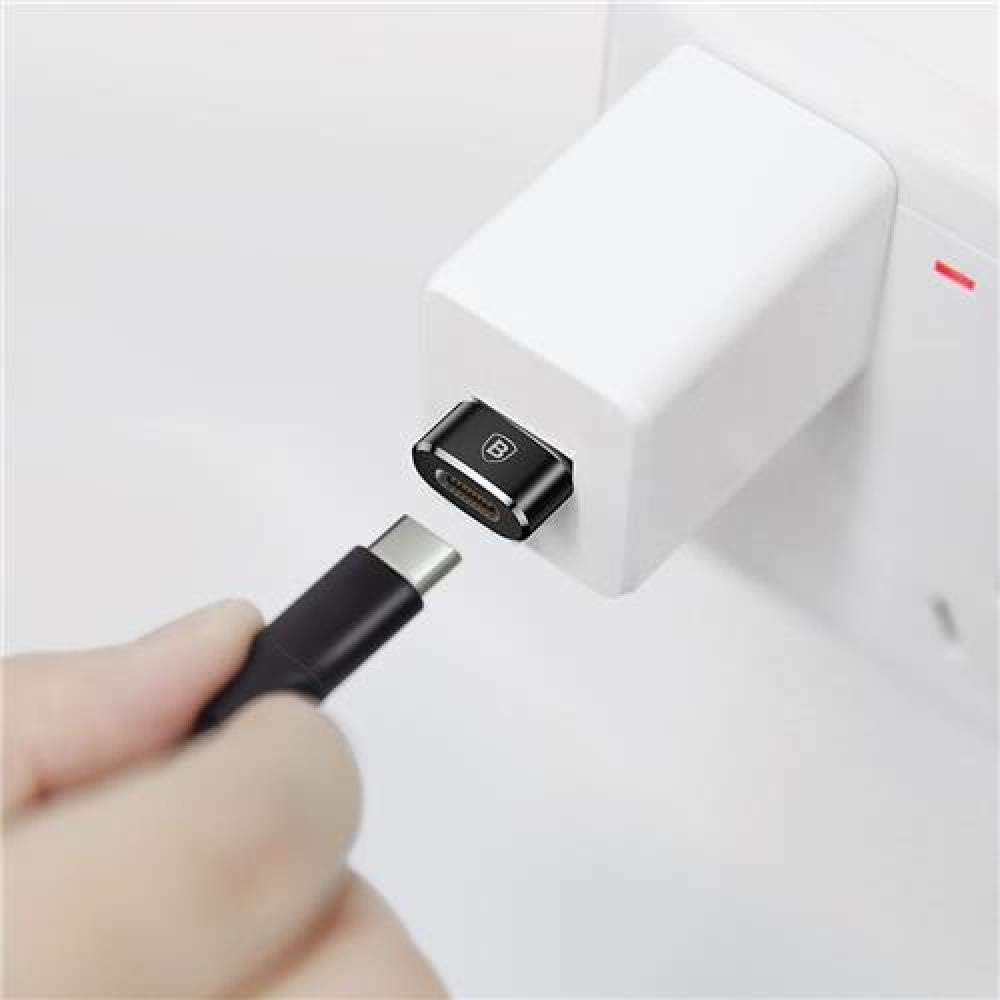
Image 4.1: The adapter connected to a wall charger, ready to receive a USB-C cable for charging.
5. Betjeningsvejledning
5.1 Data Transfer and Synchronization
To transfer data or synchronize devices:
- Connect the adapter to a USB-A port on your computer.
- Connect your USB-C device (e.g., smartphone, tablet) to the adapter using a USB-C cable.
- Your computer should recognize the connected device. You can now transfer files or synchronize data as usual.
5.2 Opladningsenheder
To charge a USB-C device:
- Connect the adapter to a USB-A wall charger, power bank, or computer USB-A port.
- Connect your USB-C device to the adapter using a USB-C charging cable.
- Ensure the power source is active. Your device should begin charging. The adapter supports fast charging up to 5A, depending on the capabilities of your charger and device.
6. Vedligeholdelse
- Rensning: Use a soft, dry cloth to clean the adapter. Avoid liquid cleaners or abrasive materials.
- Opbevaring: Opbevar adapteren et køligt, tørt sted væk fra direkte sollys og ekstreme temperaturer.
- Håndtering: Avoid dropping the adapter or subjecting it to strong impacts. Do not force connectors into ports.
7. Fejlfinding
| Problem | Mulig årsag | Løsning |
|---|---|---|
| Device not recognized / No data transfer. |
|
|
| Device not charging / Slow charging. |
|
|
8. Specifikationer
| Modelnummer | CAAOTG-01 |
| Mærke | Baseus |
| Produktmål (L x B x H) | 15 x 5 x 5 cm |
| Varens vægt | 18.14 g |
| Farve | Sort |
| Connector Type | USB Type-A Male, USB Type-C Female |
| Dataoverførselshastighed | Op til 480 Mbps (USB 2.0) |
| Maks Ampslette | 5 Ampere |
| Kompatible enheder | Laptops, Mobile Phones, Tablets with USB-C ports |
| Materiale | Aluminiumslegering |
9. Garanti og support
This product comes with a limited warranty. For detailed warranty information or technical support, please refer to the official Baseus webwebsted eller kontakt deres kundeservice.
- Officiel Baseus Webwebsted: www.baseus.com
- Kundeservice: Se kontaktoplysningerne på den officielle webwebsted eller produktemballage.
Additional safety and usage instructions may be available in PDF format: