
Indledning
The HyperGear Rave Wireless Stereo Speaker delivers high-fidelity sound with an interactive multi-colored LED light show. It features Bluetooth connectivity, a built-in speakerphone, and an FM radio, making it suitable for various audio needs.
Pakkens indhold
- Rave Wireless Speaker
- 3.5mm Stereo Auxiliary Cable
- Micro USB opladningskabel
- Brugervejledning (dette dokument)

Produkt overview
Gør dig bekendt med højttalerens betjeningselementer og porte.

Kontrolknapper
- Power knap: Tryk og hold nede for at tænde eller slukke for højttaleren.
- Mode-knap (M): Tryk for at skifte mellem Bluetooth-, FM-radio- og AUX-tilstande.
- Play/Pause Button (►/∕): Tryk for at afspille eller sætte lyd på pause. I opkaldstilstand skal du trykke for at besvare/afslutte opkald.
- Volume Down / Previous Track (-/◀◀): Tryk for at sænke lydstyrken. Tryk og hold nede for at gå til det forrige nummer.
- Volume Up / Next Track (+/►►): Tryk for at øge lydstyrken. Tryk og hold nede for at gå til næste nummer.
- Lystilstandsknap (*): Press to cycle through different LED light patterns or turn off the light show.
Havne
- Micro USB-opladningsport: Til opladning af højttalerens interne batteri.
- 3.5 mm AUX-indgang: For connecting external audio devices via the auxiliary cable.
Opsætning
Opladning af højttaleren
Before first use, fully charge the speaker. Connect the Micro USB charging cable to the speaker's charging port and the other end to a USB power adapter (not included) or a computer's USB port. The charging indicator light will illuminate during charging and turn off when fully charged. A full charge takes approximately 3-4 hours and provides up to 8 hours of playback.
Tænd/sluk
Tryk og hold på Power knap for approximately 3 seconds to turn the speaker on or off. A voice prompt will indicate the power status.
Betjeningsvejledning
Bluetooth-parring
- Sørg for, at højttaleren er tændt og i Bluetooth-tilstand. Hvis ikke, skal du trykke på Tilstandsknap (M) until you hear the Bluetooth pairing prompt. The LED indicator will flash, indicating it is ready to pair.
- Aktiver Bluetooth på din mobilenhed, og søg efter tilgængelige enheder.
- Select "HyperGear Rave" from the list of devices.
- Når højttaleren er parret, udsender den en bekræftelsestone, og LED-indikatoren holder op med at blinke.

Afspilning af musik
Bluetooth-tilstand
After successful pairing, you can play music from your connected device. Use the speaker's Afspil/pause, Lydstyrke op/Næste nummer, og Lydstyrke ned/Forrige nummer buttons to control playback, or control directly from your device.
AUX-tilstand
Connect one end of the 3.5mm auxiliary cable to the speaker's AUX input and the other end to the audio output of your external device. Press the Tilstandsknap (M) to switch to AUX mode. Audio will play directly from your connected device.
Håndfri opkald
When connected via Bluetooth, the speaker can be used as a speakerphone. When a call comes in, the music will pause. Press the Afspil/pause knap to answer an incoming call. Press it again to end the call. Press and hold the Afspil/pause knap at afvise et indgående opkald.
Betjening af FM-radio
Tryk på Tilstandsknap (M) to switch to FM Radio mode. The speaker will automatically scan and save available stations. Use the Lydstyrke op/Næste nummer og Lydstyrke ned/Forrige nummer buttons to navigate between saved stations. Press and hold these buttons to fine-tune the frequency.
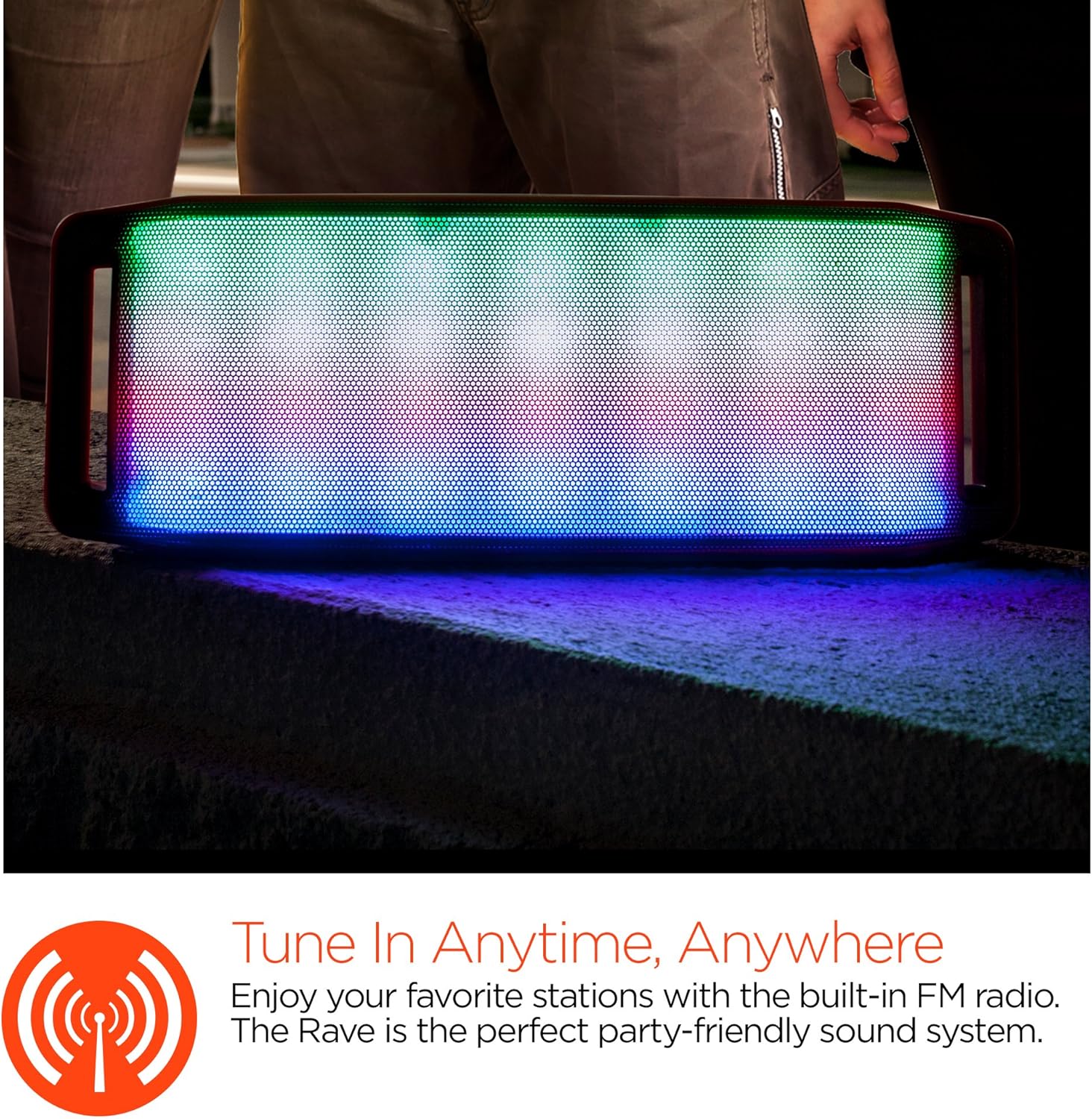
LED lysshow
The speaker features an interactive multi-colored LED light show. Press the Light Mode Button (*) to cycle through different light patterns or to turn the light show off.

Opretholdelse
Rensning
Wipe the speaker with a soft, dry cloth. Do not use abrasive cleaners or solvents. Avoid exposing the speaker to excessive moisture.
Opbevaring
Opbevar højttaleren et køligt, tørt sted væk fra direkte sollys og ekstreme temperaturer. Hvis den opbevares i en længere periode, skal batteriet oplades med jævne mellemrum for at forlænge dens levetid.
Batteripleje
To prolong battery life, avoid fully discharging the speaker frequently. Charge the speaker regularly, even if not in use, to prevent deep discharge.
Fejlfinding
| Problem | Mulig årsag | Løsning |
|---|---|---|
| Højttaleren tænder ikke. | Batteriet er afladet. | Oplad højttaleren med Micro USB-kablet. |
| Kan ikke parres via Bluetooth. | Højttaleren er ikke i parringstilstand; Bluetooth er slået fra på enheden; enheden er for langt væk. | Ensure speaker is in Bluetooth pairing mode (flashing LED). Turn on Bluetooth on your device. Move device closer to speaker (within 10 meters). |
| Ingen lyd. | Volume is too low; incorrect mode selected; device not playing. | Increase volume on both speaker and connected device. Ensure correct mode (Bluetooth/AUX/FM) is selected. Verify audio is playing on the source device. |
| Lydforvrængning. | Lydstyrken er for høj; lavt batteri; interferens. | Skru ned for lydstyrken. Oplad højttaleren. Flyt højttaleren væk fra andre elektroniske enheder. |
| FM-radiomodtagelsen er dårlig. | Svagt signal; miljøforstyrrelser. | Relocate the speaker to an area with better reception. Extend the charging cable (if connected) as it can act as an antenna. |
Specifikationer
| Feature | Detalje |
|---|---|
| Modelnummer | 13604 |
| Bluetooth version | 3.0 ± EDR |
| Højttaler udgangseffekt | 2 x 5W (i alt 10W) |
| Signal-til-støj-forhold (S/N) | 80dB |
| Batterikapacitet | 1500mAh |
| Spilletid | Op til 8 timer |
| Bluetooth rækkevidde | Op til 33ft / 10m |
| Forbindelsesteknologi | Bluetooth, Trådløs |
| Lydudgangstilstand | Stereoanlæg |
| Kontrolmetode | Røre |
| Vægt | 2.25 pund |
| Særlige funktioner | Bass Boost, Display, Multi-colored LED Light Show, Built-in Speakerphone, FM Radio |
Garanti og support
For warranty information or technical support, please refer to the contact details provided on the product packaging or visit the official HYPERGEAR webwebstedet. Behold din købskvittering som købsbevis.