
YUCHENGTECH YF-399AT
YUCHENGTECH YF-399AT Ionizing Air Blower
Brugermanual
1. Introduktion
The YUCHENGTECH YF-399AT Ionizing Air Blower is designed to neutralize static electricity and remove dust from surfaces. It generates positive and negative ions through high-voltage discharge, effectively addressing static problems in various industrial and electronic environments. This manual provides essential information for the safe and efficient operation and maintenance of your device.
2. Sikkerhedsoplysninger
- Ensure the device is properly grounded before operation to prevent electrical hazards.
- Do not operate the device in wet conditions or near flammable materials.
- Keep hands and foreign objects away from the fan blades and ion emission needles during operation.
- Regularly inspect the power cord for any damage. Discontinue use if damage is found.
- Only qualified personnel should perform repairs or internal maintenance.
3. Produktet er slutview
The YUCHENGTECH YF-399AT Ionizing Air Blower is a compact and efficient static elimination device. Key features include:

Figure 3.1: YUCHENGTECH YF-399AT Ionizing Air Blower
- Ionizing Air Blower Function: Generates positive and negative ions to neutralize static electricity and remove dust.
- Justerbar vindhastighed: Air volume is adjustable from 70CFM to 190CFM, providing strong wind and wide ion coverage (23.6×47.2 inches).
- Warm Wind Function: Includes a warm wind switch for use in colder environments.
- Pure Copper Ion Needle: Ensures efficient 3-second discharge for rapid static neutralization.
- Dual-Purpose Bracket: Allows for desktop placement or wall mounting, adapting to various workspaces.
- Ion Needle Cleaning Brush: Integrated brush for regular maintenance of the ion needles.
- Grounding Protection and Ion Indicator: Enhances safety and provides operational status.

Figur 3.2: Detaljeret view of the ion needle, cleaning brush, and ion indicator.
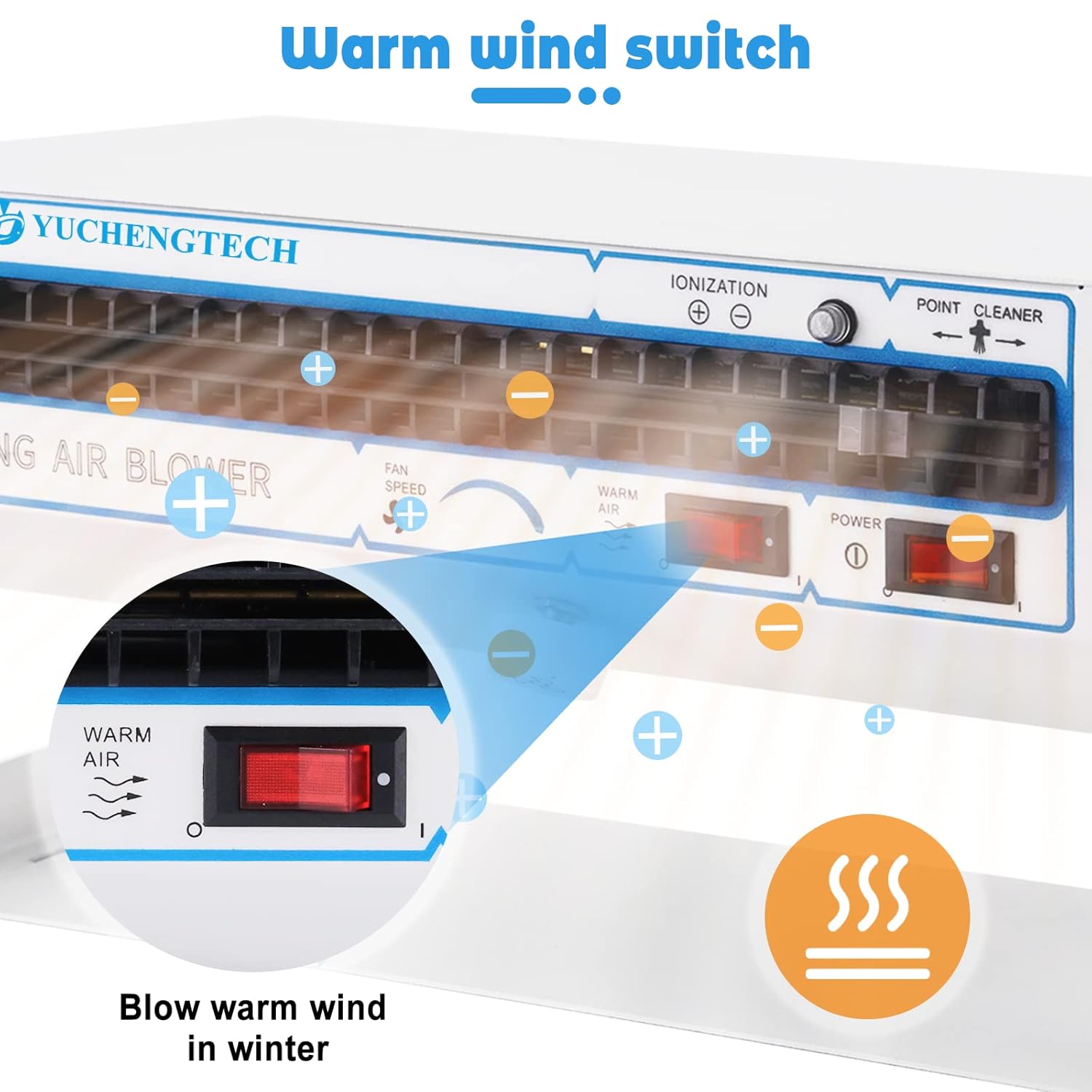
Figure 3.3: Warm wind switch for cold environments.
4. Opsætning
The YF-399AT is designed for flexible placement. Choose between desktop use or wall mounting based on your workspace needs.

Figure 4.1: Dual-purpose bracket for versatile placement.
4.1 Indledende placering
- Unpack the ionizing air blower and ensure all components are present.
- Place the unit on a stable, flat surface for desktop operation, or secure it to a wall using appropriate mounting hardware (not included) if wall mounting is preferred. The bracket allows for 180° adjustment.
- Tilslut netledningen til en kompatibel 110V stikkontakt.
4.2 Device Orientation
The device can be adjusted to direct airflow as needed. The side knobs allow for angle adjustment to optimize static elimination in your work area.
Video 4.1: Demonstration of the BK001 Anti-static fan's features, including power activation, fan speed adjustment, and ion emission needle cleaning. This video illustrates general operation and maintenance relevant to the YF-399AT model.
Video 4.2: Overståetview of the BK5600S Anti-Static Ion Fan, showing airflow adjustment, 140° adjustment range, and ion needle cleaning. This video provides visual guidance on similar functionalities found in the YF-399AT.
5. Betjeningsvejledning
- Tænd: Flip the red POWER switch to the 'ON' position. The ion indicator light will illuminate, indicating the device is active.
- Juster blæserhastighed: Use the 'FAN SPEED' rotary knob to adjust the airflow. Turn clockwise for higher speed (up to 190CFM) and counter-clockwise for lower speed (down to 70CFM).
- Activate Warm Wind (Optional): If operating in a cold environment, flip the 'WARM AIR' switch to the 'ON' position to activate the warm wind function.
- Positioning for Static Elimination: Direct the ionized airflow towards the area where static electricity needs to be neutralized. The wide ion coverage ensures effective static removal in small to medium areas.
- Sluk: When finished, flip the 'POWER' switch to the 'OFF' position.

Figure 5.1: Adjustable air volume settings.

Figure 5.2: Quick static elimination in action.
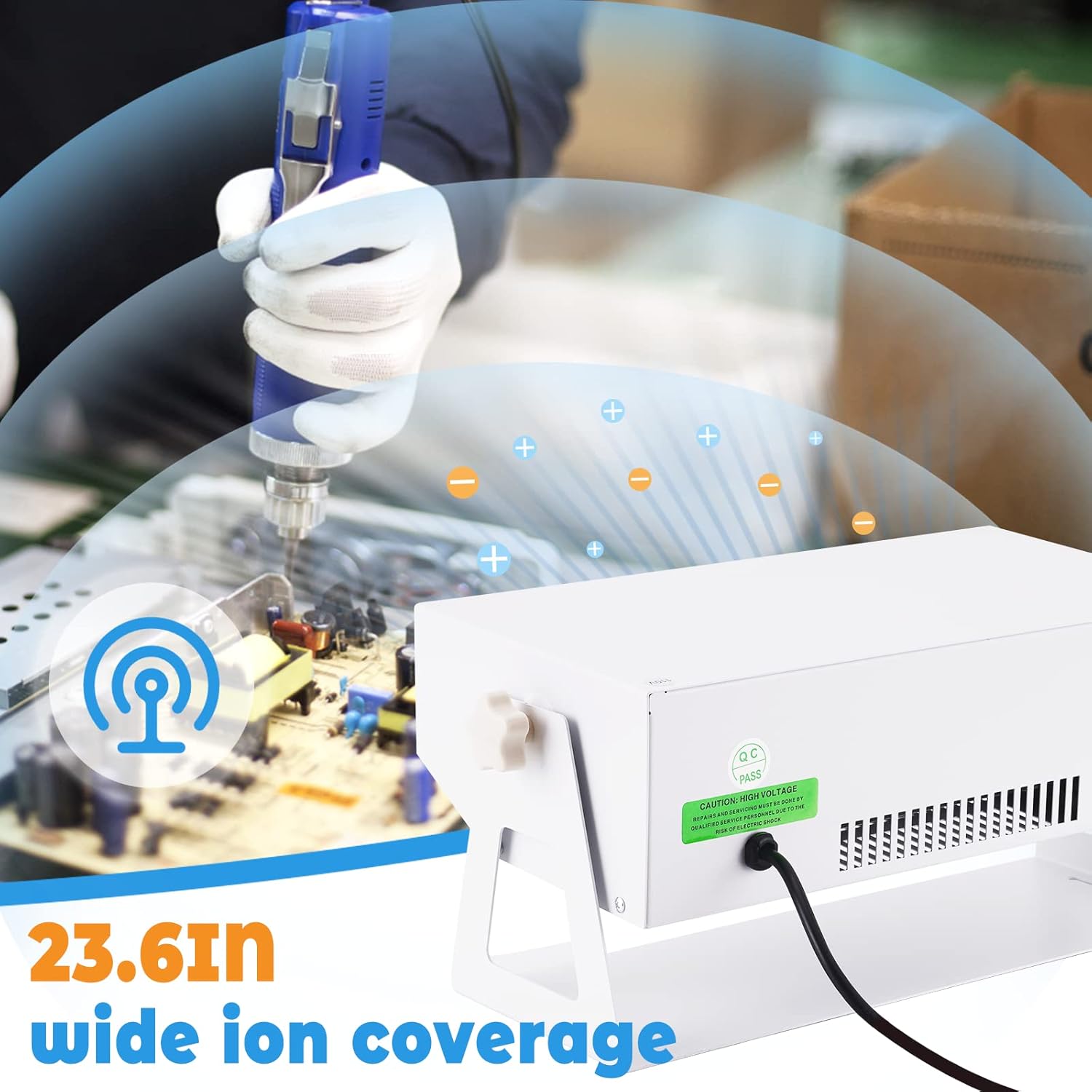
Figure 5.3: Wide ion coverage for effective static removal.
6. Vedligeholdelse
Regular maintenance ensures optimal performance and longevity of your ionizing air blower.
- Ion Needle Cleaning: The pure copper ion needles should be cleaned regularly to maintain efficient static neutralization. Use the integrated ion needle cleaning brush by rotating it gently to remove any buildup. Refer to Figure 3.2 for the location of the cleaning brush.
- Udvendig rengøring: Tør enhedens yderside af med en blød, tør klud. Brug ikke slibende rengøringsmidler eller opløsningsmidler.
- Luftindtag/udtag: Sørg for, at luftindtags- og udløbsgitrene er fri for støv og blokeringer.
7. Fejlfinding
If you encounter issues with your ionizing air blower, refer to the following common problems and solutions:
- Enheden tændes ikke:
- Kontroller, om netledningen er sat ordentligt i en fungerende stikkontakt.
- Ensure the POWER switch is in the 'ON' position.
- Verify the power outlet is supplying electricity.
- Static electricity is not being eliminated effectively:
- Clean the ion emission needles using the integrated brush.
- Increase the fan speed to ensure sufficient airflow and ion coverage.
- Ensure the device is positioned correctly to direct airflow to the target area.
- Usædvanlig støj under drift:
- A slight increase in noise is normal at higher fan speeds.
- Check for any obstructions in the fan blades or air grilles.
- If the noise is excessive or unusual, power off the device and contact customer support.
8. Specifikationer
Technical specifications for the YUCHENGTECH YF-399AT Ionizing Air Blower:

Figur 8.1: Produktparametre og dimensioner.
| Feature | Specifikation |
|---|---|
| Modelnummer | YF-399AT |
| Fabrikant | YUCHENGTECH |
| Operation Voltage | 110V/60Hz |
| Nuværende forbrug | 3.0A |
| Luftvolumen | 70-190CFM |
| Ionbalance | 0V ± 10V |
| Air Coverage | 23.6" × 47.2" |
| Driftstemperatur | 0-50°C |
| Varens vægt | 6.28 kg |
| Produktdimensioner | 40 x 19 x 22 cm |
| Materiale | Metal |
9. Anvendelsesområder
The YUCHENGTECH YF-399AT Ionizing Air Blower is suitable for a variety of applications where static electricity and dust are problematic:

Figure 9.1: Diverse applications of the ionizing air blower.
- Electronics Assembly: Prevents electrostatic discharge damage to sensitive electronic components.
- Reparation af mobiltelefoner: Ensures a static-free environment for delicate mobile device repairs.
- Textile Manufacturing: Reduces static buildup in textile production, improving material handling.
- Thin Film Production: Prevents static attraction of dust particles during film processing.
- Printing Plants: Minimizes static issues that can affect print quality and paper handling.

Figure 9.2: Application in electronics assembly.

Figure 9.3: Application in mobile phone repair.

Figure 9.4: Application in textile factories.

Figure 9.5: Application in thin film production.

Figure 9.6: Application in printing plants.
10. Garanti og support
YUCHENGTECH products are manufactured to high-quality standards. For warranty information, technical support, or service inquiries, please refer to the contact information provided with your purchase or visit the official YUCHENGTECH webwebsted. Gem venligst din købsbevis til garantikrav.
Ask a question about this manual
Ask about setup, troubleshooting, compatibility, parts, safety, or missing instructions. Manuals+ will review the question and use this page’s manual context to help answer it.