
Indledning
The Konftel EGO is a compact and portable personal speakerphone designed for crystal-clear audio conferencing. Featuring OmniSound audio technology, it is suitable for small meetings, individual use, and travel. This manual provides instructions for setting up, operating, and maintaining your Konftel EGO.
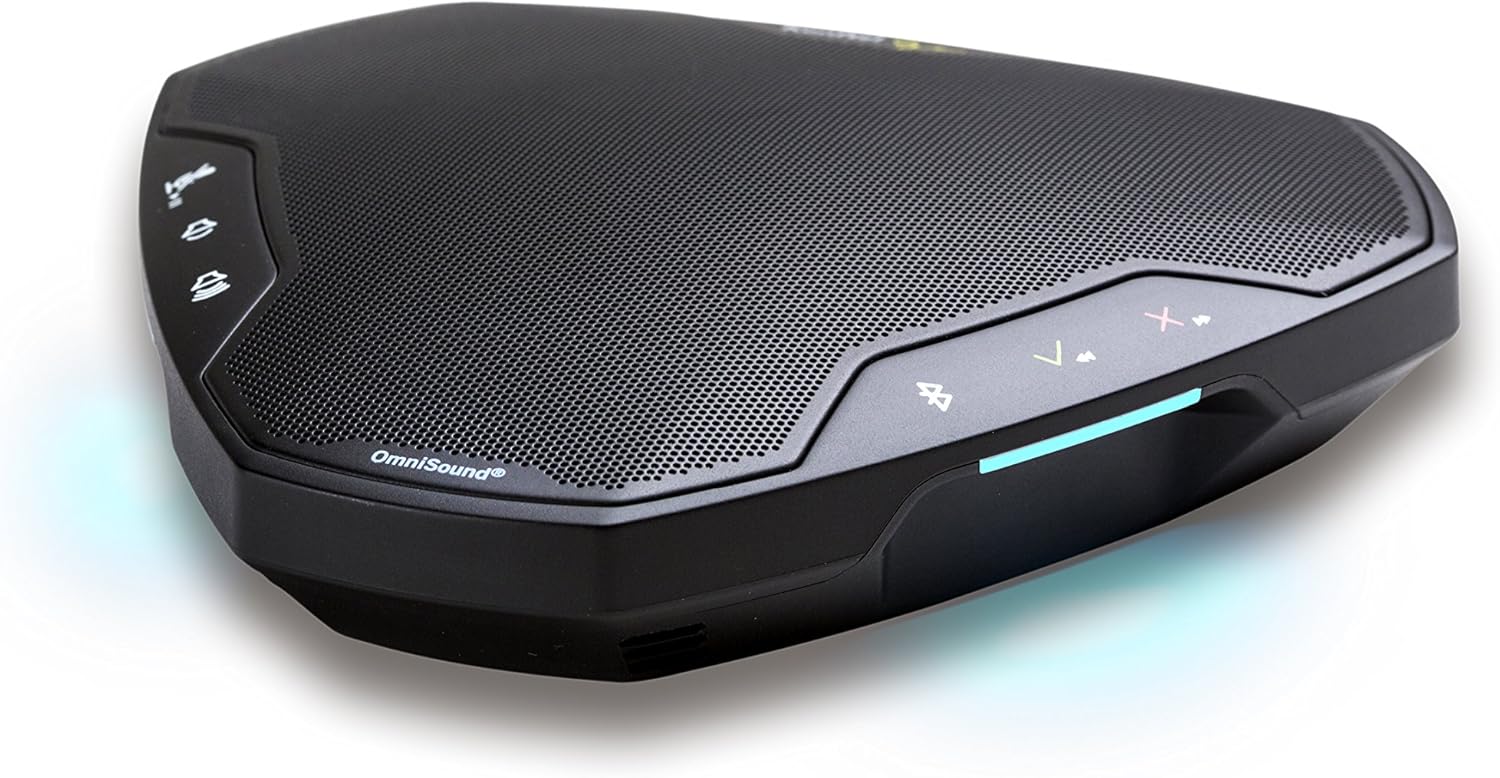
Image: The Konftel EGO in use during a small group meeting, demonstrating its portability and ease of integration into various environments.
Hvad er der i æsken
- Konftel EGO Conferencing Unit
- Bæretaske
- USB kabel
- Brugervejledning (dette dokument)
Produkt overview
The Konftel EGO features intuitive controls and essential ports for connectivity. Familiarize yourself with the device's layout before use.

Billede: Top view of the Konftel EGO, highlighting the touch-sensitive control panel and OmniSound branding.

Billede: Bagside view of the Konftel EGO, displaying the headset port, USB connection, and power button.
Nøglekomponenter:
- Berøringsknapper: For call answer/end, volume up/down, mute, Bluetooth pairing.
- LCD skærm: Viser statusoplysninger.
- USB-port: For connecting to a computer and charging.
- Headset port: For connecting a personal headset (disables internal microphone).
- Power knap: For at tænde/slukke enheden.
- NFC Tag: Til hurtig Bluetooth-parring med kompatible enheder.
Opsætning
1. Opladning af enheden
Before first use, fully charge your Konftel EGO. Connect the supplied USB cable to the USB port on the device and to a computer or a USB power adapter (not included). The LCD screen will indicate charging status. A full charge provides approximately 12 hours of talk time.
2. Tilslutning via USB
- Connect the Konftel EGO to your computer using the supplied USB cable.
- The device will be recognized as an audio device. Select "Konftel EGO" as your speaker and microphone in your computer's audio settings or conferencing application.
- The device will draw power from the USB connection during use.
3. Parring via Bluetooth
The Konftel EGO supports Bluetooth pairing with mobile phones and other compatible devices.
Standard Bluetooth-parring:
- Ensure the Konftel EGO is powered on.
- Tryk og hold på Bluetooth knap on the device until the Bluetooth indicator flashes.
- On your mobile device, go to Bluetooth settings and select "Konftel EGO" from the list of available devices.
- Når parringen er aktiveret, lyser Bluetooth-indikatoren konstant.
NFC-parring (Near Field Communication):
- Sørg for, at NFC er aktiveret på din mobilenhed.
- Tap your NFC-enabled mobile device against the NFC tag on the Konftel EGO (located near the "Konftel Ego" logo).
- Bekræft parringsanmodningen på din mobilenhed.
Operating the Konftel EGO
Opkaldshåndtering:
- Besvar opkald: Tryk på Svar knap (green phone icon).
- Afslut opkald: Tryk på Afslut opkald-knap (red phone icon).
- Slå mikrofon fra: Tryk på Mute knap (microphone icon). Press again to unmute.
- Lydstyrkejustering: Brug Lydstyrke op (+) og Skrue ned (-) knapper.
Musikstreaming:
When connected via Bluetooth, the Konftel EGO can stream music in HD quality from your mobile device. Use your mobile device's controls for playback (play, pause, skip tracks).
Brug af et headset:
Connect a 3.5mm headset to the headset port on the Konftel EGO for private conversations. When a headset is connected, the internal microphone and speaker of the EGO are disabled.
Opretholdelse
Rensning:
Wipe the device with a soft, dry cloth. Do not use liquid cleaners or abrasive materials, as these can damage the surface and internal components.
Batteripleje:
- Undgå at aflade batteriet helt ofte.
- Opbevar enheden et køligt og tørt sted, hvis den ikke bruges i længere perioder.
- Oplad enheden med jævne mellemrum, hvis den opbevares i længere tid, for at opretholde batteriets tilstand.
Fejlfinding
| Problem | Mulig årsag | Løsning |
|---|---|---|
| Ingen lyd eller lav lydstyrke |
|
|
| Kan ikke oprette forbindelse via Bluetooth |
|
|
| Mikrofonen opfanger ikke lyd |
|
|
Specifikationer
- Modelnummer: 910101081
- Produktdimensioner: 5.71 x 5.31 x 1.26 tommer
- Varens vægt: 8.1 ounce
- Batteri: 1 lithium-ion batteri (medfølger)
- Forbindelse: Bluetooth with NFC, USB
- Lydteknologi: OmniSound with HD audio
- Fabrikant: Konftel
Garanti og support
For garantioplysninger og teknisk support henvises til den officielle Konftel-brugervejledning. website or contact your local Konftel reseller. Keep your proof of purchase for warranty claims.
Official Konftel Webwebsted: www.konftel.com