
1. Produktet er slutview
The Gigastone 64GB Classic Capless USB 2.0 Flash Drive is a portable storage device designed for convenient data transfer and storage. Its durable, lightweight, and capless design protects the USB connector when not in use, making it an ideal solution for storing and transferring documents, photos, videos, and music.
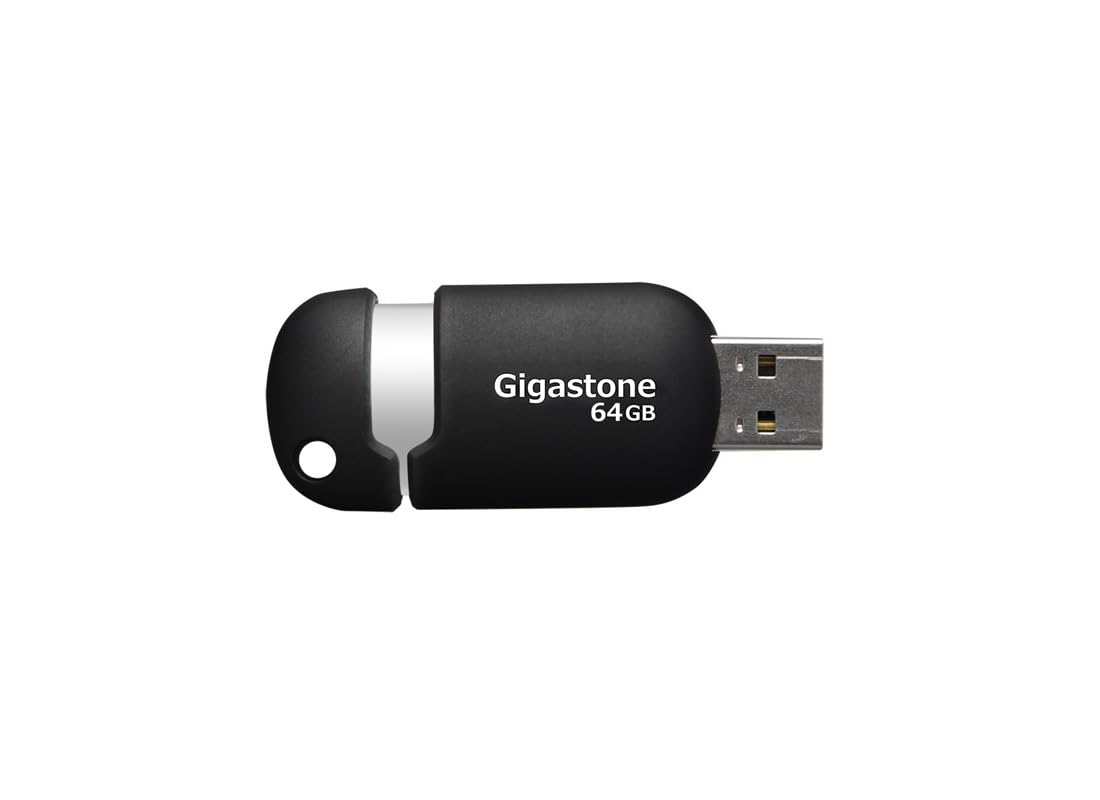
Figure 1: Gigastone 64GB Classic Capless USB 2.0 Flash Drive, showing its compact, capless design.
2. Pakkens indhold
- 1 x Gigastone 64GB Classic Capless USB 2.0 Flash Drive
3. Nøglefunktioner
- Holdbart og let design: Optimized for mobile storage.
- Capless Sliding Collar: Protects the USB connector when not in use, eliminating the risk of losing a cap.
- Integrated Key Loop: Allows for easy attachment to key chains, ensuring portability.
- Bred kompatibilitet: Works with most PC and Mac laptop and desktop computers.
- 5-års begrænset garanti: Provides assurance of product quality.

Figur 2: Side view of the Gigastone USB flash drive, highlighting the sliding mechanism and integrated key loop.
4. Opsætningsvejledning
- Prepare the Flash Drive: Gently slide the collar to expose the USB connector.
- Tilslut til computer: Insert the USB flash drive into an available USB 2.0 or USB 3.0 port on your computer. The drive is backward compatible with USB 1.1 ports, but performance will be limited to USB 1.1 speeds.
- Automatisk genkendelse: Your computer's operating system (Windows or macOS) should automatically detect and install the necessary drivers. The flash drive will appear as a removable storage device (e.g., 'Removable Disk' or 'Gigastone USB') in 'My Computer' (Windows) or 'Finder' (macOS).

Figur 3: Vinklet view of the Gigastone USB flash drive, illustrating its ergonomic shape and the USB connector.
5. Betjeningsvejledning
5.1 Overførsel Files
- Open the Drive: Double-click on the flash drive icon in 'My Computer' or 'Finder' to open its contents.
- Kopi Files: Find files or folders you wish to transfer from your computer. Drag and drop them into the open flash drive window. Alternatively, right-click on the files, select 'Copy', then right-click inside the flash drive window and select 'Paste'.
- Transferring from Drive: At overføre files from the flash drive to your computer, reverse the process: drag and drop files from the flash drive window to a folder on your computer.
5.2 Safely Removing the Drive
To prevent data corruption, always safely remove the flash drive before physically disconnecting it from your computer.
- Windows: Click the 'Safely Remove Hardware and Eject Media' icon in the system tray (bottom-right corner of the screen), then select the Gigastone USB drive. Wait for the 'Safe to Remove Hardware' message before unplugging.
- MacOS: Drag the flash drive icon from the desktop or Finder sidebar to the Trash icon, or right-click (Control-click) the drive icon and select 'Eject'. Wait for the icon to disappear before unplugging.
6. Vedligeholdelse
- Fysisk pleje: Keep the flash drive clean and dry. Avoid exposing it to extreme temperatures, direct sunlight, or strong magnetic fields.
- Data backup: Regularly back up important data stored on the flash drive to another storage medium to prevent data loss.
- Softwareopdateringer: Ensure your computer's operating system is up to date to maintain optimal compatibility and security.
7. Fejlfinding
7.1 Drev ikke genkendt
- Tjek forbindelsen: Sørg for, at flashdrevet er sat helt i USB-porten.
- Prøv en anden port: Connect the drive to a different USB port on your computer.
- Genstart computeren: Nogle gange kan en simpel genstart løse genkendelsesproblemer.
- Tjek Enhedshåndtering (Windows): Open Device Manager and look for 'Universal Serial Bus controllers' or 'Disk drives'. If the drive appears with a yellow exclamation mark, there might be a driver issue.
- Check Disk Utility (macOS): Open Disk Utility to see if the drive is listed, even if it's not mounted.
7.2 Langsomme overførselshastigheder
- USB-porttype: Ensure you are using a USB 2.0 or higher port. Connecting to a USB 1.1 port will result in slower speeds.
- File Størrelse: Overførsel af mange små files kan være langsommere end at overføre et par store files af samme samlede størrelse.
- Andre USB-enheder: Disconnect other USB devices that might be consuming bandwidth.
- Computerens ydeevne: Ensure your computer is not heavily burdened by other tasks during transfer.
7.3 Datakorruption
- Sikker fjernelse: Always follow the safe removal procedure before disconnecting the drive.
- Avoid Interruption: Do not remove the drive during a file transfer or when the drive's activity light (if present) is blinking.
- Scan efter fejl: Use your operating system's built-in disk error checking tools (e.g., 'Error Checking' in Windows, 'First Aid' in macOS Disk Utility).
8. Specifikationer
| Modelnavn | Gigastone 64GB Classic Capless USB 2.0 Flash Drive |
| Modelnummer | GS-Z64GCNBL-R |
| Hukommelseslagringskapacitet | 64 GB |
| Hardware-interface | USB 2.0 (bagudkompatibel med USB 1.1) |
| Forbindelsesteknologi | USB |
| Hardware platform | Mac, PC |
| Farve | Sort/sølv |
| Varens vægt | 0.48 ounce (ca. 13.6 gram) |
| Produktmål (LxBxH) | 2.32 x 0.91 x 0.51 tommer (ca. 5.89 x 2.31 x 1.30 cm) |
| Fabrikant | DANE ELECTRONICS |
9. Garanti og support
9.1 Begrænset garanti
This Gigastone USB Flash Drive comes with a 5 års begrænset garanti. This warranty covers defects in materials and workmanship under normal use. It does not cover damage caused by misuse, accident, modification, or unauthorized repair.
For detailed warranty terms and conditions, please refer to the official Gigastone webwebsted eller kontakt kundesupport.
9.2 Kundesupport
If you encounter any issues not covered in the troubleshooting section or require further assistance, please contact Gigastone customer support. Contact information can typically be found on the official Gigastone webwebsted eller produktemballage.