
1. Introduktion og overview
The Salter 9192 WH3R Curve Bluetooth Smart Analyser Bathroom Scale is designed to help you monitor your health and fitness progress. This scale provides comprehensive body composition analysis, including weight, body fat, body water, muscle mass, bone mass, Body Mass Index (BMI), and Basal Metabolic Rate (BMR). It features an easy-to-read LCD display, 8-user memory, and specialized athlete and child modes. Data can be synced with your smartphone via Bluetooth using the free Salter MiBody App for detailed tracking and analysis.

Image: The Salter 9192 WH3R scale connected to a smartphone displaying the Salter Health app dashboard.

Image: The Salter 9192 WH3R scale highlighting its 15-year guarantee and Bluetooth connectivity with the Salter Health app.
2. Sikkerhedsoplysninger
Læs venligst alle instruktioner omhyggeligt inden brug. Gem denne manual til senere brug.
- Always use the scale on a firm, flat surface. Using it on soft surfaces like carpet may affect accuracy.
- The scale platform can become slippery when wet. Ensure the surface is dry before stepping on.
- Do not use this device for medical diagnosis or treatment. Consult your doctor for any health concerns.
- Opbevar vægten utilgængeligt for børn.
- Vægten må ikke nedsænkes i vand, og der må ikke anvendes slibende rengøringsmidler.
- Sørg for, at batterierne er isat korrekt i henhold til polaritetsmarkeringerne. Fjern batterierne, hvis vægten ikke skal bruges i længere tid.
- Individuals with pacemakers or other internal medical devices should not use this product.
3. Opsætning
3.1 Batteriinstallation
- Åbn batterirummet på undersiden af vægten.
- Isæt 3 x AAA-batterier, og sørg for korrekt polaritet (+/-).
- Luk batterirummet forsvarligt.
3.2 Download og parring af app
To utilize the full features of your scale, download the Salter MiBody App on your smartphone.

Image: The Salter Health app supports Bluetooth, Apple Health, and is available on the App Store and Google Play.
- Søg efter 'Salter MiBody' in the Apple App Store (for iOS devices) or Google Play Store (for Android devices).
- Download og installer appen.
- Aktiver Bluetooth på din smartphone.
- Open the Salter MiBody App and follow the on-screen instructions to create your user profile and pair your scale. You will need to enter personal details such as age, height, and gender for accurate body composition analysis.
3.3 Bruger Profile Opsætning
Vægten understøtter op til 8 brugere profiles. During initial app setup, you will create your first profile. Additional profiles can be added through the app for other family members.

Image: The Salter 9192 WH3R scale features 8 user memory and dedicated Child & Athlete modes.
- Atlettilstand: Select this mode if you engage in intense physical activity for approximately 10 hours per week and have a resting heart rate of 60 beats per minute or less. This setting adjusts the body composition algorithm for more accurate results for athletes.
- Børnetilstand: This mode is for children and provides weight measurements only, without body composition analysis.
4. Betjeningsvejledning
4.1 Foretagelse af vægtmåling
- Placer vægten på en fast, flad overflade.
- Gently tap the center of the scale with your foot to activate it. The display will show '0.0'.
- Træd op på vægten med bare fødder, stående stille og centreret.
- Din vægt vil blive vist. Vægten slukker automatisk efter et par sekunder.

Image: Step onto the toughened glass platform for an instant weight reading.
4.2 Måling af kropskomposition
For body composition readings, you must stand on the scale with bare feet. Ensure your feet are clean and dry. If your feet are excessively dry, lightly dampen them with a wet cloth for better contact.
- Activate the scale as described above.
- Step onto the scale with bare feet, ensuring your feet are positioned over the metal electrodes.
- Stand still until your weight is displayed. The scale will then begin to analyze your body composition.
- The display will cycle through your body composition metrics.
- Ensure your smartphone with the Salter MiBody App is nearby and Bluetooth is enabled for automatic data synchronization.
4.3 Selecting User Profiles
After activating the scale, use the arrow buttons (< og >) to scroll through the user profiles (P1 to P8). Once your profile number is displayed, step onto the scale to take your measurement.
4.4 Skift af måleenheder
The scale can display measurements in kilograms (kg), stones (st), or pounds (lb).
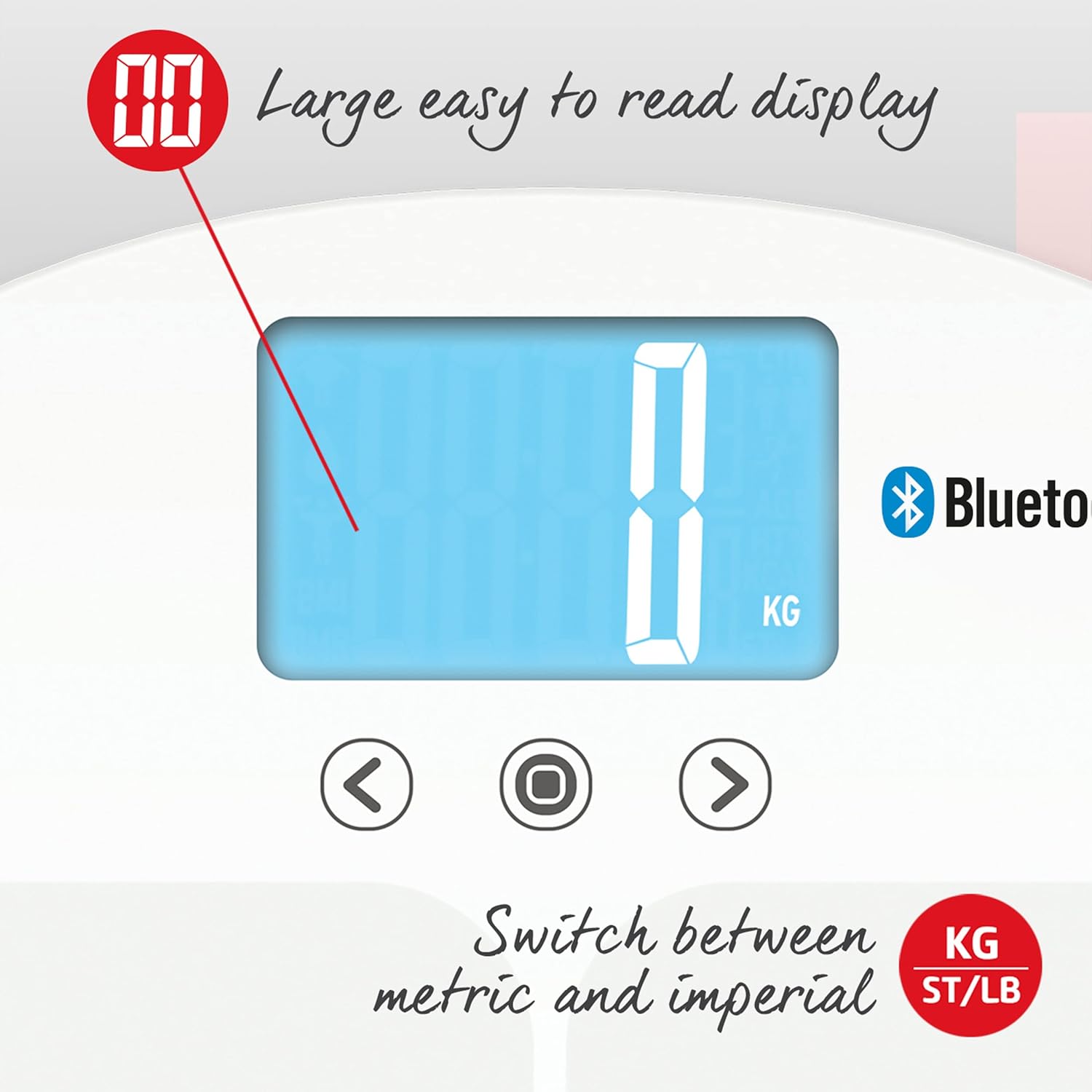
Image: The large, easy-to-read display allows switching between metric (KG) and imperial (ST/LB) units.
- On the underside of the scale, locate the unit switch button.
- Press the button to cycle through the available units (kg, st, lb) until your desired unit is displayed.
4.5 Syncing Data with the App
The Salter MiBody App automatically syncs data when the scale is used and the app is open or running in the background with Bluetooth enabled. The app provides a comprehensive dashboard, metrics overview, and allows for data export.

Image: Screenshots of the Salter Health app displaying the Dashboard, Metrics, and Groups features for tracking progress.

Image: Screenshots of the Salter Health app showing the Dashboard, Linked Accounts for sharing profiles, and data export options (PDF & CSV).
5. Forståelse af dine aflæsninger
The Salter 9192 WH3R scale provides the following body composition metrics:

Image: Icons illustrating the various health metrics tracked by the Salter scale, including weight, body water, body fat, bone mass, BMI, BMR, and muscle mass, along with athlete and child modes and 8-user memory.
- Vægt: Din samlede kropsmasse.
- Kropsfedt: Procententagaf fedt i din krop.
- Kropsvand: Procententage af vand i din krop.
- Muskelmasse: Procententage of muscle in your body.
- Knoglemasse: Procententage of bone mineral in your body.
- BMI (Body Mass Index): A measure that uses your height and weight to work out if your weight is healthy.
- BMR (Basal Metabolic Rate): Det mindste antal kalorier, der kræves for at holde din krop i gang i hvile.
For detailed interpretation of these metrics and to track your progress over time, refer to the Salter MiBody App.
6. Vedligeholdelse og pleje
- Rengør vægten med adamp klud og et mildt rengøringsmiddel. Brug ikke slibende rengøringsmidler, og nedsænk ikke vægten i vand.
- Opbevar vægten et tørt sted ved stuetemperatur.
- If the scale is not used for a long period, remove the batteries to prevent leakage.
- Undgå at tabe vægten eller udsætte den for kraftige stød, da dette kan beskadige glasplatformen eller de indvendige komponenter.
7. Fejlfinding
| Problem | Mulig årsag | Løsning |
|---|---|---|
| "Lo" vises | Lav batteristrøm. | Udskift de 3 x AAA-batterier. |
| "Fejl" vises | Measurement error (e.g., unstable surface, exceeding max weight). | Ensure the scale is on a firm, flat surface. Step off and then back on, standing still. Ensure weight is within 200 kg capacity. |
| Intet display | Batterier er forkert installeret eller døde. | Kontroller batteripolariteten, eller udskift batterierne. |
| App not connecting/syncing | Bluetooth off, app not open, scale not paired, or interference. | Ensure Bluetooth is enabled on your phone. Open the Salter MiBody App. Re-pair the scale if necessary. Move closer to the scale. |
| Inaccurate body composition readings | Dry feet, incorrect user profile, or medical condition. | Ensure bare feet are slightly damp. Verify correct user profile (athlete/child mode). Consult a healthcare professional if concerns persist. |
8. Specifikationer
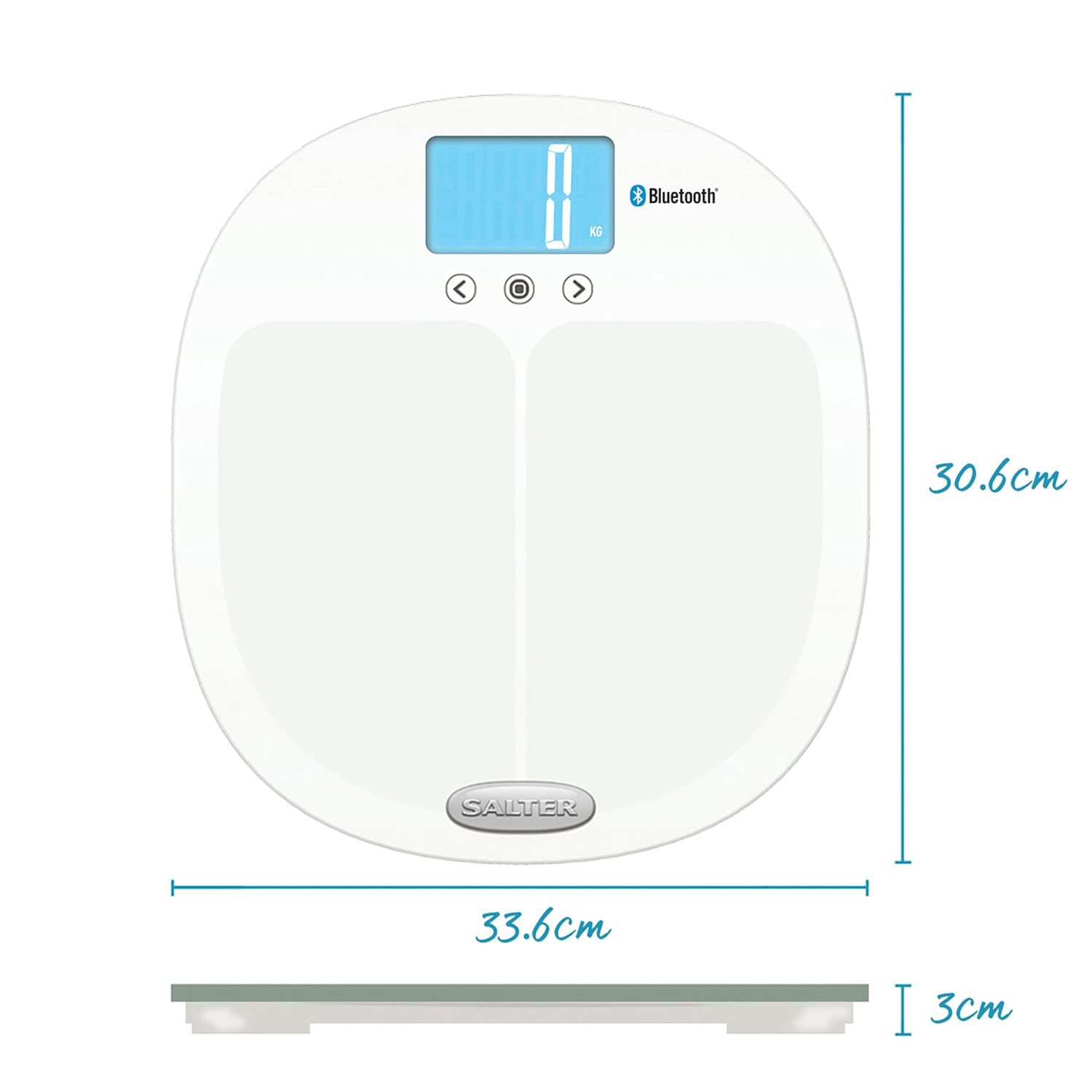
Image: Dimensions of the Salter 9192 WH3R scale.
- Modelnummer: 9192 WH3R
- Maksimal vægtkapacitet: 200 kg (31st 6lb)
- Målepræcision: 0.5 kg
- Skærmtype: LCD
- Materiale: Hærdet glas
- Produktmål (L x B x H): Cirka 30.6 cm x 33.6 cm x 3 cm
- Varens vægt: 1.6 kilo
- Batterier: 3 x AAA (inkluderet)
- Brugerhukommelse: 8 brugere
- Forbindelse: Bluetooth
- Målte metrikker: Weight, Body Fat, Body Water, Muscle Mass, Bone Mass, BMI, BMR
9. Garanti og support
The Salter 9192 WH3R Curve Bluetooth Smart Analyser Bathroom Scale comes with a 15 års garanti, covering defects in materials or workmanship under normal household use. This guarantee does not cover accidental damage, misuse, or damage caused by non-adherence to the instructions.
For warranty claims, technical support, or further assistance, please refer to the contact information provided on the official Salter webwebstedet eller din købsdokumentation.