
1. Introduktion
Intermec PM43 er en industriel etiketprinter i mellemklassen, der er designet til pålidelig ydeevne og brugervenlighed. Denne printer understøtter både direkte termiske og termiske overførselsmetoder, hvilket gør den alsidig til forskellige etiketteringsapplikationer. Den har en brugervenlig grænseflade, der fås med enten en farveberøringsskærm eller universelle ikoner, for at forenkle betjeningen og reducere træningskravene. Denne manual indeholder vigtige oplysninger om opsætning, betjening, vedligeholdelse og fejlfinding af din PM43-printer.

Figur 1: Forside view af Intermec PM43-printeren, der viser kontrolpanelet og medieudgangen.
2. Opsætning
2.1 Udpakning og placering
Tag forsigtigt printeren ud af emballagen. Sørg for, at alt emballagemateriale er fjernet. Placer printeren på en stabil, plan overflade med tilstrækkelig plads omkring den til ventilation og adgang til porte og medieindlæsningsområder.
2.2 Tilslutning af strøm
- Sørg for, at printerens tænd/sluk-knap er i OFF (O) positionen.
- Tilslut netledningen til printerens AC-indgang.
- Sæt den anden ende af netledningen i en jordet stikkontakt.
2.3 Forbindelse til et værtssystem
PM43-printeren understøtter USB- og Ethernet-forbindelse.
- USB-forbindelse: Tilslut et USB-kabel fra printerens USB-port til en ledig USB-port på din computer.
- Ethernet-forbindelse: Tilslut et Ethernet-kabel fra printerens Ethernet-port til din netværksrouter eller -switch.

Figur 2: Bagpanelet på PM43-printeren, der illustrerer strømindgangen, tænd/sluk-knappen, USB-portene og Ethernet-porten.
2.4 Ilægning af medier
PM43-printeren kan bruge forskellige medietyper, herunder etiketter, tagsog kontinuerlige medier. Til termotransferudskrivning kræves der også et bånd.
- Åbn printerens mediedæksel.
- Placer rullen med etiketter på medieforsyningens spindel, og sørg for, at etiketterne fremføres fra bunden af rullen.
- Før mediet gennem styrene og under printhovedenheden.
- Hvis du bruger termooverføring, skal du lægge båndet på båndforsyningsspindlen og træde det i henhold til de indvendige diagrammer.
- Luk mediedækslet.

Figur 3: Intern view af PM43-printeren, der fremhæver medie- og båndilægningsmekanismerne.
3. Betjeningsvejledning
3.1 Tænd/sluk
- For at tænde printeren skal du dreje tænd/sluk-knappen på bagpanelet til positionen ON (I). Printeren vil udføre en selvtest.
- For at slukke skal du dreje tænd/sluk-knappen til OFF (O)-positionen.
3.2 Grundlæggende udskrivning
Når printeren er tilsluttet, og mediet er ilagt, kan du sende udskriftsjob fra dit værtssystem. Sørg for, at de korrekte printerdrivere er installeret på din computer.
- Åbn det dokument eller den applikation, du vil udskrive fra.
- Vælg Intermec PM43-printeren fra udskrivningsdialogboksen.
- Juster udskriftsindstillingerne (f.eks. etiketstørrelse, udskriftstæthed) efter behov.
- Start udskriftsjobbet.
3.3 Brug af brugergrænsefladen
PM43 har enten en farveberøringsskærm eller en universel ikongrænseflade til direkte kontrol og konfiguration. Naviger gennem menuer for at justere indstillinger såsom mediekalibrering, netværkskonfiguration og printerstatus.
4. Vedligeholdelse
4.1 Rengøring af printhovedet
Regelmæssig rengøring af printhovedet er afgørende for at opretholde udskriftskvaliteten og forlænge printhovedets levetid. Brug en fnugfri klud eller en printhovedrengøringspen med isopropylalkohol.
- Sluk printeren, og tag netledningen ud.
- Åbn mediedækslet.
- Tør forsigtigt printhovedelementet af fra midten og udad.
- Lad printhovedet tørre helt, før du lukker dækslet og tænder printeren.
4.2 Udskiftning af medier og bånd
Udskift medieruller og termotransferbånd, når de er brugt op. Se afsnit 2.4 for ilægningsvejledning. Sørg altid for, at de korrekte medier og båndtyper anvendes for optimal ydeevne.
5. Fejlfinding
Dette afsnit omhandler almindelige problemer, du kan støde på med din PM43-printer.
5.1 Dårlig udskriftskvalitet
- Falmet eller ufuldstændig udskrift: Rengør printhovedet (se afsnit 4.1). Sørg for, at farvebåndet (hvis det er termisk transfer) er korrekt isat og ikke er opbrugt. Juster indstillingerne for printtæthed.
- Udtværet tryk: Kontroller, at medietypen er kompatibel. Sørg for, at printhovedtrykket er korrekt indstillet.
5.2 Papirstop
- Sluk for printeren.
- Åbn mediedækslet, og fjern forsigtigt eventuelle fastklemte medier.
- Sørg for, at mediet er ilagt korrekt, og at styrene er justeret korrekt.
- Luk dækslet og tænd for strømmen.
5.3 Forbindelsesproblemer
- Printer ikke fundet: Kontrollér alle kabelforbindelser (USB/Ethernet). Genstart printeren og værtssystemet. Bekræft driverinstallationen.
- Netværksproblemer: Bekræft at netværkskablet er tilsluttet. Kontroller netværksindstillingerne på printeren og værtssystemet.
6. Specifikationer
Følgende tabel beskriver de vigtigste tekniske specifikationer for Intermec PM43-printeren.
| Feature | Specifikation |
|---|---|
| Modelnavn | PM43 |
| Udskrivningsteknologi | Direkte termisk/termisk overførsel |
| Print farve | Monokrom (sort) |
| Maksimal udskrivningshastighed | 12 tommer i sekundet |
| Maksimal udskriftsopløsning | 203 dpi |
| Understøttede medietyper | Sort mærke, kontinuerlig etiket, viftefold, mellemrum, etiket, linjeret etiket, linjeret etiket, hak, rullefremføring Tag |
| Maksimal mediestørrelse | 4 x 6 tommer |
| Forbindelse | USB, Ethernet |
| Hukommelse | 128 MB |
| Kontrolmetode | Touchskærm eller universel ikongrænseflade |
| Produktdimensioner | 25 x 18 x 16 tommer |
| Varens vægt | 1 pund |
| Strømkilde | AC forsyning |
| Sprogemulering | DSim, fingeraftryk, IPL, XML |
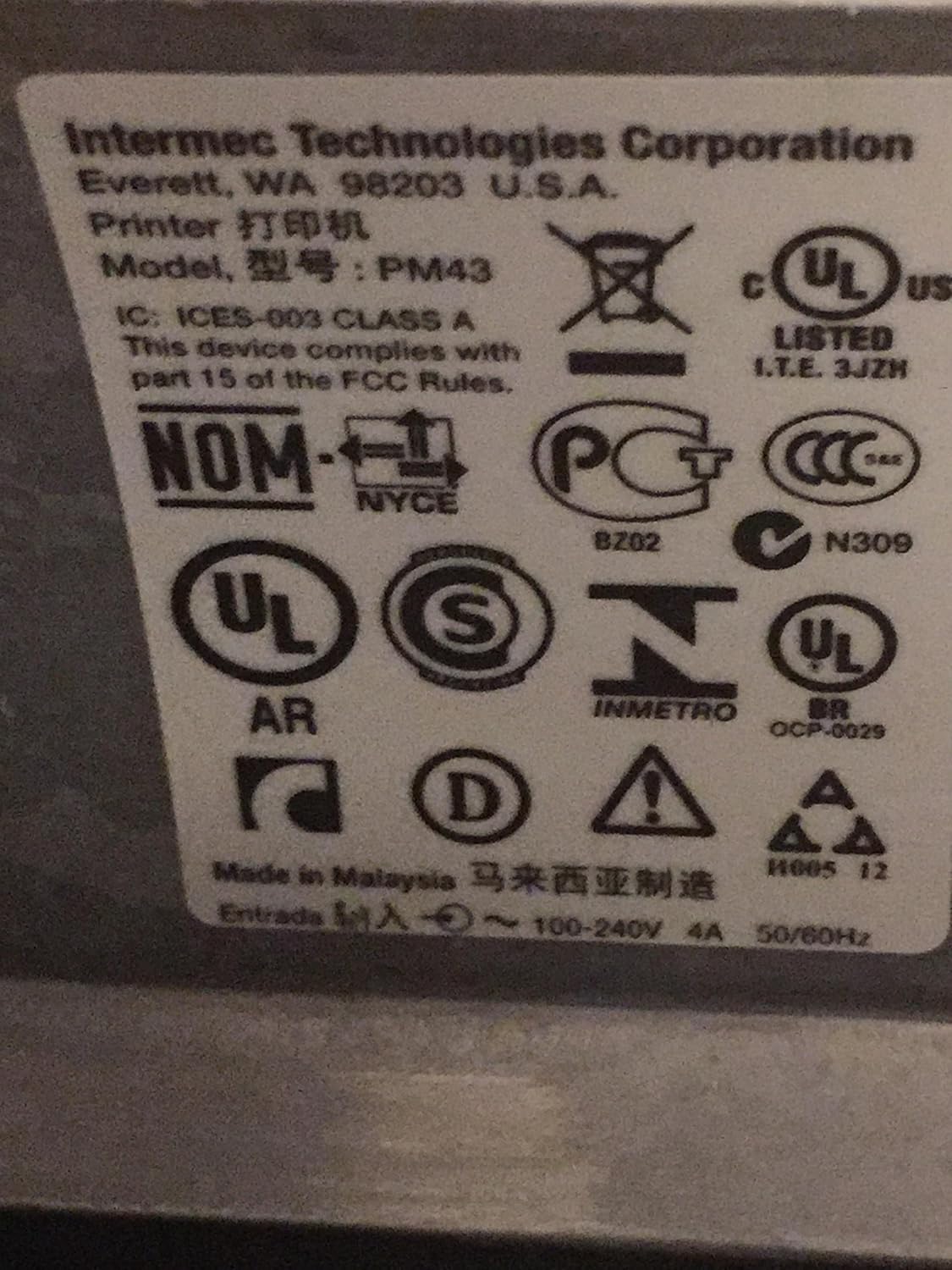
Figur 4: Mærkater for lovgivning og overholdelse af standarder, der findes på Intermec PM43-printeren.
7. Garantioplysninger
Intermec PM43-printeren er dækket af en begrænset garanti. For specifikke vilkår og betingelser henvises til garantidokumentationen, der følger med dit produkt, eller besøg den officielle Intermec-supportside. webwebsted.
8. Support
For yderligere assistance, teknisk support eller for at downloade de nyeste drivere og firmware, besøg venligst den officielle Intermec-supportside. webwebstedet eller kontakt din autoriserede Intermec-forhandler. Sørg for at have din printers modelnummer (PM43A01000000201) og serienummer klar, når du søger support.