
Indledning
This manual provides essential information for the safe and effective installation, operation, and maintenance of your BTF-LIGHTING 16.4ft Warm White SMD5630 LED Strip Light. Please read this manual thoroughly before use and retain it for future reference.
Sikkerhedsoplysninger
- Sørg for, at strømforsyningen er afbrudt før installation eller vedligeholdelse.
- This LED strip is designed for 12V DC power only. Connecting to a higher voltage vil beskadige produktet.
- This product is IP30 rated, meaning it is non-waterproof. Avoid exposure to water or high humidity.
- Do not bend the LED strip sharply or apply excessive force, as this may damage the circuit board or LEDs.
- Ensure proper ventilation around the LED strip to prevent overheating.
- Opbevares utilgængeligt for børn.
- Only use the recommended power adapter (DC12V3A) or a compatible power supply.
Pakkens indhold
Kontroller, at alle komponenter er til stede og i god stand:
- 1 x BTF-LIGHTING 16.4ft (5m) Warm White SMD5630 LED Strip Light
- 1 x Remote Control (if included with your specific package)
- Note: Power adapter is typically sold separately.
Specifikationer
| Mærke | BTF-BELYSNING |
| Modelnummer | 56305MWW60W30 |
| LED type | SMD5630 |
| LED mængde | 300 LEDs (60 LEDs/meter) |
| Striplængde | 16.4 fod (5 fod) |
| FPCB Board Width | 10 mm |
| Lys farve | Varm hvid |
| Farvetemperatur | 2700K-3000K |
| Lumen pr. LED | 23-25 lm/LED |
| Working Voltage | DC 12V |
| Anbefalet strømadapter | DC 12V 3A (36W) or higher |
| Wattage | 30 watt |
| Vandtæt niveau | IP30 (Non-Waterproof) |
| Driftstemperatur | -20°C til 50°C |
| Levetid | >50,000 timer |
| Certificeringer | CE & RoHS |
Opsætningsinstruktioner
- Forbered overfladen: Ensure the installation surface is clean, dry, and smooth. Dust, oil, or moisture can reduce the adhesive's effectiveness.
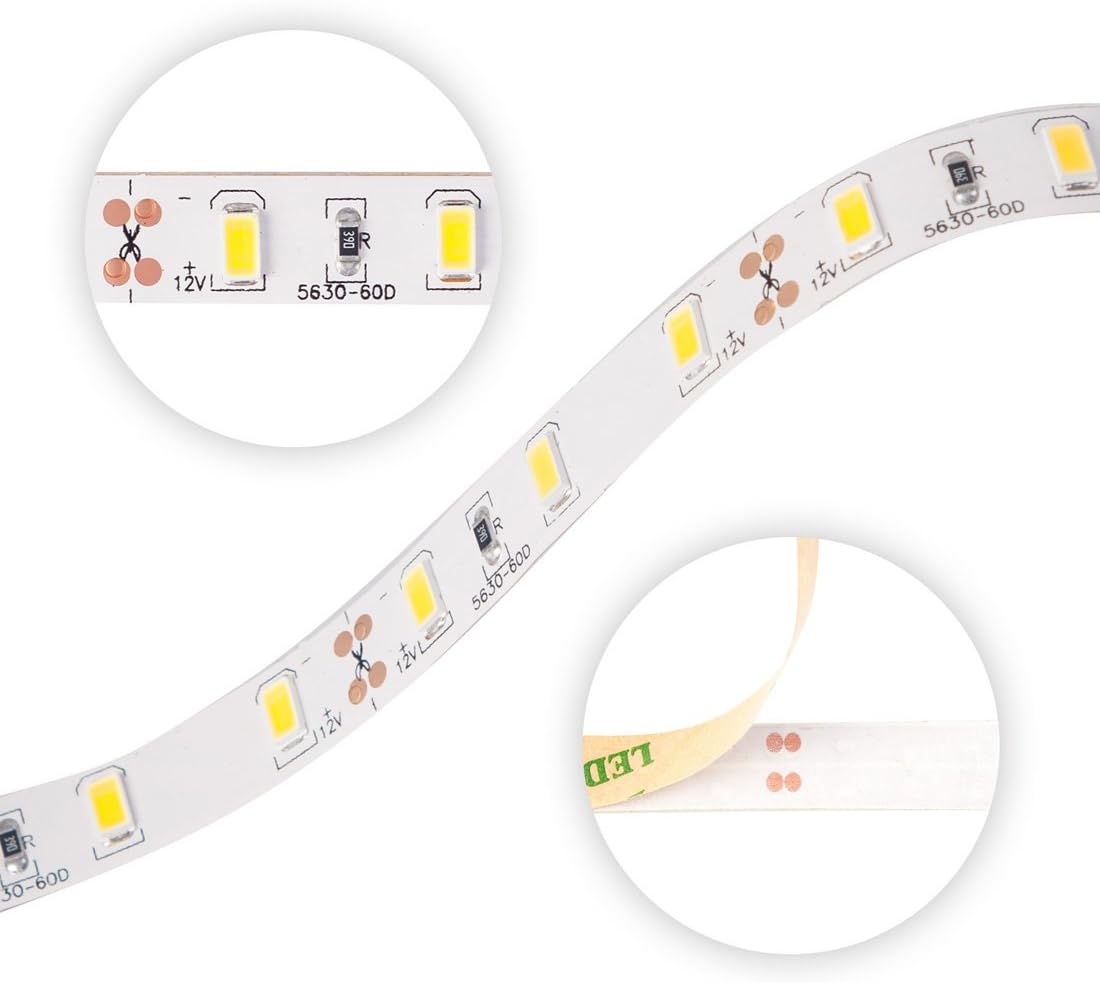
Billede: Nærbillede view of the LED strip, highlighting individual SMD5630 LEDs and designated cut points marked with a scissor icon. The strip also shows the adhesive backing being peeled.
- Mål og skær (valgfrit): If a shorter length is required, cut the LED strip only at the designated cut marks (usually indicated by a scissor icon and copper pads). Cutting elsewhere will damage the circuit and prevent the section from lighting up.
- Tilslut strøm:
- Identify the 2-pin connectors on the LED strip.
- Connect the LED strip's 2-pin connector to a compatible DC 12V power adapter (not included). Ensure polarity is correct (positive to positive, negative to negative).
- If a remote control is included, connect the LED strip to the remote controller, and then connect the controller to the power adapter.

Image: Two separate sections of the LED strip, each terminating with a 2-pin connector (red and black wires), ready for connection to a power source or controller.
- Test før påsætning: Before removing the adhesive backing, plug in the power adapter to test if the LED strip lights up correctly. This allows for troubleshooting before permanent installation.
- Fastgør strimlen: Once tested, peel off the protective backing from the adhesive tape on the back of the LED strip. Carefully press the strip onto the desired clean, dry surface. Apply firm, even pressure along the entire length to ensure good adhesion.
Betjeningsvejledning
Once the LED strip is properly installed and connected to a 12V DC power supply:
- Tænd/sluk: Plug the power adapter into a wall outlet to turn the strip light on. Unplug it to turn it off.
- Using the Remote Control (if applicable): If your package included a remote control, refer to its specific instructions for functions such as brightness adjustment or on/off control.
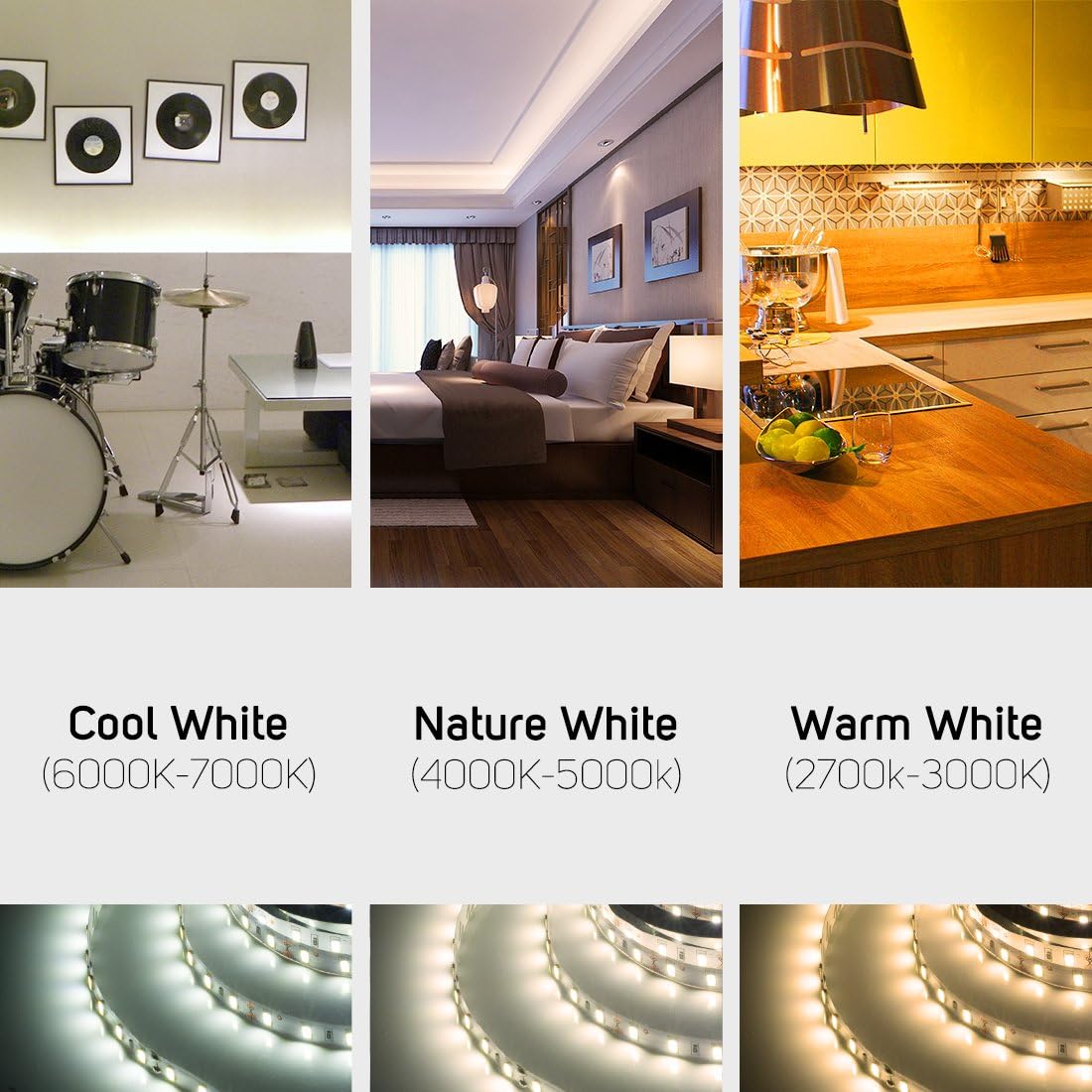
Billede: Visuelt eksempelamples of LED strip lighting used in different indoor environments, demonstrating the warm white illumination. This image also shows Cool White and Nature White, but this product is Warm White.
Opretholdelse
- Rensning: Ensure the power is off and unplugged before cleaning. Gently wipe the LED strip with a soft, dry cloth. Do not use liquid cleaners or abrasive materials.
- Inspektion: Periodically check the strip for any signs of damage, loose connections, or adhesive degradation.
- Opbevaring: If storing the LED strip, ensure it is kept in a dry, cool place, away from direct sunlight and extreme temperatures.
Fejlfinding
| Problem | Mulig årsag | Løsning |
|---|---|---|
| LED-striben lyser ikke. |
|
|
| Part of the LED strip is not lighting up. |
|
|
| LED'erne er svage eller flimrer. |
|
|
Garanti og support
BTF-LIGHTING products are designed for reliability and performance. For warranty information, technical support, or assistance with your product, please contact BTF-LIGHTING customer service through the retailer where the product was purchased or visit the official BTF-LIGHTING webwebsted.
Please have your model number (56305MWW60W30) and purchase details ready when contacting support.