
1. Vigtige sikkerhedsoplysninger
Before using the HMS Magnetic Bike M2218, please read and understand all instructions in this manual. Keep this manual for future reference.
- Rådfør dig med din læge, før du starter et træningsprogram, især hvis du har eksisterende helbredsproblemer.
- Ensure all parts are securely fastened and in good working condition before each use. Do not use the bike if any parts are damaged or missing.
- Hold børn og kæledyr væk fra udstyret under drift.
- Placer cyklen på en flad, stabil overflade med tilstrækkelig plads omkring den.
- Brug passende træningstøj og fodtøj. Undgå løstsiddende tøj, der kan sætte sig fast i bevægelige dele.
- Den maksimale brugervægt for denne enhed er 125 kg.
- Stop med at træne med det samme, hvis du føler dig svimmel, føler dig svag eller oplever smerter.
- Dette produkt er kun designet til husholdningsbrug.
2. Monteringsvejledning
Carefully unpack all components and ensure you have all parts listed in the packing list (not provided in this document). Assembly typically requires two people.
2.1 Base Stabilizers Installation
Attach the front and rear stabilizer bars to the main frame using the provided bolts and washers. Ensure they are tightened securely to provide a stable base for the bike.

Figur 1: Side view of the assembled bike, illustrating the stable base provided by the front and rear stabilizers.
2.2 Pedalinstallation
Identify the left (L) and right (R) pedals. The right pedal screws in clockwise, and the left pedal screws in counter-clockwise. Ensure the pedal straps are correctly oriented for foot placement.
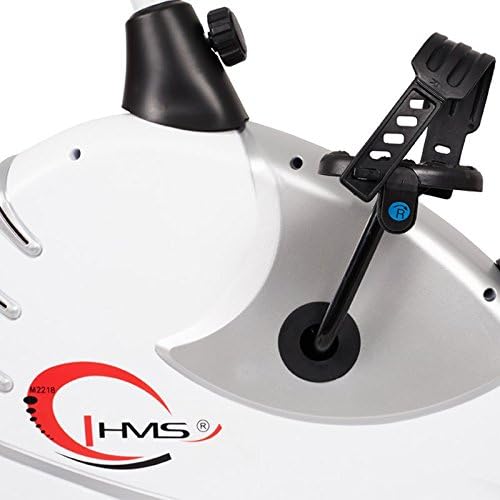
Figure 2: Detail of the pedal with adjustable strap, ensuring secure foot placement during exercise.
2.3 Seat Post and Seat Installation
Insert the seat post into the main frame. Adjust the height to your preference and secure it with the adjustment knob. Attach the ergonomic seat to the top of the seat post.
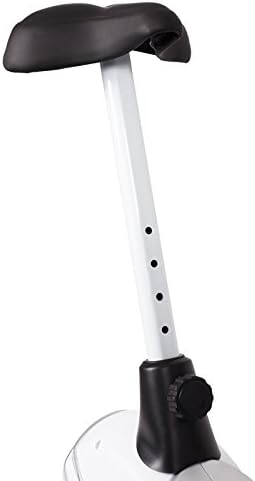
Figure 3: The seat post features multiple adjustment holes for vertical height customization, secured by a knob.

Figure 4: The comfortable, ergonomic seat designed for extended use.
2.4 Handlebar and Console Installation
Attach the handlebar post to the main frame. Secure the handlebars to the post. Finally, connect the console wires and mount the console onto the handlebar post. Ensure all connections are firm.
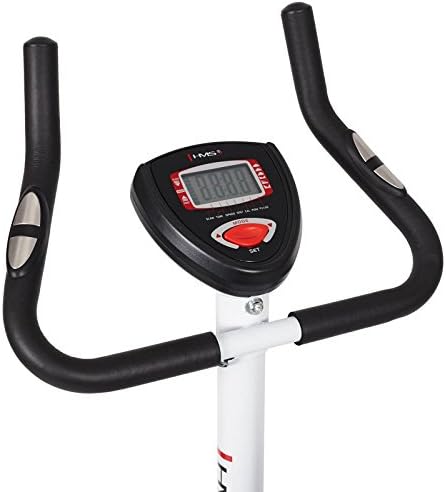
Figure 5: The handlebars provide multiple grip positions, and the central console displays workout data.

Figure 6: The console features a clear digital display and control buttons for mode and settings.
3. Betjeningsvejledning
3.1 Justering af sæde og styr
Adjust the seat height so that your leg is slightly bent at the knee when the pedal is at its lowest point. The handlebars can also be adjusted for comfort and proper posture during your workout.
3.2 Justering af modstand
The HMS M2218 features an automatic magnetic resistance system. Use the resistance adjustment knob, typically located below the console, to increase or decrease the workout intensity. Turn clockwise to increase resistance and counter-clockwise to decrease it.
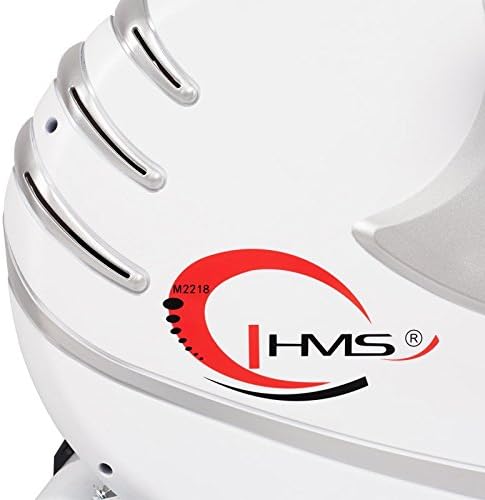
Figure 7: The main body housing the magnetic resistance system, with the HMS logo and model identifier.
3.3 Brug af konsollen
The console displays various workout metrics to help you track your progress:
- Tid: Varigheden af din træning.
- Hastighed: Aktuel cykelhastighed.
- Afstand: Samlet tilbagelagt distance under træningen.
- Kalorier: Anslået forbrændte kalorier.
- Puls: Heart rate reading from the integrated sensors on the handlebars.
- Scan: Skifter automatisk gennem alle displayfunktioner.
Use the 'MODE' and 'SET' buttons to navigate through display options and set workout targets if available.
4. Vedligeholdelse
Regular maintenance ensures the longevity and safe operation of your HMS Magnetic Bike M2218.
- Rensning: Tør cyklen af med annonceamp cloth after each use to remove sweat and dust. Avoid abrasive cleaners or solvents. The plastic elements are easy to clean.
- Tjek forbindelser: Periodically check all bolts, nuts, and screws to ensure they are tight. Tighten any loose connections.
- Efterse bevægelige dele: Check pedals, crank arms, and the resistance mechanism for any signs of wear or damage.
- Udskiftning af batteri: The console requires 4 AA batteries. Replace them when the display becomes dim or unresponsive.
5. Fejlfinding
If you encounter issues with your HMS Magnetic Bike M2218, refer to the following common problems and solutions:
| Problem | Mulig årsag | Løsning |
|---|---|---|
| Konsollen viser ikke data | Dead batteries; Loose sensor connection | Replace AA batteries; Check all console cable connections. |
| Ingen modstand eller inkonsekvent modstand | Resistance mechanism issue; Loose adjustment knob | Ensure resistance knob is properly engaged; Inspect internal resistance mechanism (contact support if issue persists). |
| Usædvanlige lyde under drift | Loose bolts/nuts; Worn moving parts | Check and tighten all assembly bolts; Inspect pedals and crank for wear. |
| Unøjagtig pulsaflæsning | Hands not firmly on sensors; Dry hands | Ensure firm contact with both hand pulse sensors; Lightly moisten hands if too dry. |
6. Produktspecifikationer
Key technical details for the HMS Magnetic Bike M2218:
| Feature | Detalje |
|---|---|
| Modelnavn | M2218 |
| Modstandstype | Magnetic, Automatic Adjustment |
| Svinghjulets vægt | 6.2 kg |
| Dimensioner (L x B x H) | 89 x 55 x 131 cm (Product); 89 x 55 x 126 cm (Shipping) |
| Produktets vægt | 26 kg |
| Maximum User Load | 125 kg |
| Konsol funktioner | Time, Speed, Distance, Calories, Pulse, Scan |
| Sædejustering | Lodret |
| Strømkilde (konsol) | 4 AA batterier (medfølger) |
| Farve | Hvid / Sølv |
7. Garanti og support
For warranty information, technical support, or to order replacement parts, please contact HMS customer service. Refer to your purchase documentation for specific warranty terms and contact details.
Gem din købsbevis i tilfælde af garantikrav.